
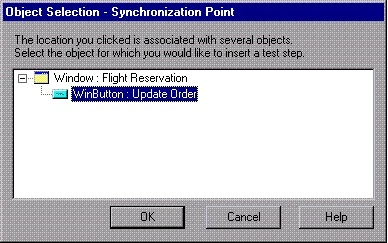
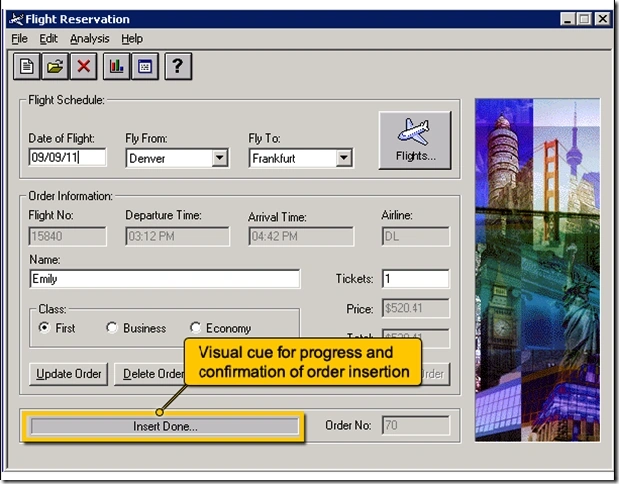
For example, suppose you record a test on a flight reservation application. You insert an order and then you want to modify the order. When you click the Insert Order button, a progress bar is displayed and all other buttons are disabled until the progress bar reaches 100%. Once the progress bar reaches 100%, you record a click on the Upload Order button.
You can insert a synchronization point that instructs QuickTest to wait until the Update Order button's enabled property is 1.
To insert a synchronization point:
- Begin recording your test.
- Display the screen or page in your application that contains the object for which you want to insert a synchronization point.
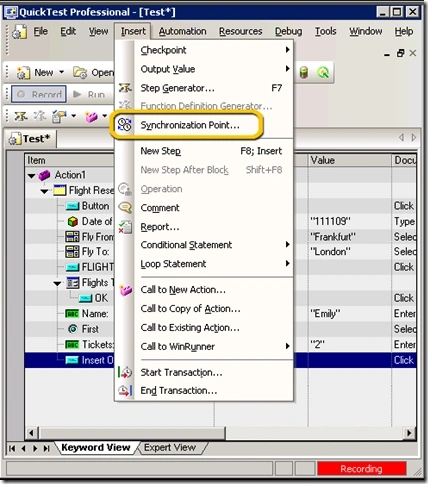
- In QuickTest, choose Insert>Synchronization Point. The mouse pointer becomes a pointing hand.
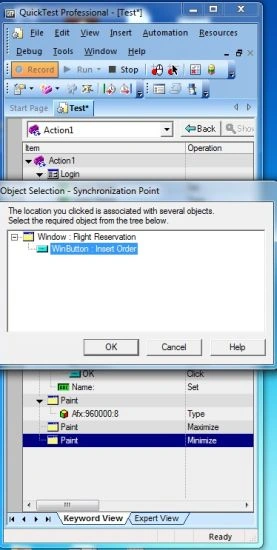
- Click the object in your application for which you want to insert a synchronization point.
Join the conversation! Your thoughts help the community grow.