
Introduction
After creating the connection as we discussed
in an earlier article, "Introduction to Jdbc," we create a table and execute queries so that we can frequently access to the
database and perform CURD(Create, Update, Retrieve & Delete) operation on
any table. Now, first of all, we have to create a database in MS-Access.
Creating a database in MS-Access
To create a database in MS-Access, we have to
perform the following step:
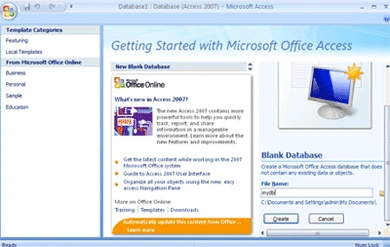
- Open MS-Access and select the
new database. The figure given below will help you to create a database in
MS-Access.
After the creation of a database, we have to create a
datasource name and we have to add our database to that data source. This data
source is known as ODBC(Open Database Connectivity) Data Source
Administrator. This ODBC was originally created to provide an API
standard for SQL on Windows platform and was later enhanced to provide SDK for other platforms.
ODBC defines a collection of functions for direct access to data without the
need for an embedded SQL in the client application. These functions were defined by
Microsoft and implementation of those function were given by a specific
vendor(Oracle, Sybase, etc).
Creating a data source name and adding our
database to that datasource name
Different step for creating DSN (datasource
name) and adding it to our database.
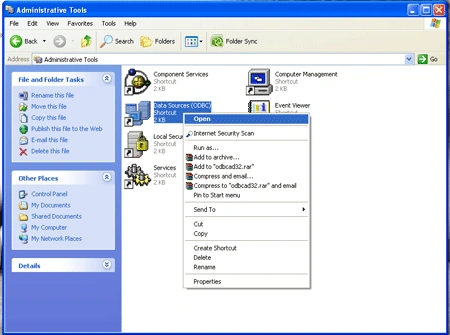
- Go to the Control Panel and select the Administrative Tool
- Select and open the Data Sources (ODBC)
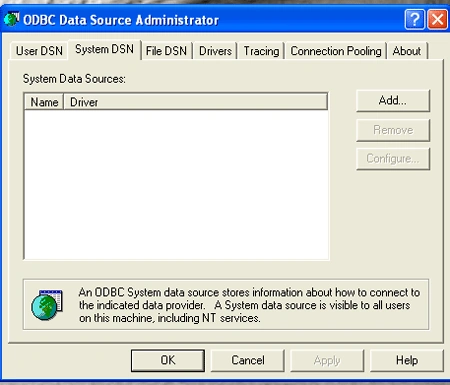
- A window, ODBC Administrator, will open then
select the System DSN menu and click Add button
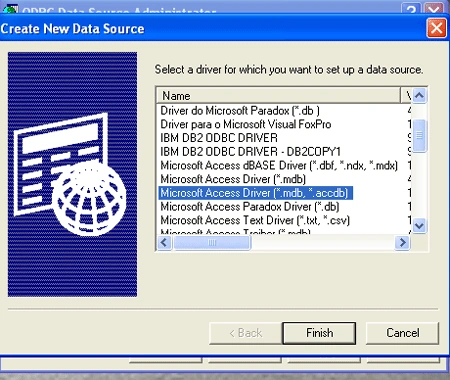
- A new window, Create
a new Data Source will open then select the Microsoft Access Driver, as
shown below
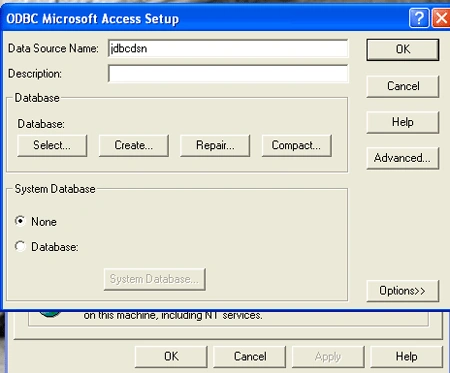
- After this a new window ODBC Microsoft
Access Setup will open then write the DSN and select the Select button
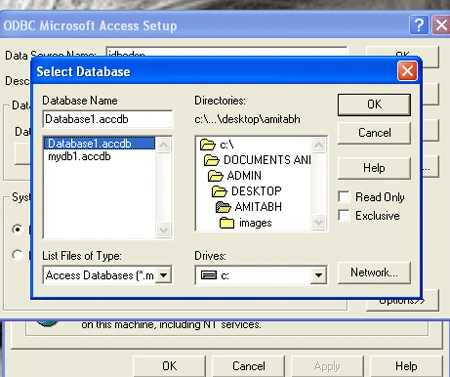
- A new window Select Database will open
select your database and click on OK button
Now we are ready to create any table and insert the values in that table.
Simple program for creating a table employee
and inserting the value in the table
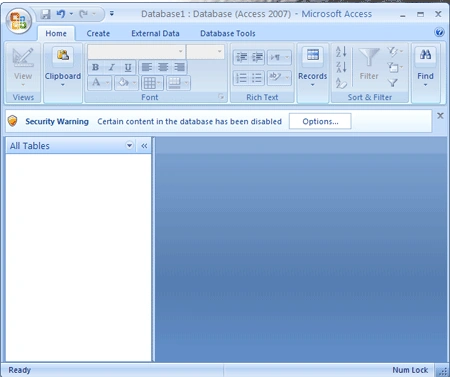
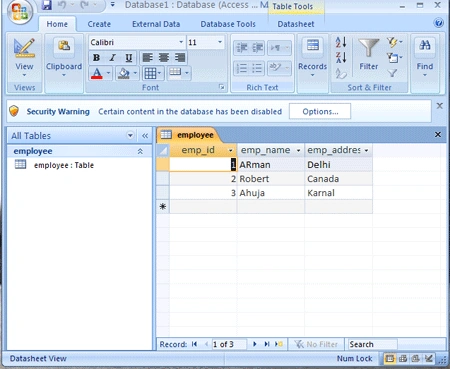
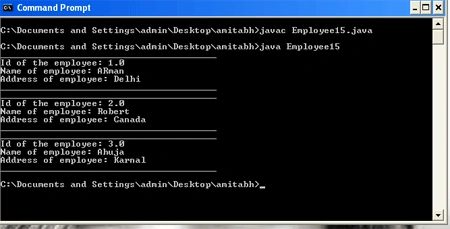
Before executing the program the MS-Access is
Join the conversation! Your thoughts help the community grow.