

In this article, I describe how to dynamically apply a format to Crystal Reports text. In Crystal Reports, you can't directly change color, font size, style, alignment, etc. So I have created a custom composite control which helps you to format text objects in Crystal Reports.
In Crystal Reports, Text Field object properties like font size, color, style, etc. can't change. For this, I used a HTML editor but it can't support some tags.
So I decided to create my own control which can format the text from client side.
Using the Code
Here, I have used a formula field to show the data in Crystal Reports.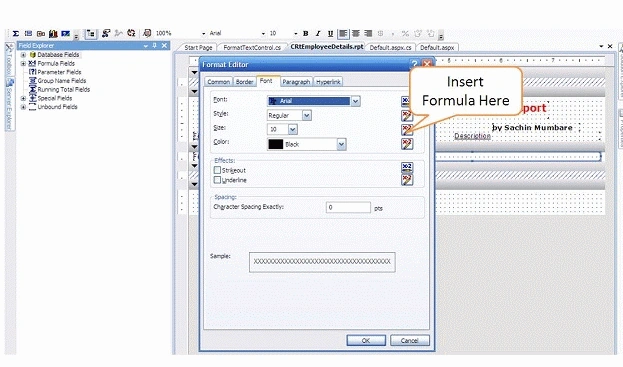
In the following image, I show how to add display data in a formula field.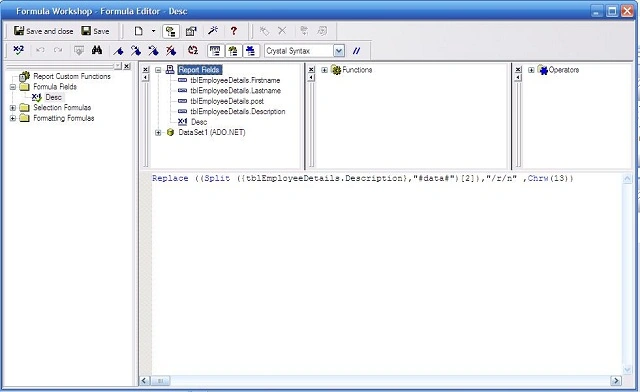
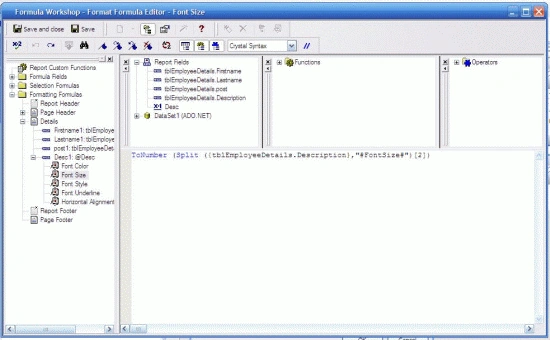
In the following image, I show how to add a formula for the font size.
In the following image, I show how to add a formula for the font style.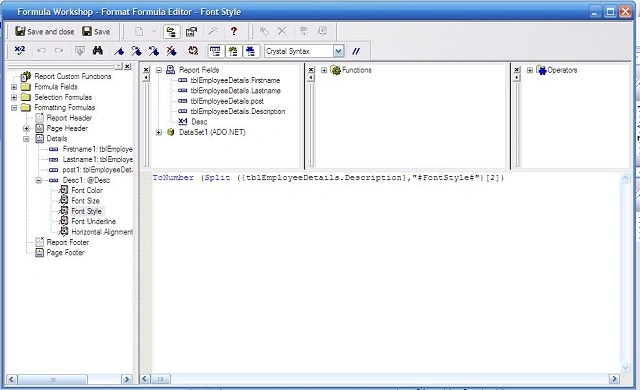
In the following image, I show how to add a formula for Text Alignment.
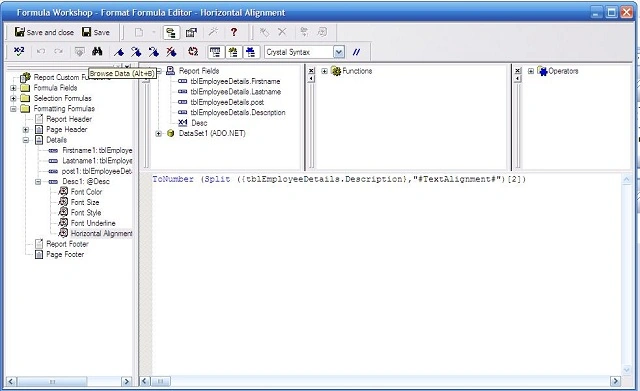
In the following image, I show how to add a formula for Font Color.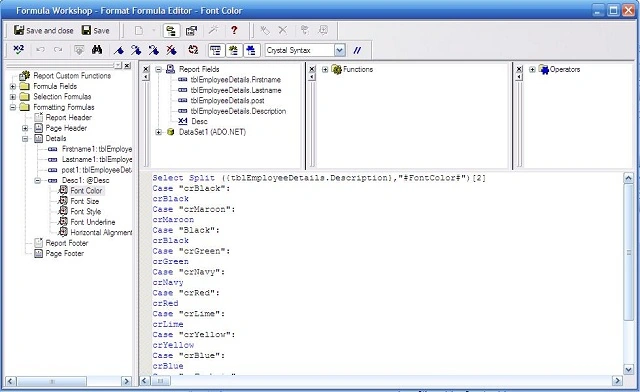
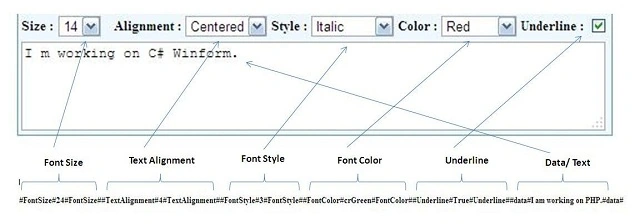
Final Demo Project Screenshot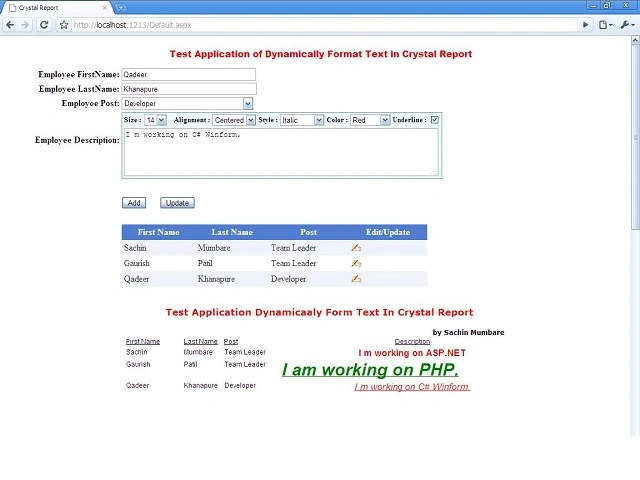
JosephsPosted Mar 22, 2021, 8:51 AM
Good Post Awesome
JosephsPosted Mar 22, 2021, 8:51 AM
How to place text particular row and column ?
Naeem KhanPosted Nov 12, 2012, 2:37 AM
nice one dude... thanks for sharing
Mohamed IbrahimshaPosted Oct 2, 2012, 9:19 PM
hai, I have multiple checkbox in single winForm when I select or checked particular checkbox that selected checkbox values only display in the crystal report. pls help me
Jimmy UnderwoodPosted Mar 18, 2012, 11:49 PM
Really so good article, thanks for sharing.
Sudhakar ChaudharyPosted Mar 16, 2012, 9:22 AM
thank you sir for sharing. i have a question, can we change the field data at run time. if you have some idea then please disc. for example i am working on a software report is like- name age phone sam 10 2220100 i want to swap column according to user selection..