

Introduction
This article explains how to create custom action methods in ASP.NET Web API. In Web API, we use default action methods like Get, Put, Post, and Update.This article helps you to learn how to create custom action methods instead of these default action methods in ASP.NET Web API. Before reading this article, kindly read the previous part of this article from the following link.
Default Action Methods
In Web API, Get, Post, Put, and Delete verbs are used as corresponding action methods- Get(), Post ([FromBody]string value), Put (int id, [FromBody]string value), Delete (int id) for manipulating data like get, insert, update and delete.
We have added ValueController, default action methods, and manipulating functionalities using static variable. Just look at the below code.
- public class ValuesController : ApiController
- {
- static List<string> languages = new List<string>() {
- "C#","ASP.NET","MVC"
- };
- // GET api/values
- public IEnumerable<string> Get()
- {
- return languages;
- }
- // GET api/values/5
- public string Get(int id)
- {
- return languages[id];
- }
- // POST api/values
- public void Post([FromBody]string value)
- {
- languages.Add(value);
- }
- // PUT api/values/5
- public void Put(int id, [FromBody]string value)
- {
- languages[id] = value;
- }
- // DELETE api/values/5
- public void Delete(int id)
- {
- languages.RemoveAt(id);
- }
- }
Type 1
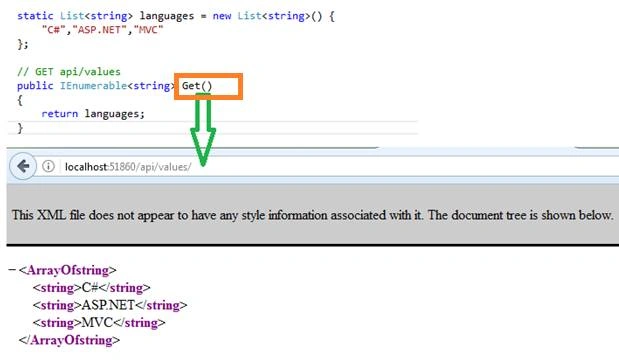
When we run Web API in ASP.NET, it calls Get () because Get () is mapped into Web API controllers. We can see the following outputs.
Type 2
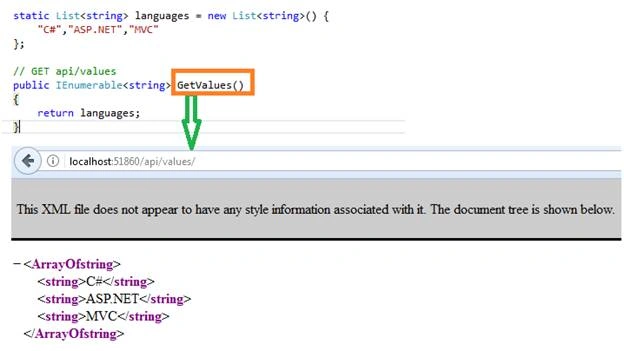
We will change the action name with prefix Get verb. After changing the action name like GetValues(), run the Web API. Now also, we are getting the same output. In the Web API, Http verb should be used in prefix in every action name.
Type 3
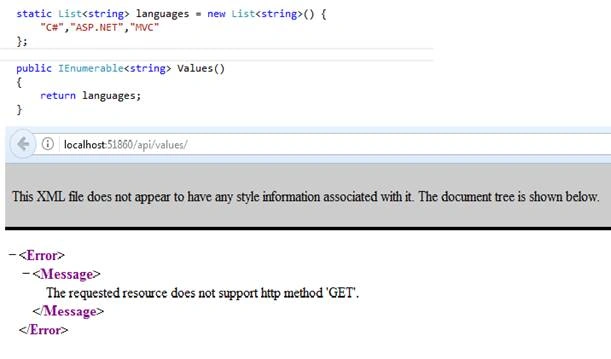
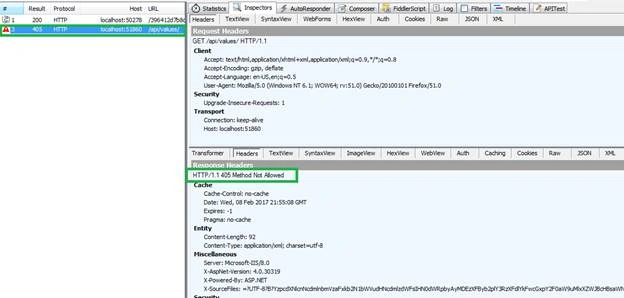
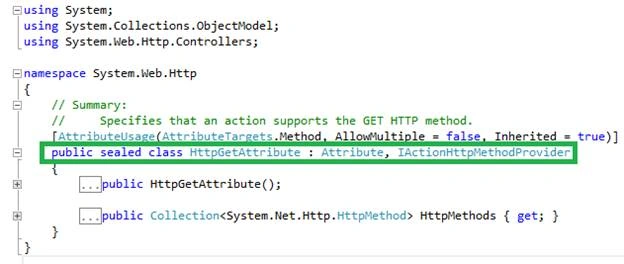
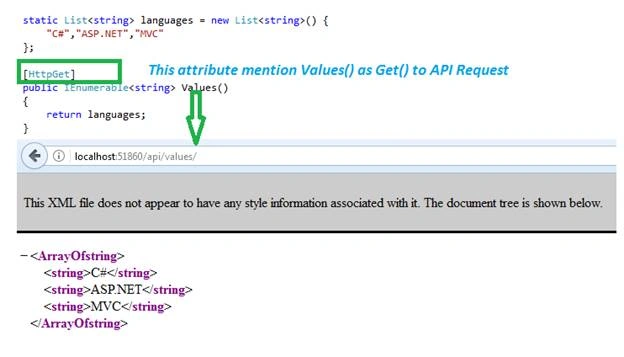
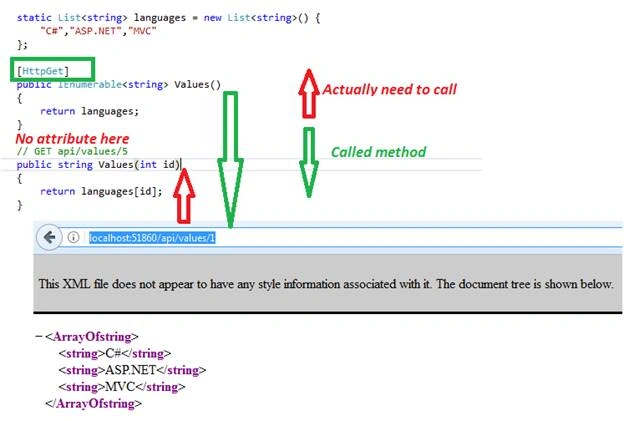
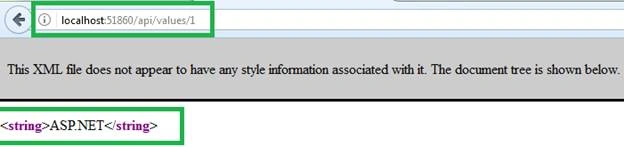
Here, we change the action method name with a fully different one, like “Values()” and build run the web API. Now, our web API returns the error message because action method is not like “Get()” as well as action method does not start with prefix other than “Get” so API could not find action method. We can see error messages as “The requested resource does not support HTTP method 'GET'” XML format looks like the following screenshot.
Former memberPosted Jun 2, 2017, 7:37 AM
I guess action name attribute we can use to give custom name to web api action which you did not mention anywhere in your post........why ?
Former memberPosted May 30, 2017, 7:00 AM
How to give custom action name to web api action. come with a example.
Sankar BcPosted Feb 12, 2017, 6:19 AM
Good VI it's useful for every one
Anu VPosted Feb 11, 2017, 5:24 AM
Nice article thanks for sharing..
Bryian TanPosted Feb 10, 2017, 1:58 PM
Any sample code available for the reader to download?