
Introduction
Structured exception handling is a fundamental part of the CLR and
provides .Net programmers a great way of managing errors. In addition to CLR
exception system, ASP.Net also provides ways of handling errors.
When a runtime or design-time error occurs in an application, ASP.Net shows a
default error page that gives a brief description of the error along with the
line number on which the error occurred. A developer would wish to view this
default error page, during the testing of the application since the description
helps him in rectifying the error. But he would never want a user trying to
access his application, to view this error page. The user would be least
bothered to know about the error. Instead of showing the default error page, it
would be more sensible to show a customized error page that would let the user
send notification of the error to the administrator.
Explanation
Consider an example of an ASP.Net application that generates an error
intentionally to show how ASP.Net detects it and shows the default error page.
The below given web form contains a label and a button server control. In the
event handler for the button click event, the user will be redirected to another
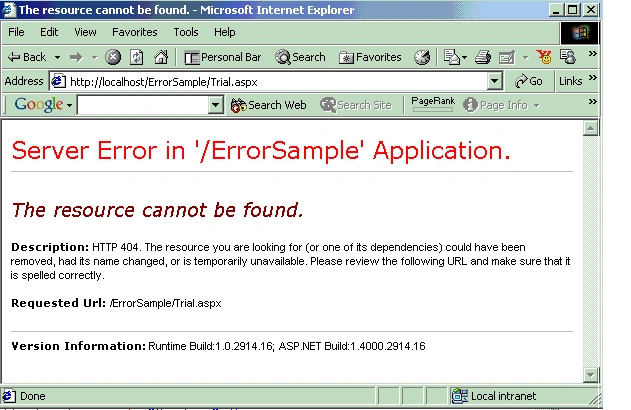
webworm "Trial.aspx". Since the page being redirected to, is missing ASP.Net
will show the default error page indicating it is a runtime error.
Unlike classic ASP, ASP.Net separates the code for the business logic from the
content (i.e. HTML and interface logic). The sample application has two files
named "webform1.aspx" containing the content and "webform1.aspx.vb" containing
the code.
WebForm1.aspx
<%@ Page Language="vb" AutoEventWireup="false" Codebehind="WebForm1.aspx.vb"
Inherits="ErrorSample.WebForm1"%>
<!DOCTYPE HTML PUBLIC "-//W3C//DTD
HTML 4.0 Transitional//EN">
<HTML>
<HEAD>
<title></title>
<meta name="GENERATOR" content="Microsoft
Visual Studio.NET 7.0">
<meta name="CODE_LANGUAGE" content="Visual
Basic 7.0">
<meta name="vs_defaultClientScript" content="JavaScript">
<meta name="vs_targetSchema" content="http://schemas.microsoft.com/intellisense/ie5">
</HEAD>
<body MS_POSITIONING="GridLayout">
<form id="Form1" method="post" runat="server">
<asp:Label id="Message" style="Z-INDEX:
101; LEFT: 34px; POSITION: absolute;
TOP:46px"runat="server"></asp:Label>
<asp:Button id="ErrorButton" style="Z-INDEX:
102; LEFT: 268px; POSITION: absolute;
TOP: 41px"runat="server" Text="Generate
Error"></asp:Button>
</form>
</body>
</HTML>
WebForm1.aspx.vb
Public Class WebForm1
Inherits System.Web.UI.Page
Protected WithEvents Message As System.Web.UI.WebControls.Label
Protected WithEvents ErrorButton As System.Web.UI.WebControls.Button
Private Sub Page_Load(ByVal sender As Object, ByVal e As System.EventArgs)
Handles MyBase.Load
Message.Text = "This sample page generates an Error..."
End Sub
Public Sub ErrorButton_Click(ByVal sender As Object, ByVal e As System.EventArgs)
Handles ErrorButton.Click
Response.Redirect("Trial.aspx")
End Sub
End Class
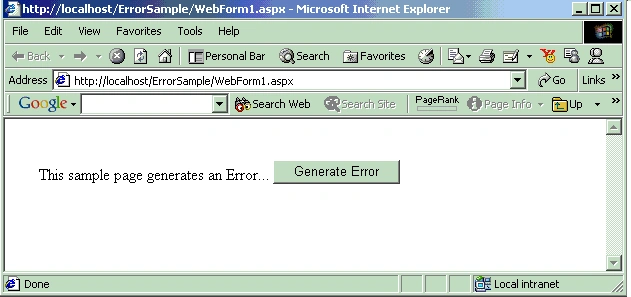
Now if
you try to run the above web form by viewing it on the browser, you will get the
below shown web page:
Now if you click on the button labeled "Generate
Error", you will get the below shown default ASP.Net error page.
Customizing Error Page
To customize the default error page, one will have to change the
default configuration settings of the application.
There are three error modes in which an ASP.Net application can work:
- Off Mode
- On Mode
- RemoteOnly Mode
The
Error mode attribute determines whether or not an ASP.Net error message is
displayed. By default, the mode value is set to "RemoteOnly".
Off Mode
When the error attribute is set to "Off", ASP.Net uses its default
error page for both local and remote users in case of an error.
On Mode
In case of "On" Mode, ASP.Net uses user-defined custom error page
instead of its default error page for both local and remote users. If a custom
error page is not specified, ASP.Net shows the error page describing how to
enable remote viewing of errors.
RemoteOnly
ASP.Net error page is shown only to local users. Remote requests will
first check the configuration settings for the custom error page or finally show
an IIS error.
Configuration File.
Customization of error page can be implemented by adding a value for an
attribute "defaultRedirect" in the <customErrors> tag of the configuration file
"web.config". This file determines configuration settings for the underlying
application.
Off Mode
In this scenario, set the mode attribute value to "Off" as shown below:
Web.Config File
<?xml version="1.0" encoding="utf-8" ?>
<configuration>
<system.web>
<customErrors mode="Off" />
</system.web>
</configuration>
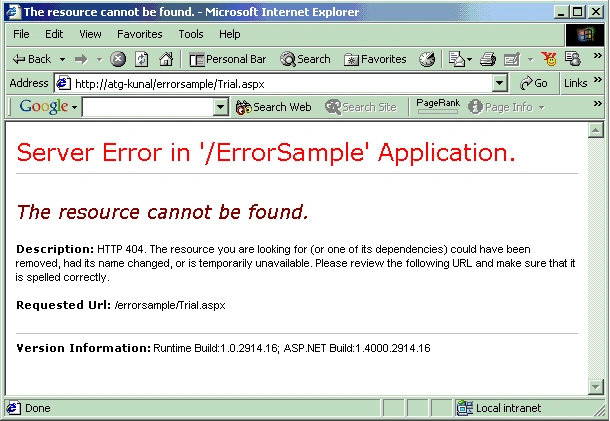
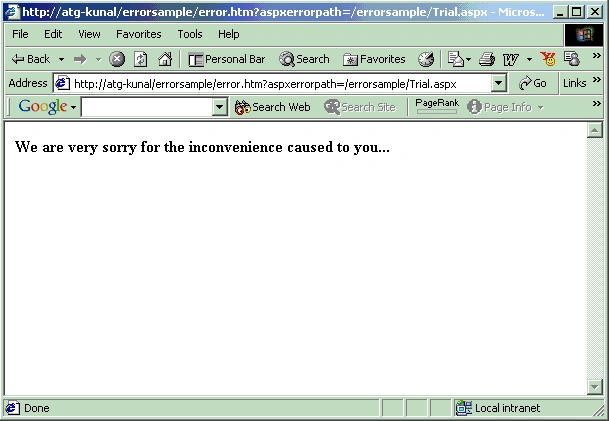
When the sample ASP.Net web page is viewed in the browser from the remote
machine, one gets the below shown default error page.
Gowtham RajamanickamPosted Apr 16, 2016, 8:25 AM
Useful