

Introduction
In this article, we will see how to create Custom Helper in MVC. The custom helpers are very useful while developing projects.
Custom helpers are helpful in rapid developing and reusing of the code. We can add extension method to the existing html helper object with our custom code and that can be used across the project.
We have two types of custom helpers,
- Inline Helpers
- External Helpers
Inline Helpers
We can create inline helpers inside the view and that can be used within that view.
External Helpers
External Helpers can be used with the help ofthe extension method that this used. In the Decorator pattern, we can extend the existing html helpers object with our custom extension method code and that can be used across the project.
Steps to create Custom Helper.
- Create MVC Project.
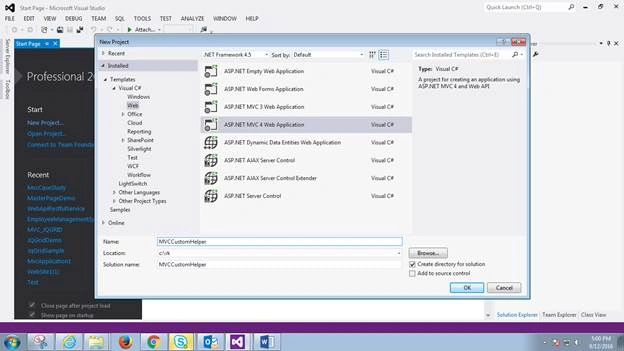
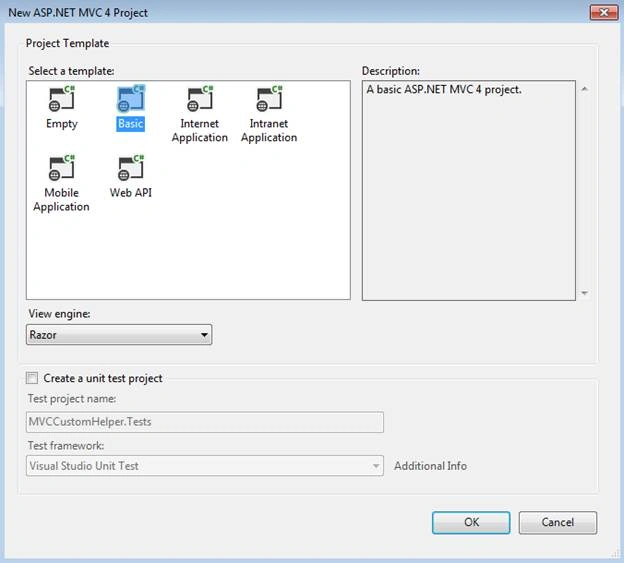
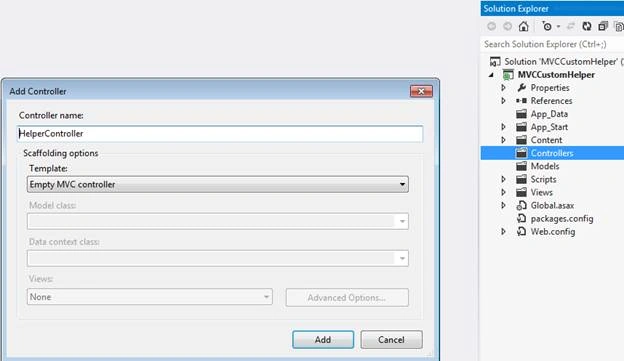
- Add Controller to the Controllers folder.
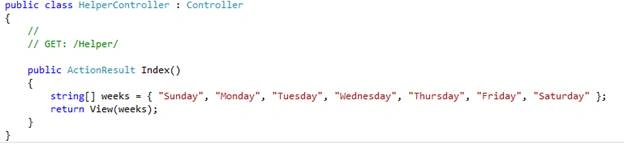
- Create an array object with week items. We are going to use it in our View with Custom Helpers.
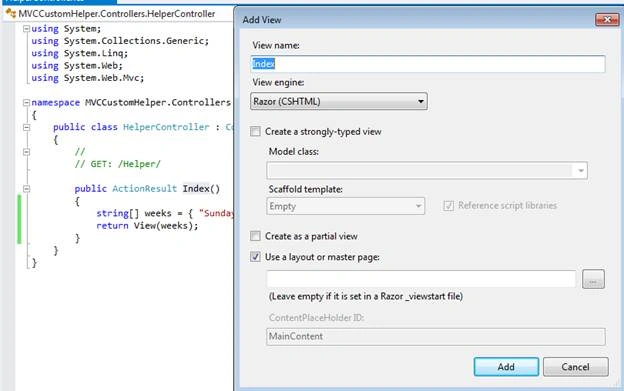
- Create View with Empty View Model.
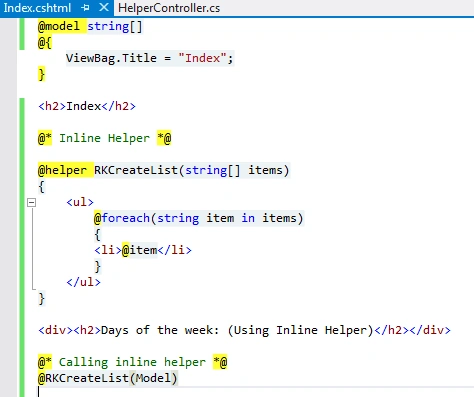
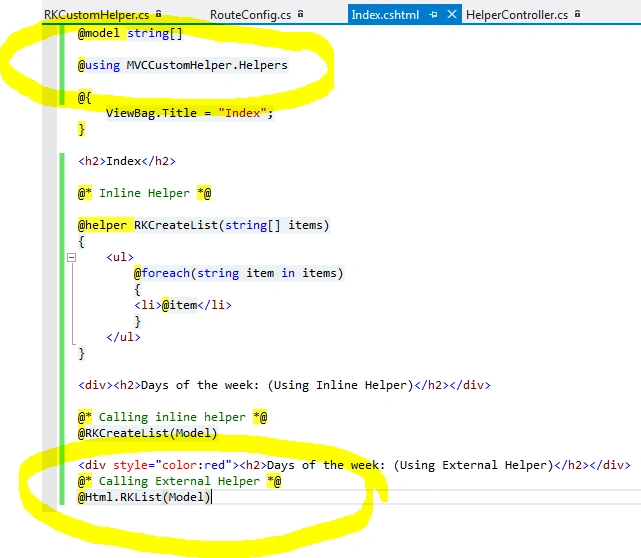
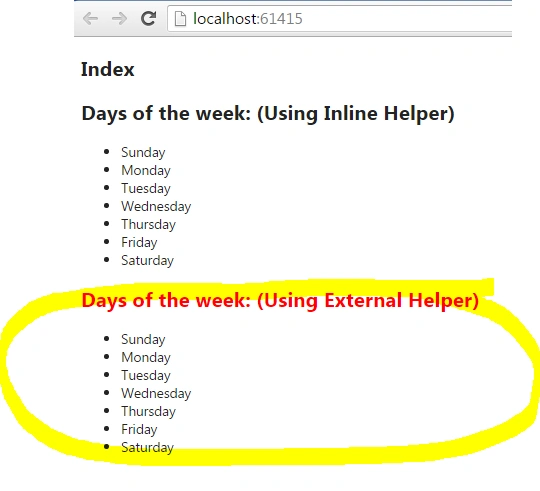
- Here, we are creating the helper object RKCreateList in which we are creating un-ordered list to display our string Model.
- Call the Inline Helper.
- @* Calling External Helper *@
- @Html.RKList(Model)
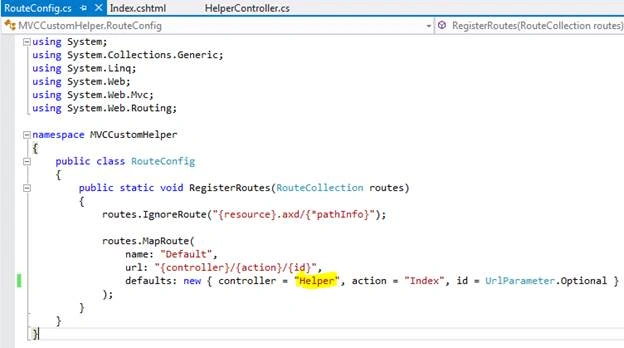
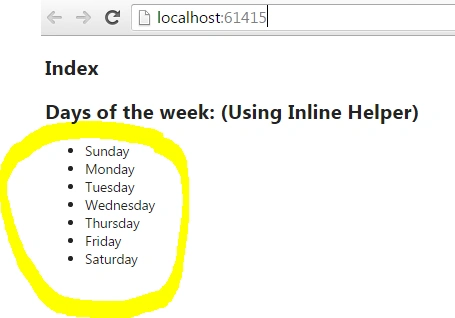
- Configure your Controller as default in RouteConfig file and execute the project.
Creating External Custom Helper
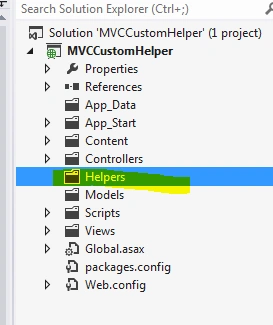
- Add Helpers folder to the project and add RKCustomHelper class.
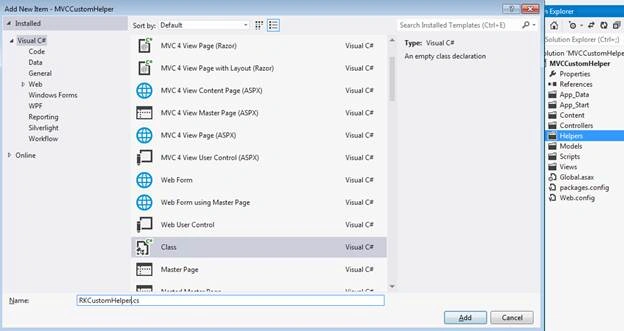
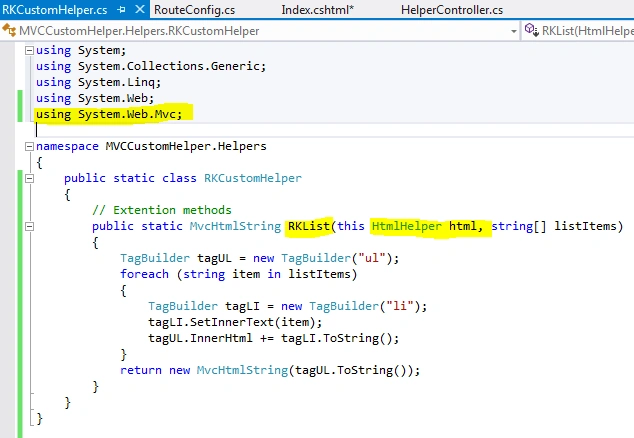
- Create RKList helper object by extending the existing HtmlHelper class. Here, we have added our own custom code to generate the design. This helper class can be used across the project.
- Include the project namespace and call the Custom Helper. Then, execute the project.
- @using MVCCustomHelper.Helpers
- @* Calling External Helper *@
- @Html.RKList(Model)
Nikhil SanganiPosted Sep 16, 2016, 12:06 AM
Nice article.
Vignesh ManiPosted Sep 15, 2016, 3:27 PM
Good one
SubashPosted Sep 15, 2016, 6:48 AM
Nice share sir
Sinraj VPosted Sep 15, 2016, 6:28 AM
Nice article