

Introduction
This article demonstrates how to easily customize your own state-of-the-art computer vision models that fit perfectly with your unique use case. Just bring a few examples of labeled images and let custom vision do the hard work.
New cognitive Service Release - Visit for more information - Custom Vision Service
This article demonstrates how to easily customize your own state-of-the-art computer vision models that fit perfectly with your unique use case. Just bring a few examples of labeled images and let custom vision do the hard work.
New cognitive Service Release - Visit for more information - Custom Vision Service
Prerequisites
To build a classifier, you must first have,
To build a classifier, you must first have,
- A vaild Microsoft Account or Azure Active Directory OrgID. Login for AAD user from national cloud is not currently supported.
- Custom Vision Login your Microsoft Account (https://customvision.ai/)
- A series of images to train your classifier (minimum of 30 image per tag).
- A few image to test your classifier after the classifier is trained.
What can Custom Vision Service do well?
Custom Vision Service is a tool for building custom image classifier, and for making them better over time. For example, if you want a tool that clouds identify image of "Daisies","Daffodils","Dahlias", you cloud train a classifier to do that.
Getting Started - Build a Classifier
Custom Vision Service can be found by clicking here - https://customvision.ai/
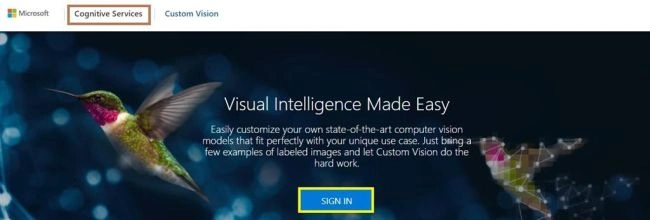
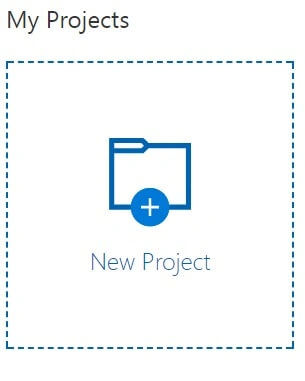
Click New Project to create your first project.
In this check box, then click the I agree button.
In this check box, then click the I agree button.
The New Project dialog box appears.
Step 1
Enter a name for this project,a description of the project, and select one domin.
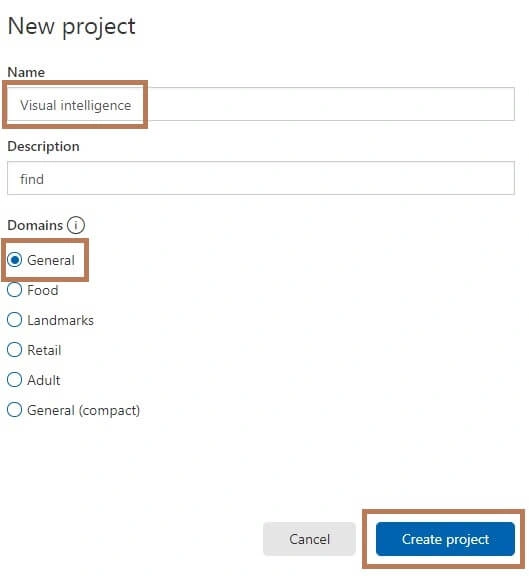
There are several domains available,and each one optimizes the classifier for a specific type of image:
Domain
Generic, Food, Landmarks, Retail, Adult.
Purpose
If none of the other domains are appropriate, or you are unsure of whice domain to choose, Select the Generic domain.
If none of the other domains are appropriate, or you are unsure of whice domain to choose, Select the Generic domain.
You can change the domain later if you wish.
Step 2
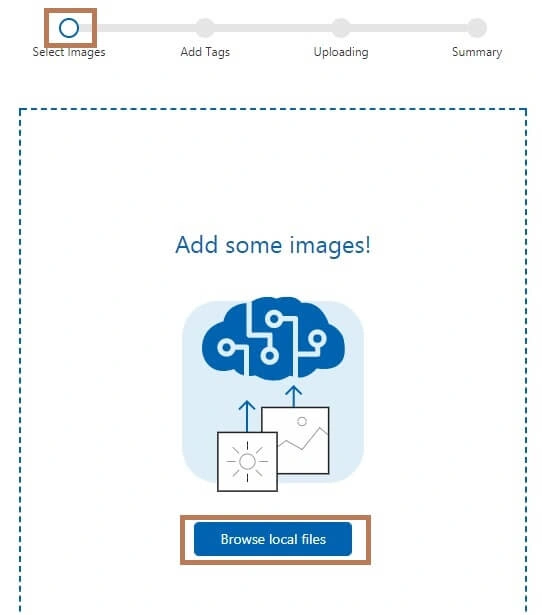
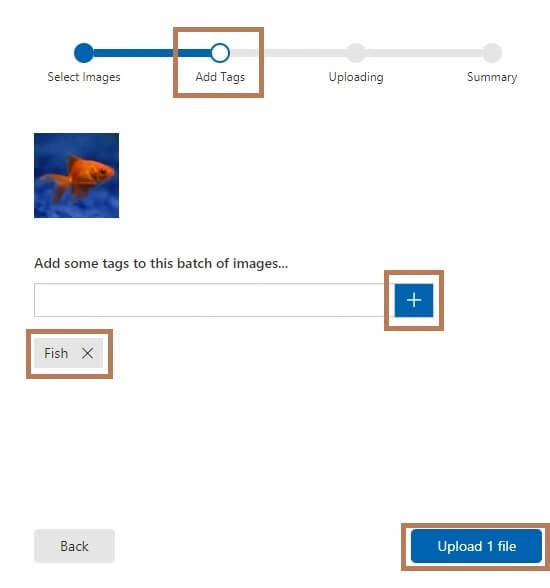
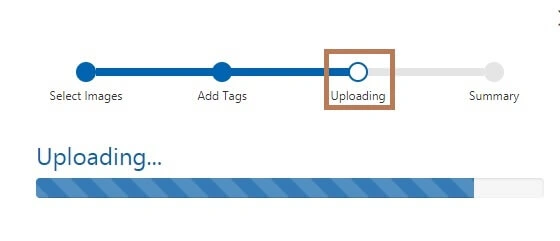
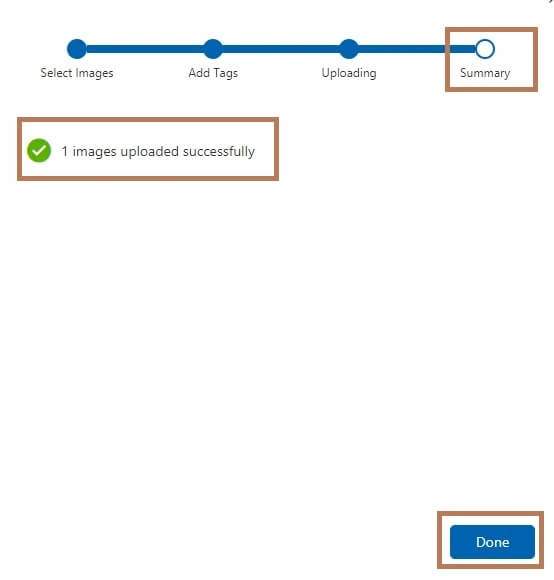
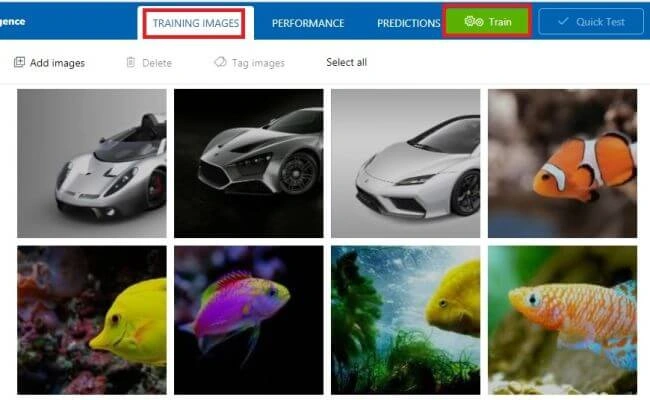
Next, go to Training Images >> Add images
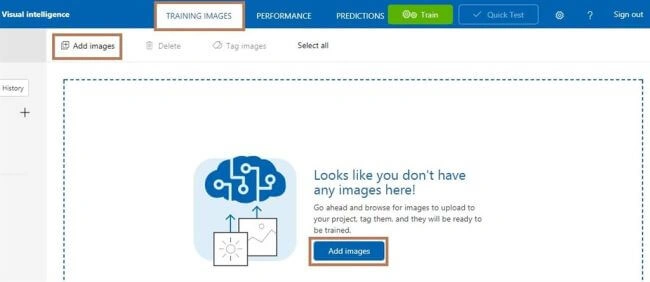
Next, go to Training Images >> Add images
Munish APosted Nov 28, 2017, 10:59 PM
Nice keep sharing bro......
Nithya MathanPosted Nov 28, 2017, 7:04 PM
Excellent Article Ravi Shanker, keep Sharing...