

Introduction
Xamarin is a platform that allows us to create multi-platform mobile applications, like Windows phone, Apple iOS, and Android through a single integrated development environment (IDE). This platform allows the designers to develop and design various mobile platform applications very rapidly. In this article, we will discuss how to create CustomContentPage using Xamarin.Forms (or) cross-platform from VS 2017. There are many plugins available for Xamarin.Forms including Stack Layout, Label, and button.
Tools
- Windows 10 (Recommended)
- Visual Studio 2017 Community/Enterprise/Professional Edition (Software available online at https://www.visualstudio.com/downloads/)
The steps given below need to be followed in order to design CustomContentPage and Entry concept View in Xamarin.Form, using Microsoft Visual Studio 2017.
Step 1
Go to Visual Studio 2017.
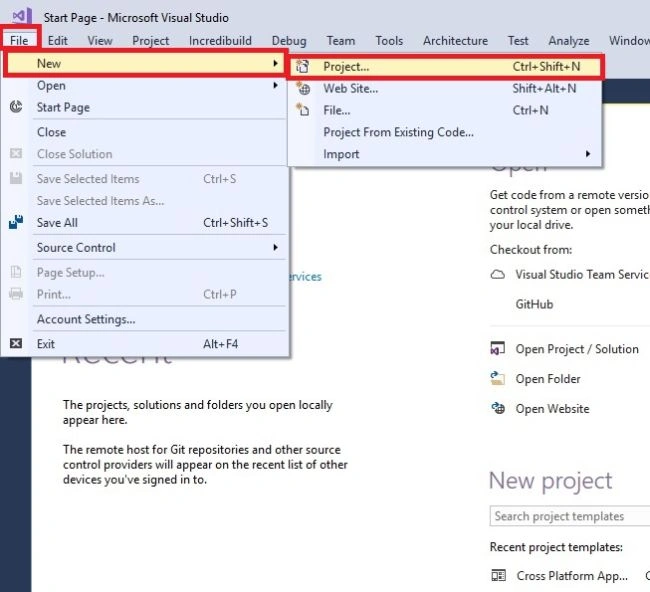
Click File —> New —> Project or shortcuts (Ctrl+Shift+N).
Step 2
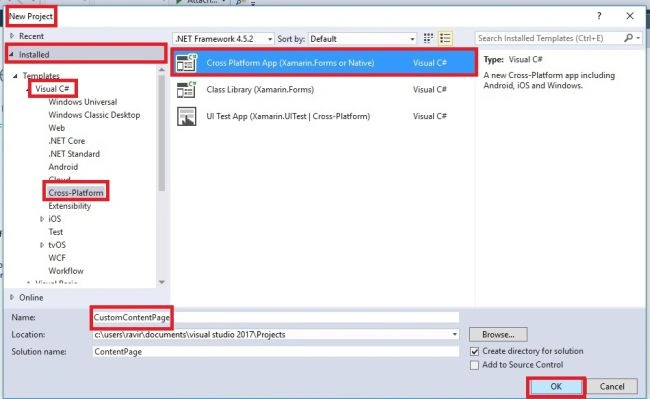
Go to Visual C# --> Cross Platform –> Blank App (Xamarin.Form or native); change your application name and click the "OK" button.
Step 3
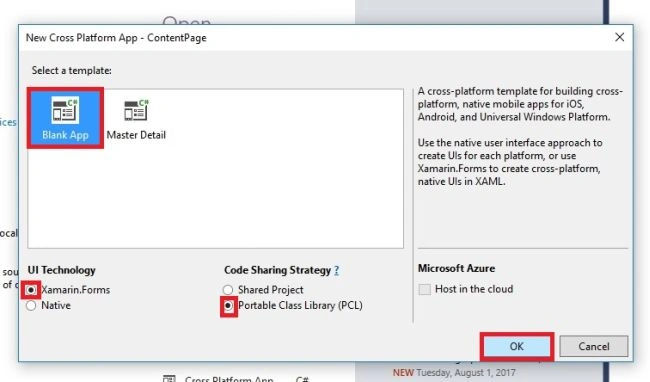
After this, go to the new cross platform app. Select a Blank App, Xamarin.Forms as UI technology and PCL as code sharing strategy. Now, click the “OK” button.
Step 4
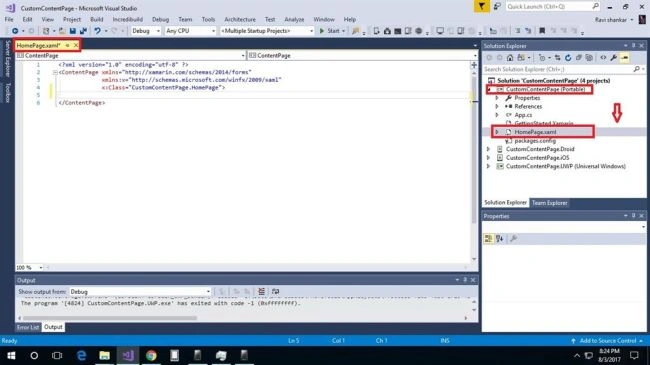
In this step, go to select (Portable) page, double click on HomePage.XAML, wait for a few seconds and it will execute the main XAML page.
Step 5
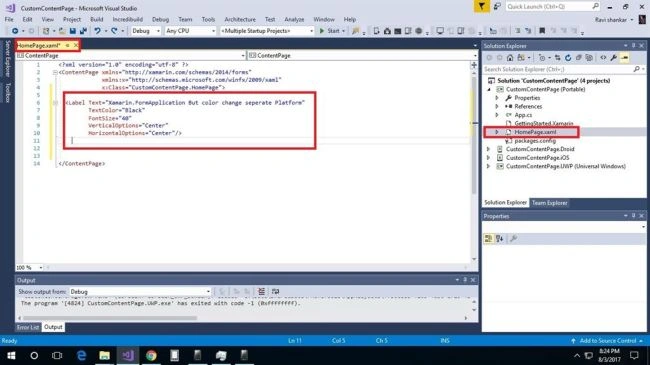
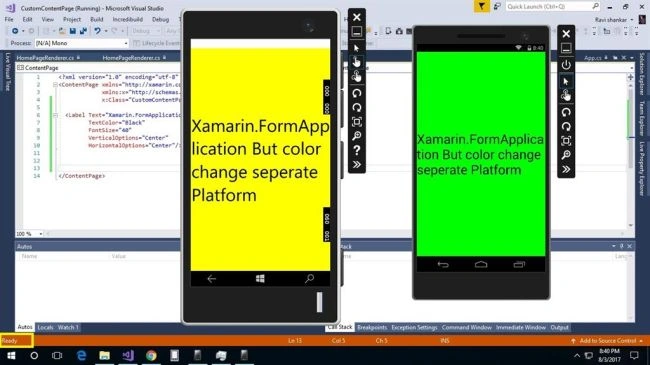
Then, a single layout is added to some color changes. I have given the source code; you can use this code or create your own code.
XAML CODES
- <?xml version="1.0" encoding="utf-8" ?>
- <ContentPage xmlns="http://xamarin.com/schemas/2014/forms" xmlns:x="http://schemas.microsoft.com/winfx/2009/xaml" x:Class="CustomContentPage.HomePage">
- <Label Text="Xamarin.FormApplication But color change seperate Platform" TextColor="Black" FontSize="40" VerticalOptions="Center" HorizontalOptions="Center" />
- </ContentPage>
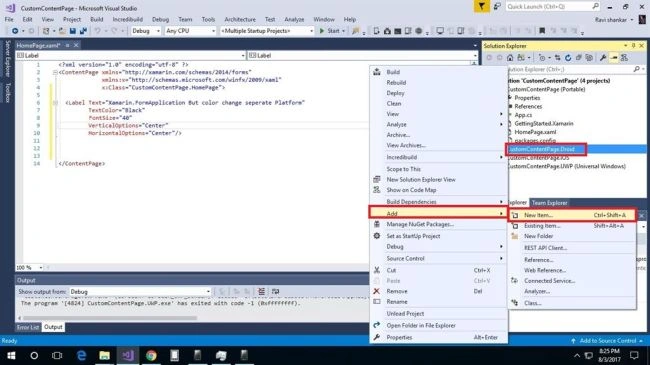
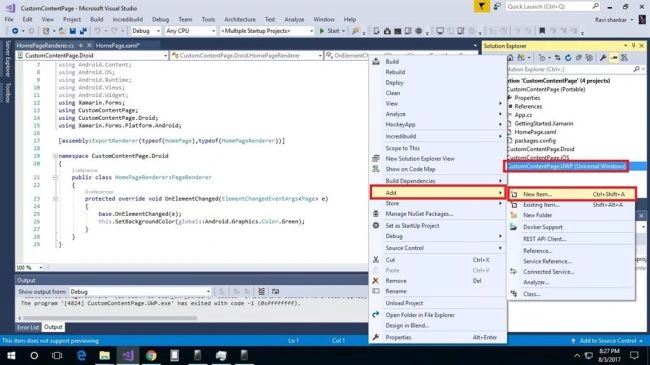
In this step, right click on Droid Page and select Add>> New item or use "Ctrl+Shift+A" shortcut.
Step 7
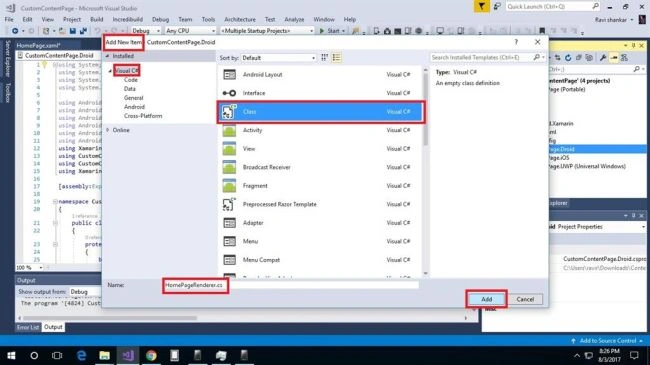
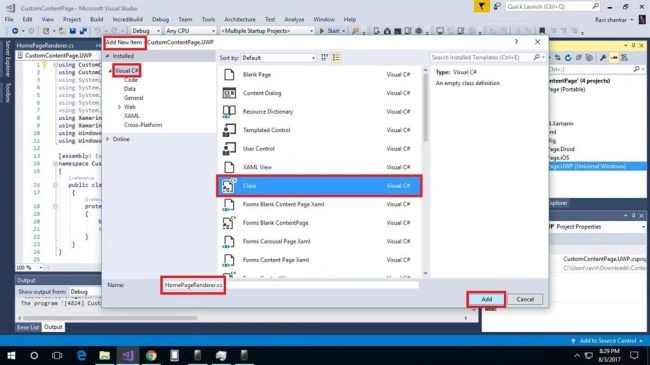
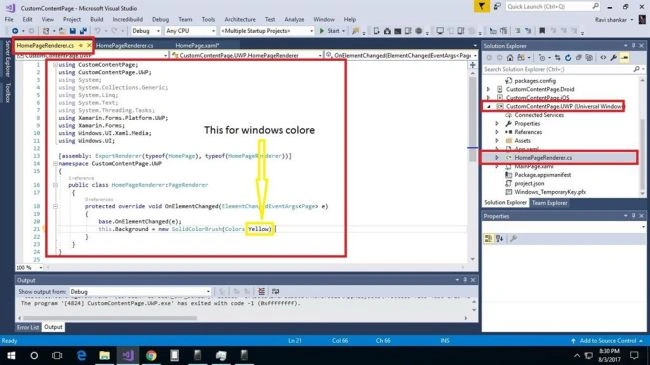
Add a new item, select Installed >> Visual C# >> Class . Here, you can change the name but the default name is using a calling function.
Step 8
In this step, on the Android page, please write some query. I have given source code; you can use this code or you can own code.
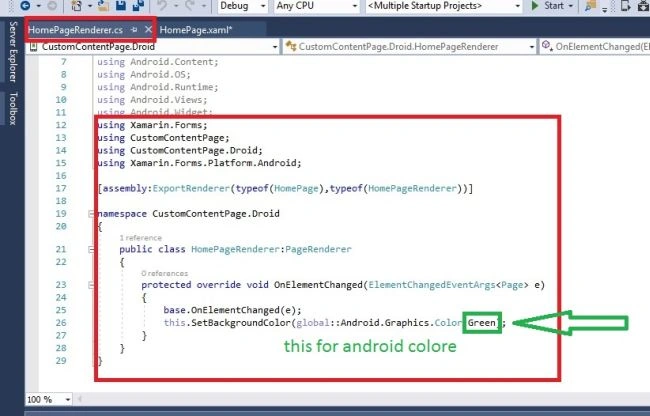
CS CODE
Vidyadharran GPosted Aug 10, 2017, 9:33 PM
Great going....keep it up ravi