

When it comes to data-bound controls and database programming, DataGrid control is the most versatile, powerful and flexible control available in Visual Studio .NET. Using DataGrid control, you can write full-fledged database application in matter of minutes and hours.
Using DataSource property of a DataGrid control, you can fill various kinds of data in a DataGrid including data from a DataSet, DataView, DataViewManger, Arrays, Lists, IList and so on. In a series of articles, I will discuss various features of DataGrid control and data binding in DataGrid.
First two articles of this series will discuss data-binding features. In next articles, I will work on DataGrid customization.
In this article, I will show you different ways to fill data in a DataGrid. Some of them are DataTable, DataView, DataSet and DataViewManager. In Part 2 of this series, I will show you how to fill data from arrays, IList, IListSource and other data sources.
About the Application
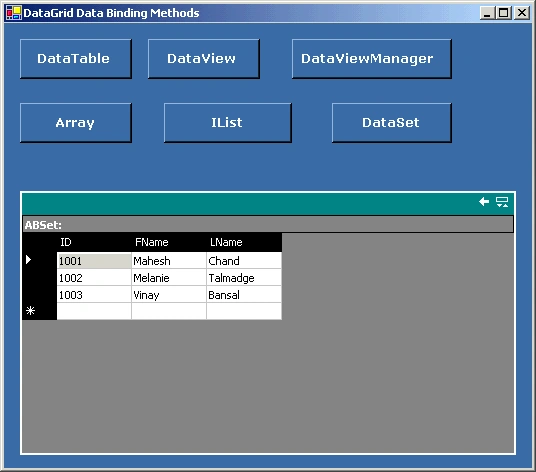
This application is a Windows application. I add a DataGrid control and some buttons on the form as you can see from Figure 1. To make this article short, I will discuss only DataView, DataViewManager, DataSet and DataTable options.
As you can see from Figure 1, I have one button for each data source. Clicking on DataTable button will fill data in DataGrid from a DataTable, clicking on DataView button will fill data from a DataView to DataGrid and so on.
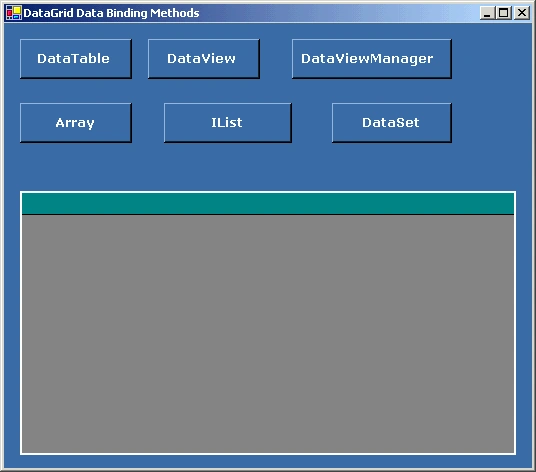
Figure 1.
Source Code
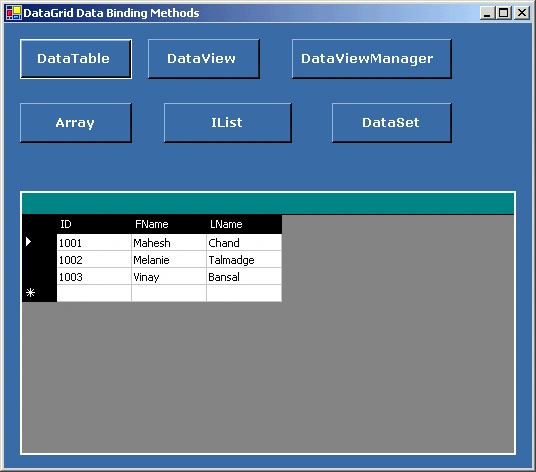
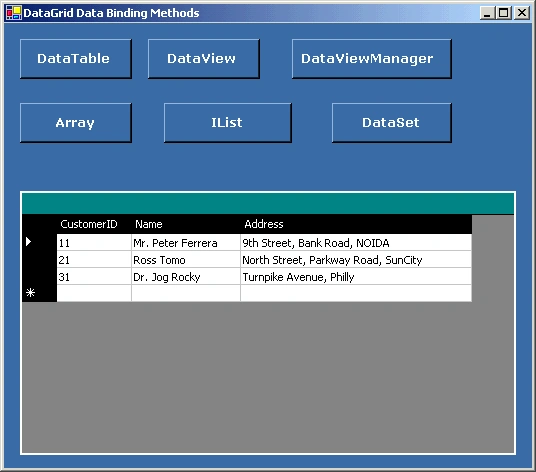
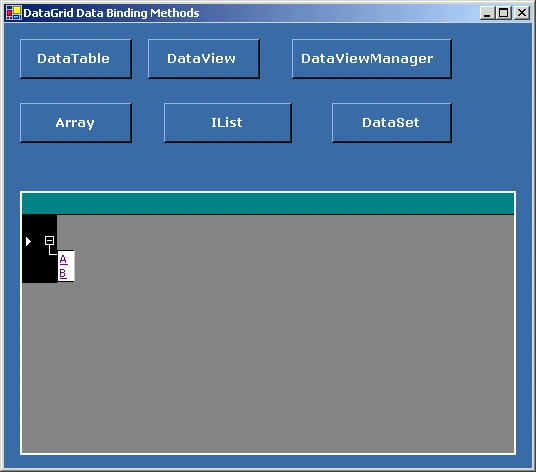
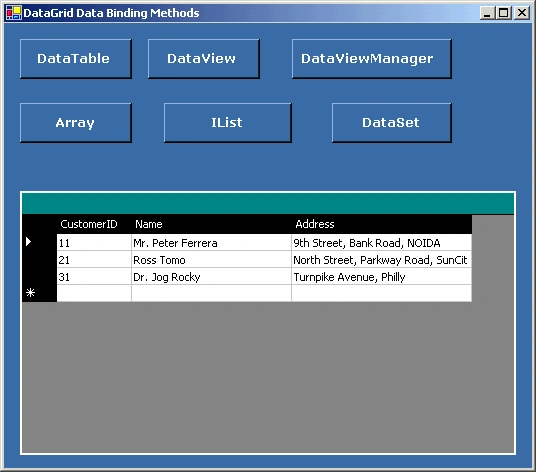
In this application, I am adding data programmatically. I am not accessing data from any database. Perhaps you may want to access data from a data source. Method is same. In this sample, I create two DataTable objects A and B programmatically. The source code listed in Listing 1 shows CreateDataTableA and DataTableB methods, which create table A and B.
As you can see from Listing 1, the DataTable class is used to create a table. DataColumn class is used to create columns to the table and DataRow class is used to add rows to a data table.
Listing 1. Creating DataTable A and B.
// Create DataTable A
private DataTable CreateDataTableA()
{
DataTable aTable = new DataTable("A");
DataColumn dtCol;
DataRow dtRow;
// Create ID column and add to the DataTable.
dtCol = new DataColumn();
dtCol.DataType= System.Type.GetType("System.Int32");
dtCol.ColumnName = "ID";
dtCol.AutoIncrement = true;
dtCol.Caption = "ID";
dtCol.ReadOnly = true;
dtCol.Unique = true;
// Add the column to the DataColumnCollection.
aTable.Columns.Add(dtCol);
// Create Name column and add to the table
dtCol = new DataColumn();
dtCol.DataType= System.Type.GetType("System.String");
dtCol.ColumnName = "FName";
dtCol.AutoIncrement = false;
dtCol.Caption = "First Name";
dtCol.ReadOnly = false;
dtCol.Unique = false;
aTable.Columns.Add(dtCol);
// Create Last Name column and add to the table.
dtCol = new DataColumn();
dtCol.DataType= System.Type.GetType("System.String");
dtCol.ColumnName = "LName";
dtCol.AutoIncrement = false;
dtCol.Caption = "Last Name";
dtCol.ReadOnly = false;
dtCol.Unique = false;
aTable.Columns.Add(dtCol);
// Create three rows to the table
dtRow = aTable.NewRow();
dtRow["ID"] = 1001;
dtRow["FName"] = "Mahesh";
dtRow["LName"] = "Chand" ;
aTable.Rows.Add(dtRow);
dtRow = aTable.NewRow();
dtRow["ID"] = 1002;
dtRow["FName"] = "Melanie";
dtRow["LName"] = "Talmadge" ;
aTable.Rows.Add(dtRow);
dtRow = aTable.NewRow();
dtRow["ID"] = 1003;
dtRow["FName"] = "Vinay";
dtRow["LName"] = "Bansal" ;
aTable.Rows.Add(dtRow);
return aTable;
}
// Create DataTable B
private DataTable CreateDataTableB()
{
DataTable bTable = new DataTable("B");
DataColumn dtCol;
DataRow dtRow;
// Create ID column and add to the DataTable.
dtCol = new DataColumn();
dtCol.DataType= System.Type.GetType("System.Int32");
dtCol.ColumnName = "CustomerID";
dtCol.AutoIncrement = true;
dtCol.Caption = "CustomerID";
dtCol.ReadOnly = true;
dtCol.Unique = true;
// Add the column to the DataColumnCollection.
bTable.Columns.Add(dtCol);
// Create Name column and add to the table
dtCol = new DataColumn();
dtCol.DataType= System.Type.GetType("System.String");
dtCol.ColumnName = "Name";
dtCol.AutoIncrement = false;
dtCol.Caption = "Name";
dtCol.ReadOnly = false;
dtCol.Unique = false;
bTable.Columns.Add(dtCol);
// Create Last Name column and add to the table.
dtCol = new DataColumn();
dtCol.DataType= System.Type.GetType("System.String");
dtCol.ColumnName = "Address";
dtCol.AutoIncrement = false;
dtCol.Caption = "Address";
dtCol.ReadOnly = false;
dtCol.Unique = false;
bTable.Columns.Add(dtCol);
// Create three rows to the table
dtRow = bTable.NewRow();
dtRow["CustomerID"] = 11;
dtRow["Name"] = "Mr. Peter Ferrera";
dtRow["Address"] = "9th Street, Bank Road, NOIDA" ;
bTable.Rows.Add(dtRow);
dtRow = bTable.NewRow();
dtRow["CustomerID"] = 21;
dtRow["Name"] = "Ross Tomo";
dtRow["Address"] = "North Street, Parkway Road, SunCity" ;
bTable.Rows.Add(dtRow);
dtRow = bTable.NewRow();
dtRow["CustomerID"] = 31;
dtRow["Name"] = "Dr. Jog Rocky";
dtRow["Address"] = "Turnpike Avenue, Philly" ;
bTable.Rows.Add(dtRow);
return bTable;
}
kim jingyuPosted May 27, 2016, 1:26 AM
good
Azure DamsPosted Apr 2, 2013, 8:25 AM
Mahesh I just have to say thanks. Thanks a lot it was so helpfull, i am learning how connect to a database and this help me to understand how i have to use the datagrid :D
Eduardo OjedaPosted Jun 29, 2012, 4:40 PM
Hello Mahesh!!! Great work !!!, it has helped me a lot to learn how to bind data to the DataGrid; is there a "Part 2:" where I could see how to bind an array to the DataGrid? Best regards, Eduardo
subrat nayakPosted Feb 24, 2011, 11:04 PM
if i have one combo box and one textbox and the data items of the combobox is to be selected fromthe database according to the data of the textbox
nirav sahayataeditedPosted May 11, 2010, 6:37 AMEdited May 11, 2010, 6:39 AM
sir, i want to bind datagrid with the form data entered by user at run time(without using database). how can i do this? thanks..
Darshan UnadkatPosted Jan 12, 2010, 9:35 AM
Hello Mahesh is der any way to append any data table or dataset in already created datagrid view with columns??????
inti manPosted Dec 22, 2009, 5:25 PM
gracias :D
Sweta LotlikarPosted Oct 24, 2009, 12:12 PM
Thanks:)
manneyPosted Jun 16, 2009, 7:49 AM
Can you bind datagridview to a result set from a data access layer?
thiru gnanamPosted Jun 12, 2009, 11:51 AM
xcvcx
thiru gnanamPosted Jun 12, 2009, 11:50 AM
Very Good
menaka mugundhunPosted Nov 20, 2008, 3:18 PM
hi, i am looking for displaying master detail data in a gridview..is there any option? or do you have any suggestions on how to achieve it? i would greatly appreciate your reply
Arbey Dario Munoz GomezPosted Apr 9, 2007, 5:15 PM
hi, i need your help, i need to show my datatable in the datagrid, but i want to show each column with a diferent width, for example my id is too short, but an adress for example, is too long, how i can do it??? thanks for your help
Alex BPosted Apr 6, 2007, 2:02 PM
How do I do Double Click Event to trap grid?
Mahesh ChandPosted Apr 5, 2007, 11:38 AM
Search this site using Search option at the top for delete a row in DataGrid.
sanke raghavendraPosted Mar 30, 2007, 7:04 AM
when i press the button i want delete a row in datagrid in window application
adnan ahmadPosted Jan 26, 2007, 10:21 PM
when we enter the new record in table to add command with dtatabinding then new record is add but when executed again ,the new record is removed so how we used save command with databinding.