

Code For Add LinkColumn in DataGridView at Runtime:
First of all I have added two columns named "User ID" & "Password".
myDataGridView.ColumnCount = 2;
myDataGridView.Columns[0].Name = "User ID";
myDataGridView.Columns[1].Name = "Password";
Then add rows with the data:
string[] row = new string[] { "abc", "abc"};
myDataGridView.Rows.Add(row); row = new string[] { "pqr", "pqr"};
myDataGridView.Rows.Add(row); row = new string[] { "ghanashyam", "ghanashyam"};
myDataGridView.Rows.Add(row); row = new string[] { "jignesh", "jignesh"};
myDataGridView.Rows.Add(row);
I have added a total of 4 rows with User Ids & Passwords.
Then take an object of the DataGridViewLinkColumn.
DataGridViewLinkColumn dgvLink = new DataGridViewLinkColumn();
Then set all needed properties.
dgvLink.UseColumnTextForLinkValue = true;
dgvLink.LinkBehavior = LinkBehavior.SystemDefault;
dgvLink.HeaderText = "Link Data";
dgvLink.Name = "SiteName";
dgvLink.LinkColor = Color.Blue;
dgvLink.TrackVisitedState = true;
dgvLink.Text = "http://www.c-sharpcorner.com";
dgvLink.UseColumnTextForLinkValue = true;
Finally add that column to the DataGridView:
myDataGridView.Columns.Add(dgvLink);
You can access that LinkColumn by clicking on it:
private void myDataGridView_CellContentClick(object sender, DataGridViewCellEventArgs e)
{
    if (e.ColumnIndex == 2)
    {
        //Write here your code...
    }
}
See the following image:
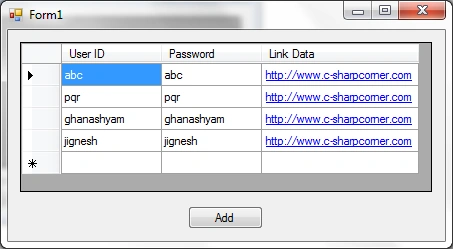
The whole code:
using System; using System.Windows.Forms; using System.Drawing;
namespace DataGridView
{
    public partial class Form1 : Form
    {

        public Form1()
        {
            InitializeComponent();
        }        private void btn_Click(object sender, EventArgs e)
        {

            myDataGridView.Columns.Clear();

            myDataGridView.ColumnCount = 2;
            myDataGridView.Columns[0].Name = "User ID";
            myDataGridView.Columns[1].Name = "Password";

            string[] row = new string[] { "abc", "abc"};
            myDataGridView.Rows.Add(row);
            row = new string[] { "pqr", "pqr"};
            myDataGridView.Rows.Add(row);
            row = new string[] { "ghanashyam", "ghanashyam"};
            myDataGridView.Rows.Add(row);
            row = new string[] { "jignesh", "jignesh"};
            myDataGridView.Rows.Add(row);

            DataGridViewLinkColumn dgvLink = new DataGridViewLinkColumn();
            dgvLink.UseColumnTextForLinkValue = true;
            dgvLink.LinkBehavior = LinkBehavior.SystemDefault;
            dgvLink.HeaderText = "Link Data";
            dgvLink.Name = "SiteName";
            dgvLink.LinkColor = Color.Blue;
            dgvLink.TrackVisitedState = true;
            dgvLink.Text = "http://www.c-sharpcorner.com";
            dgvLink.UseColumnTextForLinkValue = true;

            myDataGridView.Columns.Add(dgvLink);
        }

        private void myDataGridView_CellContentClick(object sender, DataGridViewCellEventArgs e)
        {
            if (e.ColumnIndex == 2)
            {
                //Write here your code...
            }
        }
    }
}
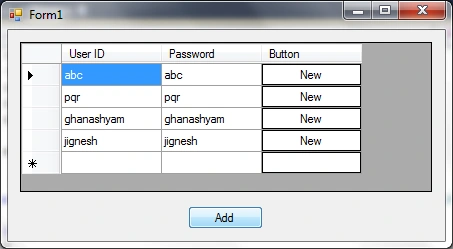
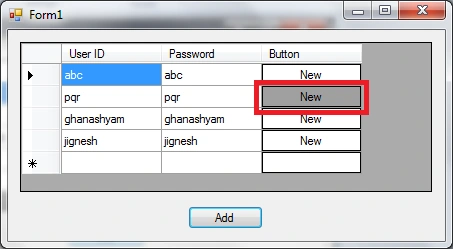
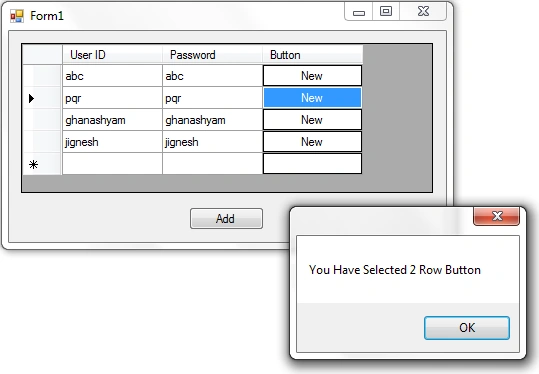
Code For Add ButtonColumn in DataGridView at Runtime:
As per the above code I have added the two columns named "User ID" & "Password" into the DataGridView & added rows.
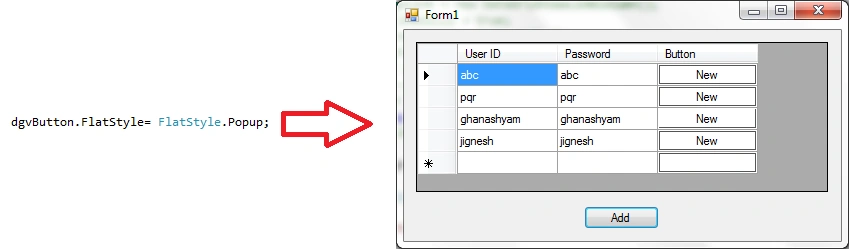
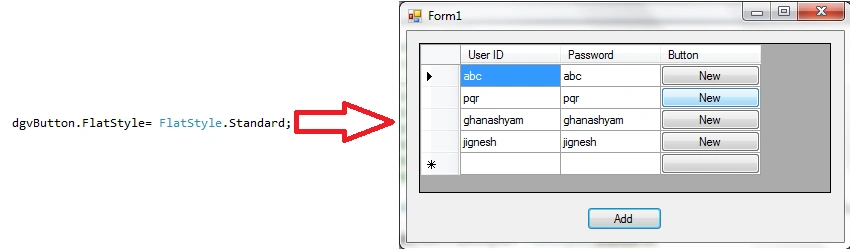
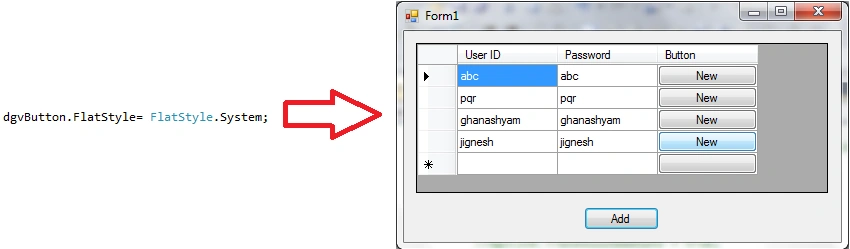
S!vA Boy!D!Posted Mar 26, 2018, 1:11 AM
Thanq so much....... It helps me a looooooooot and could you tell me how to find the button id? I mean i wanna find the id of the particular row, when i hit the button? Thanks in advance
soundara rajanPosted Nov 12, 2014, 3:17 AM
really helpful save my time thanks bro
Sara NguyenPosted Mar 10, 2012, 12:27 PM
Thank you!!!
divya perumalPosted Mar 10, 2012, 7:33 AM
Thank you for this article ,Keep it up.
Daisy KrausePosted Feb 22, 2012, 11:35 PM
Great what a presentation.
Laura ParkerPosted Feb 22, 2012, 11:09 PM
very well explaination
James LerdorfPosted Feb 21, 2012, 10:42 PM
Really thanks for this article, keep it up.