

Introduction
In Part
1 of this article series we
discussed how to simply display data with a DataList Control but now in this
article we will discuss how to display data in multiple columns with a DataList
Control.
Displaying Data in Multiple Columns with DataList
Control
It is very simple to render the contents of a DataList control into a
multi-column table in which each data item occupies a separate table cell. Two
properties modify the layout of the HTML table rendered by the DataList control;
they are:
- RepeatColumns: The number of columns to display.
- RepeatDirection: The direction to render the cells. Possible values are Horizontal and Vertical.
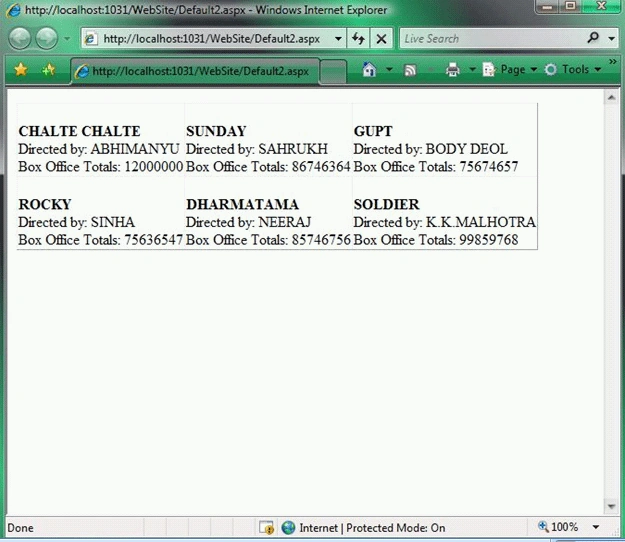
Here is the example
given below to display the contents of the Movies database table in a
three-column layout:
<%@ Page Language="VB" %>
<!DOCTYPE html PUBLIC "-//W3C//DTD
XHTML 1.0 Transitional//EN" "http://www.w3.org/TR/xhtml1/DTD/xhtml1-transitional.dtd">
<script runat="server">
</script>
<html xmlns="http://www.w3.org/1999/xhtml">
<head id="Head1" runat="server">
<style type="text/css">
</style>
<title></title>
</head>
<body>
<form id="form1" runat="server">
<div class="content">
Join the conversation! Your thoughts help the community grow.