

Introduction
This article shows how to delete data using Entity Framework in WPF applications.
Create a WPF Application as in Figure 1.
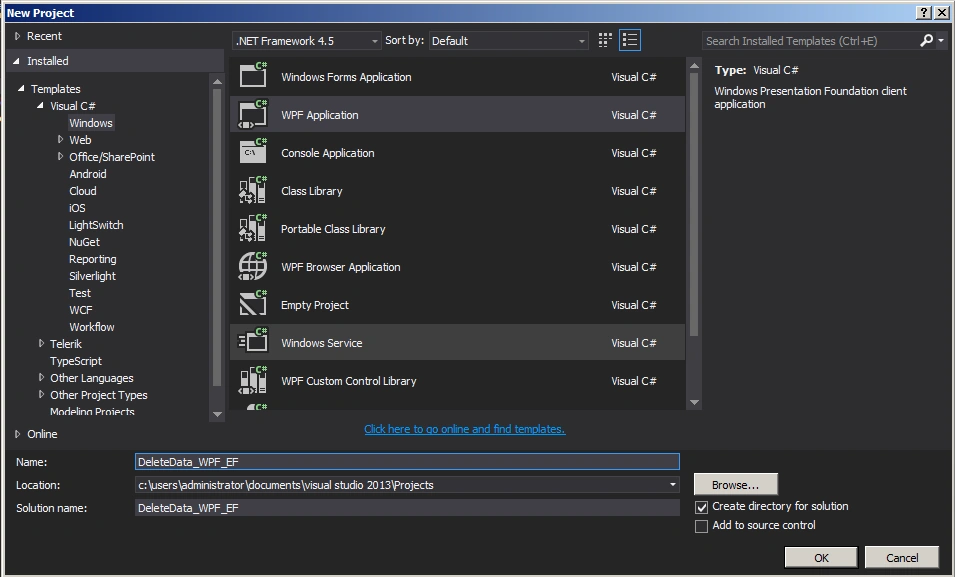
Figure 1: Create WPF application
Add an ADO.NET entity data model to the project as in Figures 2 and 3.
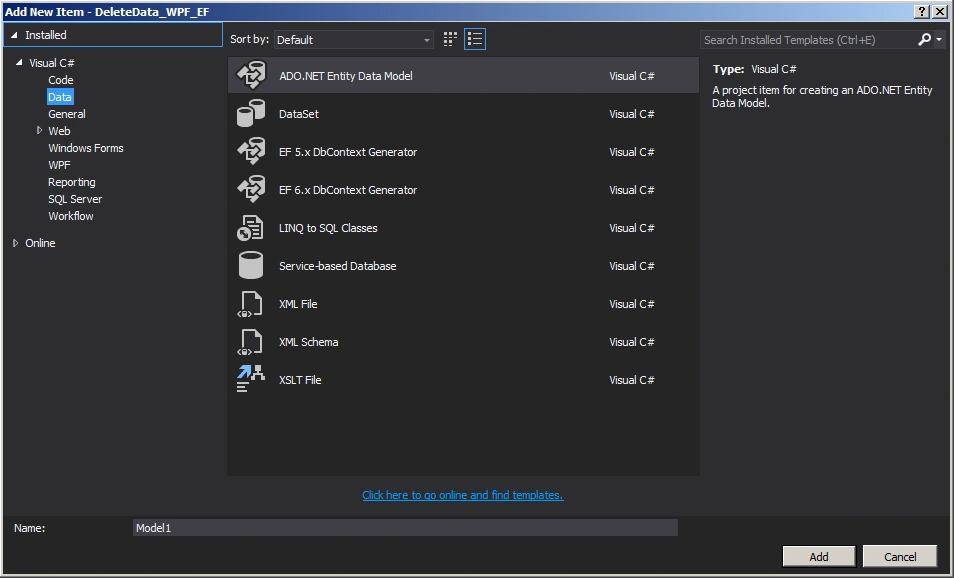
Figure 2: Add Entity Framework
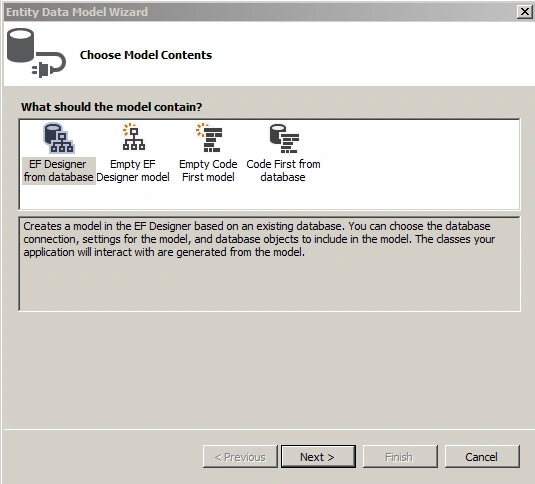
Figure 3: Wizard
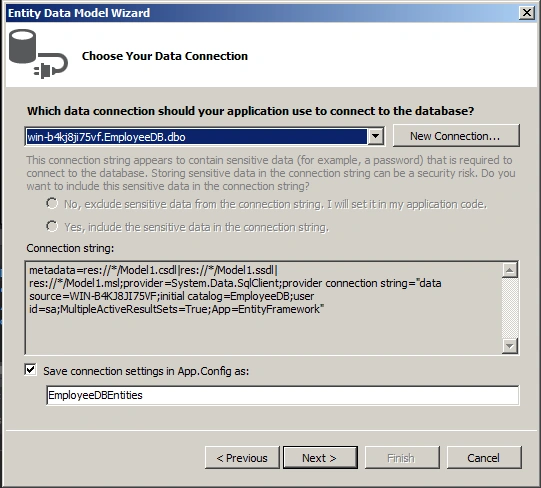
Figure 4: Configure connection
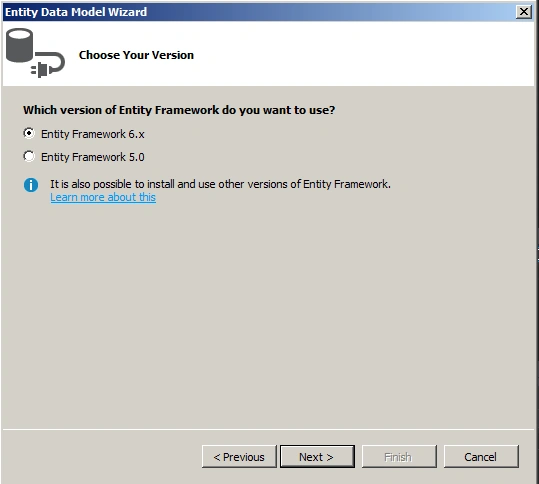
Figure 5: Choose version
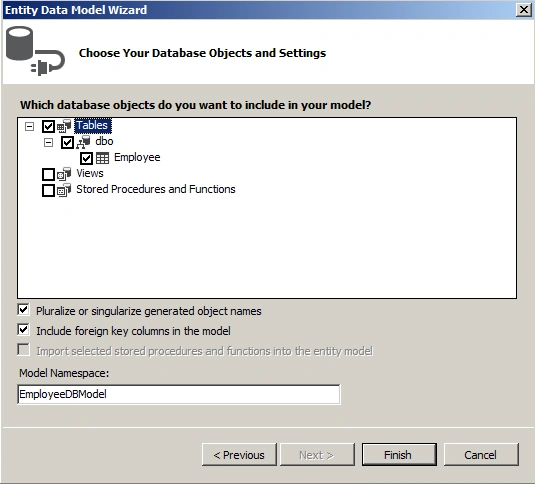
Figure 6: Select database objects
MainWindow.xaml
- <Window x:Class="DeleteData_WPF_EF.MainWindow"
- xmlns="http://schemas.microsoft.com/winfx/2006/xaml/presentation"
- xmlns:x="http://schemas.microsoft.com/winfx/2006/xaml"
- Title="MainWindow"
- Width="525"
- Height="350"
- Loaded="Window_Loaded">
- <Grid>
- <DataGrid x:Name="dgEmployee"
- Width="267"
- Margin="118,47,0,0"
- HorizontalAlignment="Left"
- VerticalAlignment="Top"
- AutoGenerateColumns="False"
- CanUserAddRows="False"
- CanUserDeleteRows="True"
- ColumnWidth="*">
- <DataGrid.Columns>
- <DataGridTextColumn x:Name="dgrEmpId"
- Binding="{Binding EmpId}"
- Header="EmpId"
- IsReadOnly="True" />
- <DataGridTextColumn x:Name="dgrFirstName"
- Binding="{Binding FirstName}"
- Header="FirstName"
- IsReadOnly="True" />
- <DataGridTextColumn x:Name="dgrLastName"
- Binding="{Binding LastName}"
- Header="LastName"
- IsReadOnly="True" />
- <DataGridTemplateColumn>
- <DataGridTemplateColumn.CellTemplate>
- <DataTemplate>
- <Button x:Name="btnDelete"
- Click="btnDelete_Click"
- Content="Delete" />
- </DataTemplate>
- </DataGridTemplateColumn.CellTemplate>
- </DataGridTemplateColumn>
- </DataGrid.Columns>
- </DataGrid>
- </Grid>
- </Window>
- using System;
- using System.Collections.Generic;
- using System.Linq;
- using System.Text;
- using System.Threading.Tasks;
- using System.Windows;
- using System.Windows.Controls;
- using System.Windows.Data;
- using System.Windows.Documents;
- using System.Windows.Input;
- using System.Windows.Media;
- using System.Windows.Media.Imaging;
- using System.Windows.Navigation;
- using System.Windows.Shapes;
- namespace DeleteData_WPF_EF
- {
- /// <summary>
- /// Interaction logic for MainWindow.xaml
- /// </summary>
- public partial class MainWindow : Window
- {
- EmployeeDBEntities objEntities = new EmployeeDBEntities();
- public MainWindow()
- {
- InitializeComponent();
- }
- private void Window_Loaded(object sender, RoutedEventArgs e)
- {
- dgEmployee.ItemsSource = objEntities.Employees.ToList();
- }
- private void btnDelete_Click(object sender, RoutedEventArgs e)
- {
- int empId = (dgEmployee.SelectedItem as Employee).EmpId;
- Employee employee = (from r in objEntities.Employees where r.EmpId == empId select r).SingleOrDefault();
- objEntities.Employees.Remove(employee);
- objEntities.SaveChanges();
- dgEmployee.ItemsSource = objEntities.Employees.ToList();
- }
- }
- }
The output of the application is as in Figures 7 and 8.
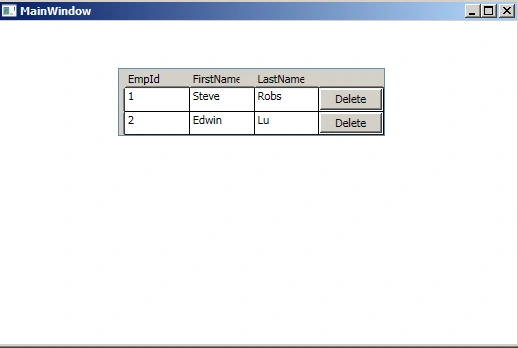
Figure 7: Output of the application before delete
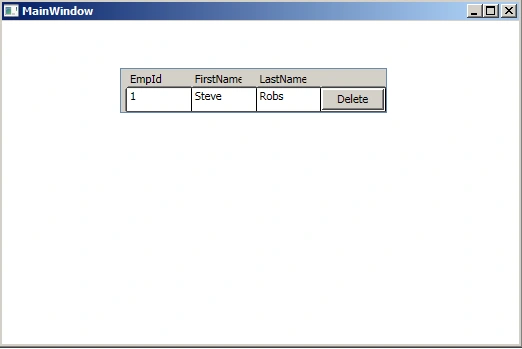
Figure 8: Output of the application after delete
Summary
In this article we saw how to delete data using Entity Framework in WPF applications.
Santhakumar MunuswamyPosted Jun 12, 2015, 2:41 PM
Thanks for nice article :)
Sibeesh VenuPosted Jun 12, 2015, 1:43 AM
Good One.
NitinPosted Jun 12, 2015, 1:35 AM
good one
Debasis SahaPosted Jun 12, 2015, 12:56 AM
nice one