

Here I will explain how to delete selected data from a database, before this I explain how to update or edit data.
Step 1: Registration form with delete button
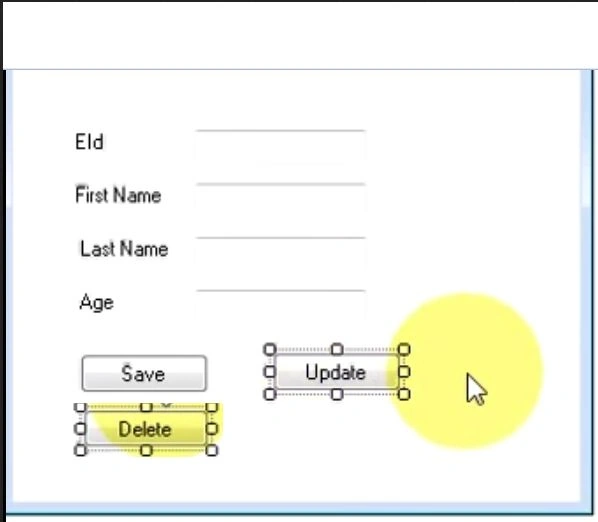
Drag and drop a button from the toolbox and provide it the name Delete.
Step 2: The following is the code:
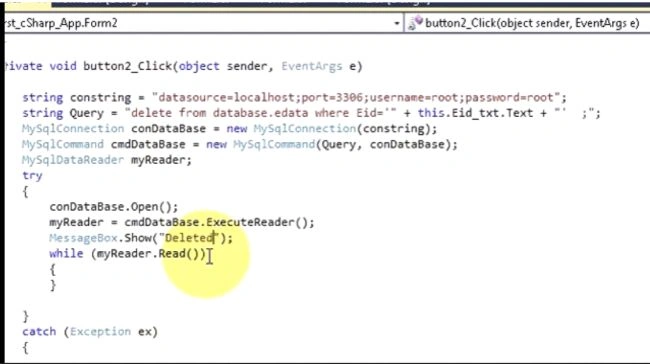
Double-click on the Delete button and write the following code.
- private void Delete_txt_Click(object sender, EventArgs e)
- {
- if (!(id_txt.Text == string.Empty))
- {
- string str = "server = MUNESH\\SQL2008R2;Database=datastore;UID=sa;Password=reladmin@123;";
- SqlConnection con = new SqlConnection(str);
- string query = "Delete from data1 where ID= '" + this.id_txt.Text + "'";
- SqlCommand cmd = new SqlCommand(query, con);
- SqlDataReader myreader;
- try
- {
- con.Open();
- myreader = cmd.ExecuteReader();
- MessageBox.Show("successfully data Deleted","user information");
- while (myreader.Read())
- {
- }
- con.Close();
- }
- catch (Exception ec)
- {
- MessageBox.Show(ec.Message);
- }
- }
- else
- {
- MessageBox.Show("enter ID which you want to delete","User information");
- }
- }
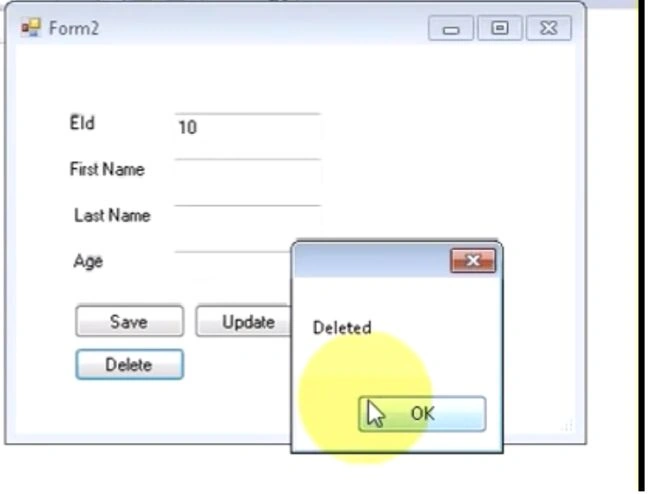
Step 3: Output
Run your project and enter an ID and click on the delete button.
Sr KarthigaPosted May 3, 2016, 8:43 PM
Good one