

What is Azure App Service?
Azure App Service is an HTTP-based service hosting web applications, REST APIs, and mobile backends. You can develop in your favorite language, be it .NET, .NET Core, Java, Ruby, Node.js, PHP, or Python. Applications run and scale with ease on both Windows and Linux-based environments.
What is Node JS?
Node.js is a cross-platform, open-source server environment that can run on Windows, Linux, Unix, macOS, and more. Node.js is a backend JavaScript runtime environment that runs on the V8 JavaScript Engine and executes JavaScript code outside a web browser.
Prerequisites
Before starting to build a Node.js application in Azure, set up the following:
- Create a free Azure account and ensure you have at least one active subscription.
- Install Node.js and npm on your local machine. Verify Node.js is installed by running the node –version command.
- Install Visual Studio Code with the Azure Account and Azure App Service extension.
Create Azure App Service(Azure Web App) on Azure
Login into https://portal.azure.com/ Azure Portal through your Azure Credentials. Then search App Service in the search box and create a new Web App on Azure.
I have created a web app with the below details and using Free Plan for this example.
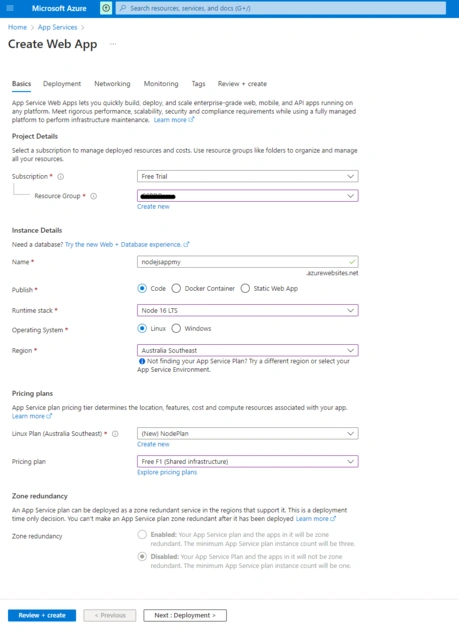
Then Click Next, Next till Review+Create Tab. I have used all default configurations in between for all Tabs. I have nothing changed. Now click on Review+Create Button.
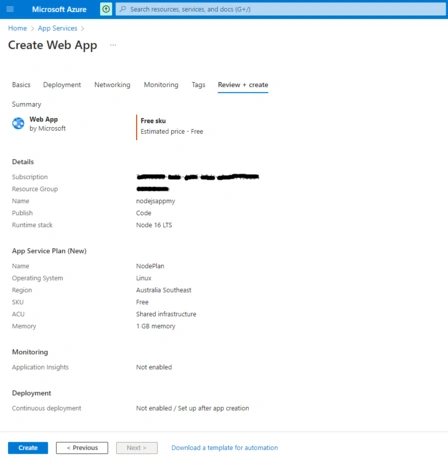
Now click on Create button, and it starts creating the web app on Azure.
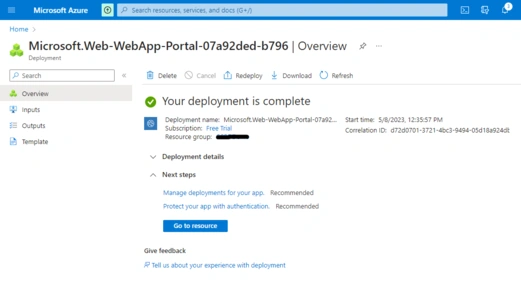
Now click on the Go To Resource Button, and you can see your brand new web app. You can explore the left menu by yourself for various configurations.
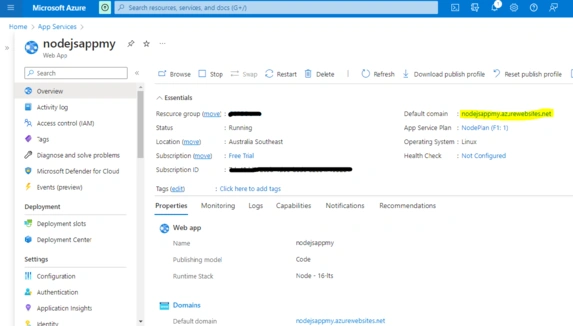
So our Azure Web App is created. Now we will create a new sample NodeJS Express App.
Create NodeJS App using Express Module
Open Visual Studio Code and create a new folder SampleApp; under the Demo folder, open New Terminal in VS Code and hit the npm init -y command. So it will create a new package.json file.


We will create NodeJS App by using an express module. Now hit the npm install express command and install the express module. After this command node_modules folder was created in the project with the package-lock.json file







Join the conversation! Your thoughts help the community grow.