

What is Azure App Service?
Azure App Service is an HTTP-based service hosting web applications, REST APIs, and mobile backends. You can develop in your favorite language, be it .NET, .NET Core, Java, Ruby, Node.js, React JS, PHP, or Python. Applications run and scale with ease on both Windows and Linux-based environments.
What is React JS?
React is a free and open-source front-end JavaScript library for building user interfaces based on components. It is maintained by Meta and a community of individual developers and companies. React can be used to develop single-page, mobile, or server-rendered applications with frameworks like Next.js.
Prerequisites
Before starting to build a React.js application in Azure, set up the following:
- Create a free Azure account and ensure you have at least one active subscription.
- Install Visual Studio Code with the Azure Account and Azure App Service extension.
Create Azure App Service(Azure Web App) on Azure
Login into https://portal.azure.com/ Azure Portal through your Azure Credentials. Then search App Service in the search box and create a new Web App on Azure.
I have created a web app with the below details and using Free Plan for this example.
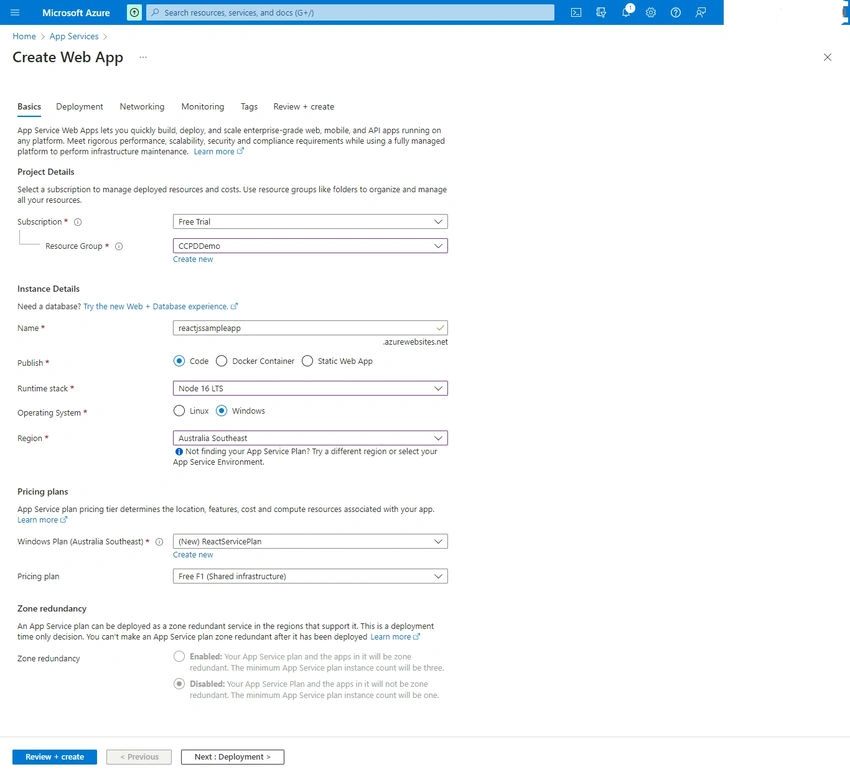
Then Click Next, Next till Review+Create Tab. I have used all default configurations in between for all Tabs. I have nothing changed. Now click on Review+Create Button.
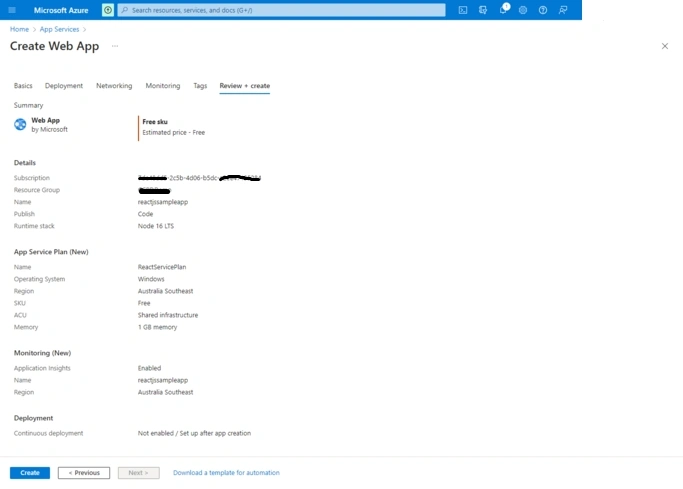
Now click on Create button, and it starts creating the web app on Azure.
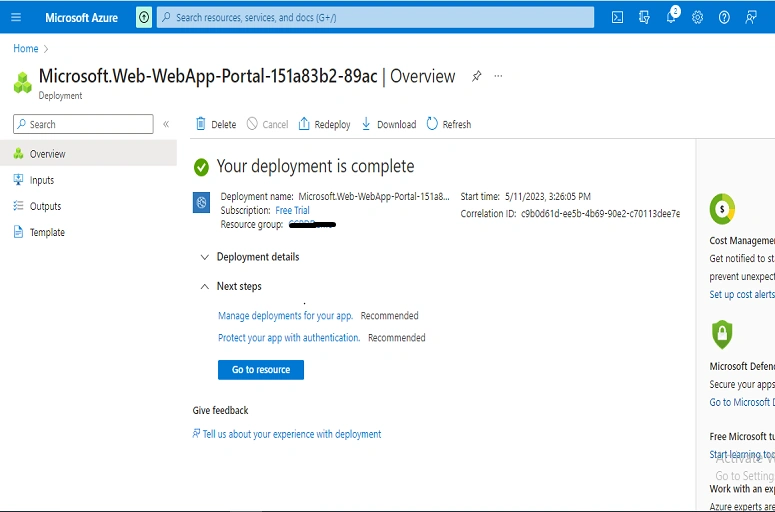
Now click on the Go To Resource Button, and you can see your brand new web app. You can explore the left menu by yourself for various configurations.
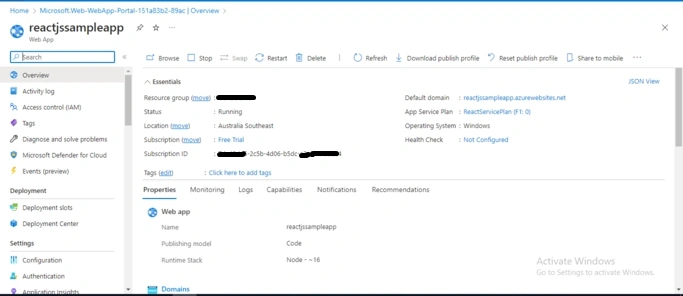
So our Azure Web App is created. Now we will create a new sample ReactJS App.
Create ReactJS App
Open Visual Studio Code and open the DEMOREACT folder, open New Terminal in VS Code, and hit the npm init react-app my-app command; so it will create a sample React JS Application.
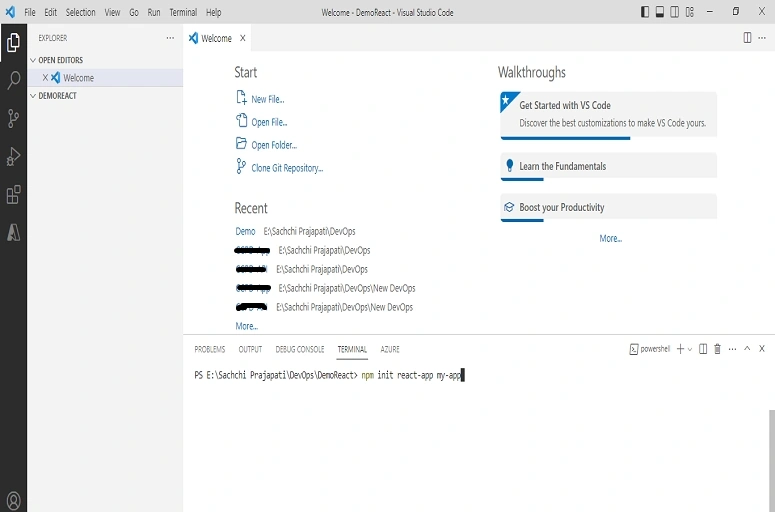
Now we will run this app using the npm start command. Hit the command in VS terminal, and our app will be running on the 3000 port.
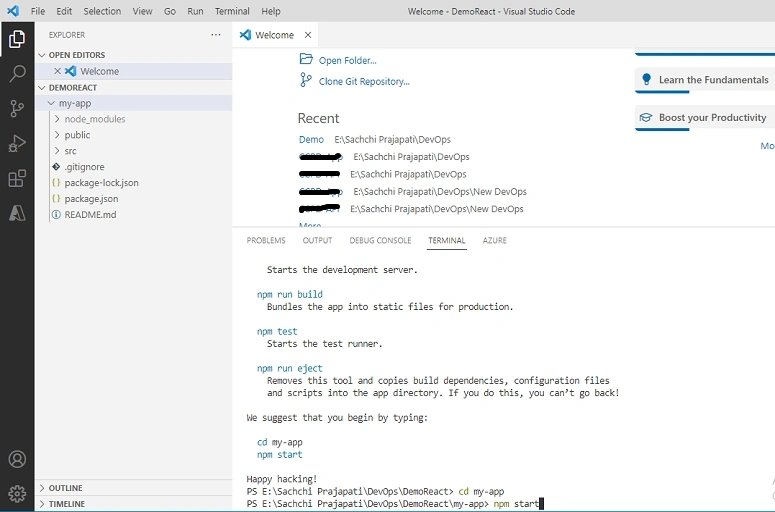
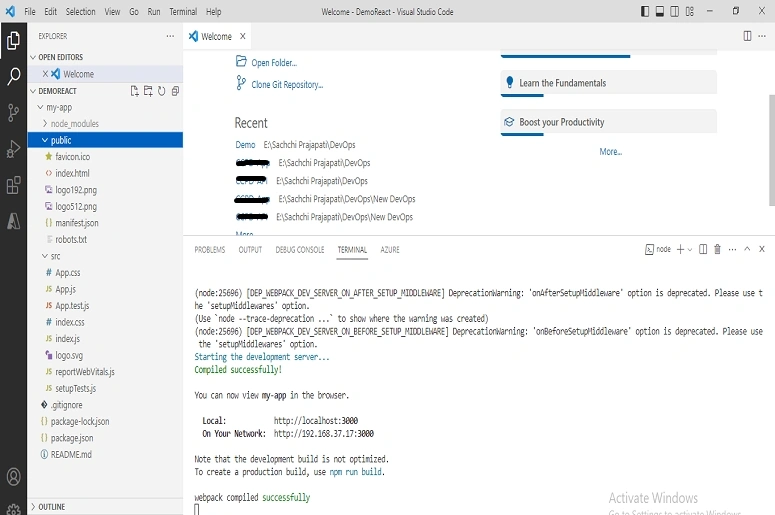
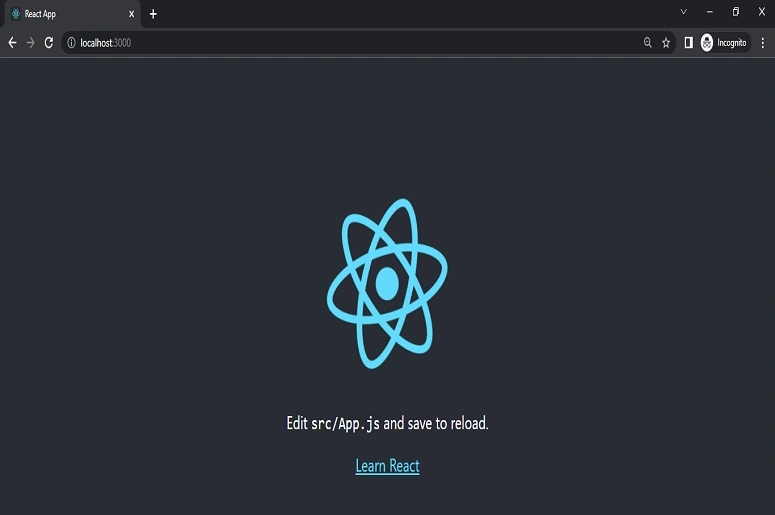
Hit http://localhost:3000/ in the browser. Our app is up and running in localhost. We will now deploy this app on Azure App Service using VS Code.
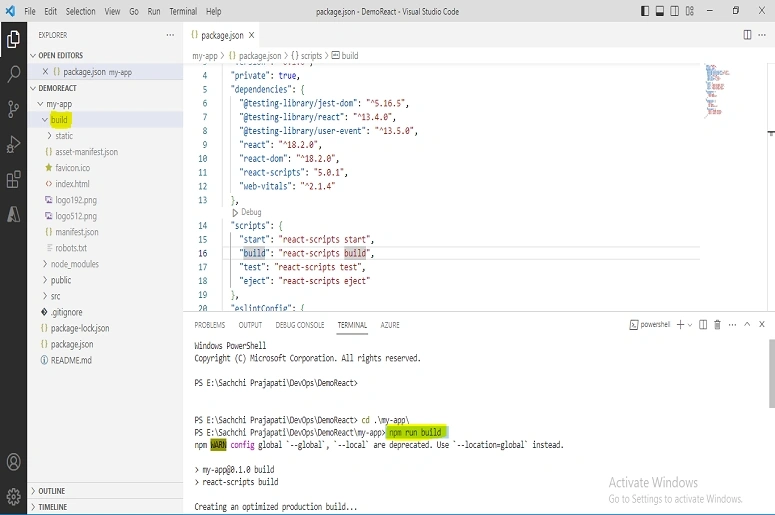
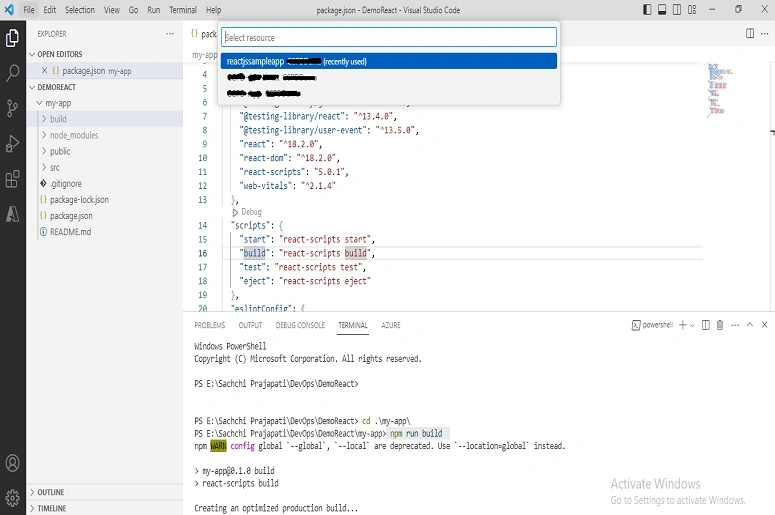
Now we will create the build by using the num run the build command. It will create the build folder for the project. This build we will deploy this on Azure App Service.
Deploy ReactJS App on Azure App Service
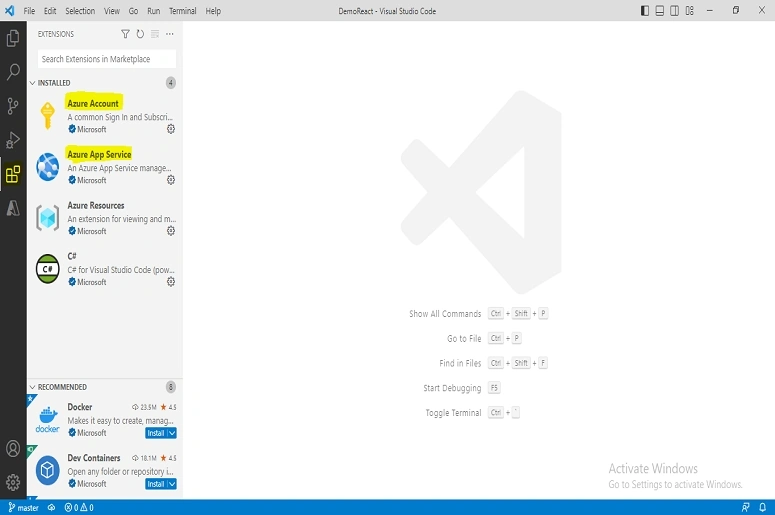
From the Visual Studio Code Extensions, download and install the Azure Account and Azure App Service extensions to deploy the app on Azure.
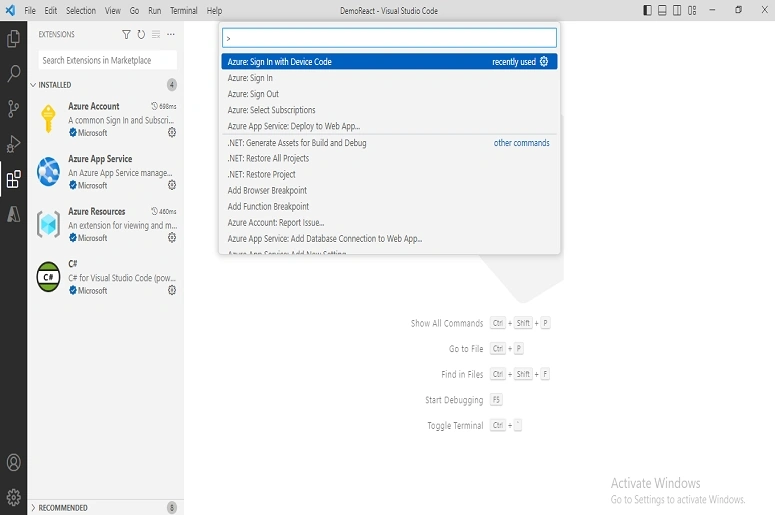
Now, we have to login into Azure Account through VS Code. Press CTRL+SHIFT+P and search Azure Sign In, and login into Azure Account through VS code. So, we can access the Azure resources and deploy them on Azure from VS Code.
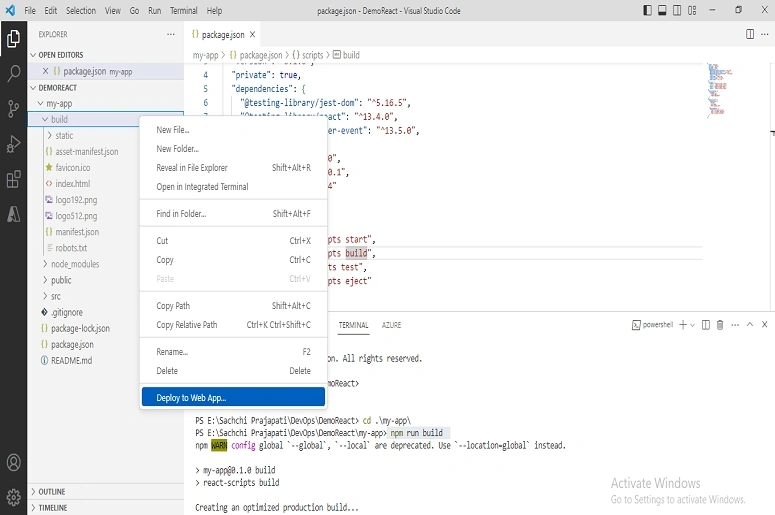
After successful login into Azure, right-click on the build folder and click on Deploy to Web App button for Azure Deployment.
After clicking Deploy to Web App button, it will ask which Azure Web App we want to deploy the code to. So, we have to choose our Azure App Service and start deploying the code. Our Azure Web App is reactjssampleapp, so just select it.
After the successful deployment, you will get the logs and message into the output window in VS code whether the app is deployed or not.
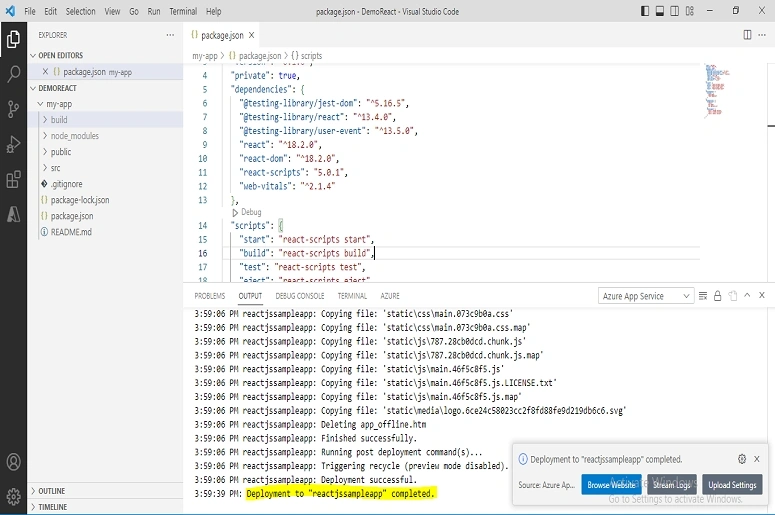
Now click the Browse Website button, which shows in VS Code after deployment on Azure. You can directly open your app from VS Code. It will open up in the browser with our Azure App Service URI.
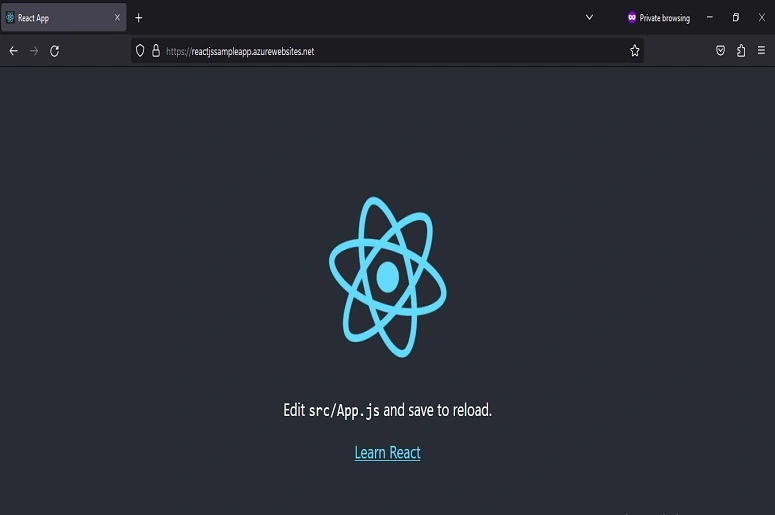
We have successfully deployed our ReactJS App on Azure App Service through Visual Studio Code !!
Join the conversation! Your thoughts help the community grow.