

Introduction
In this article we will develop a Web application from scratch using the latest technologies in an easy and understandable way.
- Back-end = ASP.NET Core Web API
- Database = SQL Server
- Front-end = ANGULAR 12.
First, we will create a database, tables and insert some data.
Second, we develop APIs using ASP.NET Core Web API.
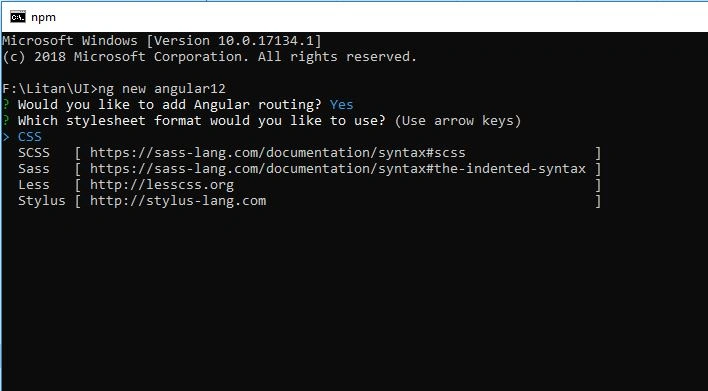
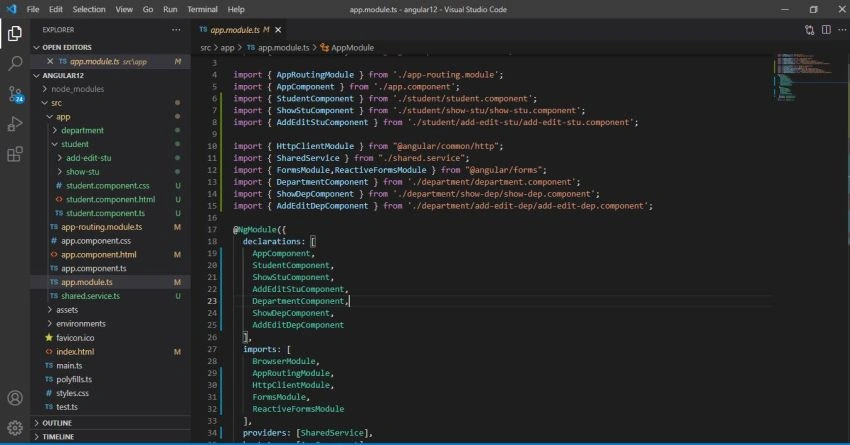
Third, we develop the frontend using angular 12.
Step 1 - (Database Related Activities)
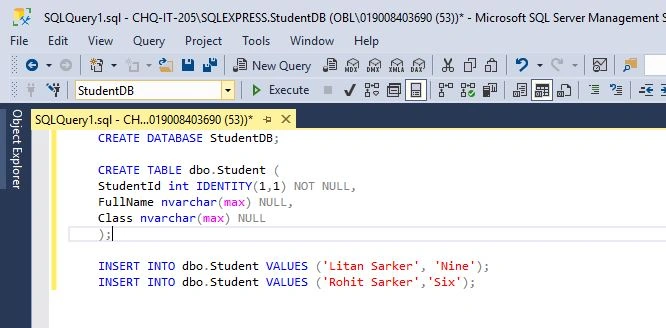
After opening SQL Server Management Studio and connecting to a local database, create a database named StudentDB.
CREATE DATABASE StudentDB;
CREATE TABLE dbo.Student (
    StudentId int IDENTITY(1,1) NOT NULL,
    FullName nvarchar(max) NULL,
    Class nvarchar(max) NULL
);

INSERT INTO dbo.Student VALUES ('Litan Sarker', 'Nine');
INSERT INTO dbo.Student VALUES ('Rohit Sarker','Six');
Step 2 - (Web API Related Activities)
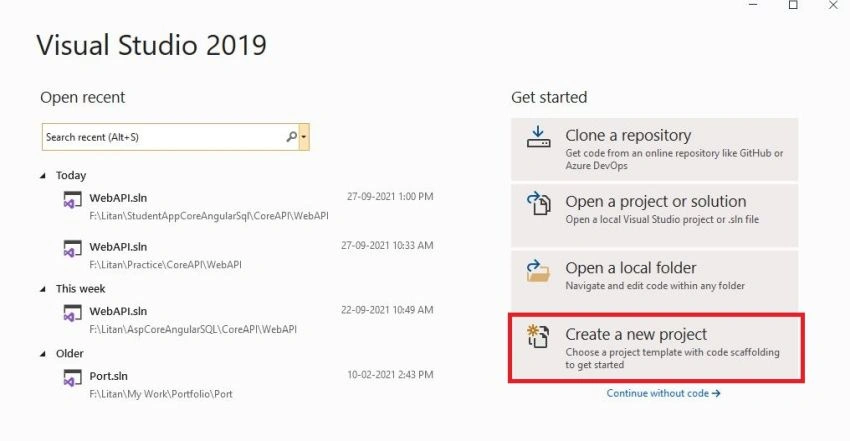
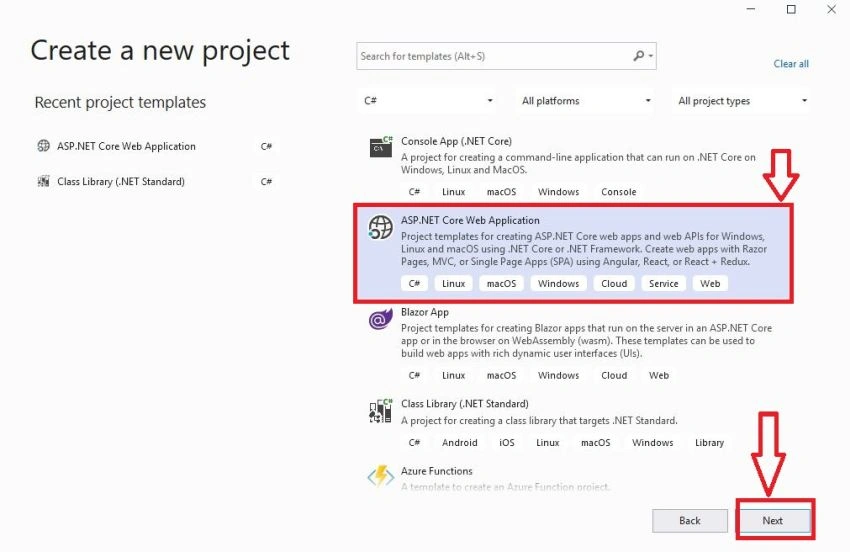
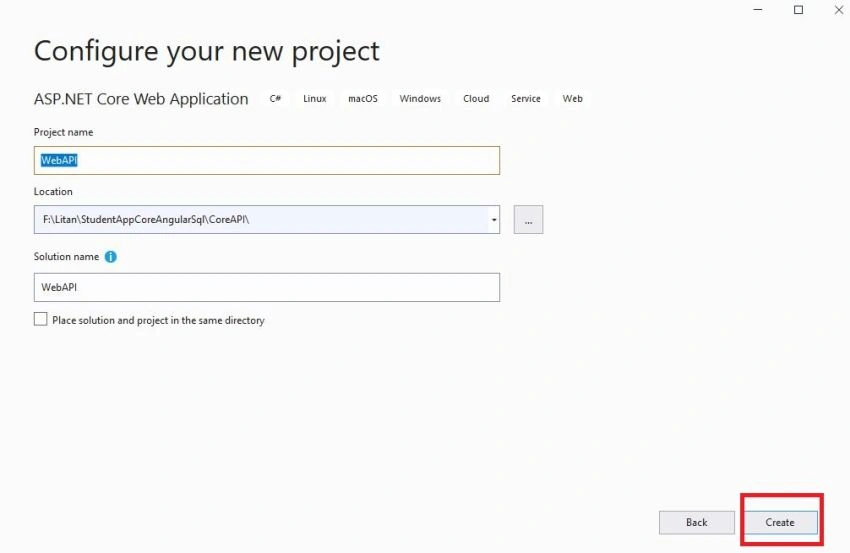
Now, create a new project after opening Visual Studio 2019.
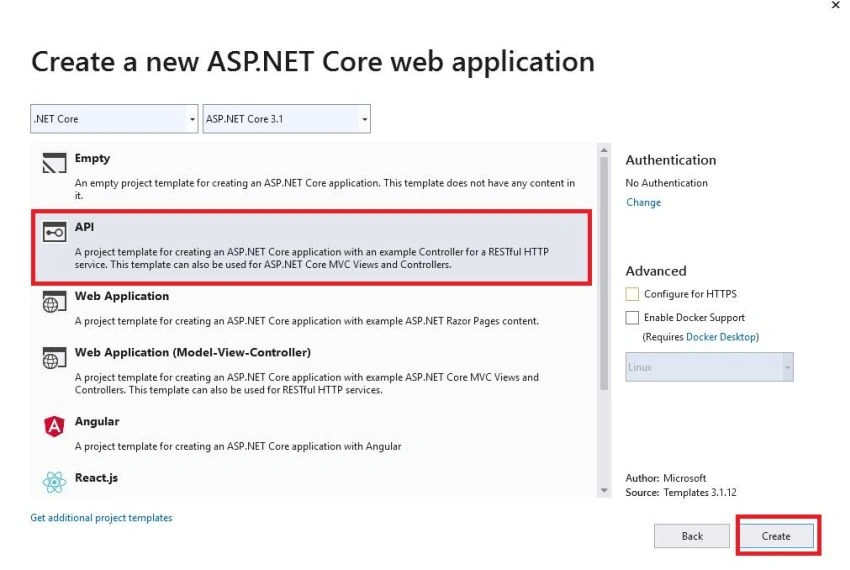
Step 3 - Now change the startup class
Firstly, install these,
- Microsoft.AspNetCore.Mvc.NewtonsoftJson
- System.Data.SqlClient
from Manage Nuget Packages for JSON Serialization and database.
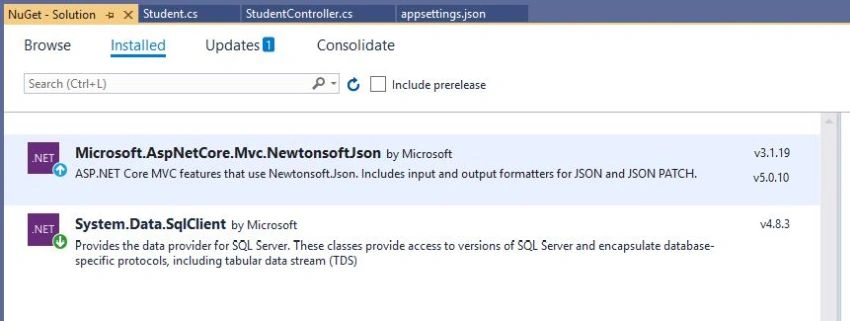
We enable CORS to disable the security and allowing requests from other domains. After installing NewtonSoft.json, we use JSON serializer as our default.
using Microsoft.AspNetCore.Builder;
using Microsoft.AspNetCore.Hosting;
using Microsoft.AspNetCore.Mvc;
using Microsoft.Extensions.Configuration;
using Microsoft.Extensions.DependencyInjection;
using Microsoft.Extensions.Hosting;
using Microsoft.Extensions.Logging;
using System;
using System.Collections.Generic;
using System.Linq;
using System.Threading.Tasks;
using Newtonsoft.Json.Serialization;

namespace WebAPI
{
    public class Startup
    {
        public Startup(IConfiguration configuration)
        {
            Configuration = configuration;
        }

        public IConfiguration Configuration { get; }

        // This method gets called by the runtime. Use this method to add services to the container.
        public void ConfigureServices(IServiceCollection services)
        {
            //Enable Cors
            services.AddCors(c =>
            {
                c.AddPolicy("AllowOrigin", options => options.AllowAnyOrigin().AllowAnyMethod().AllowAnyHeader());
            });

            //Json Serializer
            services.AddControllersWithViews()
                .AddNewtonsoftJson(options =>
                options.SerializerSettings.ReferenceLoopHandling = Newtonsoft.Json.ReferenceLoopHandling.Ignore
                ).AddNewtonsoftJson(options => options.SerializerSettings.ContractResolver
                = new DefaultContractResolver());

            services.AddControllers();
        }

        // This method gets called by the runtime. Use this method to configure the HTTP request pipeline.
        public void Configure(IApplicationBuilder app, IWebHostEnvironment env)
        {
            app.UseCors(options => options.AllowAnyOrigin().AllowAnyMethod().AllowAnyHeader());

            if (env.IsDevelopment())
            {
                app.UseDeveloperExceptionPage();
            }

            app.UseRouting();

            app.UseAuthorization();

            app.UseEndpoints(endpoints =>
            {
                endpoints.MapControllers();
            });
        }
    }
}
Step 4
Now, create a folder named Models and add two class files named Student.cs, department.cs
using System;
using System.Collections.Generic;
using System.Linq;
using System.Threading.Tasks;

namespace WebAPI.Models
{
    public class Student
    {
        public int StudentId { get; set; }
        public string FullName { get; set; }
        public string Class { get; set; }
    }
}

using System;
using System.Collections.Generic;
using System.Linq;
using System.Threading.Tasks;

namespace WebAPI.Models
{
    public class Department
    {
        public int DepartmentId { get; set; }
        public string DepartmentName { get; set; }
    }
}
Now, open the appsettings.json file and replace it with the following,
{
  "ConnectionStrings": {
    "StudentAppCon": "Data Source=.; Initial Catalog=StudentDB; Integrated Security=true"
  },
  "Logging": {
    "LogLevel": {
      "Default": "Information",
      "Microsoft": "Warning",
      "Microsoft.Hosting.Lifetime": "Information"
    }
  },
  "AllowedHosts": "*"
}
Step 6
Now, add StudentController.
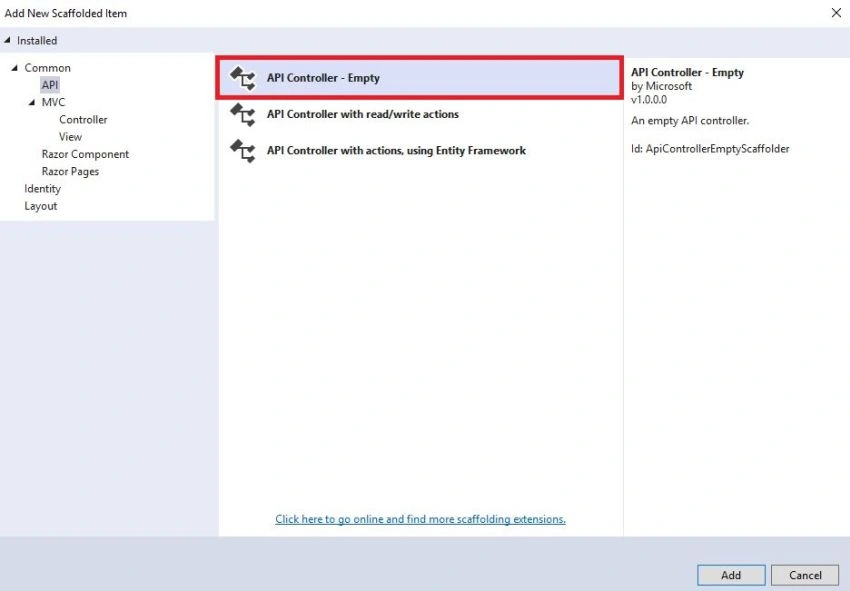
Now, make the following changes in the StudentController, here we implement dependency injection and perform CRUD operations using raw SQL queries.
using Microsoft.AspNetCore.Http;
using Microsoft.AspNetCore.Mvc;
using Microsoft.Extensions.Configuration;
using System;
using System.Collections.Generic;
using System.Data;
using System.Data.SqlClient;
using System.Linq;
using System.Threading.Tasks;
using WebAPI.Models;

namespace WebAPI.Controllers
{
    [Route("api/[controller]")]
    [ApiController]
    public class StudentController : ControllerBase
    {
        private readonly IConfiguration _configuration;
        public StudentController(IConfiguration configuration)
        {
            _configuration = configuration;
        }

        [HttpGet]
        public JsonResult Get()
        {
            string query = @"Select StudentId, FullName, Class from dbo.Student";
            DataTable table = new DataTable();
            string sqlDataSource = _configuration.GetConnectionString("StudentAppCon");
            SqlDataReader myReader;
            using(SqlConnection myCon = new SqlConnection(sqlDataSource))
            {
                myCon.Open();
                using (SqlCommand myCommand = new SqlCommand(query, myCon))
                {
                    myReader = myCommand.ExecuteReader();
                    table.Load(myReader);

                    myReader.Close();
                    myCon.Close();
                }
            }

            return new JsonResult(table);
        }


        [HttpPost]
        public JsonResult Post(Student objStudent)
        {
            string query = @"Insert into dbo.Student values
                ('" + objStudent.FullName + "','" + objStudent.Class + "')";
            DataTable table = new DataTable();
            string sqlDataSource = _configuration.GetConnectionString("StudentAppCon");
            SqlDataReader myReader;
            using (SqlConnection myCon = new SqlConnection(sqlDataSource))
            {
                myCon.Open();
                using (SqlCommand myCommand = new SqlCommand(query, myCon))
                {
                    myReader = myCommand.ExecuteReader();
                    table.Load(myReader);

                    myReader.Close();
                    myCon.Close();
                }
            }

            return new JsonResult("Added Successfully");
        }

        [HttpPut]
        public JsonResult Put(Student objStudent)
        {
            string query = @"Update dbo.Student set
                FullName = '" + objStudent.FullName + @"',
                Class='" + objStudent.Class + "' where StudentId = " + objStudent.StudentId;
            DataTable table = new DataTable();
            string sqlDataSource = _configuration.GetConnectionString("StudentAppCon");
            SqlDataReader myReader;
            using (SqlConnection myCon = new SqlConnection(sqlDataSource))
            {
                myCon.Open();
                using (SqlCommand myCommand = new SqlCommand(query, myCon))
                {
                    myReader = myCommand.ExecuteReader();
                    table.Load(myReader);

                    myReader.Close();
                    myCon.Close();
                }
            }

            return new JsonResult("Updated Successfully");
        }


        [HttpDelete("{id}")]
        public JsonResult Delete(int id)
        {
            string query = @"Delete from dbo.Student where StudentId = " + id;
            DataTable table = new DataTable();
            string sqlDataSource = _configuration.GetConnectionString("StudentAppCon");
            SqlDataReader myReader;
            using (SqlConnection myCon = new SqlConnection(sqlDataSource))
            {
                myCon.Open();
                using (SqlCommand myCommand = new SqlCommand(query, myCon))
                {
                    myReader = myCommand.ExecuteReader();
                    table.Load(myReader);

                    myReader.Close();
                    myCon.Close();
                }
            }

            return new JsonResult("Deleted Successfully");
        }

    }
}
emad shaheenPosted Mar 24, 2022, 10:17 AM
Login page pls
rzm udzinPosted Feb 20, 2022, 4:21 PM
Awesome! Nicely done sir!
soel jobPosted Feb 3, 2022, 8:39 PM
How do you publish .net code so angular can call the webAPI methods, considering I am running angular with ng serve?
Vebjorn ReinsbergPosted Jan 2, 2022, 10:26 PM
How do I start the Angular App? I have managed to run the WebAPI application, but I am new to Angular, and don't know which file I should run (and how).
Mehran RezaeiPosted Dec 18, 2021, 10:41 AM
Thank you for this article. But enabling cors is not a security issue?
Omer DincPosted Dec 15, 2021, 7:41 PM
Nice article. Thanks.
Hamid KhanPosted Nov 7, 2021, 8:43 PM
Nice article thanks
Humayun Kabir MamunPosted Nov 2, 2021, 6:50 AM
Nice one...
Sagar LadPosted Oct 16, 2021, 7:09 PM
Nice article
Sven ThielePosted Oct 4, 2021, 11:02 AM
Thanks for the good article! However i have one question: How and where would you implement/handle database connection errors/issues on create, update etc. (e.g. if the database is temporarily not available)? Would you implement retries and if yes, where? In the Web API or would you initiate those from the frontend?