

Since Microsoft introduced Azure in 2010, we have changed our computing habits a lot, basically from local or promises to cloud. This is a huge change and a huge leap. Looking back, we did have a lot of experience indirectly or directly working on or related on Azure, or associated DevOps.
- In 2011, I participated in a project in Health Care field, a huge project with 10 terabytes of data in production and 5000 database transactions per second at peak time. We have 200 developers involved in this project, divided in 20 feature Agile Feature teams. We use TFS server, auto built the app when anyone checked in any changes to the server. At that time, it might not be Azure DevOps, but the operation was somewhat similar with the concept of CI (Continue Integration) and CD (Continue Deployment).
- I had worked on a project, the client wanted to move all current Apps from TFS promises Server into DevOps Cloud associated with Git as source control management. We worked with MS Pipeline intensively.
- Another project, with Fortify Scanning, a security scanning, we need to setup a Azure Pipeline to the automation process with Fortify as a core functionality.
- Recent years, more and more companies moved or moving to Cloud, such as Azure, associated with DevOps, Pipeline.
All of them require us, even as a developer, to be familiar with Azure, and DevOps. I had article series about Source Control (Repos), this series is about Pipelines. The style of the article series is similar to the Repos series, These are not system summary, or introduction, or learning notes, these are just gathering what I have experienced and I assume I understood and shared with myself and you. The following are the topics I have now and will complete within days or weeks. Later on, I will add some more materials according to new experience or summary.
- DevOps Pipeline (1), Management --- GUI and Yaml
- DevOps Pipeline (2), Import/Export and Clone --- this article
- DevOps Pipeline (3), Setup from GUI&YAML
- DevOps Pipeline (4), Setup from an Existing YAML
- DevOps Pipeline (5), Setup from GUI with a Cloned Template (+ Fortify)
Introduction
This article topic is import/export and clone pipelines. The following is the content of this article
- Introduction
- Export/Import a Pipeline
- Export
- Import
- Second Sample
- Clone a Pipeline
- Clone
- Second Sample
When we have an existing pipeline, and want to use it as a base or sample to build a new pipeline, if the original pipeline is in the same group, we can easily use clone to make a new one, otherwise, if not in the same group, we can use export to get a JSON file, and then import from the target group or machine.
Export/Import a Pipeline
In a pipeline, we choose a specific one:
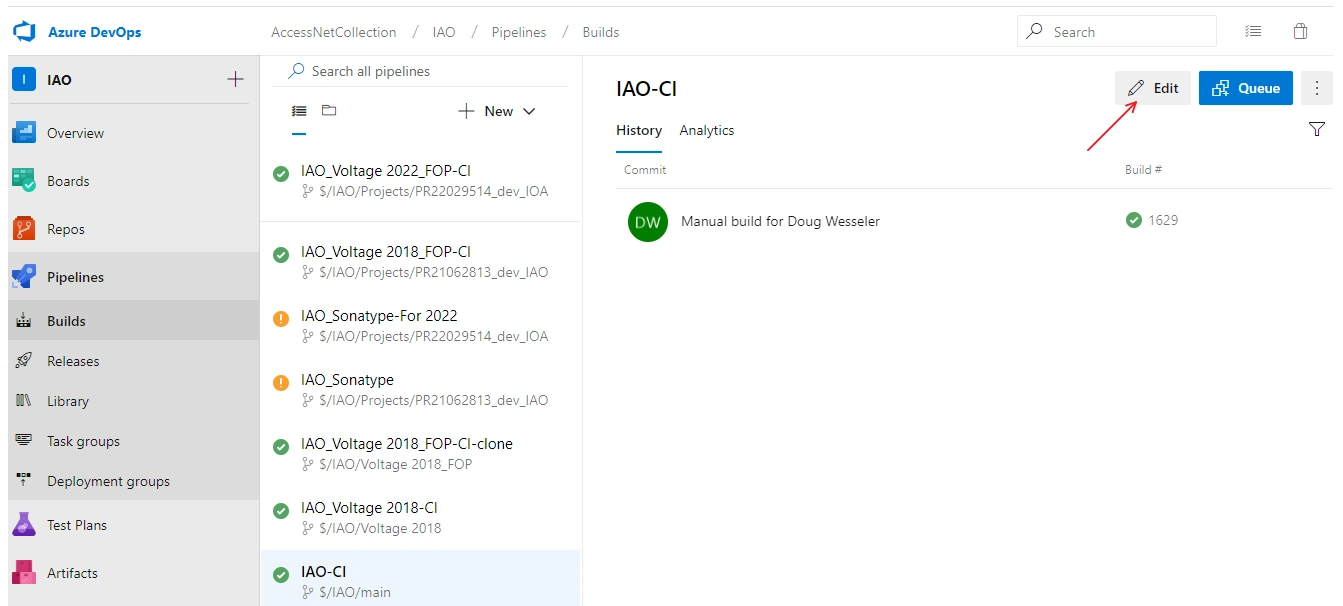
Click Edit, we got the content of the pipeline that is what we want to build in the new pipeline:
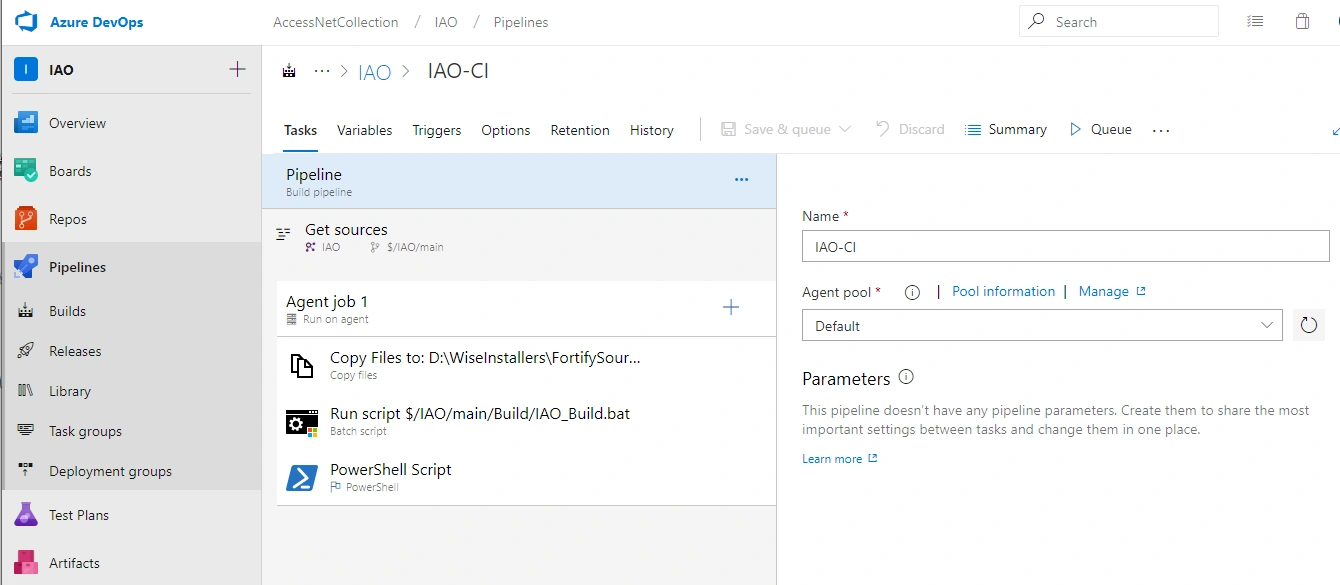
Export:
Click the three points on the right, top corner => Export in the dropdown box:
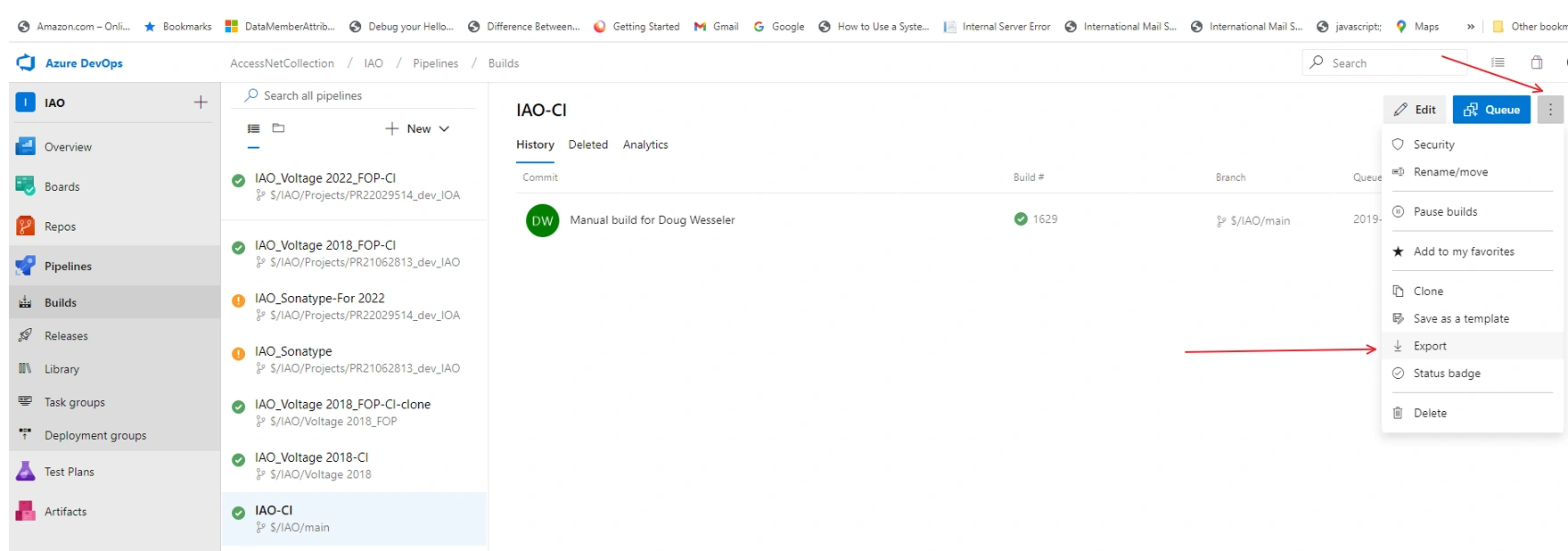
Bigger for easy seeing:
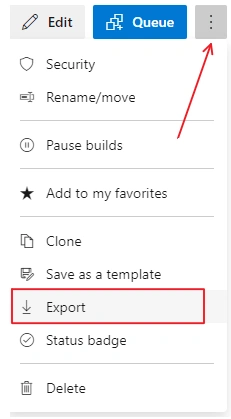
After click the export, a file will be downloaded to your computer as shown in the left, bottom corner:
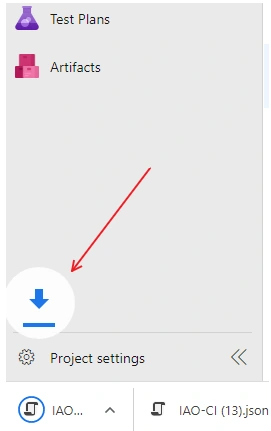
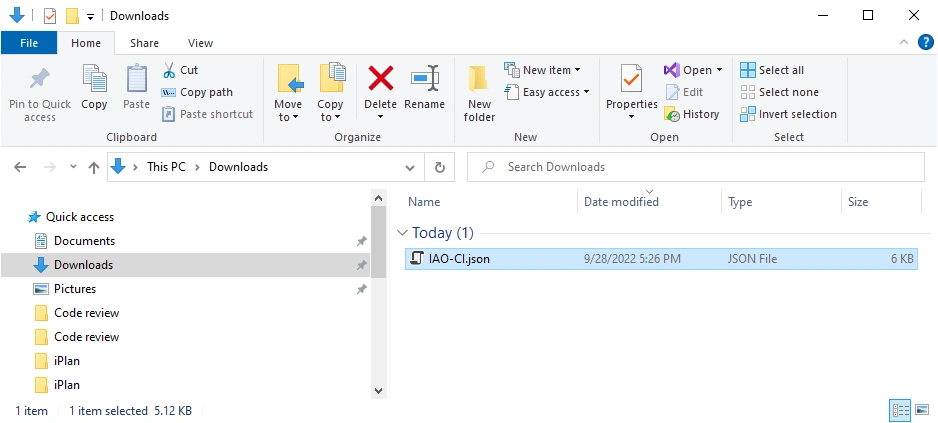
You can see the download JSON file in your download folder:
Import:
Click New => Import:
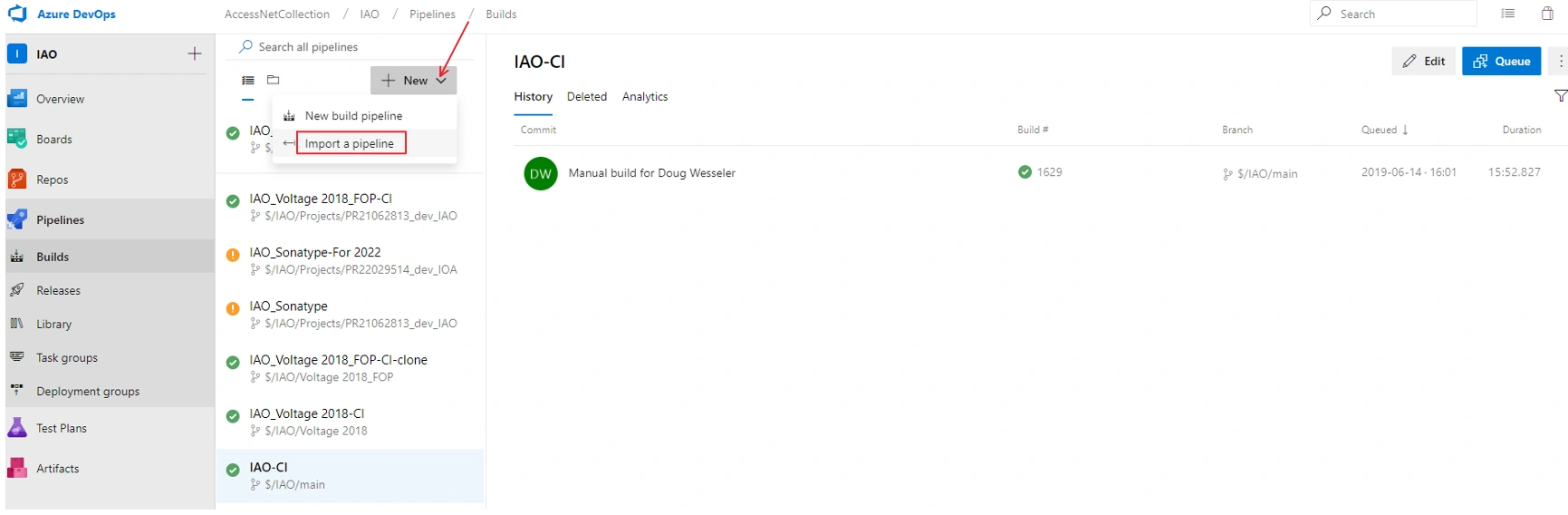
Bigger for easy seeing:
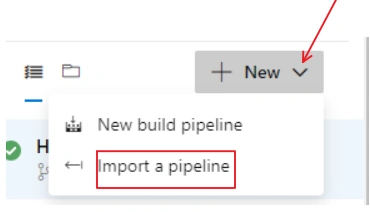
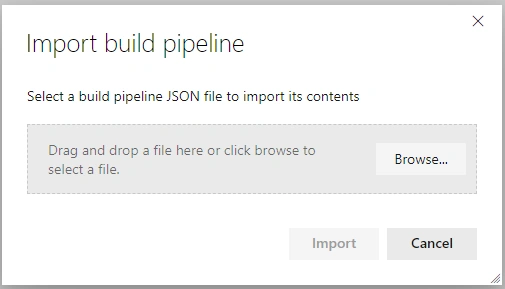
In the Import build pipeline box, Click Browse:
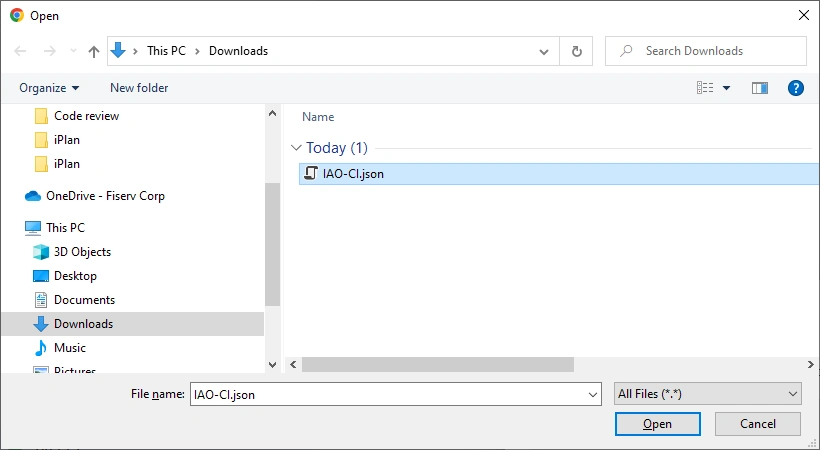
Choose the JSON file you want, probably the one you just created from export:
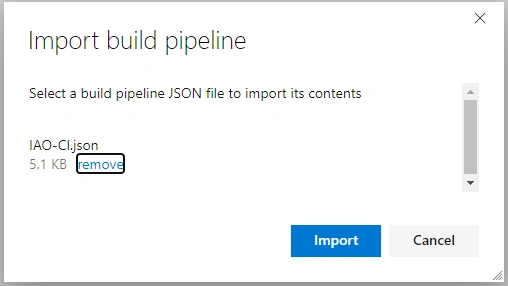
Click Import button:
You got the new imported pipeline setup:
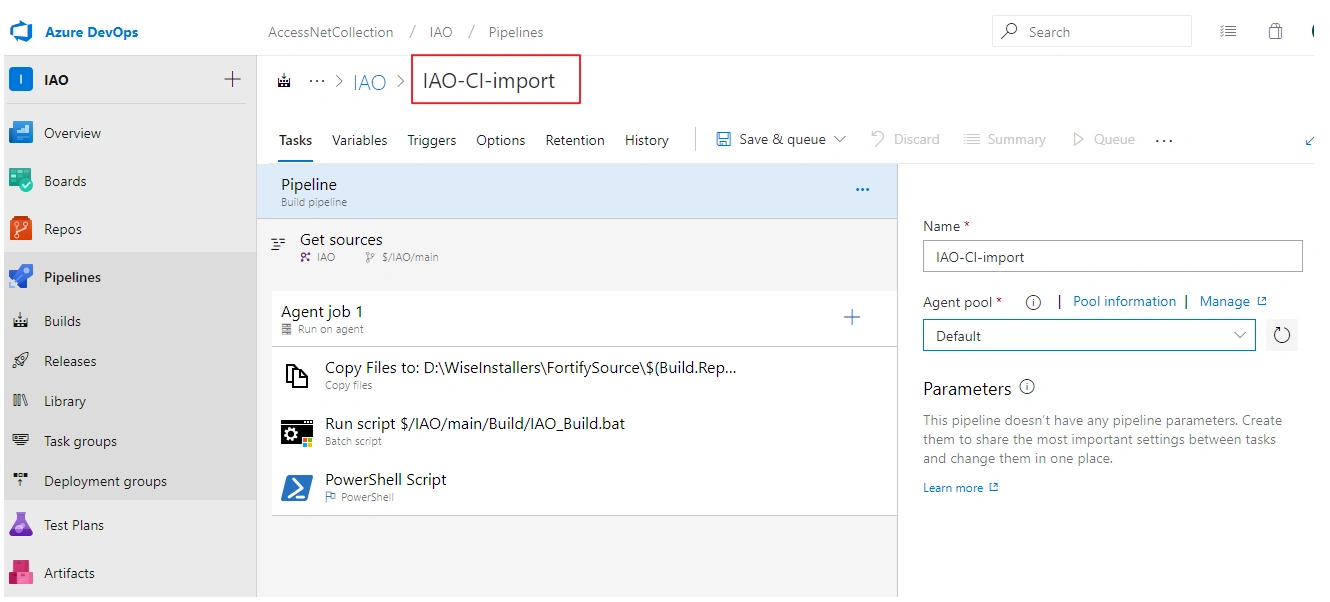
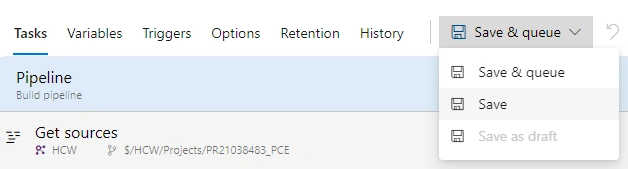
Save it, you will get the one you want:
Second Sample:
In some cases, you may export both Json file and Yaml file --- this must be dependent on system setup:
- Yaml file is a script file to run pipeline
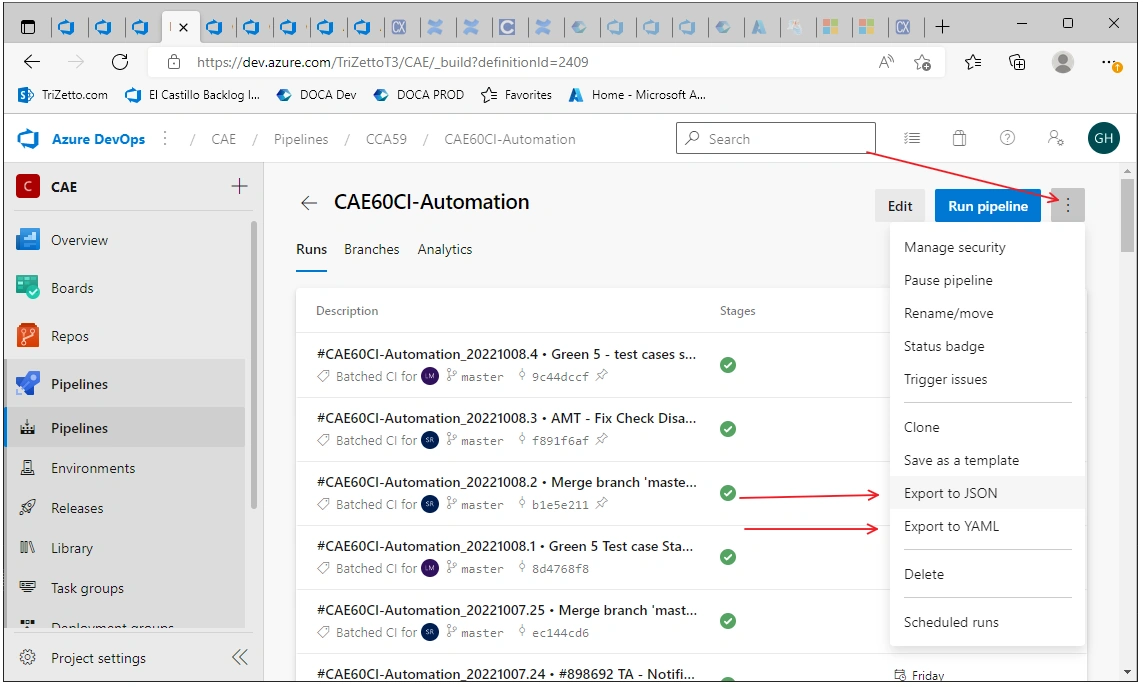
Let us try import:
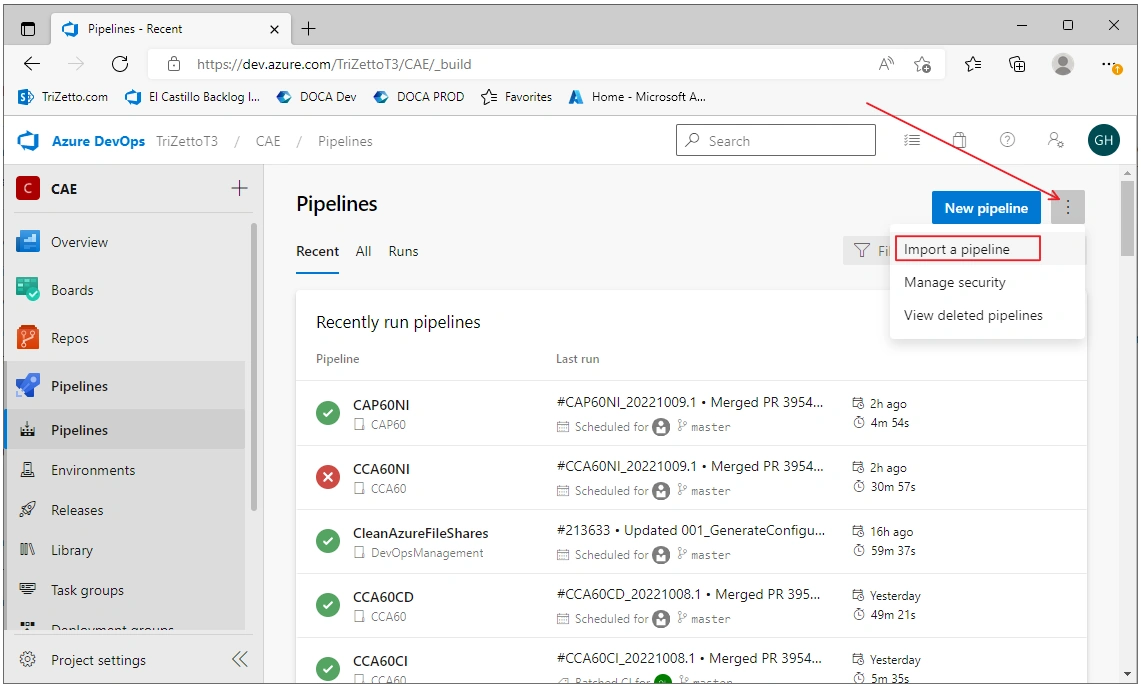
Bigger view:
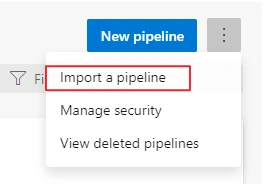
The Import build pipeline Window ask to Select a build pipeline JSON file:
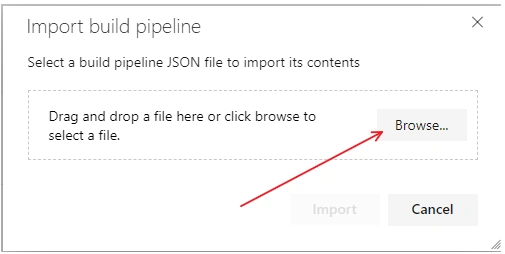
Browse:
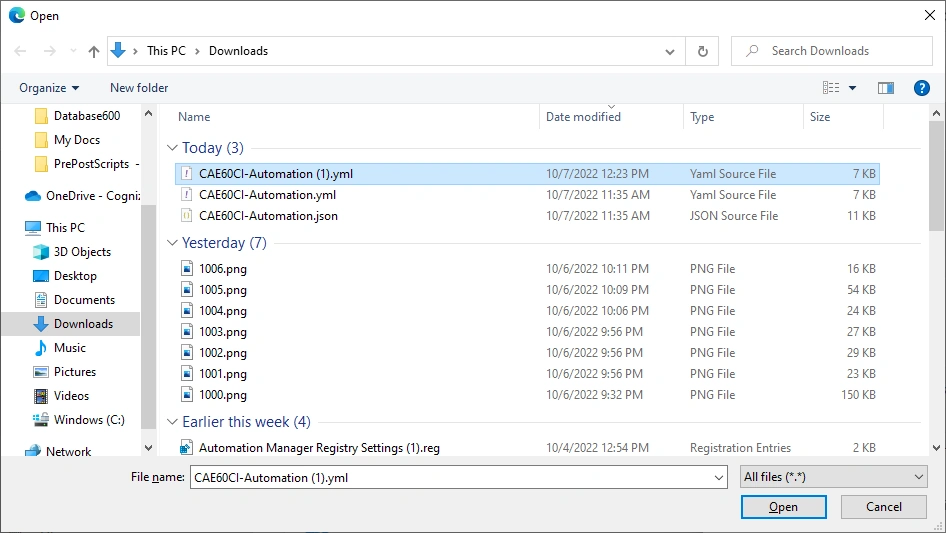
Let us try a Yaml file first:
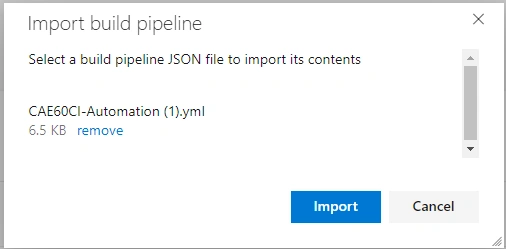
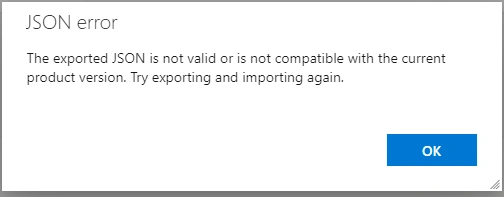
It will not work, you have to import a JSON file to build a pipeline:
Let us try JSON file:
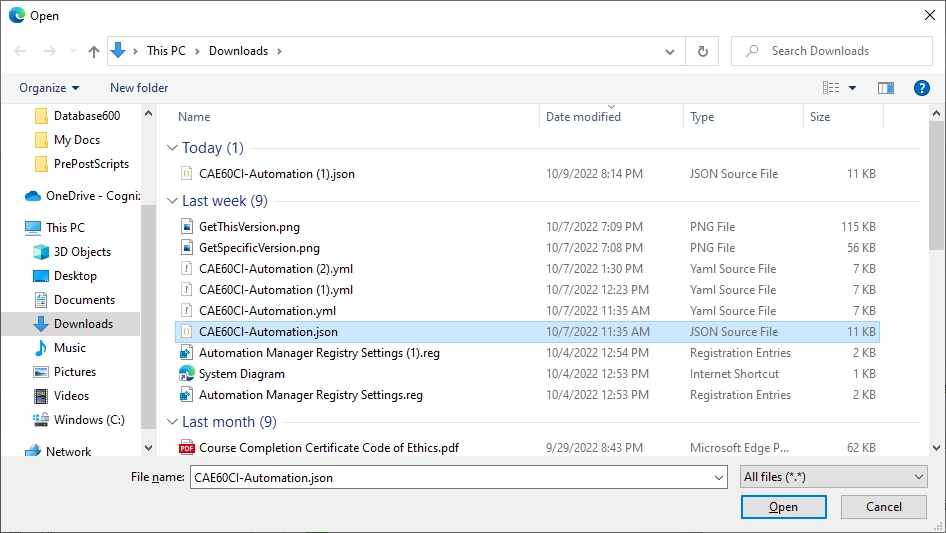
Get JSON exported file:
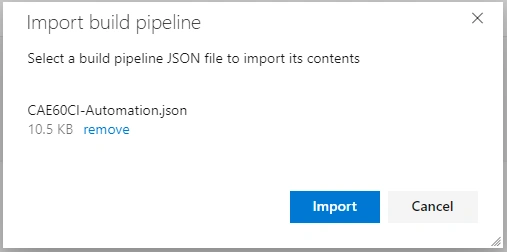
Import, we get a imported pipeline:
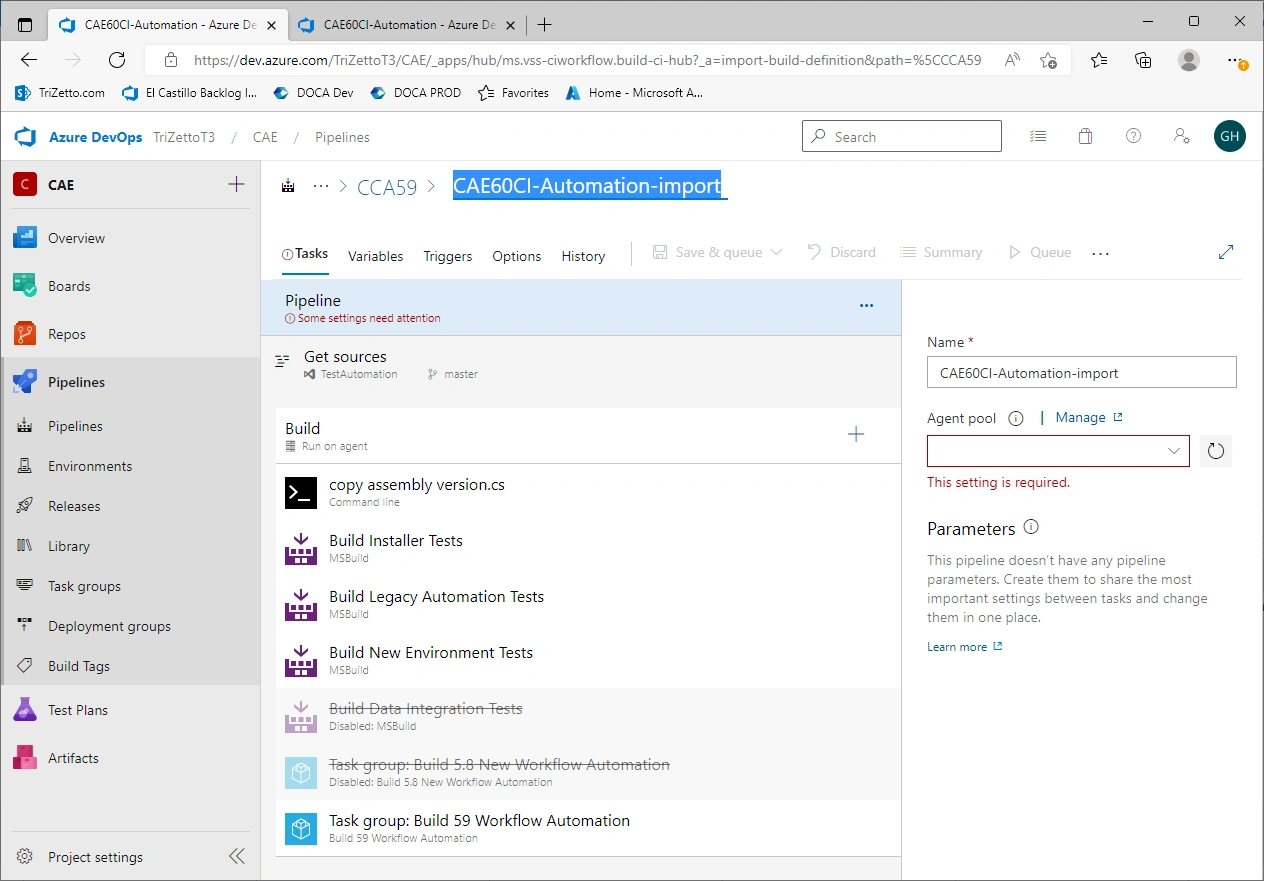
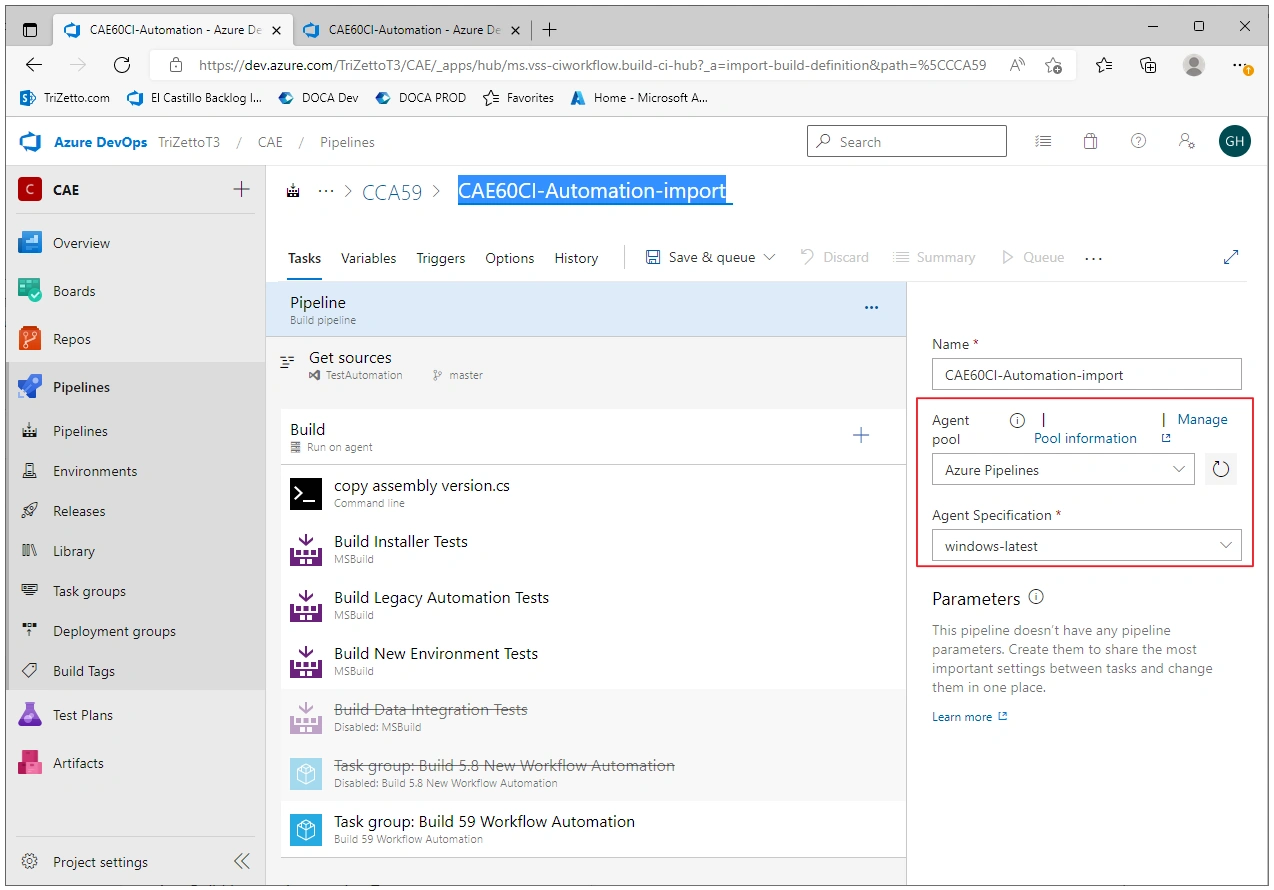
Choose an Agent Pool and Specification, we will get an imported pipeline built by the exported pipeline:
Clone a Pipeline
Clone:
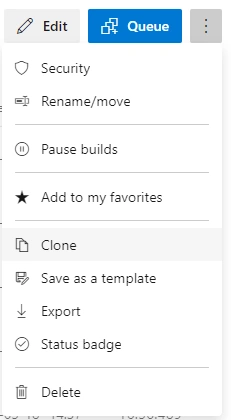
Click the three points on the right, top corner => Clone in the dropdown box:
You will get the clone one immediately:
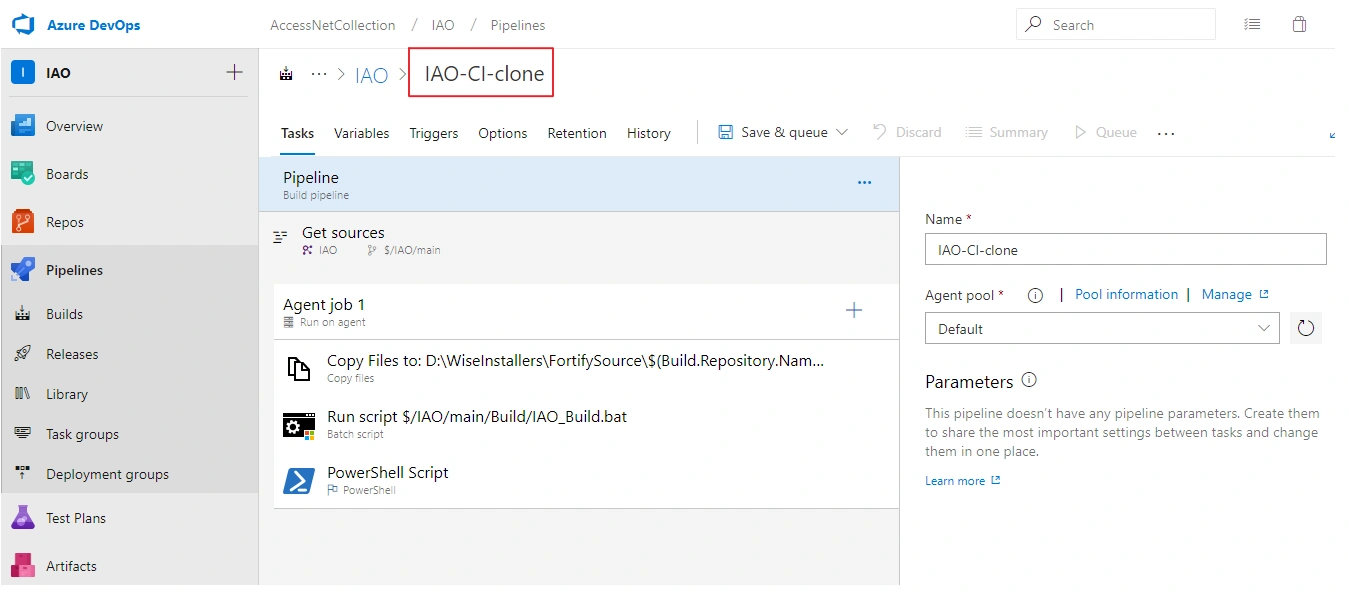
Save it, done.
Second Sample:
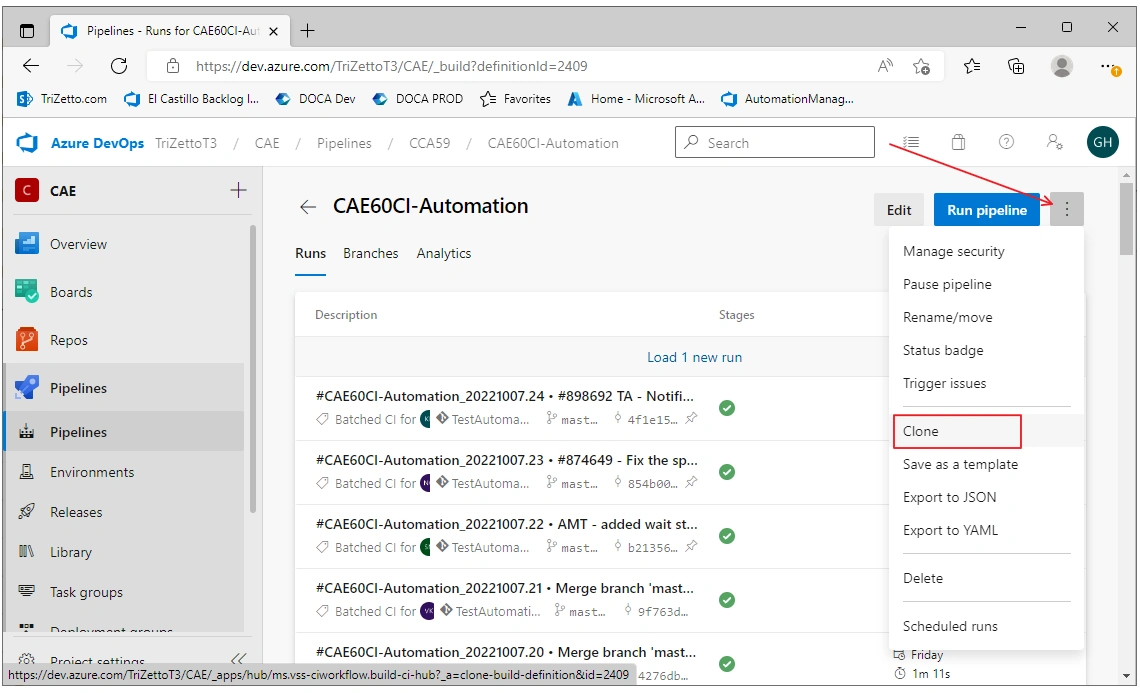
Click Clone:
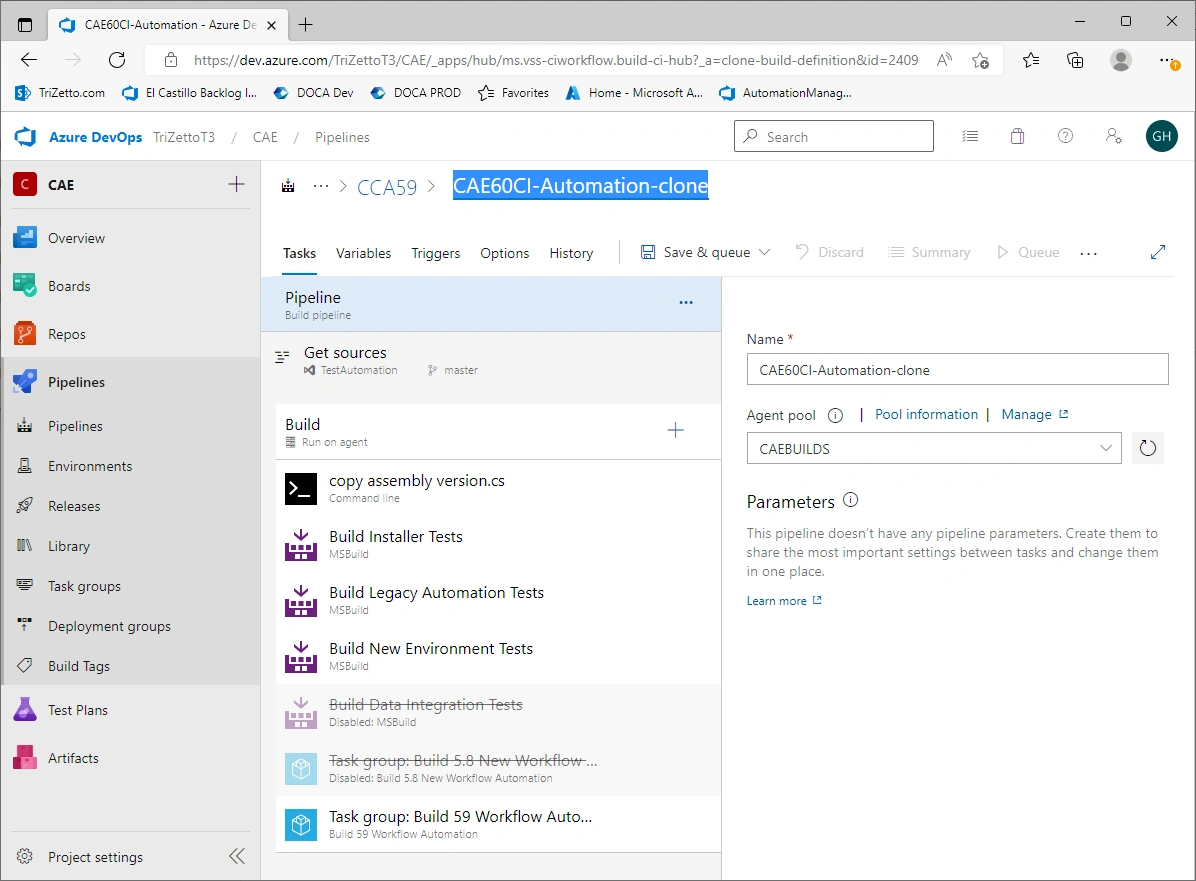
Done:
Reference
Join the conversation! Your thoughts help the community grow.