

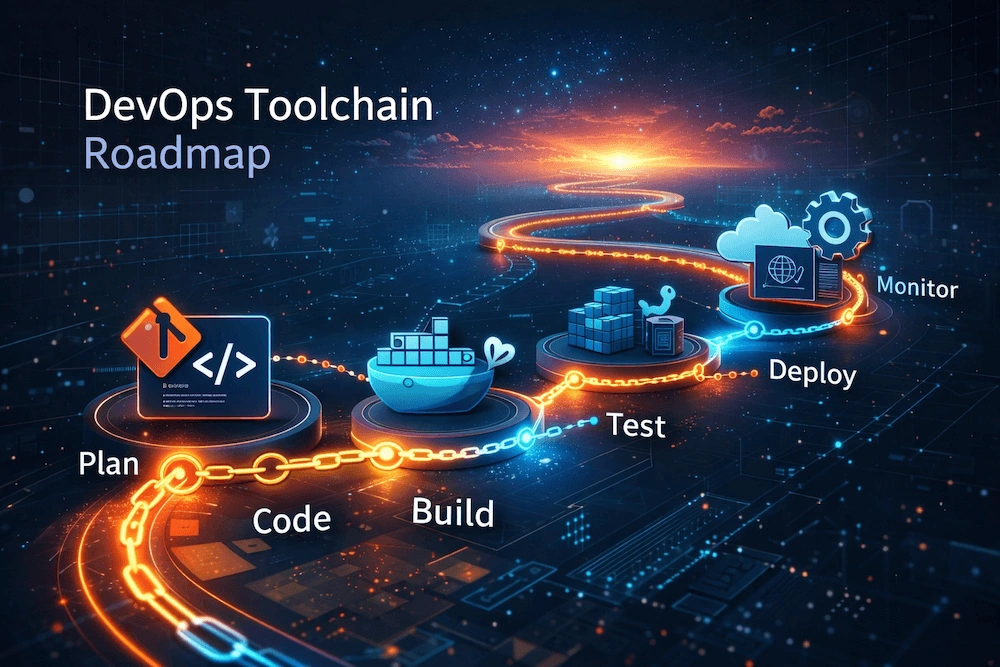
If you want to build a durable, practical DevOps skillset, the single best approach is a layered roadmap: start with the fundamentals that let you operate and automate reliably, then add platforms and orchestration, then focus on scale, security, and culture. This article lays out a step-by-step learning path, explains why each step matters, suggests specific tools to learn at each stage, gives project ideas you can build to practice, and points out common pitfalls so you don’t waste time learning things too early.
I’ll assume you’re starting from basic programming or systems familiarity (you can still follow this from scratch). If you already know some pieces, skip ahead to the next layer you don’t know. The roadmap is pragmatic: learn concepts first, then one or two representative tools for each concept, then practice by doing end-to-end projects.
Big-picture structure
Foundations — OS, networking, shell, version control.
Automation & Scripting — Python/Bash, package managers.
CI/CD — build pipelines and testing automation.
Containers — Docker and local container workflows.
Orchestration & Runtime — Kubernetes and the cloud.
Infrastructure as Code (IaC) & Configuration Management — Terraform, Ansible.
Observability, Logging & Monitoring — Prometheus, Grafana, ELK.
Security, Testing & Compliance — shift-left security and runtime security.
Reliability & Resiliency — chaos engineering, capacity planning, cost control.
Soft skills & Team Practices — culture, workflows, modern Git practices.
Learn each layer in that order; that order reflects dependencies and practical payoff.
1) Foundations — what to learn first (2–6 weeks)
Why first: DevOps is about systems and automation. If you don’t understand how the operating system, filesystem, permissions, and basic networking work, higher-level tools will feel magical and fragile. Foundational knowledge helps debugging and security.
What to learn
Linux basics: filesystem, users/groups, permissions, process management (ps, top, kill), package managers (apt/yum/pacman).
Shell proficiency: bash or zsh — pipes, redirection, environment variables, process substitution.
Networking basics: TCP/UDP, IP addressing, DNS, curl, dig, netstat/ss, traceroute.
Text tools: grep, awk, sed, jq (JSON processing).
Editors: comfortable with vim, nano, or VS Code for editing config files.
Representative tools/commands: ssh, scp, curl, wget, iptables/ufw (basic rules), systemctl.
Practice project ideas
Install a Linux VM or use WSL; set up a small web server (nginx) and connect to it from your host.
Write a shell script that backs up a directory and rotates older backups.
Why this pays off
Immediate debugging ability (e.g., why an app can’t bind to a port).
You avoid “stack ignorance” — fewer surprises when tools behave oddly.
2) Automation & Scripting — the multiplier (2–8 weeks)
Why second: Automation is the central lever for DevOps. You’ll do the most work once and automate the rest.
What to learn
Scripting language: Python is the most versatile. Learn file I/O, subprocesses, parsing JSON, and HTTP requests (requests library). Bash is still essential for glue code.
Package management & build tools: pipenv/venv for Python, npm for Node projects, OS package managers.
Task runners / make: Makefile, invoke, or similar for reproducible tasks.
Basic testing: unit tests and test runners (pytest). Understand test doubles, basic fixtures.
Representative tools: Python, Bash, Makefile, pytest.
Practice project ideas
Build a CLI script that accepts a git repo URL, clones it, runs tests, and reports status.
Create a small script that deploys a static site to a server via rsync or scp.
Why this pays off
You can create reliable repeatable workflows.
Automation reduces human error and accelerates experimentation.
3) Version Control & Git-based workflows (continuous)
Why: Everything rests on version control. Good Git skills let you collaborate, trace changes, and integrate with CI/CD.
What to learn
Git basics: clone, commit, branch, merge, rebase, stash.
Remote workflows: pull requests, code reviews, branching strategies (Git Flow, trunk-based development).
CI integration: how Git triggers pipelines on push, PR, tags.
Protected branches & policies.
Representative platforms: GitHub, GitLab, Bitbucket. Pick one and learn its pull-request/merge-request and CI integration.
Practice project ideas
Create a repo, branch feature, open PR, run automated tests via GitHub Actions (or GitLab CI).
Break a build intentionally and debug failing pipeline logs.
Why this pays off
Version control is the lingua franca of engineering. Without it, nothing scales.
4) Continuous Integration / Continuous Delivery (CI/CD) (2–6 weeks)
Why: CI ensures code quality via automated builds and tests; CD automates deployment. They’re the heart of DevOps throughput.
What to learn
Pipeline concepts: build, test, package, release. Parallel jobs, artifacts, caching.
One CI tool well: Jenkins, GitHub Actions, GitLab CI/CD, or CircleCI. Learn one thoroughly.
Tests in pipelines: unit, integration, static analysis, linting, dependency scanning.
Artifact management: storing and retrieving build artifacts (docker images, binaries).
Deployment strategies: blue/green, canary, rolling updates.
Representative tools: GitHub Actions (easy for beginners), Jenkins (powerful & commonly used), GitLab CI.
Practice project ideas
Create a pipeline that builds a Docker image, runs test suite, then pushes the image to a registry if tests pass.
Implement a pipeline that runs security scanning (e.g., Snyk or open-source scanners) as part of PR checks.
Why this pays off
Reduces manual release friction.
Early detection of issues keeps production stable.
5) Containers — Docker & local container workflows (2–6 weeks)
Why: Containers package code and its environment. They make deployments predictable and are foundational for microservices.
What to learn
Docker basics: images, containers, Dockerfile best practices (layering, caching), volumes, networks.
Local workflows: docker-compose for multi-service local development.
Image registries: Docker Hub, GitHub Container Registry, or private registries.
Security basics: least-privilege containers, user inside container, scanning images for vulnerabilities.
Representative tools: Docker, BuildKit, docker-compose.
Practice project ideas
Containerize a simple web app (e.g., Flask or Node) and run it with docker-compose alongside a Postgres DB.
Create multi-stage Dockerfile to reduce image size.
Why this pays off
Predictable deployments and simplified environment parity between dev and prod.
6) Orchestration & Runtime — Kubernetes and clouds (4–12 weeks)
Why: For production at scale you need orchestration: scheduling, service discovery, auto-scaling, rolling updates, self-healing.
What to learn
Kubernetes core concepts: pods, deployments, services, namespaces, configmaps, secrets, volumes.
Advanced Kubernetes: RBAC, Ingress controllers, StatefulSets, operators, Helm charts.
Cloud-native patterns: sidecars, init containers, probes (readiness/liveness), resource requests/limits.
Local clusters: Minikube, kind, or Kubernetes-in-Docker for experimentation.
Managed Kubernetes: EKS (AWS), GKE (GCP), AKS (Azure) basics and differences.
Representative tools: kubectl, Helm, kustomize, kind/minikube, a managed cloud Kubernetes offering.
Practice project ideas
Deploy your containerized app to a local Kubernetes cluster with Helm, add a horizontal pod autoscaler, and expose it via an Ingress.
Build a config change workflow: update a ConfigMap, perform a rolling update, observe zero-downtime.
Why this pays off
Kubernetes is the dominant orchestration platform. Knowing it unlocks scalable deployments and resilience patterns.
7) Infrastructure as Code (IaC) & Configuration Management (3–8 weeks)
Why: Reproducible infrastructure is a non-negotiable at scale. IaC gives you versioned, testable infra.
What to learn
Declarative IaC: Terraform is the most transferable—learn modules, state, remote backends, providers.
Configuration management: Ansible for procedural config tasks; Salt or Chef/Puppet if your org uses them.
Cloud basics: provisioning networks, load balancers, managed databases, IAM. Practice on one cloud provider (AWS/GCP/Azure).
State management & teamwork: locking (e.g., Terraform state locking), state storage, drift detection.
Policy as code: Sentinel, Open Policy Agent (OPA) basics.
Representative tools: Terraform, Ansible, cloud CLIs (aws/gcloud/az).
Practice project ideas
Use Terraform to provision a VPC (or VNet) with a managed Kubernetes cluster and one managed database. Store state remotely and apply collaboratively.
Use Ansible to bootstrap instances and deploy a monitoring agent.
Why this pays off
IaC reduces snowflake infrastructure and makes disaster recovery and auditing possible.
8) Observability: Logging, Metrics & Tracing (3–8 weeks)
Why: You can’t operate what you can’t see. Observability helps you find and fix problems quickly and understand system behavior.
What to learn
Metrics & monitoring: Prometheus for metrics collection; Grafana for visualization. Learn alerting rules and on-call basics.
Logging: Centralized logs with ELK/EFK (Elasticsearch, Logstash/Fluentd, Kibana) or hosted solutions. Learn log parsing and structured logs (JSON).
Distributed tracing: OpenTelemetry, Jaeger — understand spans, traces, and how to correlate logs and metrics.
SLOs & SLIs: define Service Level Objectives and measure them. Use error budget thinking.
Representative tools: Prometheus, Grafana, Elasticsearch/Fluentd/Kibana, OpenTelemetry, Jaeger.
Practice project ideas
Instrument your app to expose Prometheus metrics; create Grafana dashboards and alerting rules for key indicators (latency, error rate, throughput).
Add tracing to a multi-service app and visualize a request trace across services.
Why this pays off
Faster incident resolution, data-driven decisions, and improved uptime.
9) Security & Compliance (ongoing)
Why: Security must be integrated, not an afterthought. DevSecOps means shifting security left in the pipeline and building runtime defenses.
What to learn
Shift-left tools: SAST (static analysis), SCA (software composition analysis), dependency scanning in pipelines.
Runtime security: container runtime scanning, network policies, PodSecurityPolicies (or alternatives), runtime intrusion detection.
Identity & Access Management: least privilege, IAM roles, secrets management (Vault, cloud secrets).
Threat modeling: identify attack surfaces early.
Compliance basics: logging/audit trails, encryption in transit and at rest, GDPR/PCI/HIPAA implications if applicable.
Representative tools: Snyk/Dependabot, Trivy/Clair, HashiCorp Vault, cloud KMS and IAM.
Practice project ideas
Add a SCA tool to your CI pipeline and fix a discovered vulnerable dependency.
Implement a secrets rotation workflow using Vault or cloud secret manager.
Why this pays off
Reduces risks and makes audits manageable.
10) Reliability, Resiliency & Cost Control (ongoing)
Why: At scale, uptime and cost efficiency are critical. Reliability engineering is about design and processes.
What to learn
Capacity planning and autoscaling policies.
Resiliency patterns: retries/backoff, circuit breakers, timeouts, bulkheads.
Chaos engineering: controlled fault injection to validate assumptions (Chaos Monkey, Litmus).
Cost management: right-sizing, reserved instances, spot instances, cost attribution/tagging.
Representative tools: Prometheus for capacity metrics, chaos-engineering frameworks, cloud cost management consoles and tools.
Practice project ideas
Run a scheduled chaos test (node failure) in a staging cluster and validate recovery procedures.
Create a cost dashboard that shows cost per namespace or service.
Why this pays off
Prevents outages, controls cloud bills, and helps plan capacity.
11) Advanced Topics & Ecosystem (pick what matters)
After the core, specializations depend on your role or company needs:
Service mesh: Istio/Linkerd for advanced traffic control and mTLS.
Serverless: AWS Lambda, Google Cloud Functions — fast for event-driven workloads.
Edge & CDN: for global performance.
Platform engineering: creating self-service platforms for developers.
Data engineering ops: streaming, batch, and data infra.
How to Practically Learn — a 6-month plan
This is a realistic, beginner-to-intermediate plan if you study part-time (8–12 hours/week).
Months 0–1: Foundations + Git + scripting
Months 1–2: Docker + local projects + basic CI (GitHub Actions)
Months 2–3: Kubernetes basics + Helm + simple deployment to cloud or local kind cluster
Months 3–4: Terraform for infra + connect cluster to managed cloud infra
Months 4–5: Observability (Prometheus + Grafana) + Logging + SLOs
Months 5–6: Security tooling + cost optimization + a capstone: full CI/CD pipeline that builds containers, runs tests and security scans, deploys to K8s, and has monitoring/alerting
Adjust pace based on existing commitments. The important part: build a project at each stage that ties the layer to the previous ones (e.g., pipeline builds docker images that run in Kubernetes).
Recommended tools to pick
It’s tempting to learn dozens of tools. Instead, pick one from each category deeply:
VCS: Git + GitHub (or GitLab)
CI/CD: GitHub Actions / Jenkins / GitLab CI (choose one)
Containers: Docker
Orchestration: Kubernetes (minikube/kind locally; GKE/EKS/AKS remotely)
IaC: Terraform (+ AWS/GCP/Azure provider)
Config management: Ansible
Monitoring: Prometheus + Grafana
Logging: EFK stack or a hosted alternative
Tracing: OpenTelemetry + Jaeger
Secrets: HashiCorp Vault or cloud secret manager
Security scanning: Trivy (images) + Dependabot/Snyk (deps)
Once you know the concepts, switching tools later is easier.
Learning resources
Official docs — for each tool, start with the official getting-started guide.
Hands-on labs — cloud free tiers, Katacoda-like labs, or sandbox environments.
Community tutorials and GitHub repos — copy example pipelines and tweak them.
Books & courses — follow a course for guided projects, but always implement your own.
Blogs & postmortems — read incident postmortems to understand real failure modes.
Tip: follow a “learn by doing” rhythm — read a small concept, then implement it in code.
Projects to prove you know it
End-to-end microservice app
Multiple services (API, worker, DB). Containerize, deploy on Kubernetes, CI pipeline builds and deploys images, monitoring, logging, and tracing enabled.
Infrastructure repo
Terraform repo to create VPC, managed K8s, DB, and load balancer with remote state and modules.
Pipeline-as-code repo
A GitHub Actions pipeline that builds, runs tests, runs SAST/SCA, publishes images to a registry, then deploys to K8s with Helm.
Observability demo
App emits custom Prometheus metrics, Grafana dashboard with alerts wired to a notification channel.
Include docs in these repos so interviewers can run them.
Interview & job-ready tips
Know how your pipeline works end-to-end; be prepared to walk through a failing pipeline.
Be able to explain trade-offs: stateful vs stateless, blue/green vs canary, imperative vs declarative infra.
Prepare an incident postmortem example — own a small incident in your practice project and write a short blameless postmortem.
Have commands ready: how to inspect Pods (kubectl), view logs, exec into a container, view pipeline logs, and roll back a deployment.
Common mistakes and how to avoid them
Learning tools but not concepts: Avoid tool-chasing. Focus on why you use each tool (e.g., IaC provides reproducibility).
Over-automation too early: Automate after you understand the manual steps. Automating the wrong process just makes mistakes repeat faster.
Poor observability: Shipping apps without logs/metrics makes debugging hard. Instrument early.
Skipping security: Adding security as an afterthought is costly. Add dependency scanning and basic secret management early.
Ignoring cost: Cloud bills surprise many. Use free tiers carefully and learn cost basics.
Quick checklist: what to learn first
Linux + shell + networking
Git + branching workflows
Basic scripting (Python/Bash)
Docker + docker-compose
One CI tool (GitHub Actions/Jenkins)
Kubernetes basics (local cluster)
Terraform basics (provision simple infra)
Monitoring (Prometheus) + logging
Basic security scanning + secrets management
Build a full pipeline + deploy to K8s + add observability
Mindset and career advice
Be curious about failures. The best learning comes from debugging what broke.
Measure everything you can. Metrics and logs are your truth.
Small iterative improvements win. Ship a small pipeline, then add tests and scanning.
Practice communication. DevOps is cross-functional; practice clear runbooks and incident notes.
Be adaptable. Tools change; concepts don’t. Invest primarily in concepts and secondarily in tools.
Final notes: a compact study plan you can start right now
Spin up a Linux VM. SSH in. Install Docker.
Create a small web app (Flask/Express). Containerize it with a multi-stage Dockerfile.
Create a GitHub repo for it. Add a GitHub Actions workflow that builds the image and runs tests.
Run the app locally with docker-compose. Add a Postgres container and connect them.
Create a local Kubernetes cluster with kind and deploy a Helm chart for the app.
Add Prometheus scraping and a Grafana dashboard that monitors request latency and error rate.
Add Terraform scripts to create a remote registry and a managed K8s cluster (use free-tier cloud credits).
Add SCA and a container scanner to the pipeline. Store secrets in a Vault (or cloud secret manager).
Document everything; push to GitHub. That’s your portfolio.
Join the conversation! Your thoughts help the community grow.