

Procedure for adding various types of screens in LightSwitch 2012.
Step 1
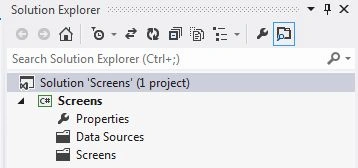
Open the Solution Explorer.
Step 2
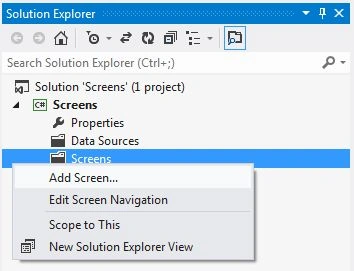
Right-click on Screen and choose "Add Screen".
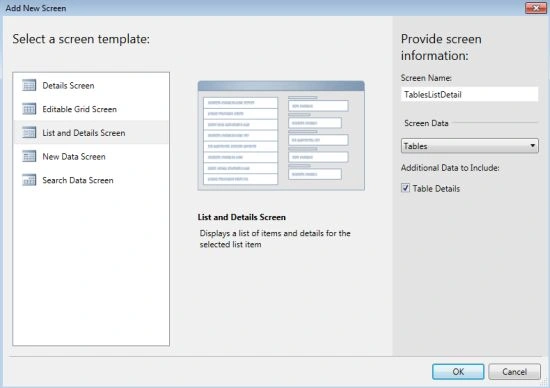
The Add New Screen dialog Box will appear as in the following:
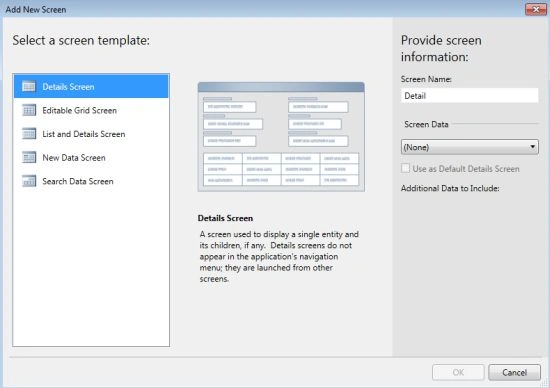
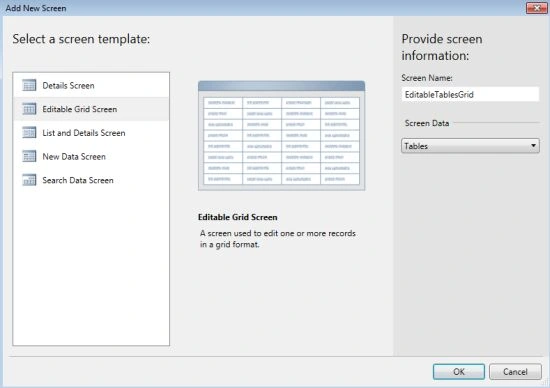
There are various types of screen templates as in the following:
1. Detail Screen
2. Editable Grid Screen
3. List and Detail Screen
4. New Data Screen
5. Search Data Screen
Step 3
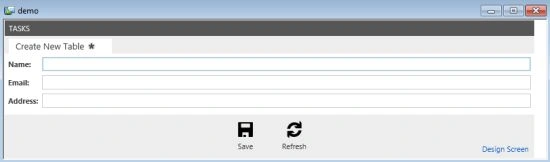
New Data Screen
It allows us to insert a new row in a table each time. Or we can say that it is used to create a new data record. It can also be used to create a child record.
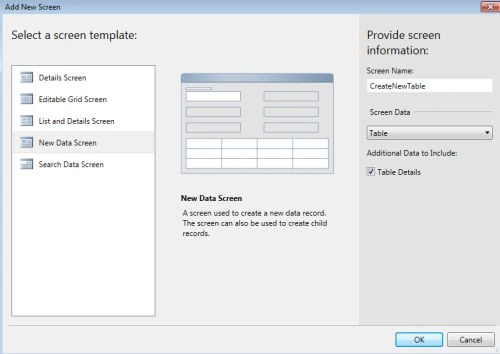
The output of New Data Screen is shown below.
List and Detail Screen
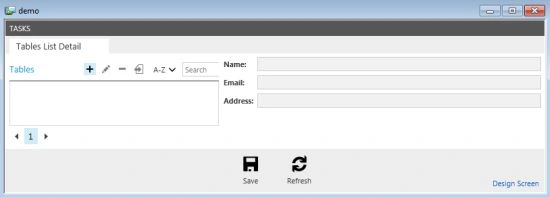
This type of screen template is used when we want to see a list of all the records as well as edit the details on a screen. The Screen is divided into two parts. The Left Side displays the record list and the right side displays the details of the selected record. Or in short we can say it displays a list of items and the corresponding details for the selected list item.
The output of the List and Detail Screen is shown below.
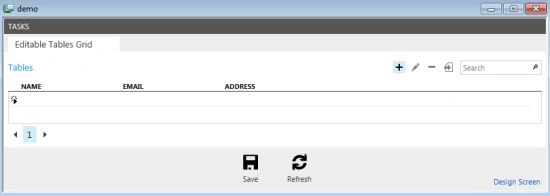
Editable Grid Screen
When we want to add, delete and modify multiple records in a specific interval of time, the Editable Grid Screen is used. Or by using an Editable Grid Screen we can modify multiple records at the same time. In short we can say that the Editable Grid Screen edits one or more records in a grid format.
The output of the Editable Grid Screen is shown below.
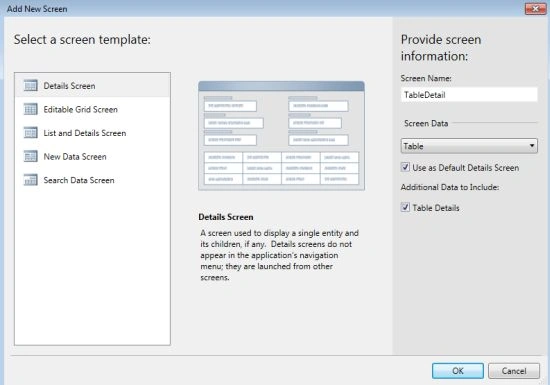
Detail Screen
It is used to display a single entity along with its children, if any. It does not appear in the LightSwitch Application Navigation Menu, they are launched from another screen.
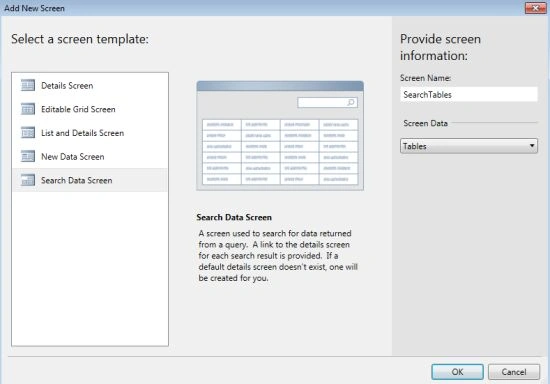
Search Screen
It is used to search records without providing data manipulation functionality in LightSwitch. Or we can say that this screen is used to search for data returned from a query. A Link to the detail screen for every search result is provided. If a default screen does not exist then one will be created for us.
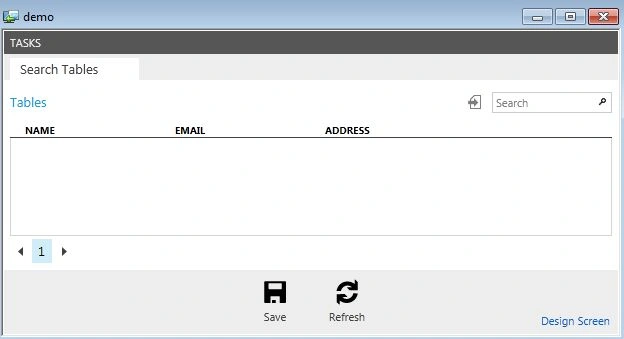
The Output of the Search Screen is shown below.
Join the conversation! Your thoughts help the community grow.