

Introduction
In this article, we explain how to disable the password requirement when waking Windows 8 from sleep. When your system goes into sleep mode and after some time we want to activate your system, then the system requires the password. So we solve this problem in this article.
Procedure to disable the password requirement in Windows 8
Step 1
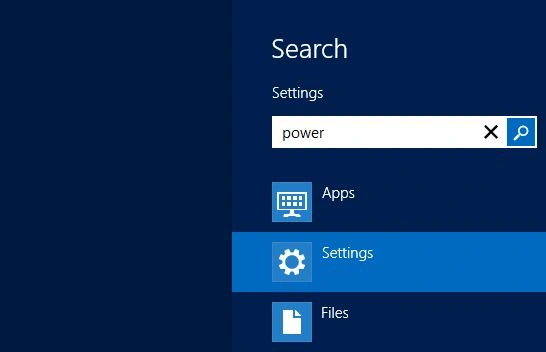
First, we must move to the Windows 8 Start Screen and then press the "Win + W" shortcut key in our Desktop to bring up the settings search and type "power" and hit Enter.
Step 2
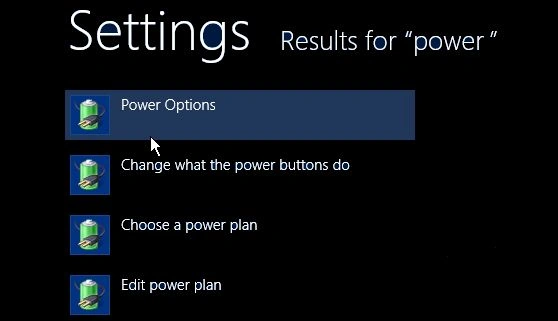
Then we see the Power option and select it.
Step 3
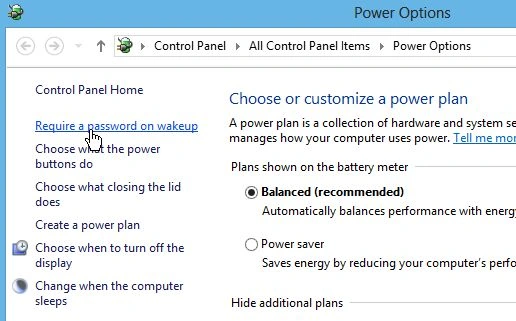
When the power options window opens, in the right panel click the "Require a Password on Wakeup" link.
Step 4
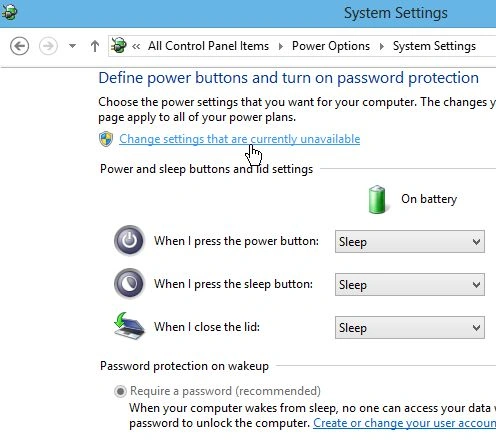
On the next screen click "Change Settings that are Currently Unavailable" so we can access the Password Protection options that aren't available.
Step 5
Now, under "Password Protection on Wakeup" select "Don't Require a Password" and "Save Changes".
Summary
In this article, we learned about Disable Password Requirement When Waking Windows 8 From Sleep.
Join the conversation! Your thoughts help the community grow.