

Content
As we all know Microsoft has launched a new version of C# called C# 6.0 with Visual Studio Ultimate 2015 Preview and there is a new feature in C# 6.0 that is based on "String interpolation".
This feature allows us to eliminate the use of "string.Format()" or formatted syntax where we can replace each format item in a specified string with the text equivalent of a corresponding object's value like:
- string.Format("{0} {1}",arg0, arg1);
- Console.WriteLine("{0} {1}",arg0, arg1);
I am using Visual Studio Ultimate 2015 Preview.

Open Visual Studio 2015 and select "File" -> "New" -> "Project" and fill in the project name such as "Console Application1".
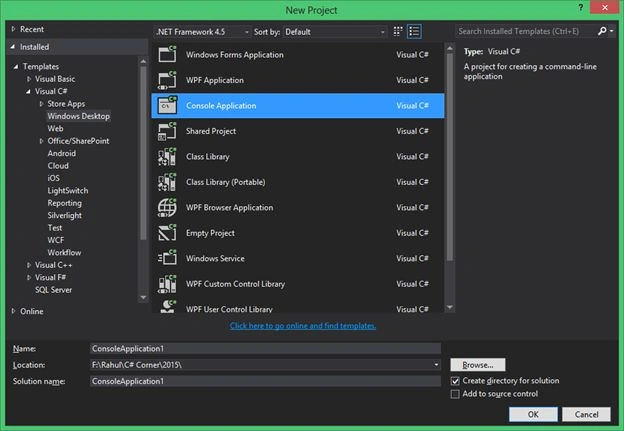
After creating the project, I will access some common static methods in "program.cs" without the help of a class name every time.
Now I will write some code that will print the string value in a formatted way.
Code
- class Program
- {
- static void Main(string[] args)
- {
- string FirstName = "Rahul";
- string LastName = "Bansal";
- string PrintString = string.Format("My First Name is {0}
- Last Name is {1}",FirstName, LastName);
- Console.WriteLine(PrintString);
- Console.ReadKey();
- }
- }
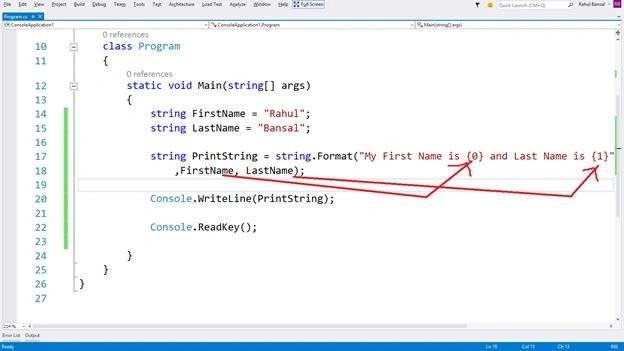
Output:

But in C# 6.0, we can get the same result without using "string.Format()" more easily where we can put the object in the string directly.
Syntax: "\{arg0}"
- class Program
- {
- static void Main(string[] args)
- {
- string FirstName = "Rahul";
- string LastName = "Bansal";
- string PrintString = "My First Name is \{FirstName} and Last Name is \{LastName}";
- Console.WriteLine(PrintString);
- Console.ReadKey();
- }
- }
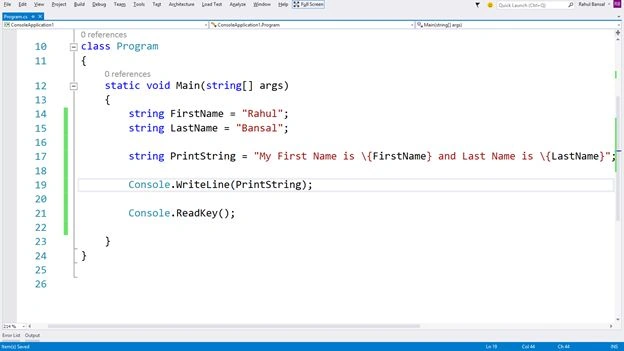
That will provide the same result.
Output

Conclusion
Now you understand the new feature of C# 6.0 that allows the use of "String interpolation" in an easy way.
Kuppurasu NagarajPosted Apr 24, 2016, 12:41 PM
Nice Sharing..
Gowtham RajamanickamPosted Apr 11, 2016, 1:54 AM
informativ