

We will discuss ELSA Workflow Features and step-by-step practical implementation using .NET Core 7 Web Application.

Fig- From https://www.nuget.org/packages/Elsa.Activities.Workflows
Agenda
- Overview
- Features
- Why ELSA?
- ELSA Dashboard Setup
Overview
- ELSA Workflows is the library set that helps us create and use workflow capabilities within the .NET Core application.
- We can create ELSA Workflows using C# and JSON. It also has a Workflow Designer as an HTML Web Component.
- ELSA has reusable components using which we can manage workflows and activities.
- We can also run ELSA Workflows within our application using simple-to-use APIs.
- ELSA has a set of functionalities using which we can create our custom extensible activities.
Feature
- Create different workflows using Workflow Builder API.
- Custom Activities.
- Default rich set of activities.
- Design long-running workflows.
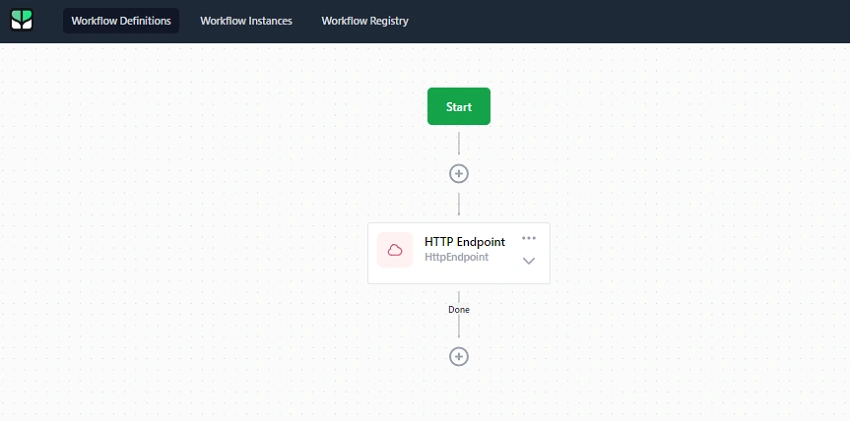
- Create and Manage workflows using ELSA Dashboard UI.
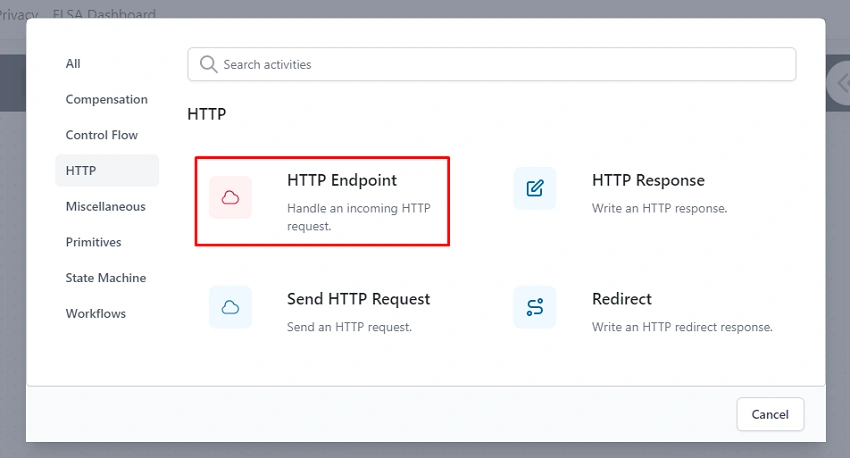
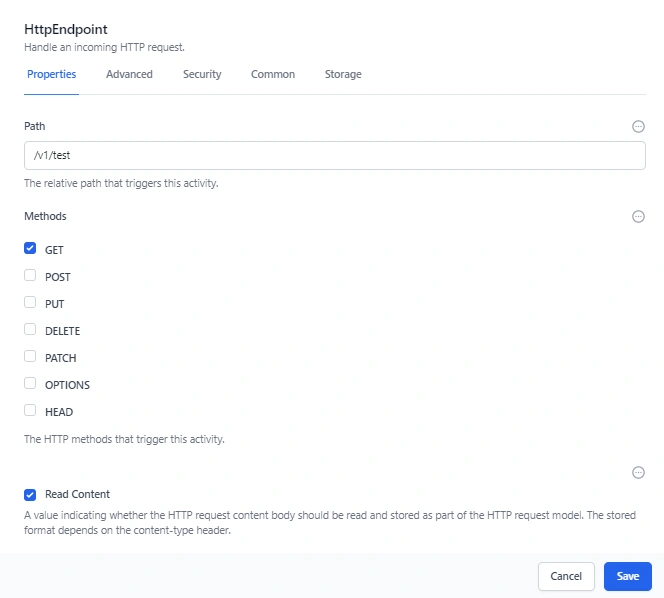
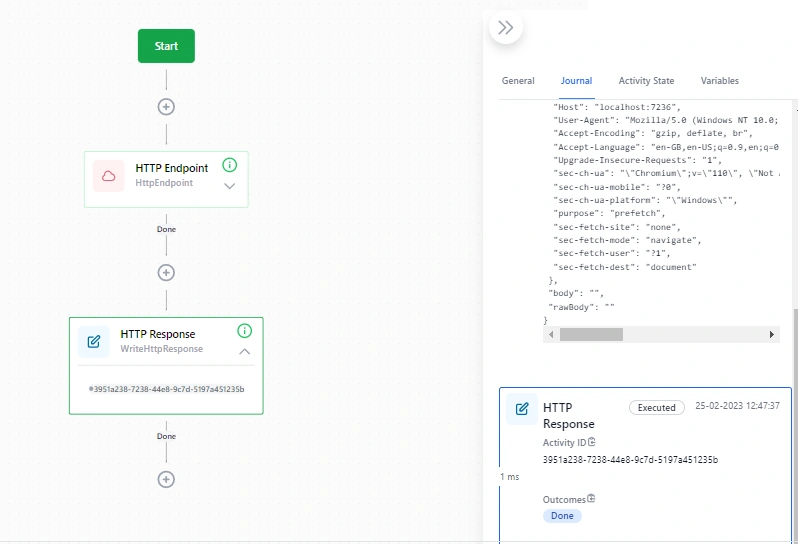
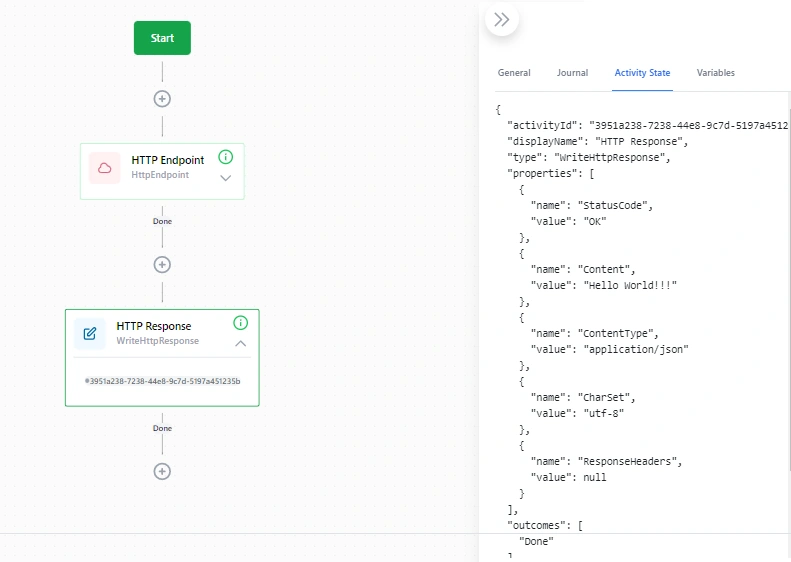
- HTTP Endpoints to manage and integrate different API endpoints and receive the response. Else, redirect the request as per need.
Why ELSA?
- ELSA has a rich set of libraries that allow us to create and extend workflows with minimal effort.
- There are many workflows available in the market, like Azure Logic Apps. But there is some restriction to using and managing that within Azure Cloud. ELSA has the option to host Workflow on any cloud provider. Also, we can set up and use workflows on-premise servers.
- Also, we can create and run multiple long-running workflows efficiently, which runs one after another.
If you want to learn more about ELSA Workflow, visit the following link
https://elsa-workflows.github.io/elsa-core/
ASP.NET Core Server with Elsa Dashboard
Let’s start practical implementation
Step 1
Create .NET Core Web Application.
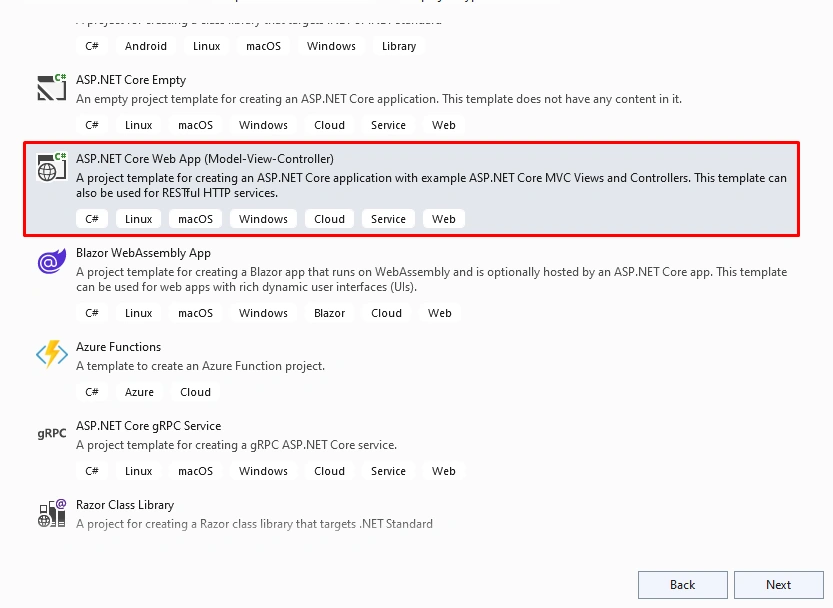
Step 2
Configure a new application.
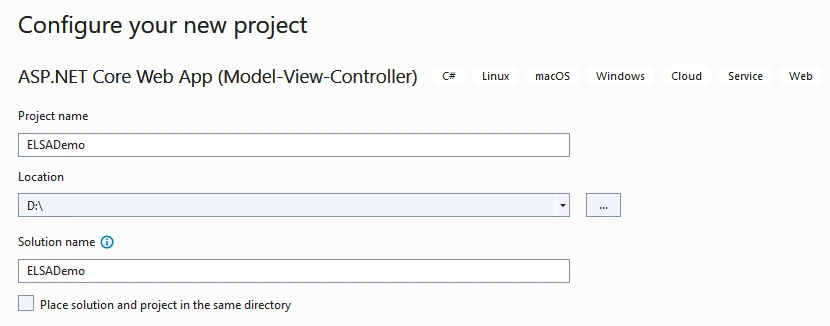
Step 3
Provide additional details.
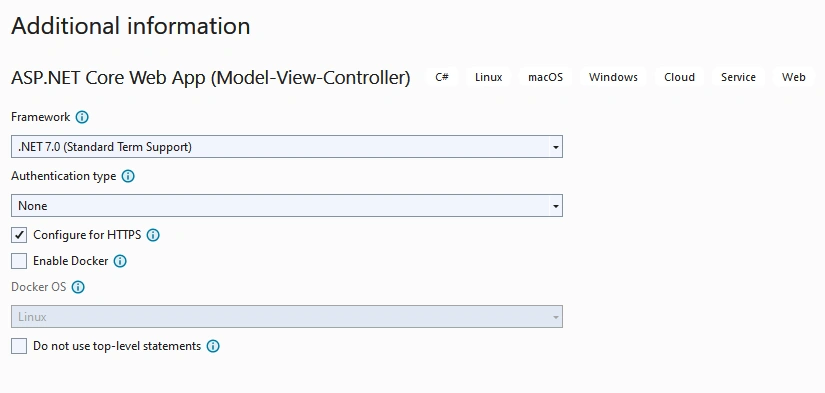
Step 4
Please install the following NuGet, which we need while implementing the example.
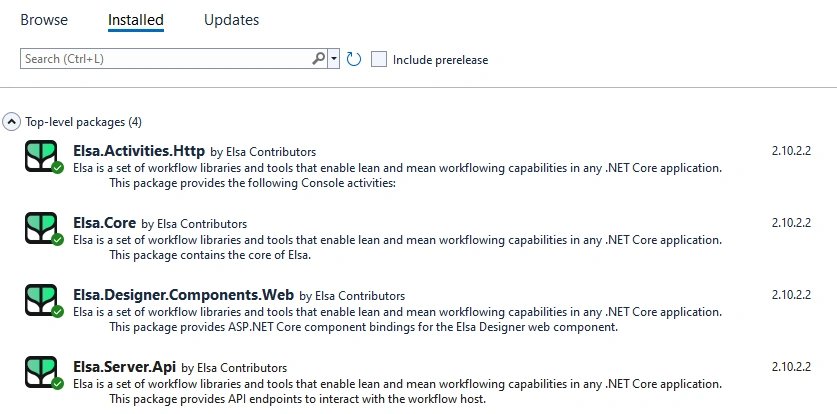
Step 5
Register ELSA Service and Middleware.
var builder = WebApplication.CreateBuilder(args);

// Add services to the container.
builder.Services.AddControllersWithViews();

//ELSA
builder.Services.AddElsa(options =>
options.AddHttpActivities()).AddElsaApiEndpoints();

var app = builder.Build();

// Configure the HTTP request pipeline.
if (!app.Environment.IsDevelopment())
{
    app.UseExceptionHandler("/Home/Error");
    // The default HSTS value is 30 days. You may want to change this for production scenarios, see https://aka.ms/aspnetcore-hsts.
    app.UseHsts();
}

//ELSA
app.UseHttpActivities();

app.UseHttpsRedirection();
app.UseStaticFiles();

app.UseRouting();
app.UseAuthorization();
app.MapControllerRoute(
    name: "default",
    pattern: "{controller=Home}/{action=Index}/{id?}");

app.Run();
Step 6
Create ELSA Dashboard Controller.
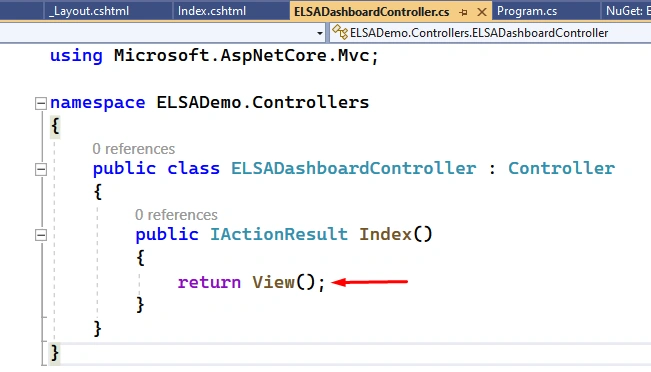
Step 7
Right-click on View and add a new View
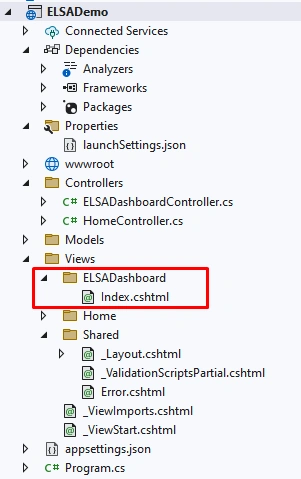
Step 8
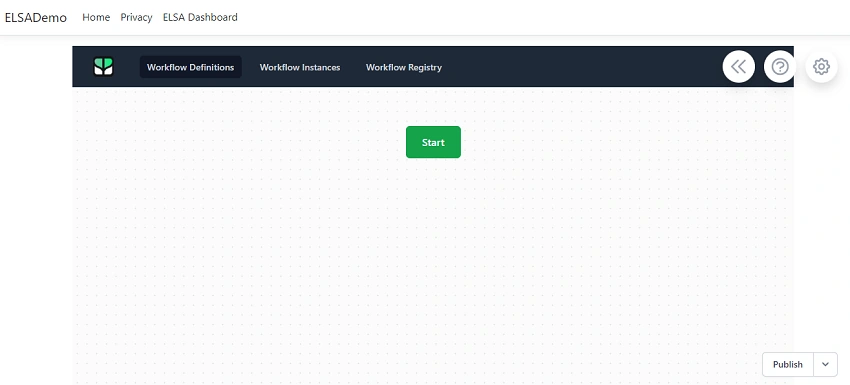
Open the Index.html file and add the following links and configuration details with the port number.
<link rel="icon" type="image/png" sizes="32x32" href="/_content/Elsa.Designer.Components.Web/elsa-workflows-studio/assets/images/favicon-32x32.png">
<link rel="icon" type="image/png" sizes="16x16" href="/_content/Elsa.Designer.Components.Web/elsa-workflows-studio/assets/images/favicon-16x16.png">
<link rel="stylesheet" href="/_content/Elsa.Designer.Components.Web/elsa-workflows-studio/assets/fonts/inter/inter.css">
<link rel="stylesheet" href="/_content/Elsa.Designer.Components.Web/elsa-workflows-studio/elsa-workflows-studio.css">
<script src="/_content/Elsa.Designer.Components.Web/monaco-editor/min/vs/loader.js"></script>
<script type="module" src="/_content/Elsa.Designer.Components.Web/elsa-workflows-studio/elsa-workflows-studio.esm.js"></script>

<elsa-studio-root server-url="https://localhost:7236" monaco-lib-path="_content/Elsa.Designer.Components.Web/monaco-editor/min">
    <elsa-studio-dashboard></elsa-studio-dashboard>
</elsa-studio-root>
Step 9
After that, open _Layout.CSS HTML Views/Shared and add the ELSA Dashboard list item.
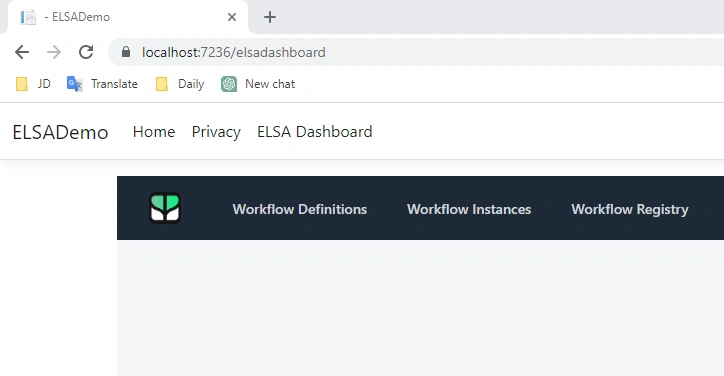
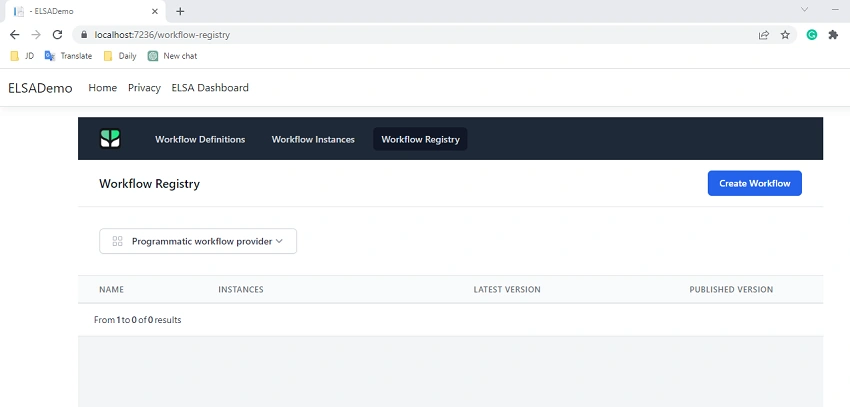
Mostafa AsadiPosted Aug 21, 2025, 8:04 AM
Thakk You.it is good framework
Ajitha KPosted Aug 30, 2023, 10:18 AM
Hi, Have you tried to call external api to trigger workflow? If yes guide me
Ajitha KPosted Aug 29, 2023, 2:06 PM
Hi,Have you integrate with mongodb?
Roman BajracharyaPosted Apr 26, 2023, 4:54 AM
Hi Jaydeep, can you tell or refer me how I will have to integrate my UI screens to the workflow?