

Firstly, I will talk about Enterprise Library
What is Enterprise Library and how it work
Enterprise Library is a framework and it is an integration pack for all Microsoft products (C#, Azure, Sharepoint and more).
It provides all application recommended operations like Validations, Exception Handling, Logging, Data Transfer objects, etc.
I recommend it, If your application deals with any bulk data Insert, Select and Update. Good at performance wise also.
The following computer screens will guide you.
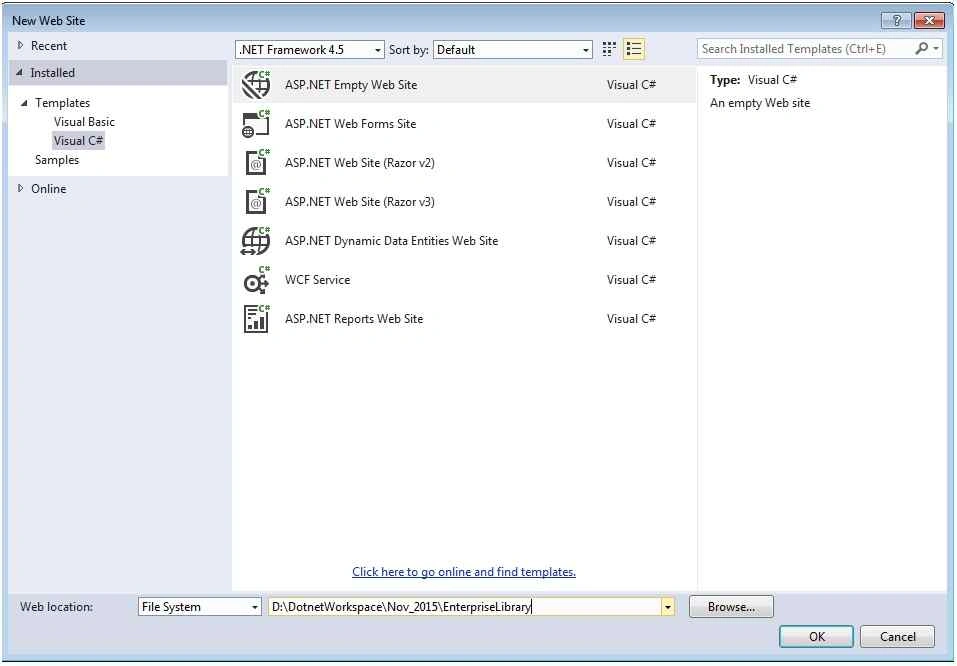
Step 1: Create empty website
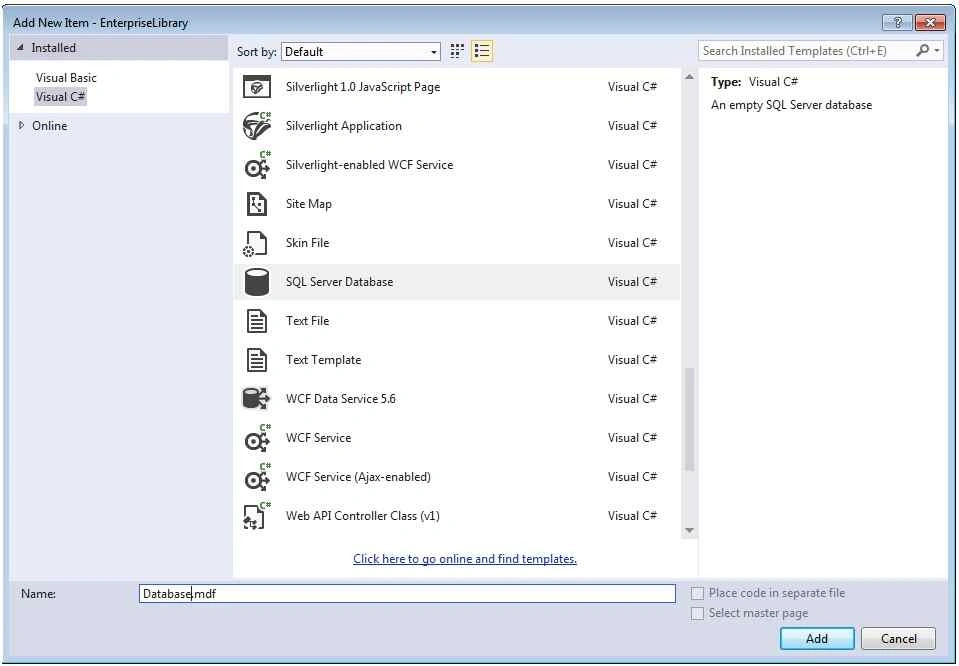
Step 2: Add SQL Server database template to your application.
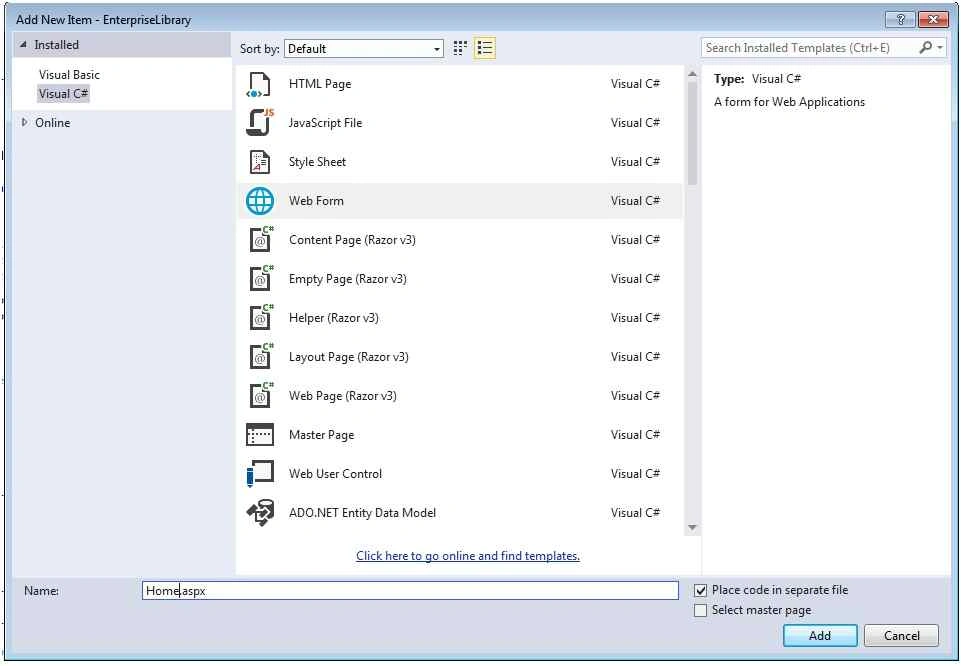
Step 3: Add one Web Form or any sample page to your website.
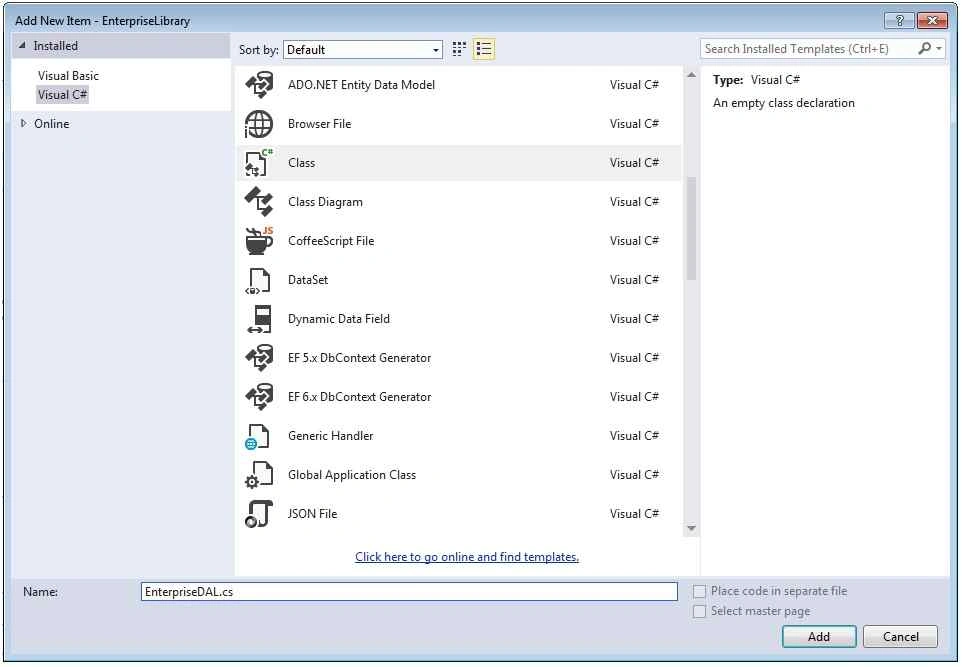
Here I recommended you, a class that use expose DTO.
Step 4: Add one class to your website to develop Enterprise DAL and DTO (Data Transfer Objects).
Next find connection string to your Database.mdf with help of the following screen,
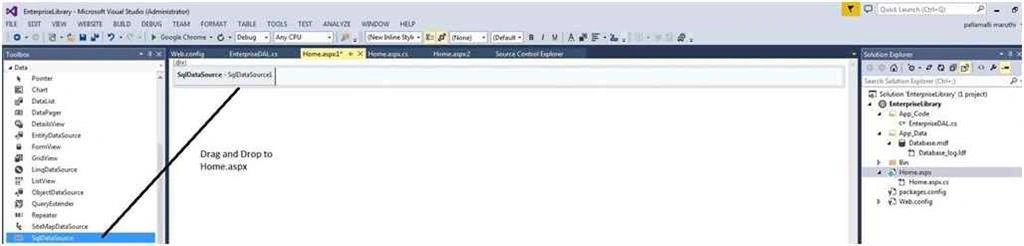
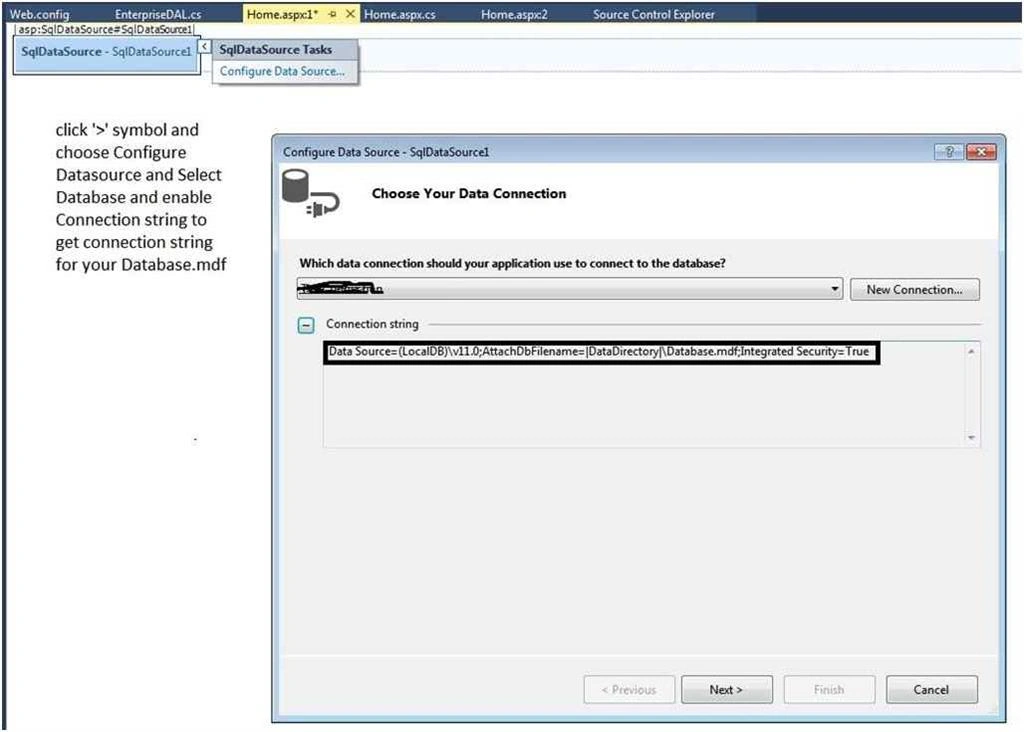
Find connection string and add it to your web.config file.

Next add DB stuff to your Testconnection Database Table and Procedures.
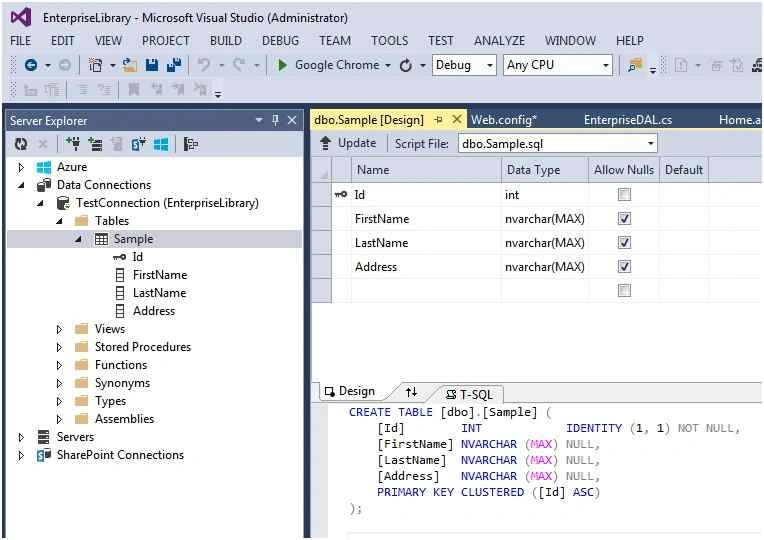
Table Design has been completed and next step is for Stored Procs.
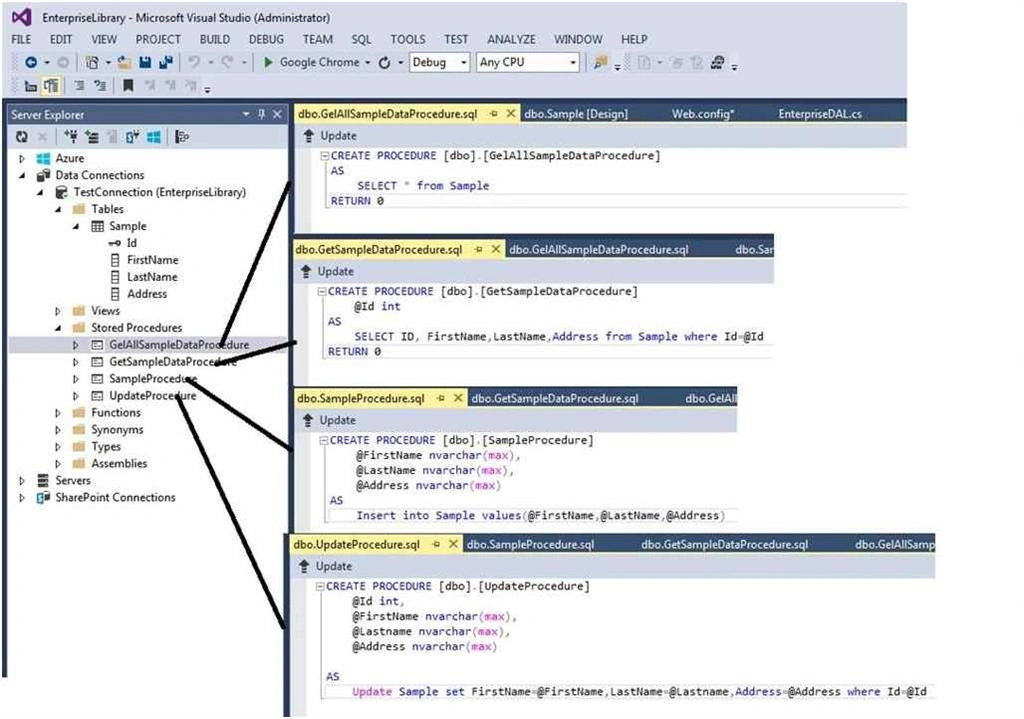
All necessary stuff has been made and now lets come into application and add packages.
// Required : Install-Package EnterpriseLibrary.Data
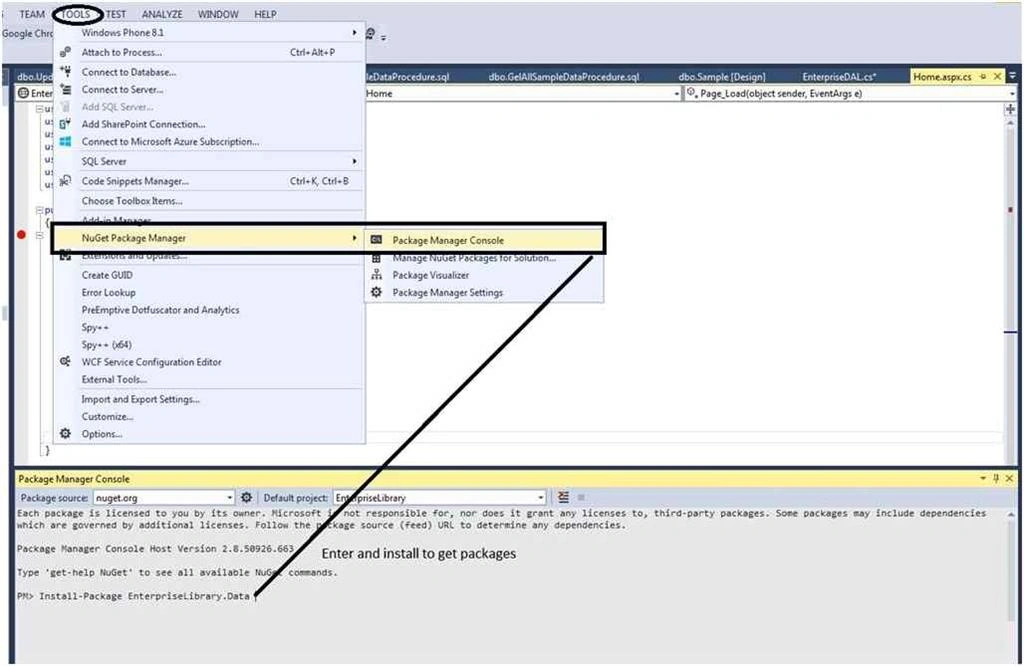
Required namespaces
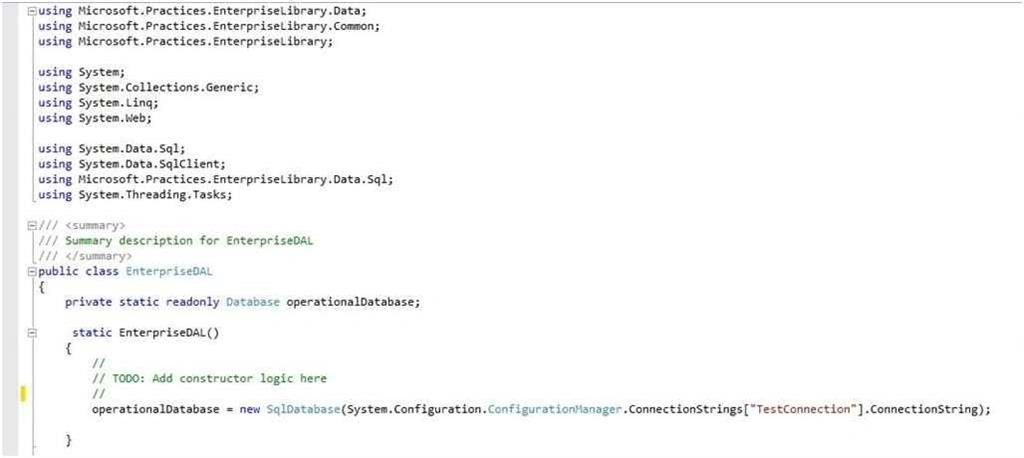


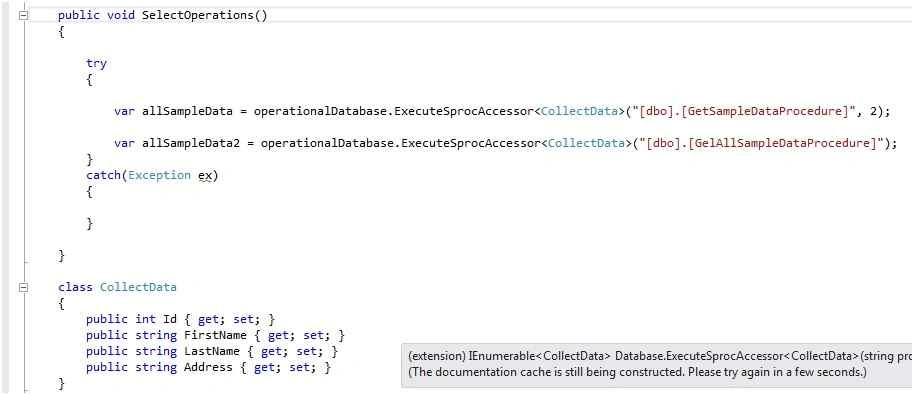

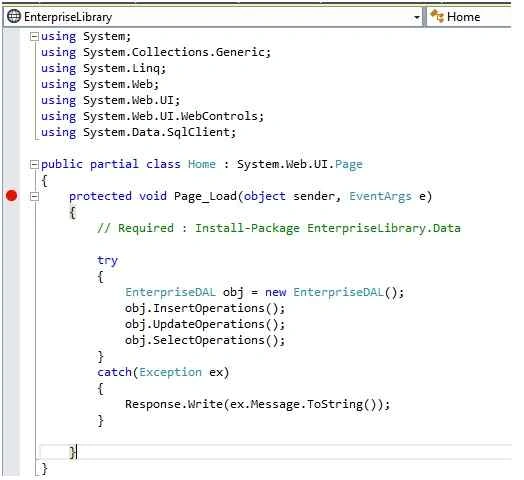
Tuhin PaulPosted Jan 6, 2024, 6:34 PM
Thank you . you've provided a detailed guide or tutorial on using Enterprise Library for database operations in a web application.
Maruthi PalllamalliPosted Apr 7, 2016, 4:18 AM
How did you say it is not compatible ?
Henry WolfePosted Apr 6, 2016, 3:57 PM
I really like Enterprise Library but it is old, is not compatible with .Net Core or MVC 6 core. Entity Framework is the one being used
Sr KarthigaPosted Feb 17, 2016, 8:20 AM
GOOD ONE
Sr KarthigaPosted Feb 17, 2016, 8:20 AM
Nice explanation
Manas MohapatraPosted Dec 13, 2015, 1:37 AM
Article is good but if you would provide code-snippet instead of image.