

It is a main concern for all the developers how to handle error or exception in application. As you know the application can be a desktop application or web application. Basically as you all know for exception handling we use Try-Catch-Finally block. Inside the Catch block, we catch the different types of exception and show the relevant and user friendly information to user.
Today’s topic is how to handle the exception in ASP.NET MVC using HandleError attribute. In ASP.NET MVC, there are different ways to handle the exception. Generally we can use Try-Catch or some filters are available to handle the exception or sometimes we use configuration settings to show the relevant page when exception occurs.
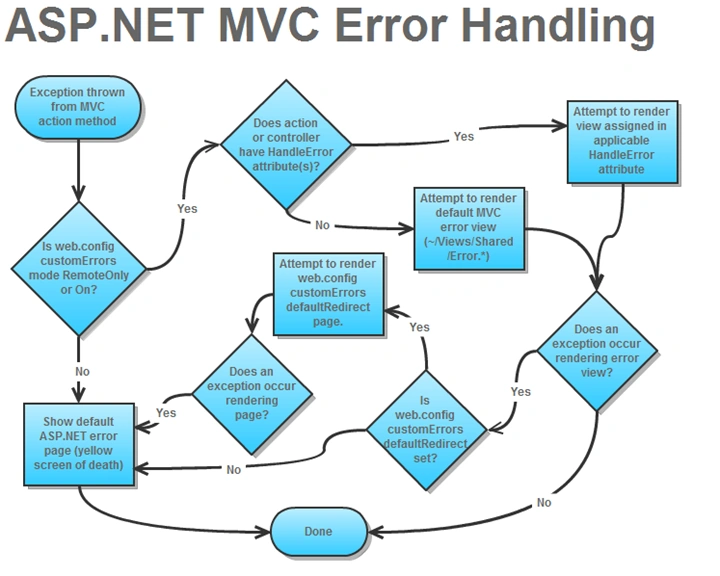
What is HandleError Attribute?
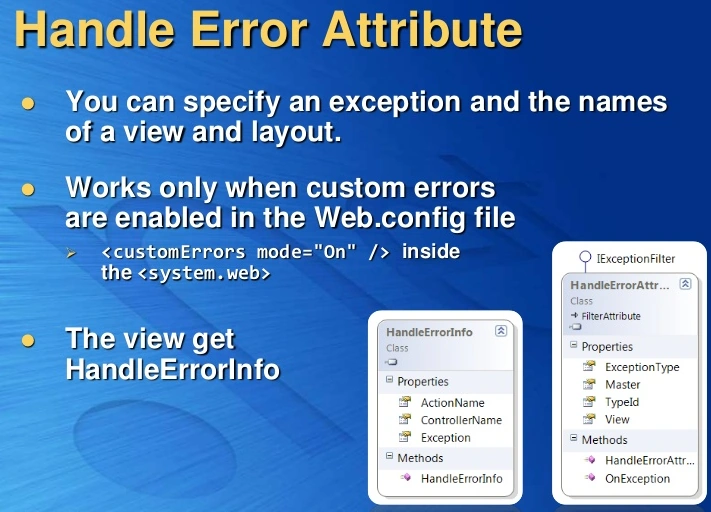
It is a type of filter and works when you have enabled the custom errors in web.config. Sometimes, it is required to show the custom error using the custom page and then we can use HandleError Attribute for exception handling. It only works for error status code 500. You can enable Custom Error to add customErrors attribute inside your configuration setting within the system.web node.
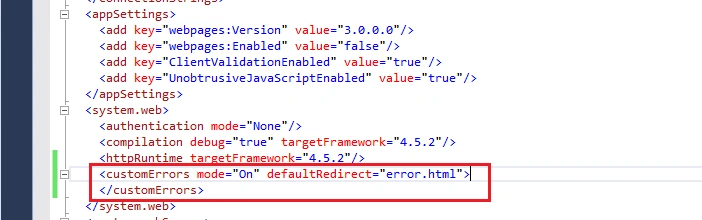
You can use [HandleError] attribute with your action to handle the exception at action level or with your controller to handle the exception at controller level or it can also be global level.
If you are going to use [HandleError] attribute, it means this error is applicable only for this action. First you need to decorate the action with this attribute, needs to be provide some other details like type of the exception and your View name.
General Syntax
- [HandleError]
- public ActionResult Index()
- {
- return View();
- }
- Or[HandleError]
- public class HomeController: Controller
- {}
Implementing the HandleError attribute with action
- [HandleError(ExceptionType = typeof(System.Data.DataException), View = "BlogError")]
- public ActionResult Index(int articleId)
- {
- var db = new BlogContext();
- return View("Index", db.Articles.Single(x => x.ArticleId == articleId));
- }
Implementating the HandleError attribute with controller
- [HandleError(ExceptionType = typeof(System.Data.DataException), View = "CommonBlogError")]
- public class HomeController: Controller
- {
- // It will work for all the action method inside the Home controller
- }
You can also add different views for different types of the exception as in the following to decorate multiple HandleError attribute.
- [HandleError(ExceptionType = typeof(System.Data.DataException), View = "CommanBlogError")]
- [HandleError(ExceptionType = typeof(NullReferenceException), View = "NullError")]
- public class HomeController: Controller
- {
- /* Controller Actions with HandleError applied to them */
- }
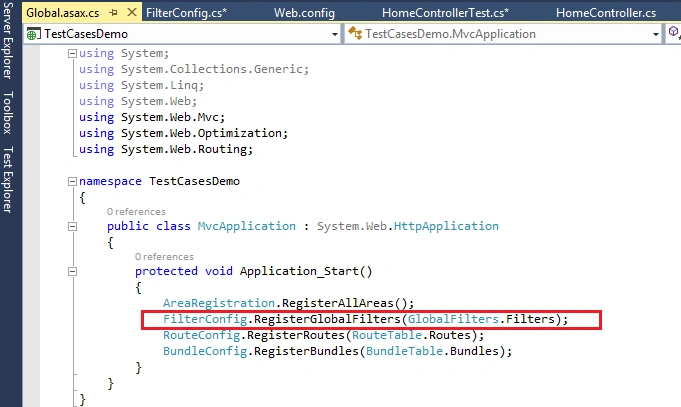
Sometimes, you need to handle error at global level for entire application and show the custom error page or view. So, to add the error globally, you need to add the error with RegisterGlobalFilters() which is inside the FilterConfig.cs where we can define all the filters settings.
When you create a new application in ASP.NET MVC then it auto adds the FilterConfig.cs inside the App_Start folder and also adds HandleErrorAttribute here.
Here you can add your custom filter into the global filter collection where you can define the type of the exception and view needs to be shown.
- using System.Web;
- using System.Web.Mvc;
- namespace TestCasesDemo
- {
- public class FilterConfig
- {
- public static void RegisterGlobalFilters(GlobalFilterCollection filters)
- {
- filters.Add(new HandleErrorAttribute
- {
- ExceptionType = typeof(System.Data.DataException),
- View = "CommonBlogError"
- });
- filters.Add(new HandleErrorAttribute());
- }
- }
- }
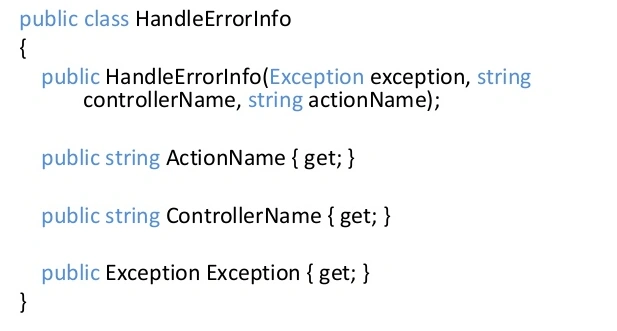
There are some limitations of the HandleError Attribute:
- It does not log the error anywhere; you need to do it manually with some other code.
- It does not handle the error which is not occurring on controller or action level.
- It only handles HTTP 500 status error, if any other HTTP code error generates then it will not handle by HandleError attribute.
- It also returns only view when you are making the ajax call at client side, which is not reliable.
Thanks for reading this article, hope you enjoyed it.
Dennis ThomasPosted Jan 24, 2018, 4:56 AM
Very helpful one Mukesh... Thank you!
Muhammad Aqib ShehzadPosted Dec 11, 2015, 6:00 AM
nice one
Yaduveer SainiPosted Dec 10, 2015, 10:40 AM
Nice article
Ankur MistryPosted Dec 10, 2015, 2:17 AM
good example
Sibeesh VenuPosted Dec 10, 2015, 12:32 AM
Nice Share
Ravi PatelPosted Dec 9, 2015, 11:46 PM
well explained Sir
Jaipal ReddyPosted Dec 9, 2015, 11:19 PM
good one sir
sreenivasa kPosted Dec 9, 2015, 4:53 PM
nice
Rupesh KahanePosted Dec 9, 2015, 12:20 PM
very nice
Gowtham KPosted Dec 9, 2015, 11:49 AM
Good One
Akash MalhotraPosted Dec 9, 2015, 7:39 AM
Nice article
Raja TPosted Dec 9, 2015, 6:07 AM
Nice, Thanks for sharing
Humayun Kabir MamunPosted Dec 9, 2015, 4:57 AM
Nice...
Santhakumar MunuswamyPosted Dec 9, 2015, 3:20 AM
Thanks for nice article. but can you upload the source code it will be helpful for the beginner
Suman VermaPosted Dec 9, 2015, 1:59 AM
Nice One mukesh
Aishwarya DPosted Dec 9, 2015, 1:31 AM
Good one