

Exception handling is required in any application. It is a very interesing issue where different apps have their own various way(s) to handle that. I plan to write a series of articles to discuss this issue
- Exception Handling (1), in ASP.NET MVC
- Exception Handling (2), in ASP.NET Web API
- Exception Handling (3), in ASP.NET Core MVC
- Exception Handling (4), in ASP.NET Core Web API
- Exception Handling (5), in ASP.NET Summary --- this article
- Exception Handling (6), HttpStatusCode
- Exception Handling (7), C# Exception Handling Statements
respectively.
In this article, we will make a summary for ASP.NET MVC and Web API, .Net Framework and Core..
Introduction
In Part (3) of this article seriers, we discussed Exception Handling for ASP.NET Core MVC. Due to the similarities of the Exception Handling between ASP.NET Core MVC and ASP.NET Core Web API, we will follow the pattern of ASP.NET Core MVC.
- ASP.NET MVC
- by Configuring Web.Config
- by [HandleError] attribute
- by Filter
- by Application_Error Event
- by Try-Catch
- ASP.NET Web API
- HttpResponseException, associated with HttpStatusCode, --- Locally in Try-catch-final
- Exception filter, --- in the level of Action, Controller, and Globally
- Exception Handler, --- Globally
- ASP.NET Core MVC
- Approach 1: UseExceptionHandler
- 1: Exception Handler Page
- 2: Exception Handler Lambda
- Approach 2: UseStatusCodePages
- 1: UseStatusCodePages, and with format string, and with Lambda
- 2: UseStatusCodePagesWithRedirects
- 3: UseStatusCodePagesWithReExecute
- Approach 3: Exception Filter
- Local
- Global
- Approach 1: UseExceptionHandler
- ASP.NET Core Web API
- The same as ASP.NET MVC, except not page but json output.
ASP.NET MVC
MVC is definitely Web App, so the Exception handling is view (page) based. i.e., the exception handling will lead to a error page opened.
We can:
- Configure Exception in Web.Config
- by making customErrors mode="On"
- by adding error statusCode in Web.Config
- Configure Exception by [HandleError] attribute
- Controller
- Action:
- Configure Exception by filters
- Global
- Local
- Configure Exception by Application_Error Event in Global.asax:
- Configure Exception by Try-Catch
Exception handling files:
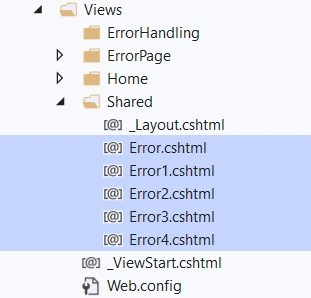
where Error.cshuml is default added initially, others are added manually.
- 1, Configure Exception by Default in Web.Config to make customErrors mode="On":
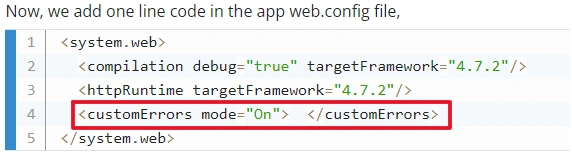
The exception handling page is the default one: Error.cshtml.
- 1-2, Configure Exception by adding error statusCode in Web.Config:
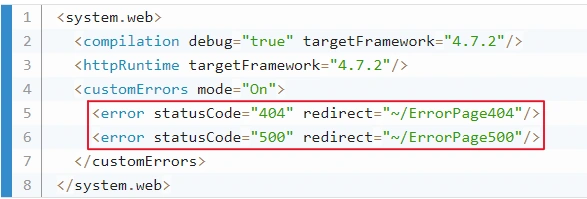
The exception handling page will go to the defined Controller/View, such as ErrorPage404Controller (need to be added plus View).
- 2, Configure Exception by [HandleError] attribute in Controller/Action:
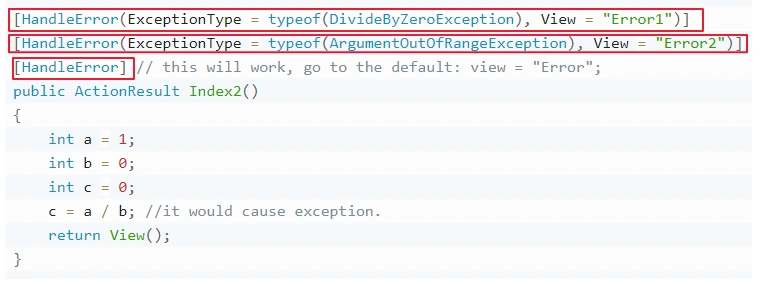
The [HandleError] attribute will redirect the relative page when exception happens:
i.e
[HandleError] ==> Error.cshtml
[HandleError(ExceptionType = typeof(DivideByZeroException), View = "Error1")] => Error1.cshtml
[HandleError(ExceptionType = typeof(ArgumentOutOfRangeException), View = "Error2")] => Error2.cshtml
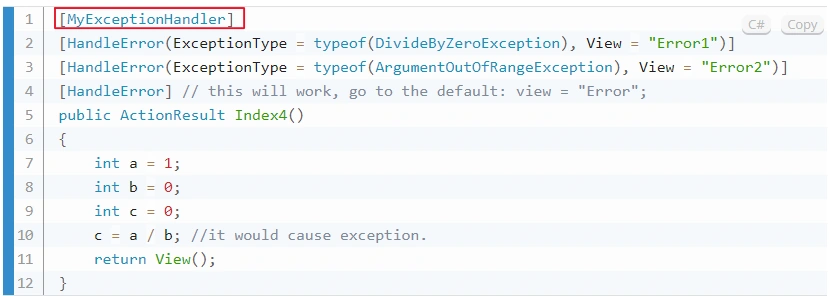
- 3, Configure Exception by filters in Global/Local
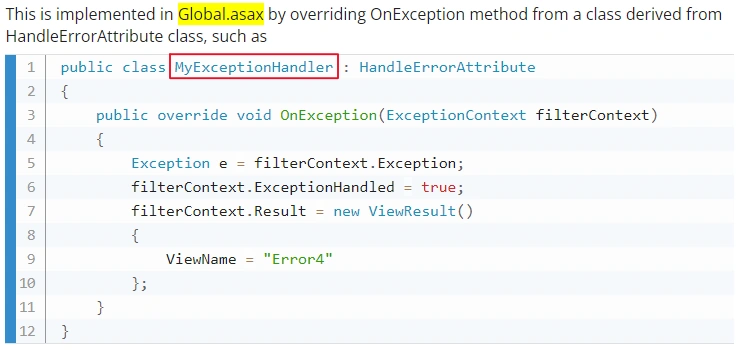
Add filter attribute to controller/action:
or Registered Globally:
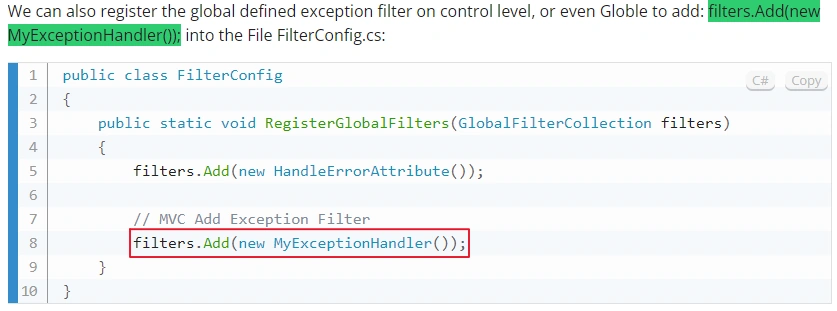
The exception handling page will go to Error4.cshtml as defined in the filter.
- 4, Configure Exception by Application_Error Event in Global.asax:
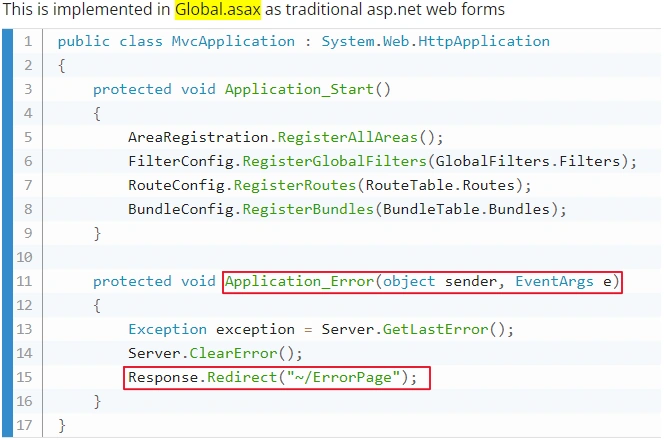
The exception handling page will go to the ErrorPageController/View as defined.
- 5, Configure Exception by Try-Catch:
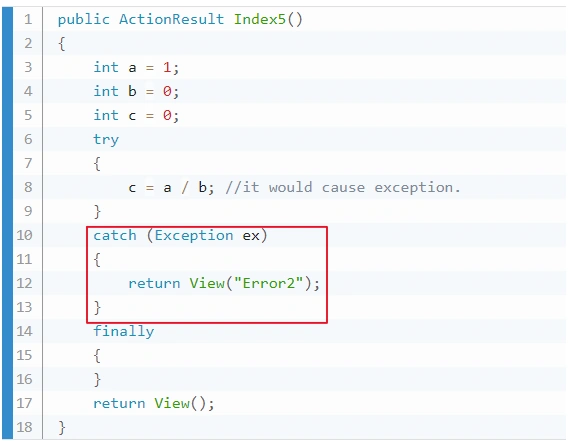
The exception handling page will go to Error2.cshtml in the shared folder.
ASP.NET Web API
For error handling, the major difference between ASP.NET MVC Web API from MVC or a Web application is that MVC or a Web app will return a web page to handle the error while Web API is to return a RESTfule output, JSON. In ASP.NET MVC Web API, we may have three ways to handle exceptions:
- HttpResponseException, associated with HttpStatusCode, --- Locally in Try-catch-final
- Exception filter, --- in the level of Action, Controller, and Globally
- Exception Handler, --- Globally and Locally
When creating a ASP.NET Web API app, the MVC is selected automatically. So, the Web API app actually is an added on one of the MVC app. Therefore, some features of exception handling for Web API are the exactly same as MVC modue, such as
- Try-catch-finally
- Exception filter
- Default: customError mode="On" in Web.Config
- Associated with [HandleError] attribute)
- Add statusCode in Web.Config
- Default: customError mode="On" in Web.Config
- Application_Error event:
We will not repeat these parts, and only discuss the 3:
- 1, HttpResponseException with HttpStatusCode, --- Locally in Try-catch-final
HttpResponseException with HttpStatusCode,


HttpResponseException with HttpResponseMessage:
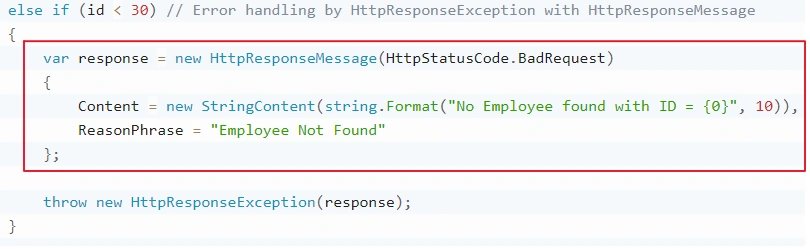

- 2, Exception filter, --- in the level of Action, Controller, and Globally
Define the filter:
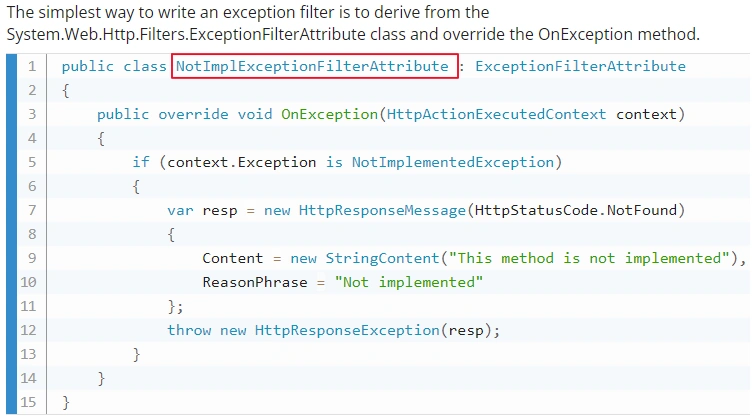
Registered locally for either Controller or Action:
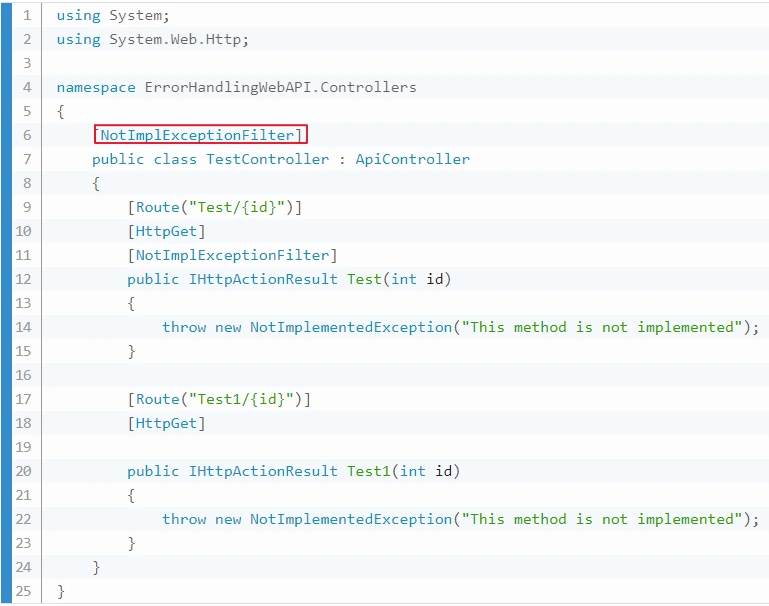
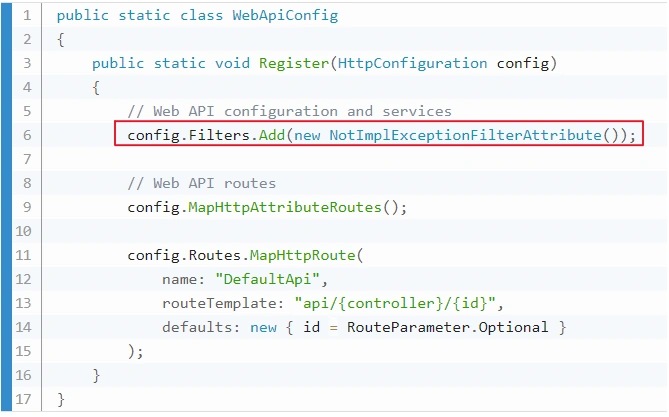
Registered Globally in WebApiConfig.cs file
Run

- 3, Exception Handler, --- Globally and Locally
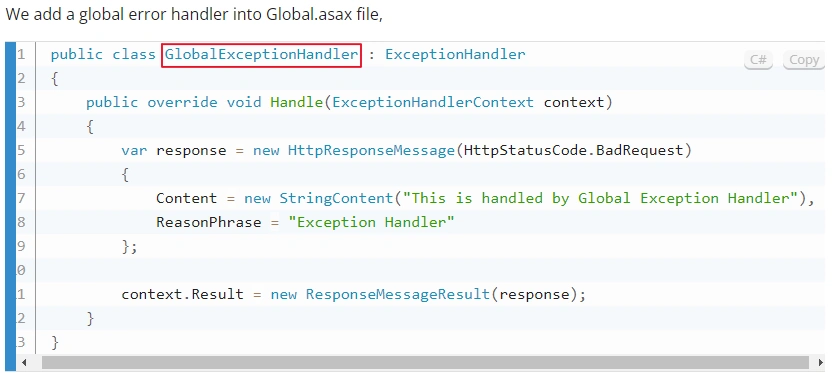
Define the Exception Handler:
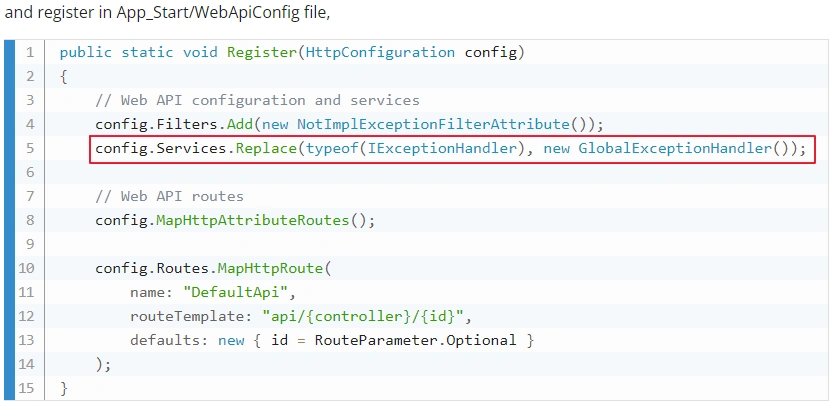
Registered Globally:
Registered Locally:
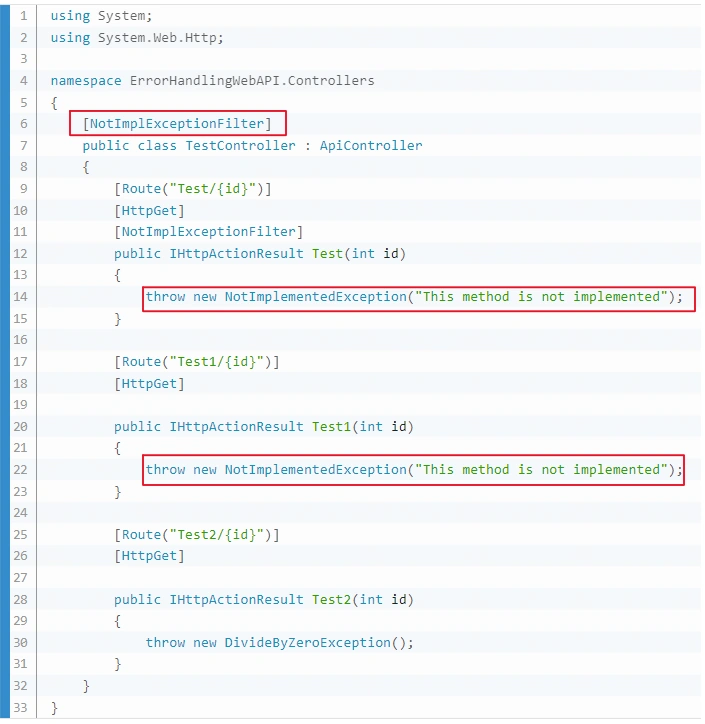
Run

ASP.Net Core MVC
The differences in exception handling between .NET MVC and .NET Core MVC
- File Difference:
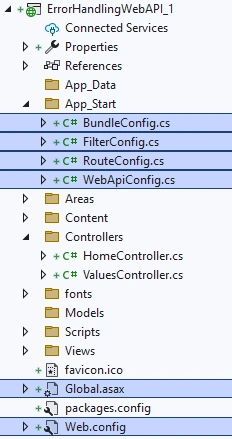
Core MVC is not like MVC, without Web.Config file, no Global.asax file, no 4 config files under App_Start:
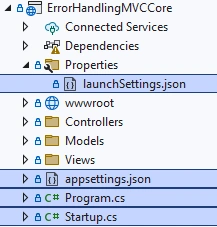
while it has a majoe config file startup.cs to register and run middlewares, and with a launchSettings.json for startup perameters, such as server, port, environment settings, and an appsettings.json for parameters such as database connections:
- Major Eception Handling Tool difference:
Exception filters are useful for trapping exceptions that occur within MVC actions, but they're not as flexible as the built-in exception handling middleware, UseExceptionHandler. Microsoft recommend using UseExceptionHandler, unless you need to perform error handling differently based on which MVC action is chosen.
For production, from Exception Handling (3), in ASP.NET Core MVC, we have:
- B: Exception Handling in Production Environment for ASP.NET Core MVC
- Approach 1: UseExceptionHandler
- 1: Exception Handler Page
- 2: Exception Handler Lambda
- Approach 2: UseStatusCodePages
- 1: UseStatusCodePages, and with format string, and with Lambda
- 2: UseStatusCodePagesWithRedirects
- 3: UseStatusCodePagesWithReExecute
- Approach 3: Exception Filter
- Local
- Global
- Approach 1: UseExceptionHandler
Start the discussion:
- Approach 1: UseExceptionHandler
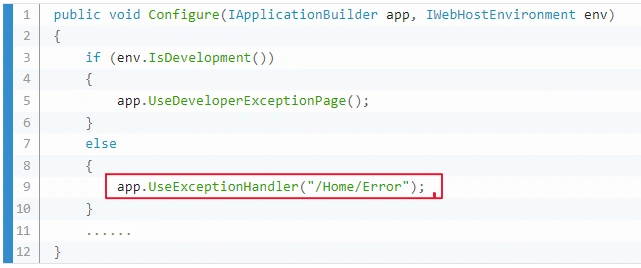
Exception Handler Page

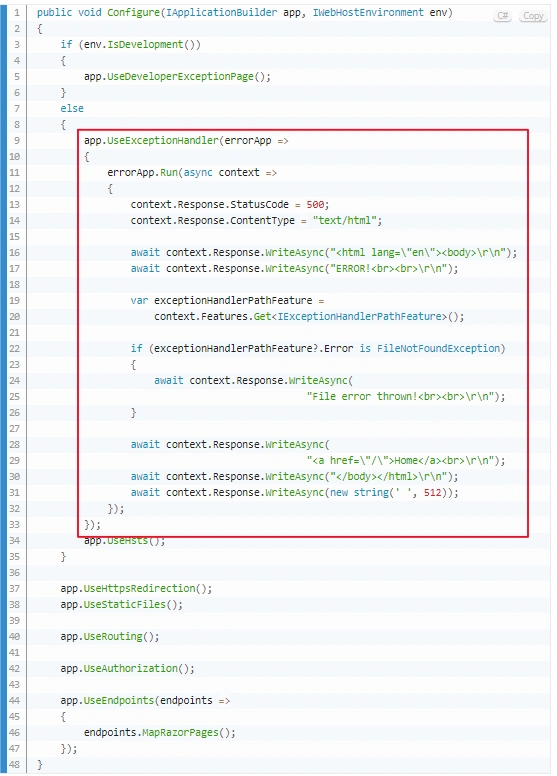
Exception Handler Lambda:

- Approach 2: UseStatusCodePages
UseStatusCodePages,
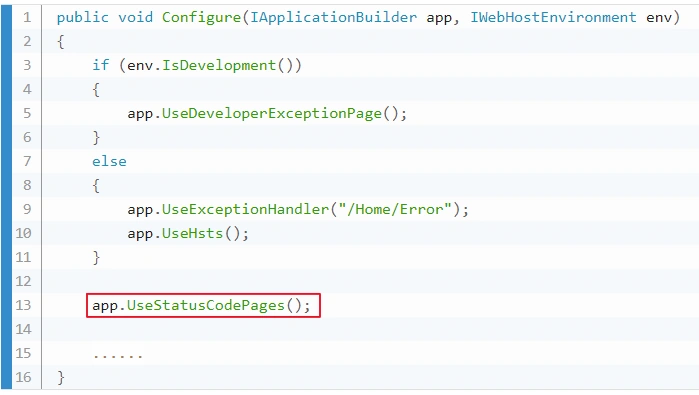

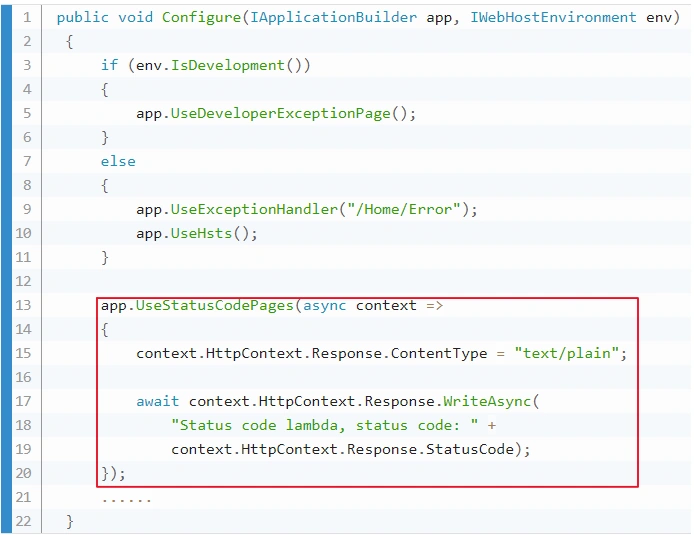
UseStatusCodePages, and with format string, and with Lambda
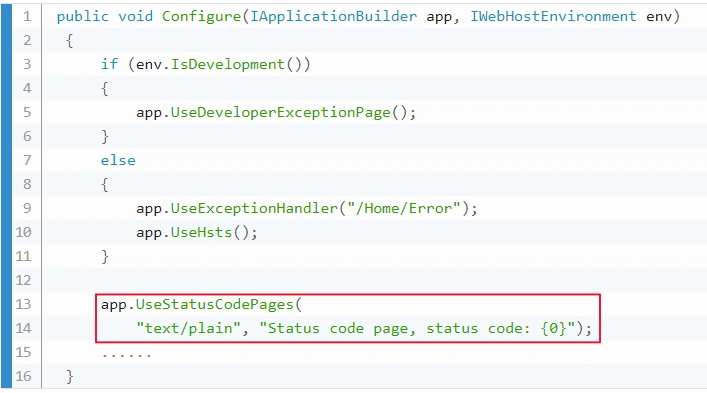

UseStatusCodePages, and with format string, and with Lambda

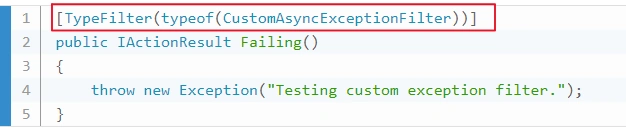
- Approach 3: Exception Filter
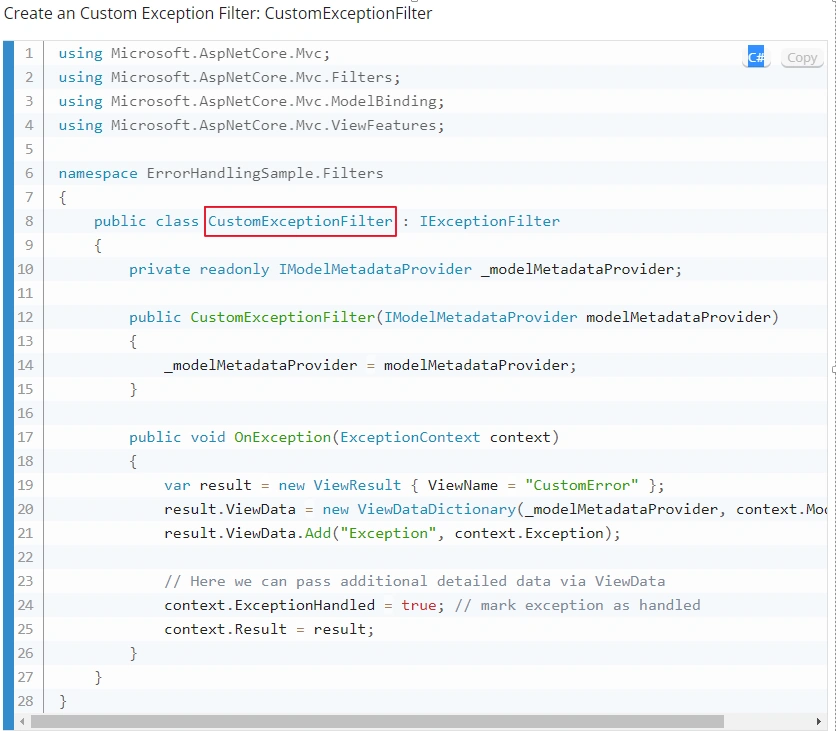
Register locally:
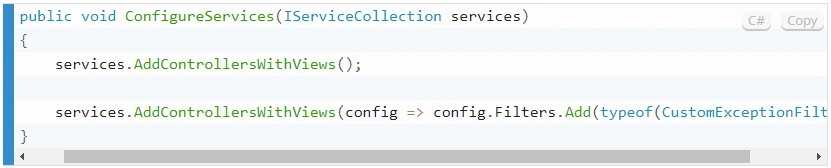
Register Globally
Run

ASP.NET Core Web App.
Finally, I would like to make a point that our discussions in this article, Exception Handling for ASP.NET Core MVC, are suitable for ASP.NET Core Web app, because the structure of ASP.NET Core MVC app and ASP.NET Core Web app are quite similar. If we compare the startup file for both Core MVC app and Core Web app, we can see that:

There are only three differences in the startup codes, they are all not structure difference, they are all for views. The first difference indicates AddControllers() for web app, and AddControllersWithViews() for MVC:

The second one just directs the error handling page to diffrent places:

And the third one is related to endpoints, the routing:

Therefore, in exception handling, Web App and MVC App are the same, we can apply our discussion for MVC to Web App.
References
Join the conversation! Your thoughts help the community grow.