Exception handling is required in any application. It is a very interesing issue where different apps have their own various way(s) to handle that. I plan to write a series of articles to discuss this issue
In this article, we will be discussing various ways of handling an exception in ASP.NET Core Web API.
Introduction
In Part (
3) of this article seriers, we discussed Exception Handling for ASP.NET Core MVC. Due to the similarities of the Exception Handling between ASP.NET Core MVC and ASP.NET Core Web API, we will follow the pattern of ASP.NET Core MVC.
This will be the order in which we will discuss the topic:
- A: Exception Handling in Development Environment for ASP.NET Core Web API
- Approach 1: UseDeveloperExceptionPage
- Approach 2: UseExceptionHandler // This is something new compaired to ASP.NET Core MVC, but we can do the same for MVC module
- B: Exception Handling in Production Environment for ASP.NET Core Web API
- Approach 1: UseExceptionHandler
- 1: Exception Handler Page
- 2: Exception Handler Lambda
- Approach 2: UseStatusCodePages
- 1: UseStatusCodePages, and with format string, and with Lambda
- 2: UseStatusCodePagesWithRedirects
- 3: UseStatusCodePagesWithReExecute
- Approach 3: Exception Filter
A: Exception Handling in Developer Environment
Approach 1: UseDeveloperExceptionPage
The ASP.NET Core starup templates generate the following code,
public void Configure(IApplicationBuilder app, IWebHostEnvironment env)
 {
     if (env.IsDevelopment())
     {
         app.UseDeveloperExceptionPage();
     }
     else
     ......
 }
The UseDeveloperExceptionPage extension method adds middleware into the request pipeline. The Developer Exception Page is a useful tool to get detailed stack traces for server errors. It uses DeveloperExceptionPageMiddleware to capture synchronous and asynchronous exceptions from the HTTP pipeline and to generate error responses. This helps developers in tracing errors that occur during development phase. We will demostrate this below.
Step 1 - Create an ASP.NET Core Web API application
We use the current version of Visual Studio 2019 16.8 and .NET 5.0 SDK to build the app.
- Start Visual Studio and select Create a new project.
- In the Create a new project dialog, select ASP.NET Core Web Application > Next.
- In the Configure your new project dialog, enter WebAPISample for Project name.
- Select Create.
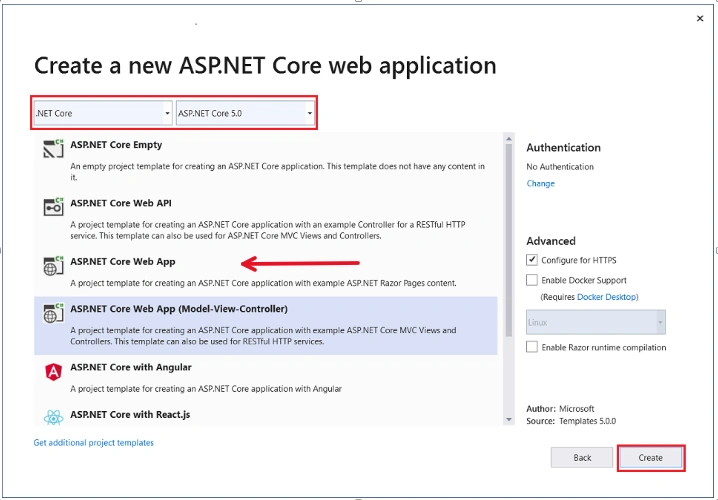
- In the Create a new ASP.NET Core web application dialog, select,
- .NET Core and ASP.NET Core 5.0 in the dropdowns.
- ASP.NET Core Web API
- Create
Note (01/13/2023):
Here, it seems one picture is missing. However, we do not have the VS 2019 16.8 any more, the new VS 2019 16.11 layout is different. So, we borrow a similar graph in the same location from Exception Handling (3), In ASP.NET Core MVC with a modification: the RED arrow indicates that we open a ASP.NET Web API, instead of MVC.
Step 2 - Add Exception Code in WeatherforecastController
#region snippet_GetByCity
[HttpGet("{city}")]
public WeatherForecast Get(string city)
{
    if (!string.Equals(city?.TrimEnd(), "Redmond", StringComparison.OrdinalIgnoreCase))
    {
        throw new ArgumentException(
            $"We don't offer a weather forecast for {city}.", nameof(city));
    }

    //return GetWeather().First();
    return Get().First();
}
#endregion
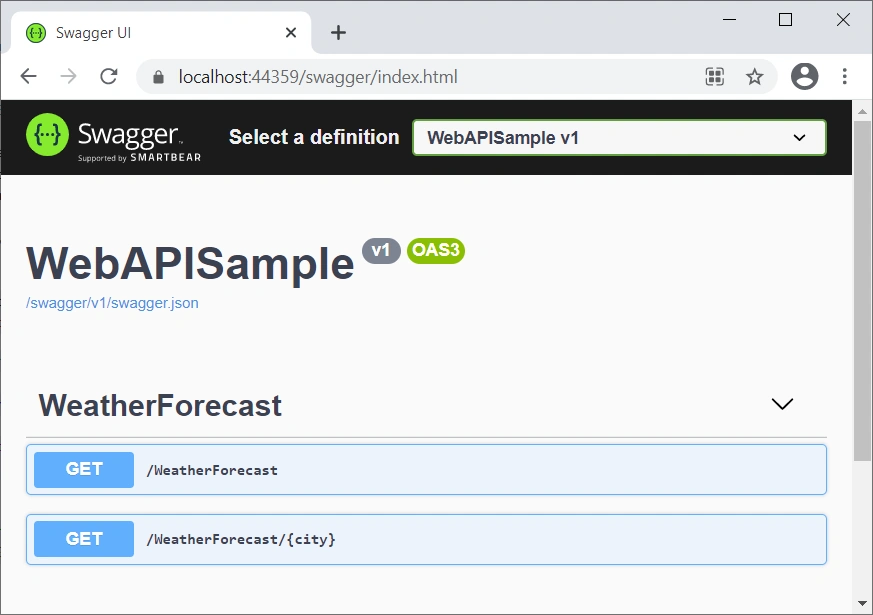
Run the app, we will have this
Step 3 - Trigger the Error in Three Ways
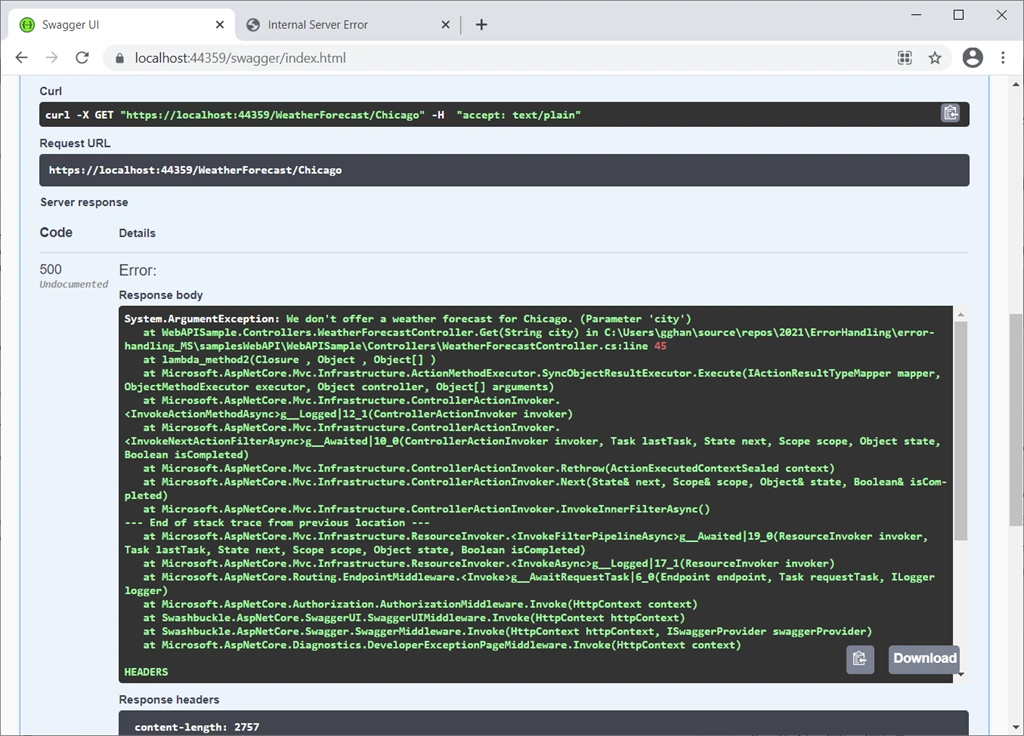
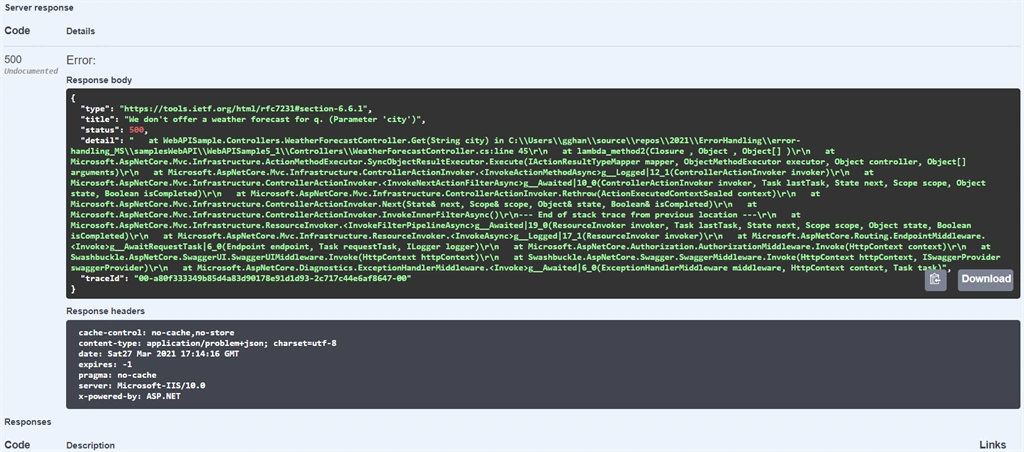
By Swagger: Click GET (/WeatherForecast/{city}) > Try it out > Give City parameter as Chicago > Excute. This will trigger the exception in Step 2, and we will get
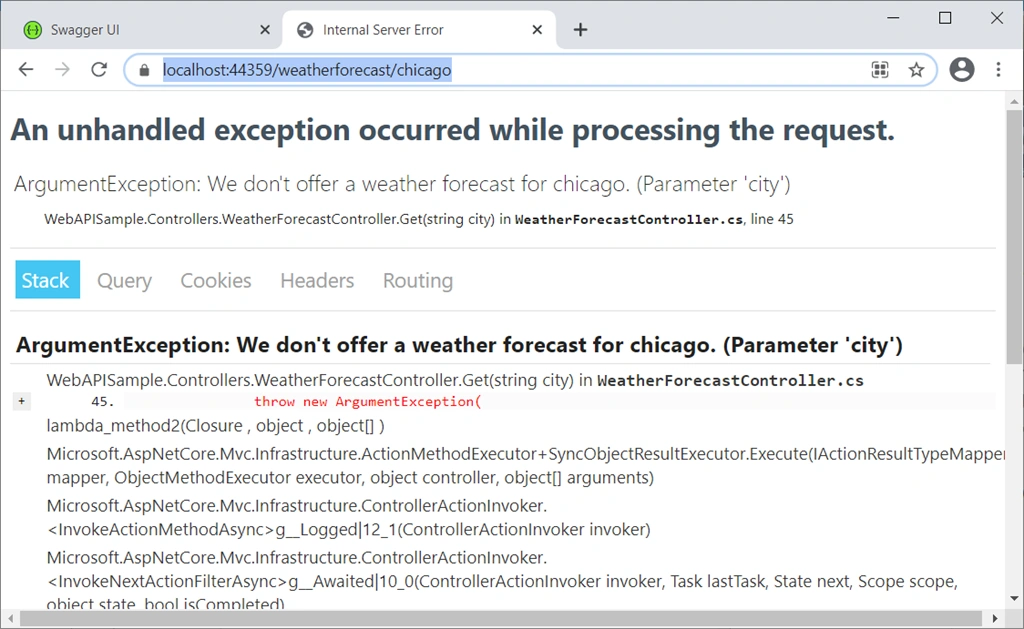
In Browser: Type the address https://localhost:44359/weatherforecast/chicago in Browser, we will get:
For the detailed discussion of this Developer Exception Page, we have done in the previous
article.
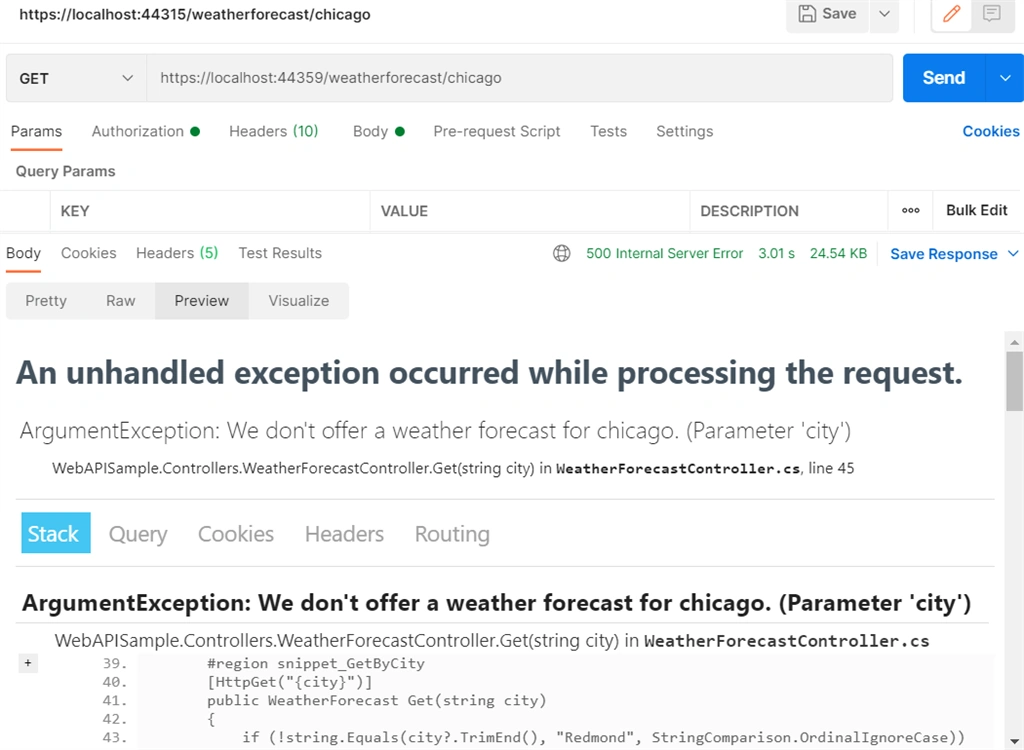
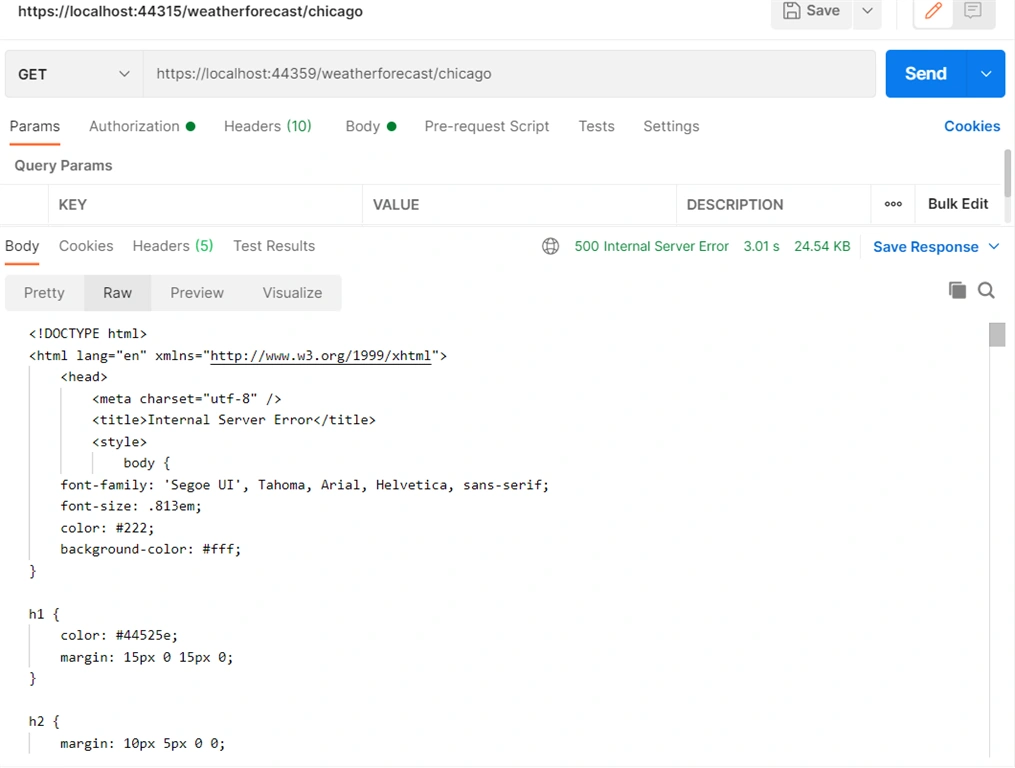
In Postman: Type the address https://localhost:44359/weatherforecast/chicago in address bar, then Click Send Button, we will have:
Preview
Raw Data
Approach 2: UseExceptionHandler
This is something new compaired to ASP.NET Core MVC, Part (
3) of the series articles, but we can do the same for MVC module.
Using Exception Handling Middleware is another way to provide more detailed content-negotiated output in the local development environment. Use the following steps to produce a consistent payload format across development and production environments:
Step 1
In Startup.Configure, register environment-specific Exception Handling Middleware instances:
public void Configure(IApplicationBuilder app, IWebHostEnvironment env)
{
    if (env.IsDevelopment())
    {
        //app.UseDeveloperExceptionPage();
        app.UseExceptionHandler("/error-local-development");
    }
    else
    {
        app.UseExceptionHandler("/error");
    }
}
In the preceding code, the middleware is registered with:
- A route of /error-local-development in the Development environment.
- A route of /error in environments that aren't Development that we will discuss later on.
Step 2
Add one empty apiController into the app, with the name as ErrorController:
- Right click Controllers > add > controller.
- In the Add New Scaffolded Item dialog, select API in the left pane, and
- API Controller - Empty > Add.
- In the Add Controller dialog, Change ErrorController for controller name > Add.
Step 3
Apply the following code into the controller,
public class ErrorController : ControllerBase
{
    [HttpGet]
    [Route("/error-local-development")]
    public IActionResult ErrorLocalDevelopment(
        [FromServices] IWebHostEnvironment webHostEnvironment)
    {
        if (webHostEnvironment.EnvironmentName != "Development")
        {
            throw new InvalidOperationException(
                "This shouldn't be invoked in non-development environments.");
        }

        var context = HttpContext.Features.Get<IExceptionHandlerFeature>();

        return Problem(
            detail: context.Error.StackTrace,
            title: context.Error.Message);
    }

    [HttpGet]
    [Route("/error")]
    public IActionResult Error() => Problem();
}
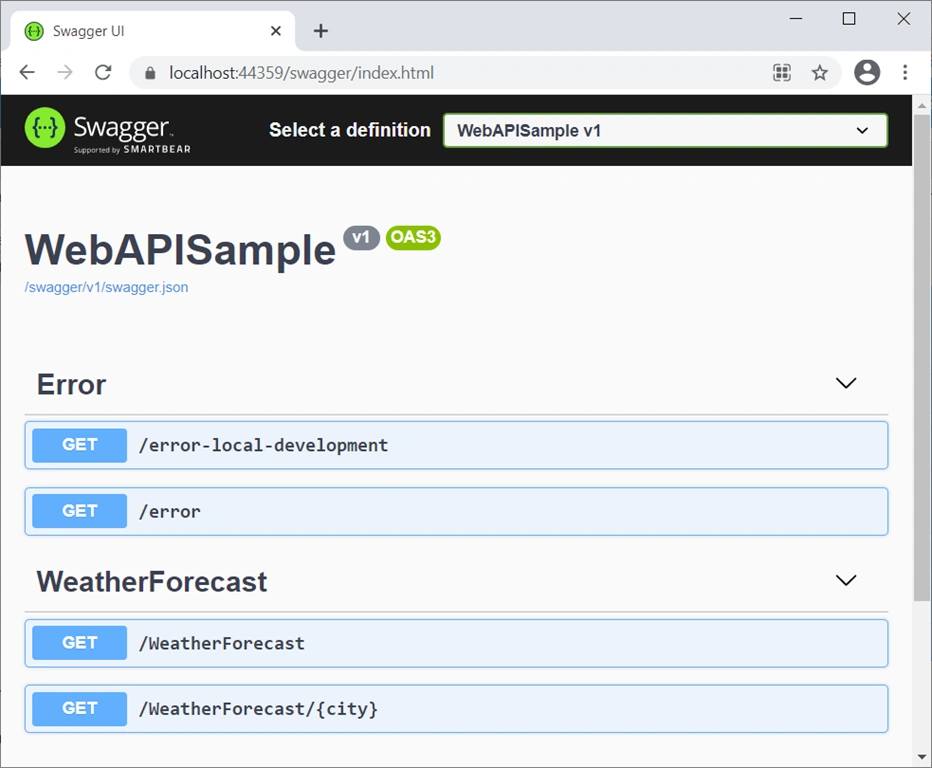
The preceding code calls ControllerBase.Problem to create a ProblemDetails response. We will have
One can directly Click Get /error, and Get /error-local-development to test the error handling itself.
Step 4 - Trigger the Error in Three Ways
Trigger the Error exactly like before, we will get three different output from Swagger, Browser and Postman, the below is a demo from Swagger:
B: Exception Handling in Production Environment
In the Section B, the Approach 1 and 2 are quite limilar to ones in the case of ASP.NET MVC module in Part (
3) of this series articles. Therefore, we will just give the input and output with only neccessary discussions,
- B: Exception Handling in Production Environment for ASP.NET Core Web API
- Approach 1: UseExceptionHandler
- 1: Exception Handler Page
- 2: Exception Handler Lambda
- Approach 2: UseStatusCodePages
- 1: UseStatusCodePages, and with format string, and with Lambda
- 2: UseStatusCodePagesWithRedirects
- 3: UseStatusCodePagesWithReExecute
ASP.NET Core configures app behavior based on the
runtime environment that is determined in launchSettings.json file as Development, Staging or Production mode. How to switch to production mode from development mode, we have discussed in Part (
3) of the series articles, and will skip here.
Approach 1: UseExceptionHandler
1: Exception Handler Page
Switch to the production mode for the app, startup file Configure method tells us: ASP.NET Core handles exception by calling UseExceptionHandler:
public void Configure(IApplicationBuilder app, IWebHostEnvironment env)
{
    if (env.IsDevelopment())
    {
        app.UseDeveloperExceptionPage();
    }
    else
    {
        app.UseExceptionHandler("/Error");
    }
    ......
}
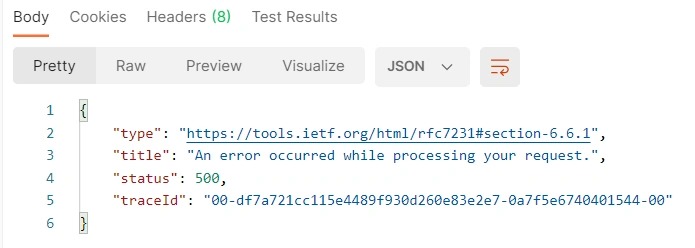
Run the app, and Trigger an exception the same way as before, and we will get three different outputs from Swagger, Browser and Postman, the below is a demo from Postman:
2: Exception Handler Lambda
Replace the
app.UseExceptionHandler("/error");
with a lambda for exception handling in
startup file as below,
public void Configure(IApplicationBuilder app, IWebHostEnvironment env)
{
    if (env.IsDevelopment())
    {
        app.UseDeveloperExceptionPage();
    }
    else
    {
        //app.UseExceptionHandler("/error");

        app.UseExceptionHandler(errorApp =>
        {
            errorApp.Run(async context =>
            {
                context.Response.StatusCode = 500;
                context.Response.ContentType = "text/html";

                await context.Response.WriteAsync("<html lang=\"en\"><body>\r\n");
                await context.Response.WriteAsync("ERROR!<br><br>\r\n");

                var exceptionHandlerPathFeature =
                    context.Features.Get<IExceptionHandlerPathFeature>();

                if (exceptionHandlerPathFeature?.Error is FileNotFoundException)
                {
                    await context.Response.WriteAsync(
                                              "File error thrown!<br><br>\r\n");
                }

                await context.Response.WriteAsync(
                                              "<a href=\"/\">Home</a><br>\r\n");
                await context.Response.WriteAsync("</body></html>\r\n");
                await context.Response.WriteAsync(new string(' ', 512));
            });
        });
    }
    ......
}
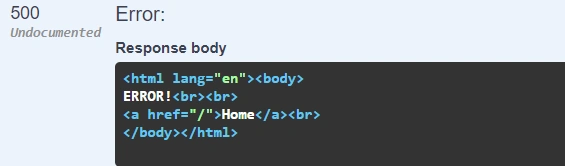
We got the result from Swagger,
Actually, we can get rid of the HTML markup, because this is a Web API response that should be JSON format. For consistent or the sake of lazy, we just leave it as is.
Approach 2: UseStatusCodePages
By default, an ASP.NET Core app doesn't provide a status code page for HTTP error status codes, such as 404 - Not Found. When the app encounters an HTTP 400-599 error status code that doesn't have a body, it returns the status code and an empty response body.
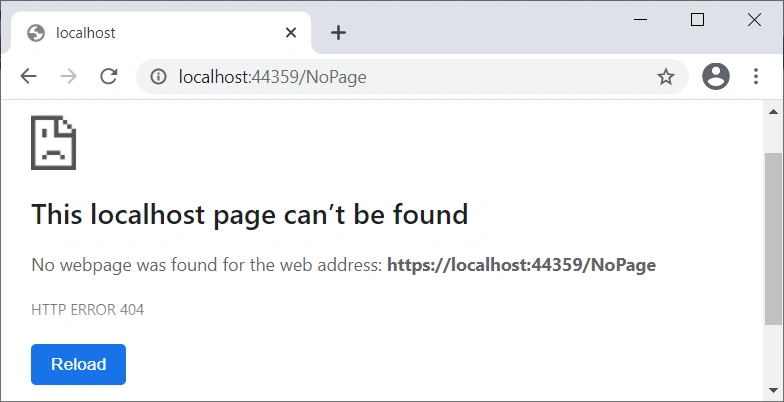
Request an endpoint that doesn't exist to Trigger a 404 exception:
To deal with such errors we can use UseStatusCodePages() method (status code pages middleware) to provide status code pages.
1: Default UseStatusCodePages, or with format string, or with Lambda
To enable default text-only handlers for common error status codes, call
UseStatusCodePages in the
Startup.Configure method:
public void Configure(IApplicationBuilder app, IWebHostEnvironment env)
{
    if (env.IsDevelopment())
    {
        app.UseDeveloperExceptionPage();
    }
    else
    {
        app.UseExceptionHandler("/Home/Error");
        app.UseHsts();
    }

    app.UseStatusCodePages();

    ......
}
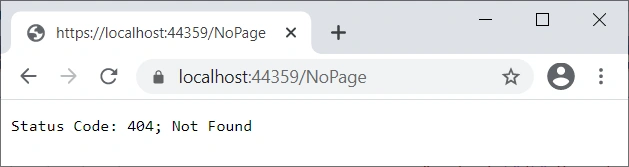
Run the app, trigger a 404 error, result will be,
Make startup file using UseStatusCodePages with format string,
public void Configure(IApplicationBuilder app, IWebHostEnvironment env)
 {
     if (env.IsDevelopment())
     {
         app.UseDeveloperExceptionPage();
     }
     else
     {
         app.UseExceptionHandler("/Home/Error");
         app.UseHsts();
     }

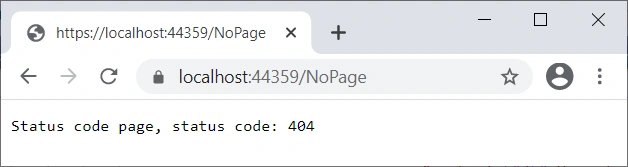
     app.UseStatusCodePages("text/plain", "Status code page, status code: {0}");
     ......
 }
Run the app, trigger a 404 error, result will be,
Make startup file using UseStatusCodePages with a lambda,
public void Configure(IApplicationBuilder app, IWebHostEnvironment env)
 {
     if (env.IsDevelopment())
     {
         app.UseDeveloperExceptionPage();
     }
     else
     {
         app.UseExceptionHandler("/Home/Error");
         app.UseHsts();
     }

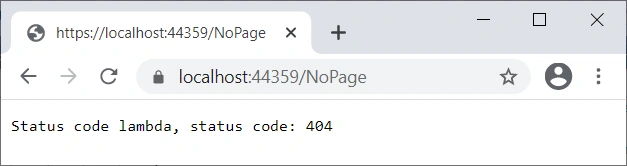
     app.UseStatusCodePages(async context =>
     {
         context.HttpContext.Response.ContentType = "text/plain";

         await context.HttpContext.Response.WriteAsync(
             "Status code lambda, status code: " +
             context.HttpContext.Response.StatusCode);
     });
     ......
 }
Run the app, trigger a 404 error, result will be,
2: UseStatusCodePagesWithRedirects
public void Configure(IApplicationBuilder app, IWebHostEnvironment env)
{
    if (env.IsDevelopment())
    {
        app.UseDeveloperExceptionPage();
    }
    else
    {
        app.UseExceptionHandler("/Home/Error");
        app.UseHsts();
    }

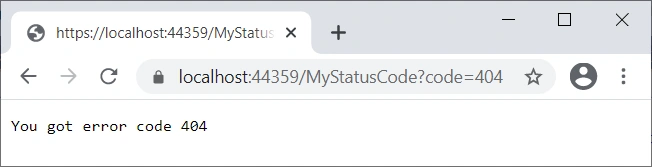
    app.UseStatusCodePagesWithRedirects("/MyStatusCode?code={0}");
    ......
}
Add an Action method in ErrorController,
public string MyStatusCode(int code)
{
    return "You got error code " + code;;
}
Run the app, trigger a 404 error, result will be,
3: UseStatusCodePagesWithReExecute
Modify the startup file,
public void Configure(IApplicationBuilder app, IWebHostEnvironment env)
{
    if (env.IsDevelopment())
    {
        app.UseDeveloperExceptionPage();
    }
    else
    {
        app.UseExceptionHandler("/Home/Error");
        app.UseHsts();
    }

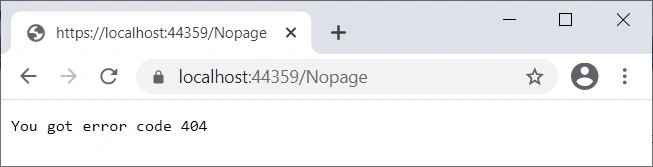
    app.UseStatusCodePagesWithReExecute("/Home/MyStatusCode2", "?code={0}");
    ......
}
Run the app, trigger a 404 error, result will be,
In fact, as a RESTful communication with JSON, it does not matter for client to know the link as a web page does, the last two methods will make no difference for Web API module.
Approach 3: Exception Filter
Although Exception filters are useful for trapping exceptions that occur within MVC (Web API) actions, but they're not as flexible as the built-in exception handling middleware, UseExceptionHandler. Microsoft recommend using UseExceptionHandler, unless you need to perform error handling differently based on which MVC or Web API action is chosen.
The contents of the response can be modified from outside of the controller. In ASP.NET 4.x Web API, one way to do this was using the HttpResponseException type. ASP.NET Core doesn't include an equivalent type. Support for HttpResponseException can be added with the following steps:
Step 1
Create a well-known exception type named HttpResponseException,
public class HttpResponseException : Exception
{
    public int Status { get; set; } = 400;

    public object Value { get; set; }

    public HttpResponseException(string value)
    {
        this.Value = value;
    }
}
Step 2
Create an action filter named HttpResponseExceptionFilter,
public class HttpResponseExceptionFilter : IActionFilter, IOrderedFilter
{
    public int Order { get; } = int.MaxValue - 10;

    public void OnActionExecuting(ActionExecutingContext context) { }

    public void OnActionExecuted(ActionExecutedContext context)
    {
        if (context.Exception is HttpResponseException exception)
        {
            context.Result = new ObjectResult(exception.Value)
            {
                StatusCode = exception.Status,
            };
            context.ExceptionHandled = true;
        }
    }
}
The preceding filter specifies an Order of the maximum integer value minus 10. This allows other filters to run at the end of the pipeline.
Step 3
In Startup.ConfigureServices, add the action filter to the filters collection,
services.AddControllers(options => options.Filters.Add(new HttpResponseExceptionFilter()));
Step 4
In Startup.ConfigureServices, add an action in the ErrorController to trigger the exception,
[TypeFilter(typeof(HttpResponseExceptionFilter))]
[HttpGet]
[Route("/Filter")]
public IActionResult Filter()
{
    throw new HttpResponseException("Testing custom exception filter.");
}
Where in Step 3 and 4, the filter could be registered either locally in Step 4, or globally in Step 3.
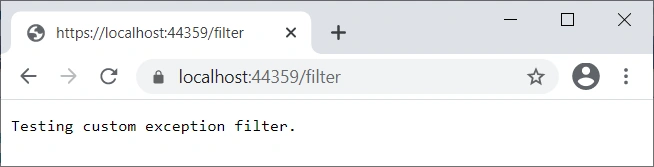
Run the app, trigger the HttpResponseException from either Browser or Postman at endpoint https://localhost:44359/Filter, or Swagger Get Filter, result will be,
Summary
In this article, we had a comprehensive discussion about Exception handling for ASP.NET Core Web App. The basic points:
- The exception handling patterns for ASP.NET Core MVC module and Web API module are quite similar;
- ASP.NET Core intruduced a Development mode for exception handling for both MVC and Web API modules, and also for other module such as Web App.
- The Major tool is UseExceptionHandler, recommended by Microsoft, instead of Exception Filters.


theJavoPosted Jun 15, 2021, 2:50 PM
Hi!, great article, thanks!. Only one question, is it possible to customize the statuscode or will always return 400 ?
Pranam BhatPosted May 30, 2021, 6:57 AM
Thank you for sharing 💯