

- Exception Handling (1), in ASP.NET MVC
- Exception Handling (2), in ASP.NET Web API --- this article
- Exception Handling (3), in ASP.NET Core MVC
- Exception Handling (4), in ASP.NET Core Web API
- Exception Handling (5), in ASP.NET Summary
- Exception Handling (6), HttpStatusCode
- Exception Handling (7), C# Exception Handling Statements
Introduction
- HttpResponseException, associated with HttpStatusCode, --- Locally in Try-catch-final
- Exception filter, --- in the level of Action, Controller, and Globally
- Exception Handler, --- Globally
Note:
When you try to create a ASP.NET Web API app, the MVC is selected automatically. So, the Web API app actually is an added on one of the MVC app. Therefore, we have discussed the features of exception handling for ASP.NET MVC will still hold, such as:
- Try-catch-finally: Step 3
- Exception filter
- Default: customError mode="On" in Web.Config, Step 1-1
- Associated with [HandleError] attribute): Step 1-2
- Add statusCode in Web.Config: Step 1-3
- Default: customError mode="On" in Web.Config, Step 1-1
- Application_Error event: Step 4
Set up the test sample app
- Start Visual Studio and select Create a new project.
- In the Create a new project dialog, select ASP.NET Web Application (.NET Framework) > Next.
- In the Configure your new project dialog, enter
ErrorHandlingWebAPIfor Project name > Create. - In the Create a new ASP.NET Web Application dialog, select Web API > Creat
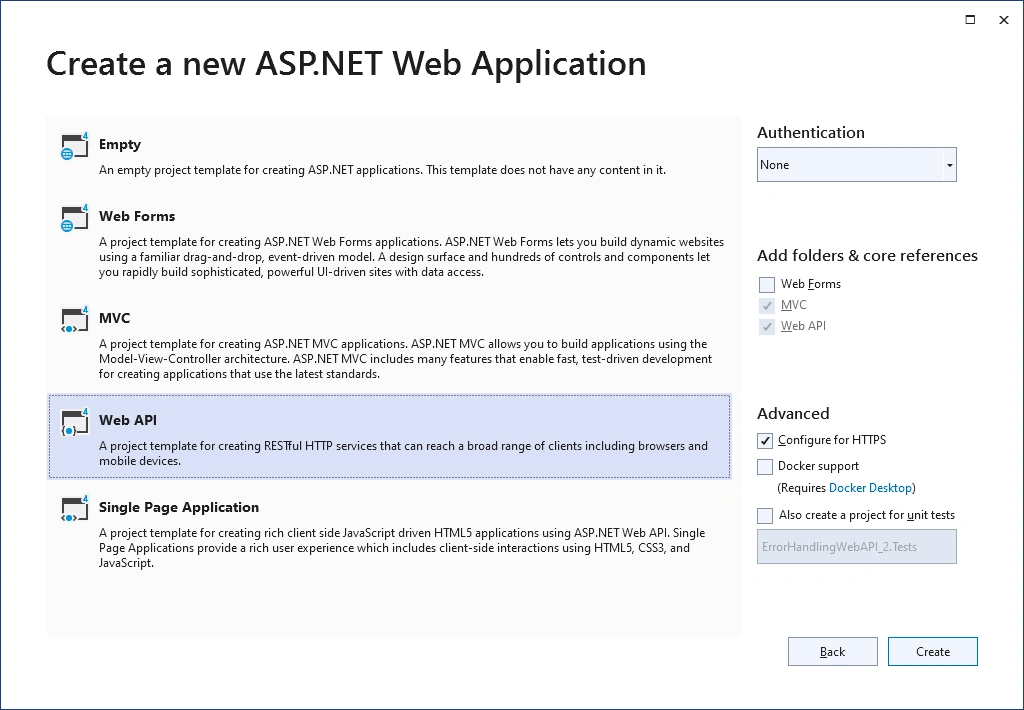
Note:
When you try to create a ASP.NET Web API app, the MVC is selected automatically. So, the Web API app actually is an added on part of the MVC app.
Different from MVC app, the Web API (associated with MVC) has two more files added:
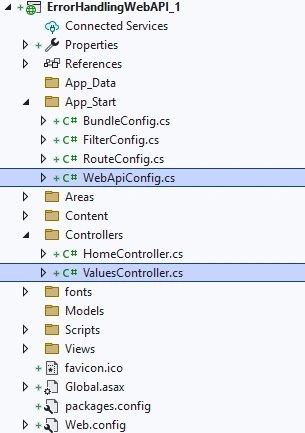
While the WebApiConfig.cs file defines the class WebApiConfig, including the WebApi routing:
using System;
using System.Collections.Generic;
using System.Linq;
using System.Web.Http;

namespace ErrorHandlingWebAPI_1
{
    public static class WebApiConfig
    {
        public static void Register(HttpConfiguration config)
        {
            // Web API configuration and services

            // Web API routes
            config.MapHttpAttributeRoutes();

            config.Routes.MapHttpRoute(
                name: "DefaultApi",
                routeTemplate: "api/{controller}/{id}",
                defaults: new { id = RouteParameter.Optional }
            );
        }
    }
}
using System;
using System.Collections.Generic;
using System.Linq;
using System.Net;
using System.Net.Http;
using System.Web.Http;

namespace ErrorHandlingWebAPI_1.Controllers
{
    public class ValuesController : ApiController
    {
        // GET api/values
        public IEnumerable<string> Get()
        {
            return new string[] { "value1", "value2" };
        }

        // GET api/values/5
        public string Get(int id)
        {
            return "value";
        }

        // POST api/values
        public void Post([FromBody] string value)
        {
        }

        // PUT api/values/5
        public void Put(int id, [FromBody] string value)
        {
        }

        // DELETE api/values/5
        public void Delete(int id)
        {
        }
    }
}
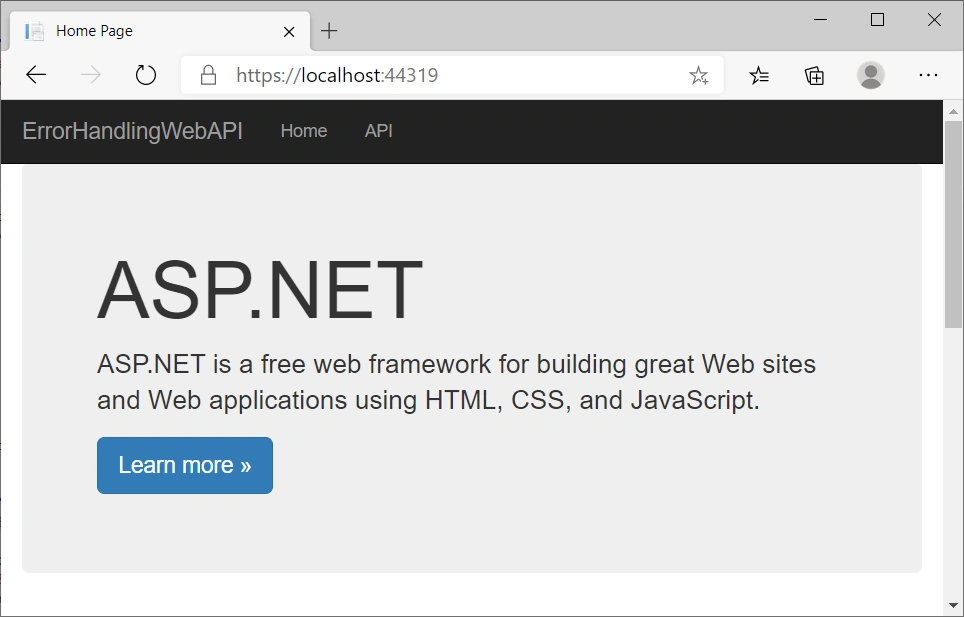
Build and run the app, you will see the following image shows the app,
- Right click Controllers > add > controller.
- In the Add New Scaffolded Item dialog, select Web API in the left pane, and
- Web API 2 Controller - Empty > Add.
- In the Add Controller dialog, Change
ErrorHandlingWebAPIController for controller name > Add.
- Right click Tools > NuGet Package Manager > Manage NuGet for Solution
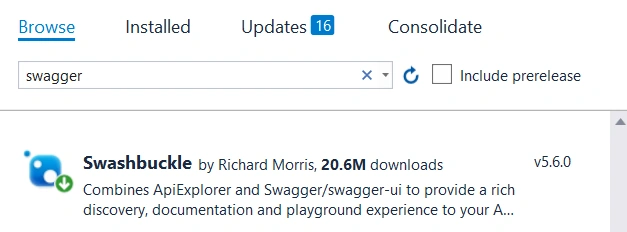
- In the opened NuGet-Solution dialog: Click Browse, then Search Swagger
- Install Swashbuckle v5.6.0
public class SwaggerConfig
{
    public static void Register()
    {
        var thisAssembly = typeof(SwaggerConfig).Assembly;
        GlobalConfiguration.Configuration
          .EnableSwagger(c => c.SingleApiVersion("v1", "ErrorHandlingWebAPI"))
          .EnableSwaggerUi();
    }
}
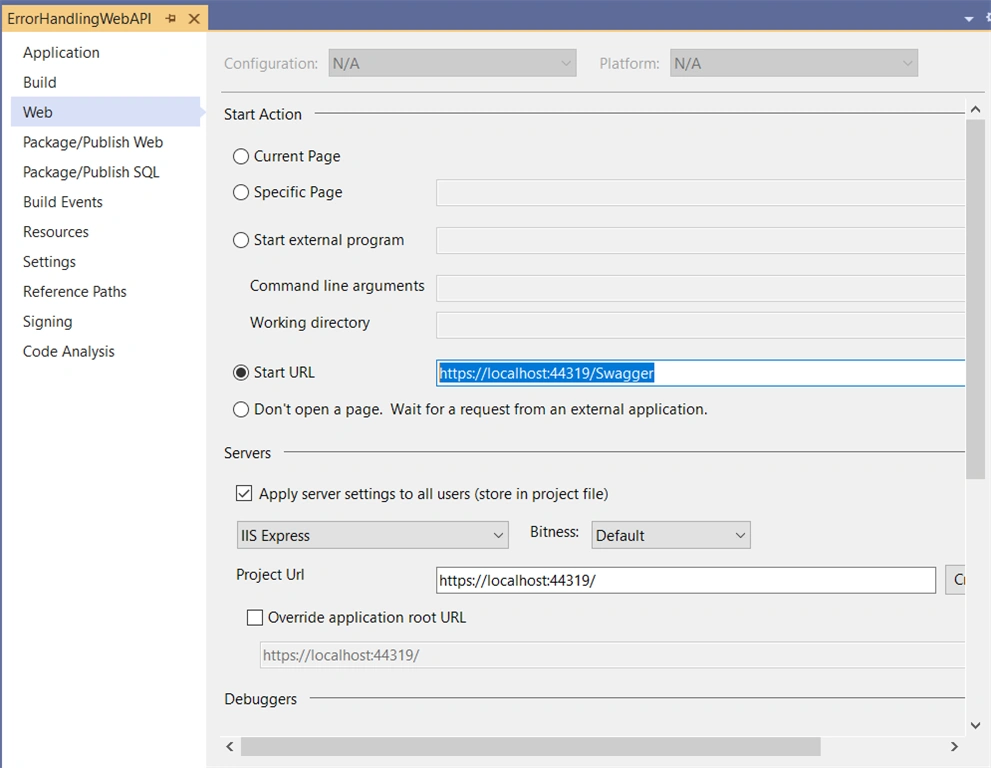
Step 4 - Change the default start up page to the swagger
HttpResponseException
[Route("CheckId/{id}")]
[HttpGet]
public IHttpActionResult CheckId(int id)
{
    if (id < 10) // No error hanbdling at all:
    {
        int a = 1;
        int b = 0;
        int c = 0;
        c = a / b; //it would cause exception.
    }
    else if (id <20) // Error handling by HttpResponseException with HttpStatusCode
    {
        throw new HttpResponseException(HttpStatusCode.BadRequest);
    }
    else if (id < 30) // Error handling by HttpResponseException with HttpResponseMessage
    {
        var response = new HttpResponseMessage(HttpStatusCode.BadRequest)
        {
            Content = new StringContent(string.Format("No Employee found with ID = {0}", 10)),
            ReasonPhrase = "Employee Not Found"
        };

        throw new HttpResponseException(response);
    }

    return Ok(id);
}
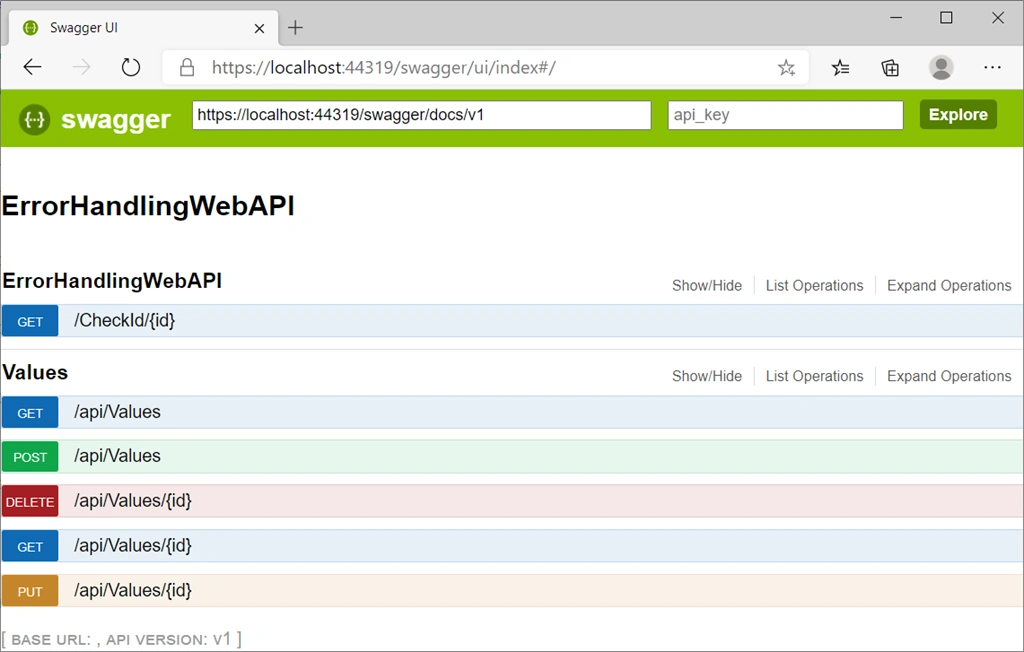
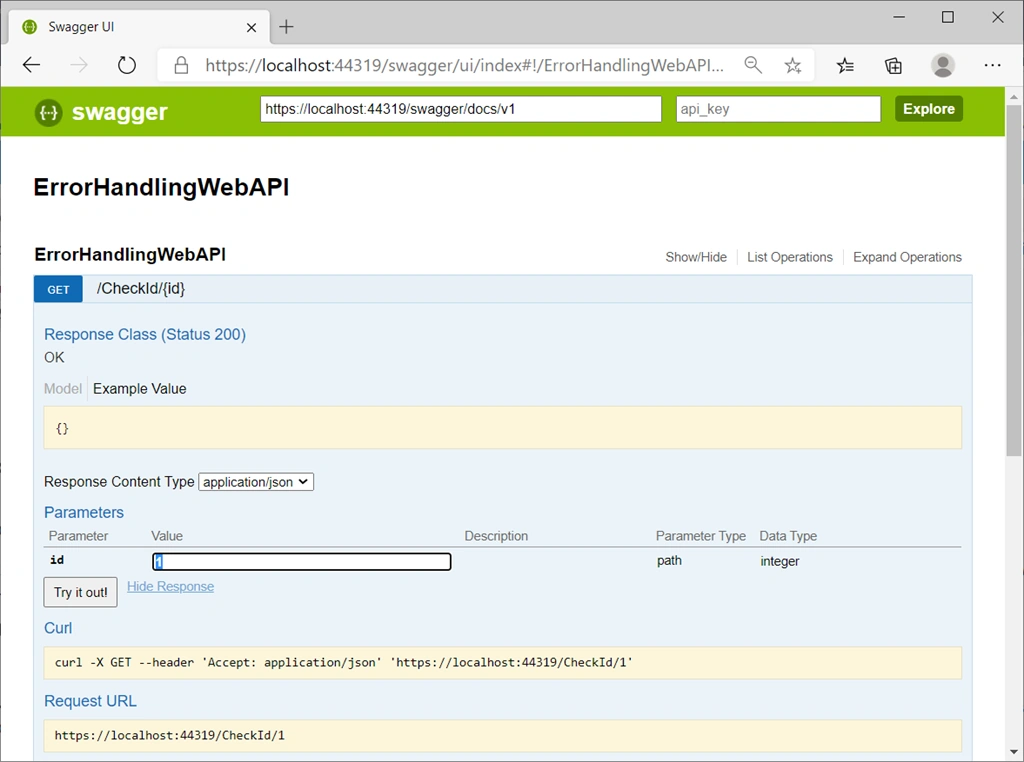
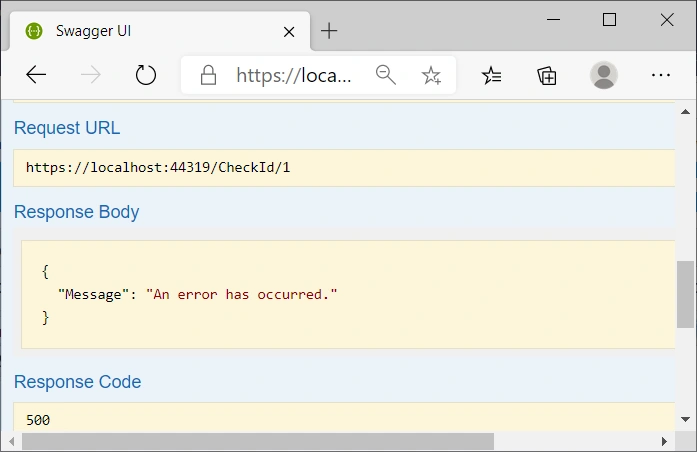
Run the app, we have
Discussion
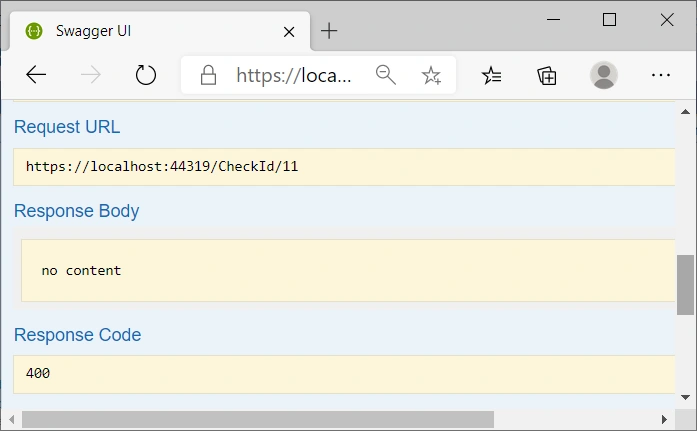
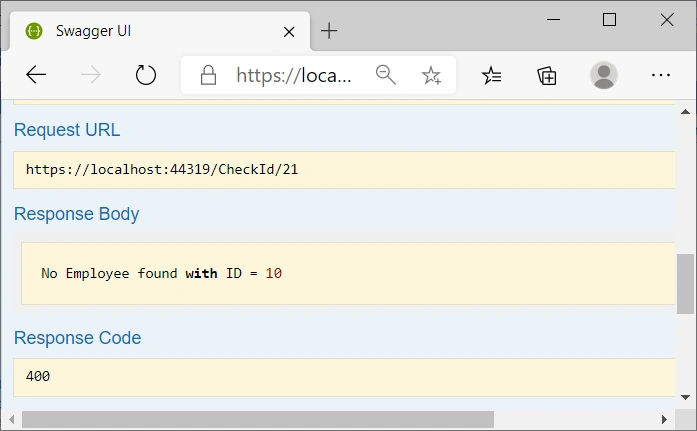
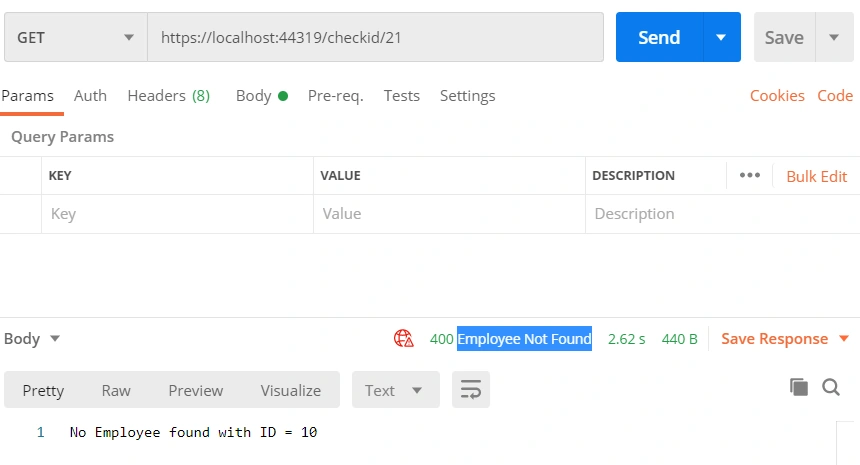
Exception Filters
- System.Web.Mvc.HandleErrorAttribute and
- System.Web.Mvc.Controller
Therefore, for Web API, there is no more local exception filter defined under ApiController as OnException method as MVC Controller does.
public class NotImplExceptionFilterAttribute : ExceptionFilterAttribute
{
    public override void OnException(HttpActionExecutedContext context)
    {
        if (context.Exception is NotImplementedException)
        {
            var resp = new HttpResponseMessage(HttpStatusCode.NotFound)
            {
                Content = new StringContent("This method is not implemented"),
                ReasonPhrase = "Not implemented"
            };
            throw new HttpResponseException(resp);
        }
    }
}
Register Exception Eilter
- By action
- By controller
- Globally
using System;
using System.Web.Http;

namespace ErrorHandlingWebAPI.Controllers
{
    [NotImplExceptionFilter]
    public class TestController : ApiController
    {
        [Route("Test/{id}")]
        [HttpGet]
        [NotImplExceptionFilter]
        public IHttpActionResult Test(int id)
        {
            throw new NotImplementedException("This method is not implemented");
        }

        [Route("Test1/{id}")]
        [HttpGet]

        public IHttpActionResult Test1(int id)
        {
            throw new NotImplementedException("This method is not implemented");
        }
    }
}
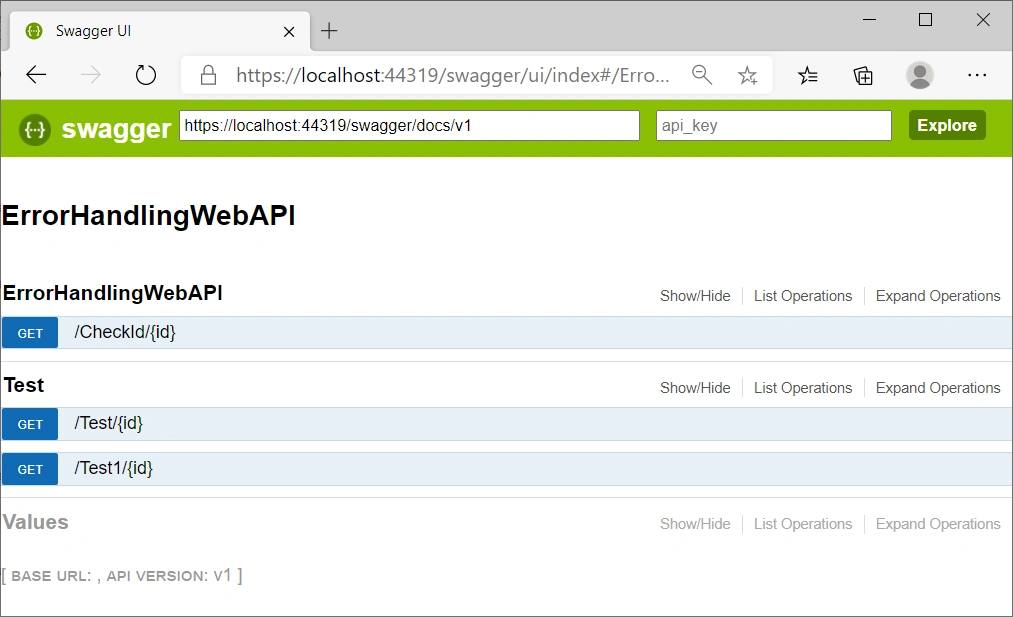
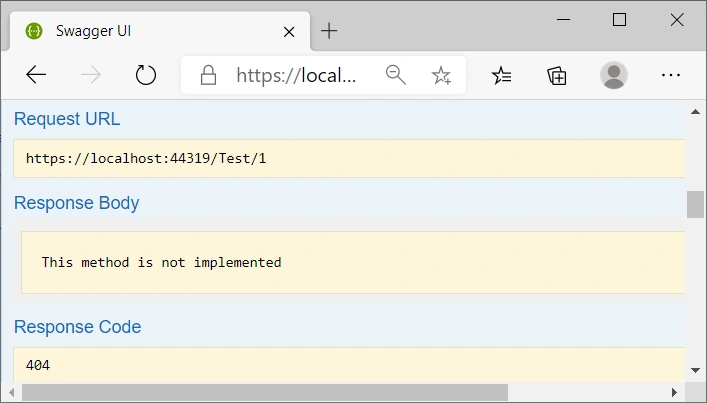
Add attribute [NotImplExceptionFilter] in Test action level or in the controller level, or globally register in App_Start/WebApiConfig file to add: config.Filters.Add(new NotImplExceptionFilterAttribute());
public static class WebApiConfig
{
    public static void Register(HttpConfiguration config)
    {
        // Web API configuration and services
        config.Filters.Add(new NotImplExceptionFilterAttribute());

        // Web API routes
        config.MapHttpAttributeRoutes();

        config.Routes.MapHttpRoute(
            name: "DefaultApi",
            routeTemplate: "api/{controller}/{id}",
            defaults: new { id = RouteParameter.Optional }
        );
    }
}
Note:
For ASP.NET MVC, there are three configuration files:
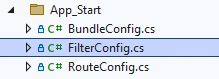
For ASP.NET Web API, there are four configuration files:
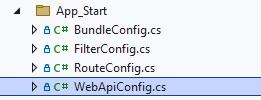
- For MVC, When we derive an exception filter class from HandleErrorAttribute class, then we need to register it in FilterConfig.cs file, add into GlobalFilerCollection. While on the other hand,
- For Web API, When we derive an exception filter class from ExceptionFilterAttribute class, then we need to register it in WebApiConfig.cs file, add into HttpConfiguration.
We add one more option in the previous controller/action: ErrorHandlingWebAPIController/CheckID to test the global registered exception filter
else if (id < 50)
{
    throw new NotImplementedException();
}
Then, run the app, and test the results,
Exception Handler
- Exceptions thrown from controller constructors.
- Exceptions thrown from message handlers.
- Exceptions thrown during routing.
- Exceptions thrown during response content serialization.
We add a global error handler into Global.asax file,
public class GlobalExceptionHandler : ExceptionHandler
{
    public override void Handle(ExceptionHandlerContext context)
    {
        var response = new HttpResponseMessage(HttpStatusCode.BadRequest)
        {
            Content = new StringContent("This is handled by Global Exception Handler"),
            ReasonPhrase = "Exception Handler"
        };

        context.Result = new ResponseMessageResult(response);
    }
}
and register in App_Start/WebApiConfig file,
public static void Register(HttpConfiguration config)
{
    // Web API configuration and services
    config.Filters.Add(new NotImplExceptionFilterAttribute());
    config.Services.Replace(typeof(IExceptionHandler), new GlobalExceptionHandler());

    // Web API routes
    config.MapHttpAttributeRoutes();

    config.Routes.MapHttpRoute(
        name: "DefaultApi",
        routeTemplate: "api/{controller}/{id}",
        defaults: new { id = RouteParameter.Optional }
    );
}
Add one more test option in the testController
using System;
using System.Web.Http;

namespace ErrorHandlingWebAPI.Controllers
{
    [NotImplExceptionFilter]
    public class TestController : ApiController
    {
        [Route("Test/{id}")]
        [HttpGet]
        [NotImplExceptionFilter]
        public IHttpActionResult Test(int id)
        {
            throw new NotImplementedException("This method is not implemented");
        }

        [Route("Test1/{id}")]
        [HttpGet]

        public IHttpActionResult Test1(int id)
        {
            throw new NotImplementedException("This method is not implemented");
        }

        [Route("Test2/{id}")]
        [HttpGet]

        public IHttpActionResult Test2(int id)
        {
            throw new DivideByZeroException();
        }
    }
}
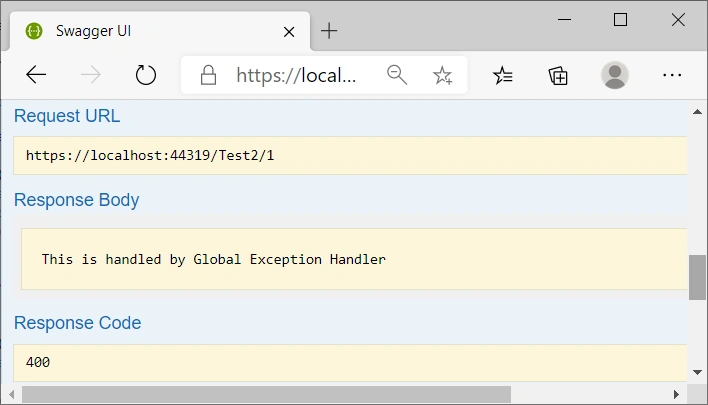
Due to the exception DivideByZeroException() not handled by exception filter we made privously, it will be caught by the global error handler,
Summary
- HttpResponseException, associated with HttpStatusCode, --- Locally in Try-catch-final
- Exception filter, --- in the level of Action, Controller, and Globally
- Exception Handler, --- Globally
Hooman BahreiniPosted Mar 24, 2023, 2:01 AM
I followed this guide and added /swagger to Prject Url and clicked on Create Virtual Directory. This caused a lot of headache, as an incorrect section was added to applicationhost.config (i.e. the path /swagger was mapped to the root of my project which is wrong). This caused a lot of headache... took me a few days to figure out the issue as I have explained here: https://stackoverflow.com/questions/37032735/swagger-ui-is-not-showing-anything-in-webapi/75818404#75818404