Introduction
A software element or library that permits communication with HTTP servers is known as an HTTP client. It enables you to communicate with servers by sending requests (such as GET, POST, PUT, and DELETE) and receiving answers.
An application protocol for networked, cooperative, hypermedia information systems is called the Hypertext Transfer Protocol (HTTP). The World Wide Web's data transfer infrastructure is built on HTTP.
HTTP request methods
A collection of request methods is defined by HTTP to specify the desired action to be carried out for a certain resource.
- GET: requests an image of the given resource.
- HEAD: Similar to a GET request, but without the body of the response.
- POST: delivers data to a resource, frequently resulting in adverse effects or state changes.
- PUT: generates new resources or modifies already existing ones.
- DELETE: expunges the designated resource.
- CONNECT: initiates a two-way conversation with the resource that was requested.
- OPTION: outlines the target resource's communication possibilities.
- TRACE: For debugging reasons, returns the entire HTTP request.
- PATCH: makes some minor changes to the resource.
HttpClient status code
The status codes for HTTP responses provide information about whether a particular HTTP request was fulfilled successfully. Five classes are created from the responses.
- Informational responses (100–199)
- Successful responses (200–299)
- Redirects (300–399)
- Client errors (400–499)
- Server errors (500–599)
Key Characteristics of an HTTP Client
- Sending Requests: A server can receive and process HTTP requests created by an HTTP client.
- Response Handling: It takes in and interprets the answers from the server.
- Connection management: oversees the management of connections (connection pooling, reuse, etc.).
- Authentication: Accepts a number of authentication techniques (such as basic and OAuth).
- State Management: This includes managing sessions, cookies, and state preservation.
- Error Handling: Addresses errors, such as network problems and timeouts.
- Customization: Enables the setting of timeouts, headers, and other parameters.
As an illustration, follow the below code and use it on your application side whenever needed.
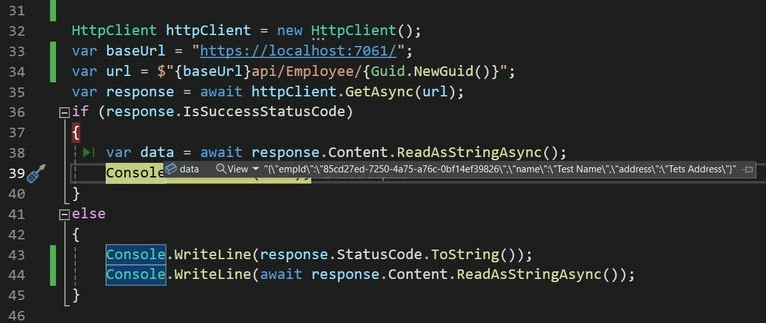
HTTP GET Example
HttpClient httpClient = new HttpClient();
var baseUrl = "https://localhost:7061/";
var url = $"{baseUrl}api/Employee/{Guid.NewGuid()}";
var response = await httpClient.GetAsync(url);
if (response.IsSuccessStatusCode)
{
    var data = await response.Content.ReadAsStringAsync();
    Console.WriteLine(data);
}
else
{
    Console.WriteLine(response.StatusCode.ToString());
    Console.WriteLine(await response.Content.ReadAsStringAsync());
}
HTTP POST Example
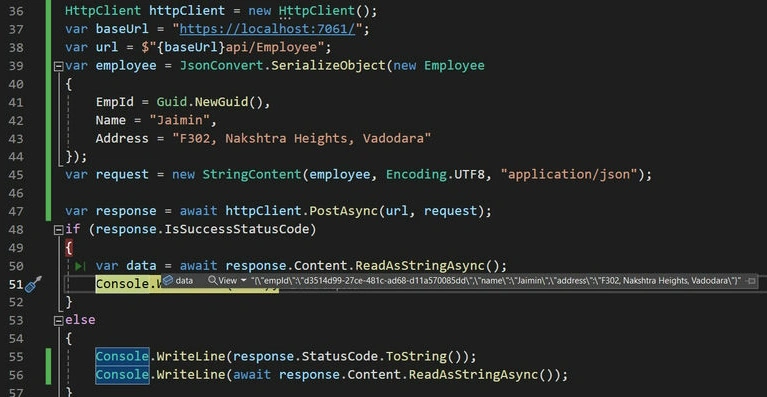
HttpClient httpClient = new HttpClient();
var baseUrl = "https://localhost:7061/";
var url = $"{baseUrl}api/Employee";
var employee = JsonConvert.SerializeObject(new Employee
{
    EmpId = Guid.NewGuid(),
    Name = "Jaimin",
    Address = "F302, Nakshtra Heights, Vadodara"
});
var request = new StringContent(employee, Encoding.UTF8, "application/json");

var response = await httpClient.PostAsync(url, request);
if (response.IsSuccessStatusCode)
{
    var data = await response.Content.ReadAsStringAsync();
    Console.WriteLine(data);
}
else
{
    Console.WriteLine(response.StatusCode.ToString());
    Console.WriteLine(await response.Content.ReadAsStringAsync());
}
HTTP PUT Example
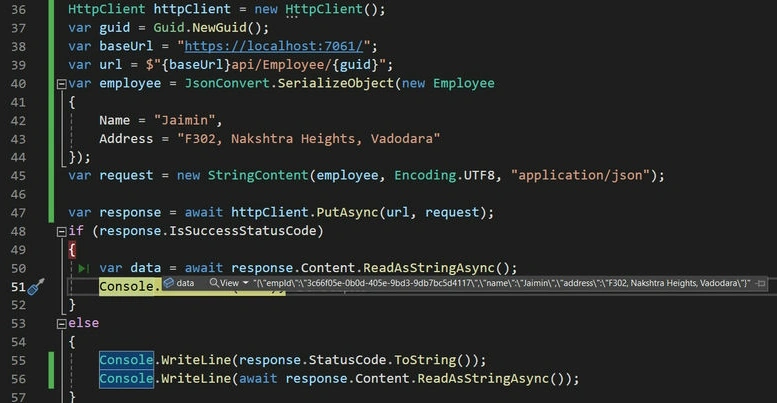
HttpClient httpClient = new HttpClient();
var guid = Guid.NewGuid();
var baseUrl = "https://localhost:7061/";
var url = $"{baseUrl}api/Employee/{guid}";
var employee = JsonConvert.SerializeObject(new Employee
{
    Name = "Jaimin",
    Address = "F302, Nakshtra Heights, Vadodara"
});
var request = new StringContent(employee, Encoding.UTF8, "application/json");

var response = await httpClient.PutAsync(url, request);
if (response.IsSuccessStatusCode)
{
    var data = await response.Content.ReadAsStringAsync();
    Console.WriteLine(data);
}
else
{
    Console.WriteLine(response.StatusCode.ToString());
    Console.WriteLine(await response.Content.ReadAsStringAsync());
}
HTTP DELETE Example
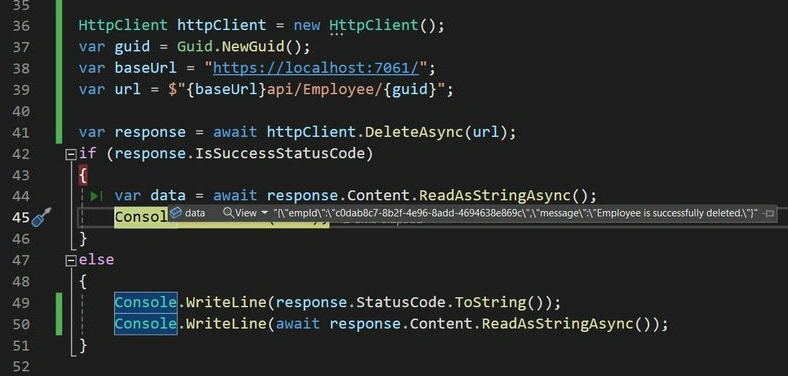
HttpClient httpClient = new HttpClient();
var guid = Guid.NewGuid();
var baseUrl = "https://localhost:7061/";
var url = $"{baseUrl}api/Employee/{guid}";

var response = await httpClient.DeleteAsync(url);
if (response.IsSuccessStatusCode)
{
    var data = await response.Content.ReadAsStringAsync();
    Console.WriteLine(data);
}
else
{
    Console.WriteLine(response.StatusCode.ToString());
    Console.WriteLine(await response.Content.ReadAsStringAsync());
}
HTTP Client Authorization Example
In some of the places where we require authorization tokens, we will add them in the header, make the request, and give the response.
HttpClient httpClient = new HttpClient();
var guid = Guid.NewGuid();
var baseUrl = "https://localhost:7061/";
var url = $"{baseUrl}api/Employee/{guid}";

httpClient.DefaultRequestHeaders.Add("Authorization", "Bearer Your_Token_Here");

var response = await httpClient.GetAsync(url);
if (response.IsSuccessStatusCode)
{
    var data = await response.Content.ReadAsStringAsync();
    Console.WriteLine(data);
}
Setting a timeout in HttpClient
The HTTPClient waits 100000 ms, or 100 seconds, by default, for a request to complete. It throws an exception if it finishes before then. We refer to this as a timeout.
If you feel compelled to alter that, you are free to do so. The HTTPClient class has an option named Timeout that is configured using a TimeSpan.
HttpClient httpClient = new HttpClient();
var guid = Guid.NewGuid();
var baseUrl = "https://localhost:7061/";
var url = $"{baseUrl}api/Employee/{guid}";

httpClient.DefaultRequestHeaders.Add("Authorization", "Bearer Your_Token_Here");
httpClient.Timeout = TimeSpan.FromSeconds(30);

var response = await httpClient.GetAsync(url);
if (response.IsSuccessStatusCode)
{
    var data = await response.Content.ReadAsStringAsync();
    Console.WriteLine(data);
}
Download an Image
A picture can be downloaded from the internet using the HTTPClient, stored as an array of bytes, and then saved as a file. We make use of the GetByteArrayAsync(URI) function for this.
HttpClient httpClient = new HttpClient();
var url = "https://imgur.com/gallery/EtmREaQ";

var response = await httpClient.GetByteArrayAsync(url);
Console.WriteLine(response.Length);
One client, multiple requests.
var guids = new List<Guid> { Guid.NewGuid(), Guid.NewGuid() };

HttpClient httpClient = new HttpClient();
foreach (var guid in guids)
{
    var baseUrl = "https://localhost:7061/";
    var url = $"{baseUrl}api/Employee/{guid}";

    var response = await httpClient.GetAsync(url);
    if (response.IsSuccessStatusCode)
    {
        var data = await response.Content.ReadAsStringAsync();
        Console.WriteLine(data);
    }
    else
    {
        Console.WriteLine(response.StatusCode.ToString());
        Console.WriteLine(await response.Content.ReadAsStringAsync());
    }
}
Proxies
In C#, you can use the HTTPClient to reach a target through a proxy. You can set up its unique handler to make use of the proxy.
The proxy in the following example is made up.
HttpClientHandler handler = new()
{
    Proxy = new WebProxy(new Uri($"proxy URL")),
    UseProxy = true,
};

HttpClient httpClient = new HttpClient(handler);
var guid = Guid.NewGuid();
var baseUrl = "https://localhost:7061/";
var url = $"{baseUrl}api/Employee/{guid}";

httpClient.DefaultRequestHeaders.Add("Authorization", "Bearer Your_Token_Here");
httpClient.Timeout = TimeSpan.FromSeconds(30);

var response = await httpClient.GetAsync(url);
if (response.IsSuccessStatusCode)
{
    var data = await response.Content.ReadAsStringAsync();
    Console.WriteLine(data);
}
In this article, we are using the HttpClient to send the request to the external resources and get a response. For that, we are creating the new object manually. In the next article, we will learn how to register the HTTP client in the .Net core application and make use of that HTTP client on the .Net core application side for sending the request to external resources.
We learned the new technique and evolved together.
Happy coding!


Join the conversation! Your thoughts help the community grow.