

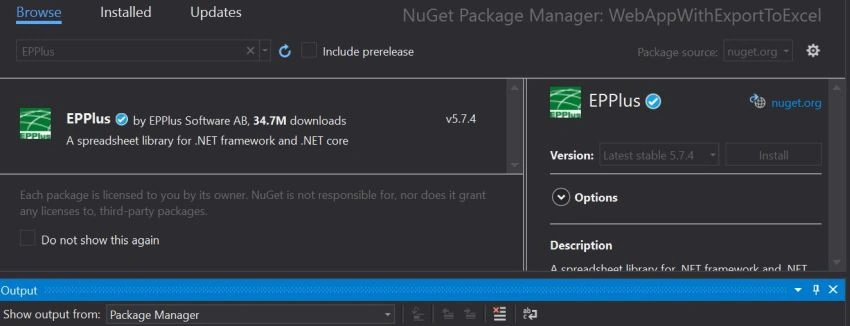
This article demonstrates how easily we can export data into a predefined template in a .NET application. Here we will use the EPPlus NuGet package to achieve this. Most of the excel properties including cell ranges, cell styling of the border, color, fill, font, number, alignments, etc well supported and it’s kind of plug and play.
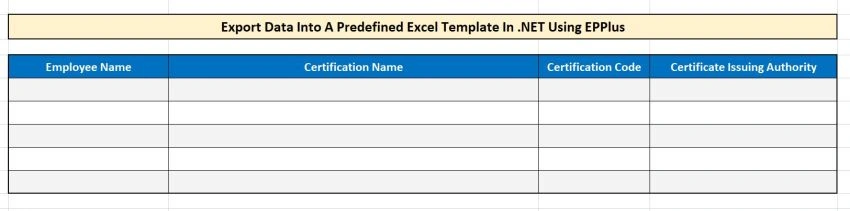
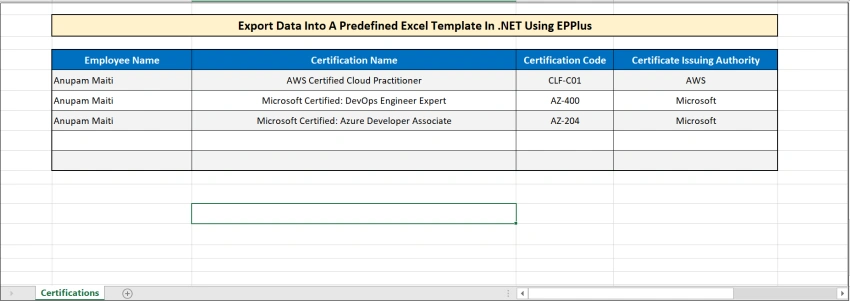
For demonstration purposes, we will do a simple .net project with dummy data and we will create an XLSX template where data will be exported.
Let’s follow step by step approach,
Step 1 – Create a Simple .Net application
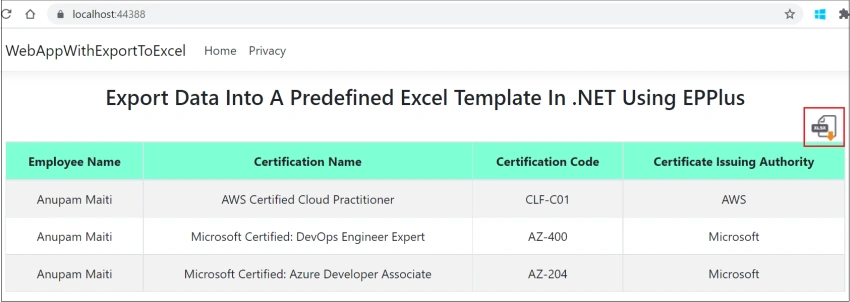
Create a simple MVC web application in .NET 5 and a model class with relevant properties. To make it simple, we will manually add some dummy data into a list and will pass that model object to view. In my case, I created a model called “Certification” and passing that into view.
Models/Certification.cs
public class Certification {
    public string EmployeeName {
        get;
        set;
    }
    public string CertificationName {
        get;
        set;
    }
    public string CertificationCode {
        get;
        set;
    }
    public string CertificateIssuingAuthority {
        get;
        set;
    }
}
Controllers/HomeController.cs
public IActionResult Index() {
    List < Certification > cList = new List < Certification > {
        new Certification {
            EmployeeName = "Anupam Maiti", CertificationName = "AWS Certified Cloud Practitioner", CertificationCode = "CLF-C01", CertificateIssuingAuthority = "AWS"
        },
        new Certification {
            EmployeeName = "Anupam Maiti", CertificationName = "Microsoft Certified: DevOps Engineer Expert", CertificationCode = "AZ-400", CertificateIssuingAuthority = "Microsoft"
        },
        new Certification {
            EmployeeName = "Anupam Maiti", CertificationName = "Microsoft Certified: Azure Developer Associate", CertificationCode = "AZ-204", CertificateIssuingAuthority = "Microsoft"
        }
    };
    HttpContext.Session.SetObjectAsJson("CertificationList", cList);
    return View(cList);
}
Views/Home/Index.cshtml
@model List<Certification>
@{
    ViewData["Title"] = "Home Page";
}

<div class="text-center">
    <h3>Export Data Into A Predefined Excel Template In .NET Using EPPlus</h3>
    <div >
        <a id="downloadXlsxReport" style="cursor:pointer; padding-left:95%; padding-bottom:10px" float:right; asp-controller="Home" asp-action="DownloadXlsxReport"><img src="~/images/Excel_download_icon.png" /></a>
    </div>
    <table class="table table-bordered table-striped">
        <thead style="background-color:aquamarine">
            <tr>
                <th class="">
                    Employee Name
                </th>
                <th class="">
                    Certification Name
                </th>
                <th class="">
                    Certification Code
                </th>
                <th class="">
                    Certificate Issuing Authority
                </th>
            </tr>
        </thead>
        <tbody class="userTbody">
            @foreach (var item in Model)
            {
            <tr>
                <td>
                    @Html.DisplayFor(modelItem => item.EmployeeName)
                </td>
                <td class="">
                    @Html.DisplayFor(modelItem => item.CertificationName)
                </td>
                <td class="">
                    @Html.DisplayFor(modelItem => item.CertificationCode)
                </td>
                <td class="">
                    @Html.DisplayFor(modelItem => item.CertificateIssuingAuthority)
                </td>
            </tr>
            }
        </tbody>
    </table>
</div>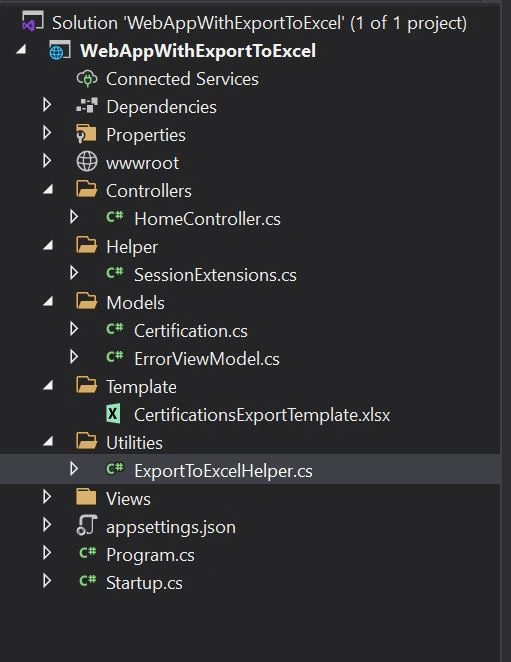
nikiePosted Jul 27, 2022, 2:16 PM
I tried to follow the steps mentioned but the download excel to browser is not happening. Is there any step that I am missing