

Introduction
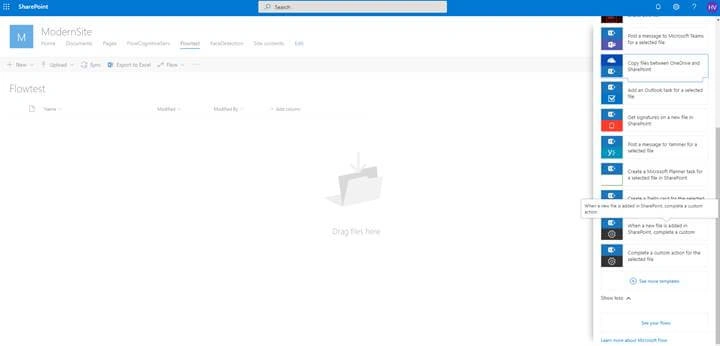
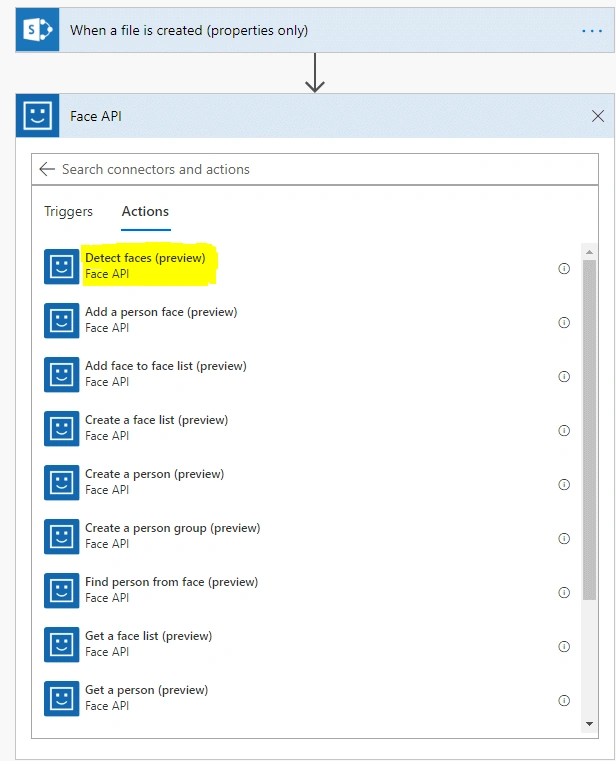
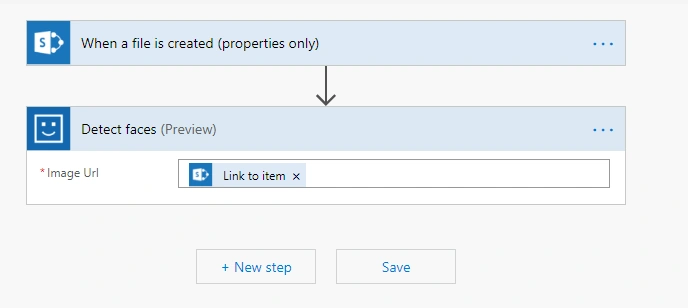
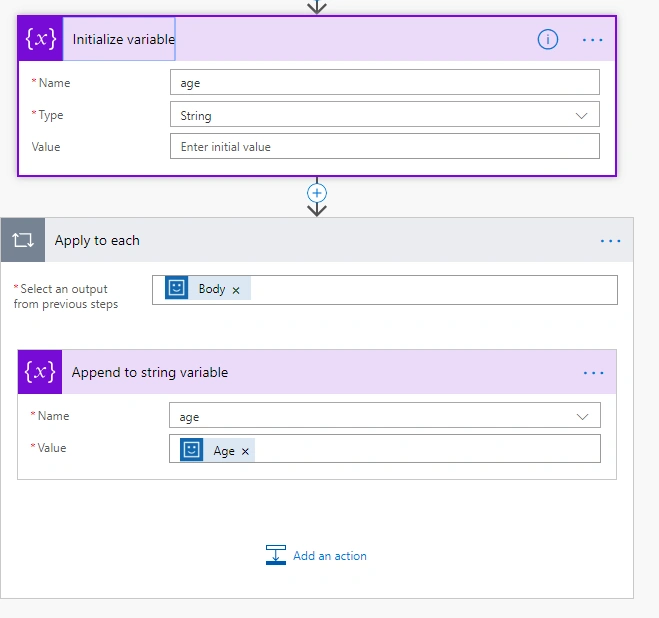
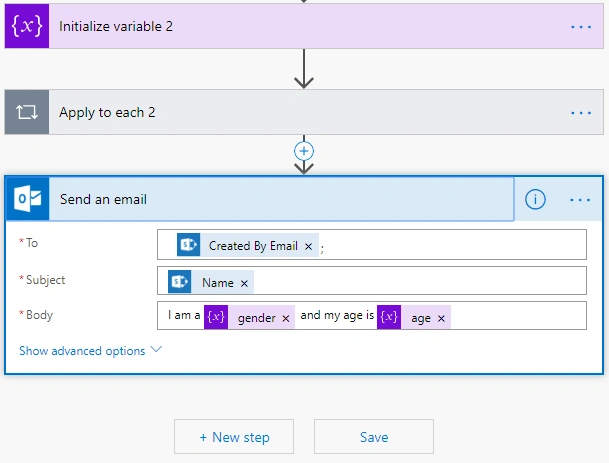
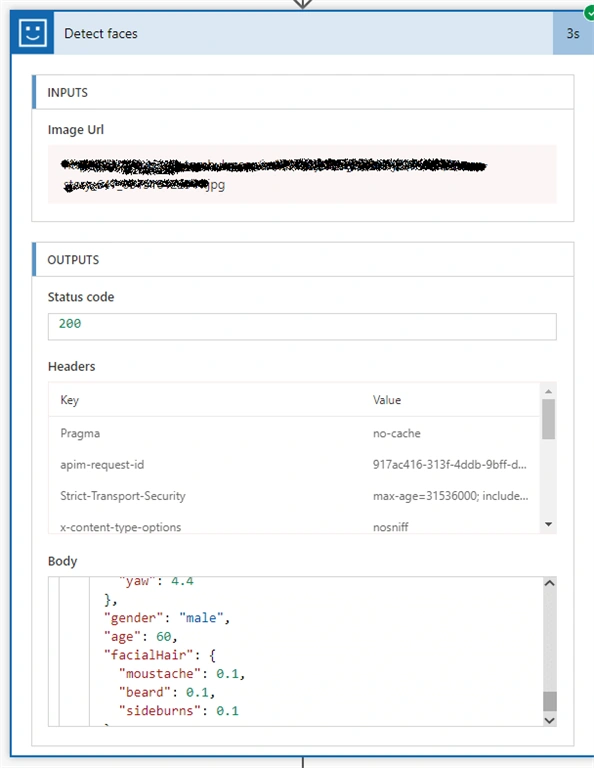
The Azure Cognitive Services Face API provides algorithms that are used to detect, recognize, and analyze human faces in images. The ability to process human face information is important in many different software scenarios. Example scenarios are security, natural user interface, image content analysis and management, mobile apps, and robotics. In this example, we will see that when a user uploads an image in the document library, the MS flow will be triggered and sends an email about the analysis of the image.
Steps to create the Face Api resource in Azure portal
If you do not have an Azure subscription, create a free account before you begin.
Step 1
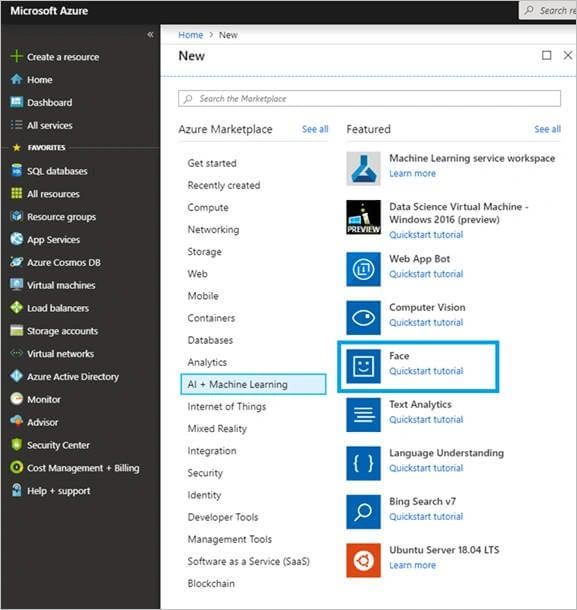
Login to your Azure account. Click "Ccreate a resource" and select “AI + Machine Learning”. Then, select “Face" as shown in the image.
Step 2
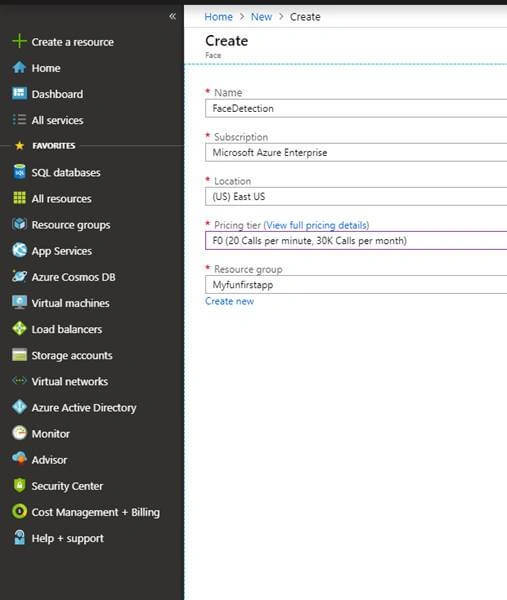
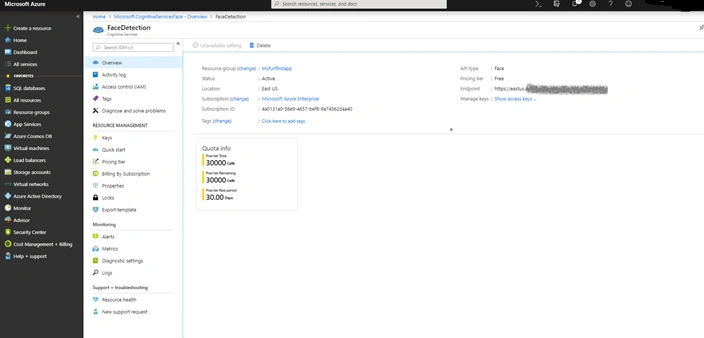
On the Create page, provide the following information.
| Name | A descriptive name for your cognitive services resource. For example Facedetection. |
| Subscription | Select one of your available Azure subscriptions. |
| Location | The location of your cognitive service instance. Different locations may introduce latency, but have no impact on the runtime availability of your resource. |
| Pricing tier | The cost of your Cognitive Services account depends on the options you choose and your usage. For more information, see the API pricing details. |
| Resource group | The Azure resource group that will contain your Cognitive Services resource. You can create a new group or add it to a pre-existing group. |

Shiv SharmaPosted Aug 23, 2019, 4:48 AM
Nice blog and well explained !!