

Introduction
In this article, we will build a FastAPI application that connects to PostgreSQL, providing a foundation for more complex applications. Building a web API that interacts with a database is a core task for modern developers. In this article, we’ll walk through a simple FastAPI application that connects to PostgreSQL and calls a PL/pgSQL function. The goal is to demonstrate how to create a database function, expose it via FastAPI endpoints, and handle the interactions safely and efficiently. We’ll use a small example—a function that adds two numbers—to illustrate the full workflow, from SQL creation to API calls. Along the way, we’ll highlight best practices such as parameterized queries, context-managed connections, input validation, and error handling. By following this example, you’ll gain a practical pattern for building database-backed FastAPI applications.
Tech Stack used:
Python 3.14
Postgres SQL
PgAdmin 4
UV package manager for Python
Set up Project Packages
In this step, do the following activities,
We will create a virtual environment.
Install the 'psycopg' package to interact with PostgreSQL and Fast API to run a REST API
Create the main.py file and follow along.
If the uv package manager doesn't exists, use the command to set it up - pip install uv
uv venv
uv pip install "psycopg[binary]" "fastapi[standard]"
Code Walkthrough
Part 1: Basic Ping Test
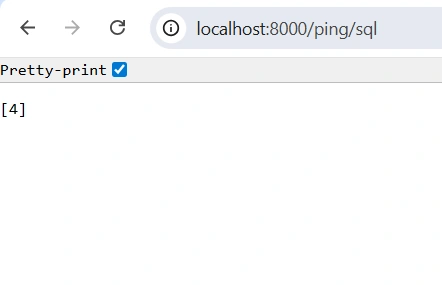
This FastAPI code defines a simple API with a single endpoint, /ping/sql. It first loads environment variables using dotenv to access the PostgreSQL connection string stored in PGCONNECTION. When the endpoint is called, it imports the psycopg module and establishes a connection to the database. Within the connection context, it opens a cursor to execute SQL commands. The code runs a basic query, SELECT 2+2, fetches the result using fetchone(), and assigns it to result. Finally, the endpoint returns this result as the API response, serving as a minimal SQL connectivity test through FastAPI.
from typing import Union
import os
from fastapi import FastAPI
from dotenv import load_dotenv

load_dotenv()
app = FastAPI()


@app.get("/ping/sql")
def ping_sql():
    result = None
    import psycopg

    # Connect to an existing database
    with psycopg.connect(os.getenv("PGCONNECTION")) as conn:

        # Open a cursor to perform database operations
        with conn.cursor() as cur:
             cur.execute("SELECT 2+2")
             result = cur.fetchone()
    return result
To start the application we will run below command
uv run fastapi dev main.pyOutput:
Takeaways:
Load environment variables (dotenv) for sensitive info like DB credentials.
Use psycopg to connect to PostgreSQL.
Execute a simple SQL query and fetch results.
Wrap DB operations in context managers (with) to automatically handle connections and cursors.
Essentially, it’s a “ping” endpoint to verify that your FastAPI app can talk to the database successfully.
Part 2: Template query string
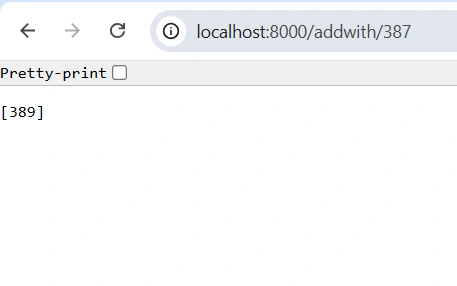
This FastAPI endpoint /addwith/{number} takes an integer from the URL, connects to PostgreSQL using psycopg, and executes a dynamic SQL query SELECT 2+{number} via a t-template string. It fetches the result with fetchone() and returns it, demonstrating safe database access and dynamic computation through an API.
@app.get("/addwith/{number}")
def add_with2(number: int):

    result = None
    # Note: the module name is psycopg, not psycopg3
    import psycopg

    # Connect to an existing database
    with psycopg.connect(os.getenv("PGCONNECTION")) as conn:

        # Open a cursor to perform database operations
        with conn.cursor() as cur:
             cur.execute(t"SELECT 2+{number}")
             result = cur.fetchone()
    return result
Output:
Takeaways:
Demonstrates dynamic query execution using t templates.
Handles DB connection and cursor safely using context managers.
Returns a simple computed value from the database via an API endpoint.
Part 3: Calling functions
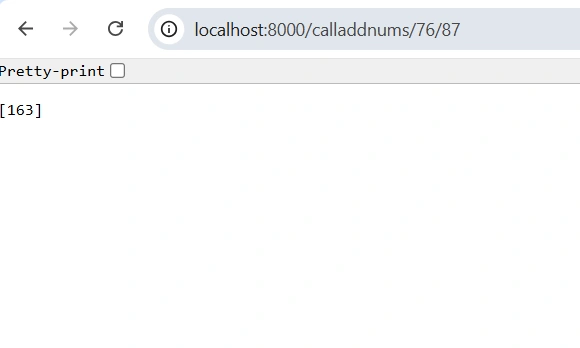
This FastAPI code defines an endpoint /calladdnums/{num1}/{num2} that takes two integers as path parameters. It constructs a template string query call_template to call a PostgreSQL function add_two_numbers with the given num1 and num2.
Execute below function using PgAdmin
CREATE OR REPLACE FUNCTION add_two_numbers(num1 integer, num2 integer)
RETURNS integer
LANGUAGE plpgsql
AS $$
BEGIN
	RETURN num1 + num2;
END;
$$;
Now call it via PG admin using below command to test:
SELECT * FROM add_two_numbers(1,2) #Result is 3Endpoint:
@app.get("/calladdnums/{num1}/{num2}")
def calladdnums(num1: int, num2: int):
    call_template = t" SELECT * FROM add_two_numbers({num1},{num2})"
    result = None
    import psycopg

    # Connect to an existing database
    with psycopg.connect(os.getenv("PGCONNECTION")) as conn:

        # Open a cursor to perform database operations
        with conn.cursor() as cur:
             cur.execute(call_template)
             result = cur.fetchone()
    return result
Output:
Takeaways:
Dynamic SQL with t Templates: The query uses a t-prefixed template string, which allows clean placeholders {num1} and {num2} instead of manual string concatenation.
Calling functions from python code.
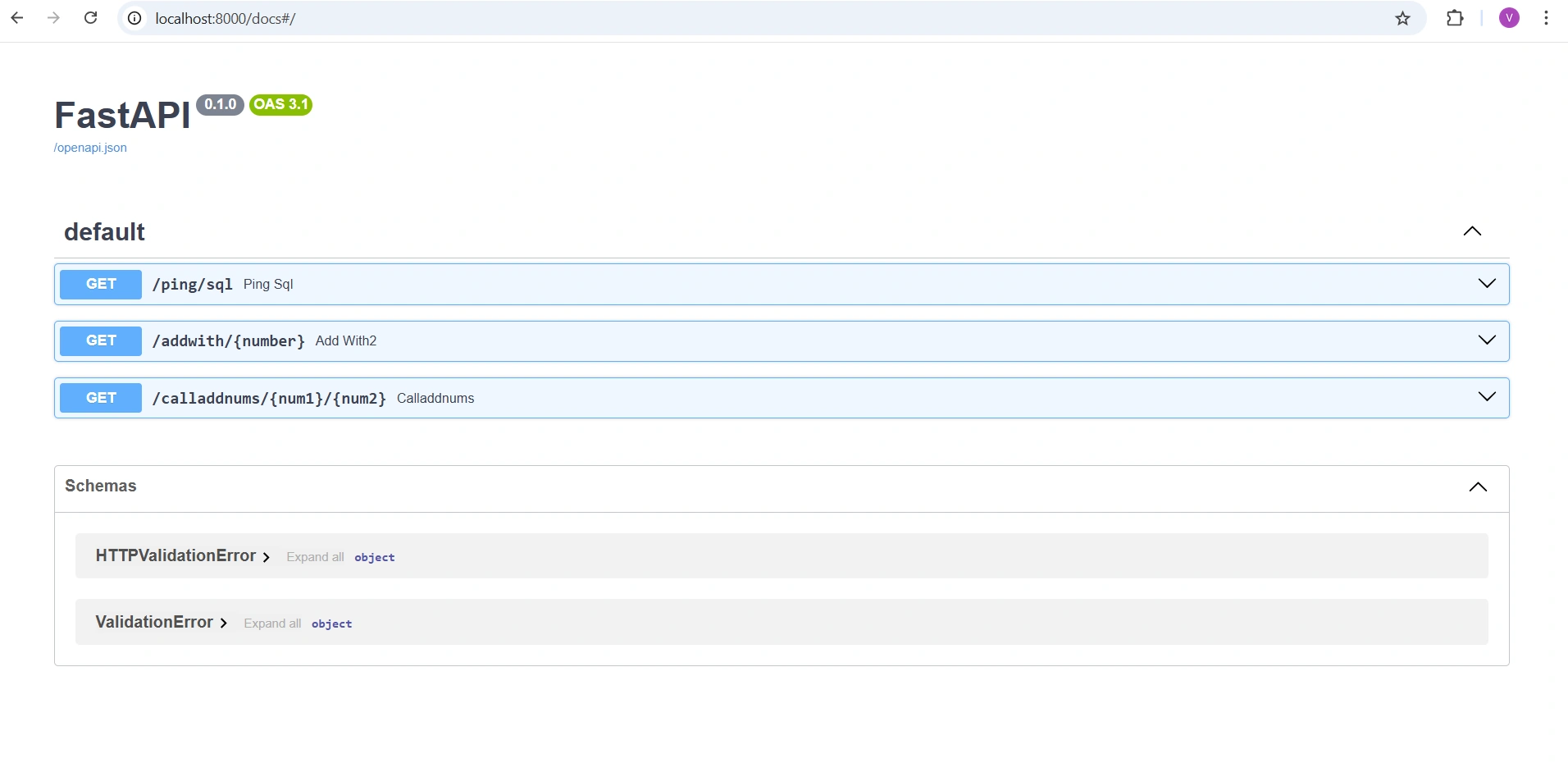
Open API docs:
That's it! Thanks for reading till the end.I hope this article was insightful.
Join the conversation! Your thoughts help the community grow.