
In this article I would like to share the procedure to find the Content DB name for a specific web application in SharePoint using Central Admin.
Procedure to find the Content DB name
Use the following procedure to find the Content DB name in SharePoint.
Step 1
Go to your Central Admin in your SharePoint server.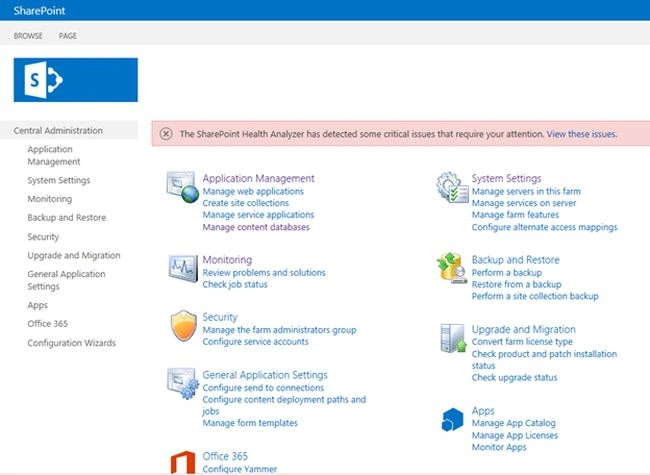
Step 2
Then click on the “Application Management” from the left navigation in your Central Admin as shown below: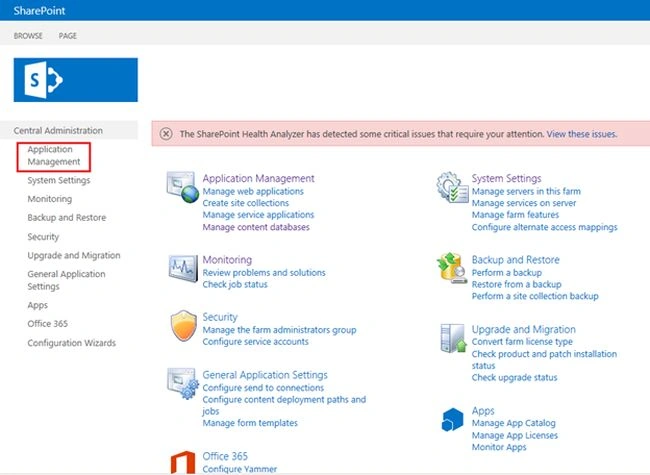
Step 3
On Application Management page select Manage content database from the “Databases” section.
Step 4
Then select the web application of which web application content database name you want.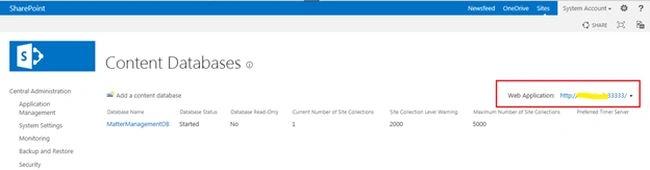
Finally you will get the Content Database name for the specific web application.}
Summary
In this article we explored how to find the Content Database name for a specific web application in SharePoint.

Join the conversation! Your thoughts help the community grow.