

Content:
According to MSDN The FORCESEEK table hint forces the query optimizer to use only an index seek operation as the access path to the data in the table or view referenced in the query.
Here we can use this table hint to override the default plan chosen by the query optimizer to avoid performance issues caused by an inefficient query plan. For example, if a plan contains table or index scan operators, and the corresponding tables cause a high number of reads during the execution of the query, as observed in the STATISTICS IO output, forcing an index seek operation may yield better query performance.
FORCESEEK applies to both clustered and nonclustered index seek operations.
We can specify it for any table or view in the FROM clause of a SELECT statement and in the FROM <table_source> clause of an UPDATE or DELETE statement.
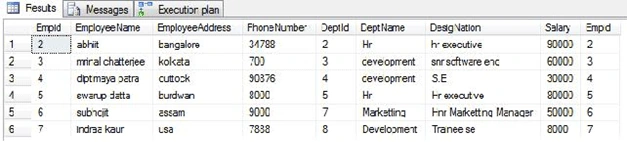
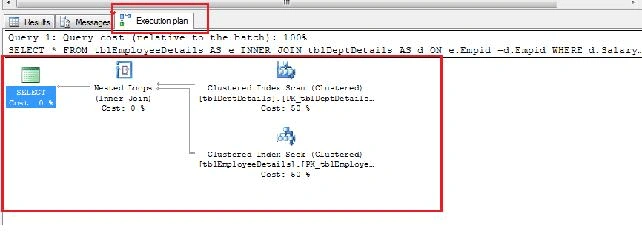
Now here I will show you an Example where I will show you a Forceseek with an Execution Plan.
Step 1:
Create a Database named "adventures work".
Step 2:
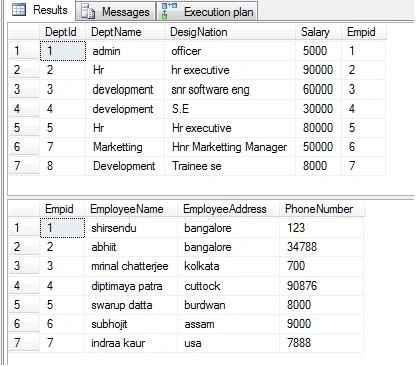
Now create two tables:
- tblEnployee details(EmpId,EmployeeName,EmployeeAddress,PhoneNumber)
- tblDeptDetails(DeptId,DeptName,Designation,salary,EmpId)

Join the conversation! Your thoughts help the community grow.