

Development Environment: Visual Studio 2026
Target Framework: .NET Core 10
Database: SQL Server
ORM: Dapper
Example Domain: Automobile Industry (Vehicles)
Introduction: What is Dapper and Why Use It?
When building high-performance Web APIs in .NET Core 10, one key decision you’ll make is how your application communicates with the database.
You likely know Entity Framework Core (EF Core) — a powerful full-featured ORM. But sometimes, especially in enterprise-grade or high-performance systems, you want something:
Faster
Lightweight
More SQL-controlled
Less abstraction
That’s where Dapper comes in.
What is Dapper?
Dapper is a micro-ORM built by the Stack Overflow team. It extends IDbConnection and maps query results directly to C# objects with minimal overhead.
It doesn’t generate SQL for you.
It doesn’t track changes.
It doesn’t manage migrations.
It simply executes SQL efficiently and maps results.
Dapper vs Entity Framework
| Feature | Dapper | EF Core |
|---|---|---|
| Performance | Very Fast | Moderate |
| Abstraction | Minimal | High |
| SQL Control | Full Control | LINQ-based |
| Change Tracking | No | Yes |
| Best For | High-performance APIs | Complex business logic |
If you're building scalable APIs for business systems — like an Automobile Industry platform managing Manufacturers and Vehicles — Dapper gives you precision and performance.
Think of EF Core as an automatic car.
Dapper? A manual transmission sports car.
Step 1: Installing Dapper in Visual Studio 2026
Option 1: Using Package Manager Console
Open Visual Studio 2026
Go to:
Tools → NuGet Package Manager → Package Manager ConsoleRun:
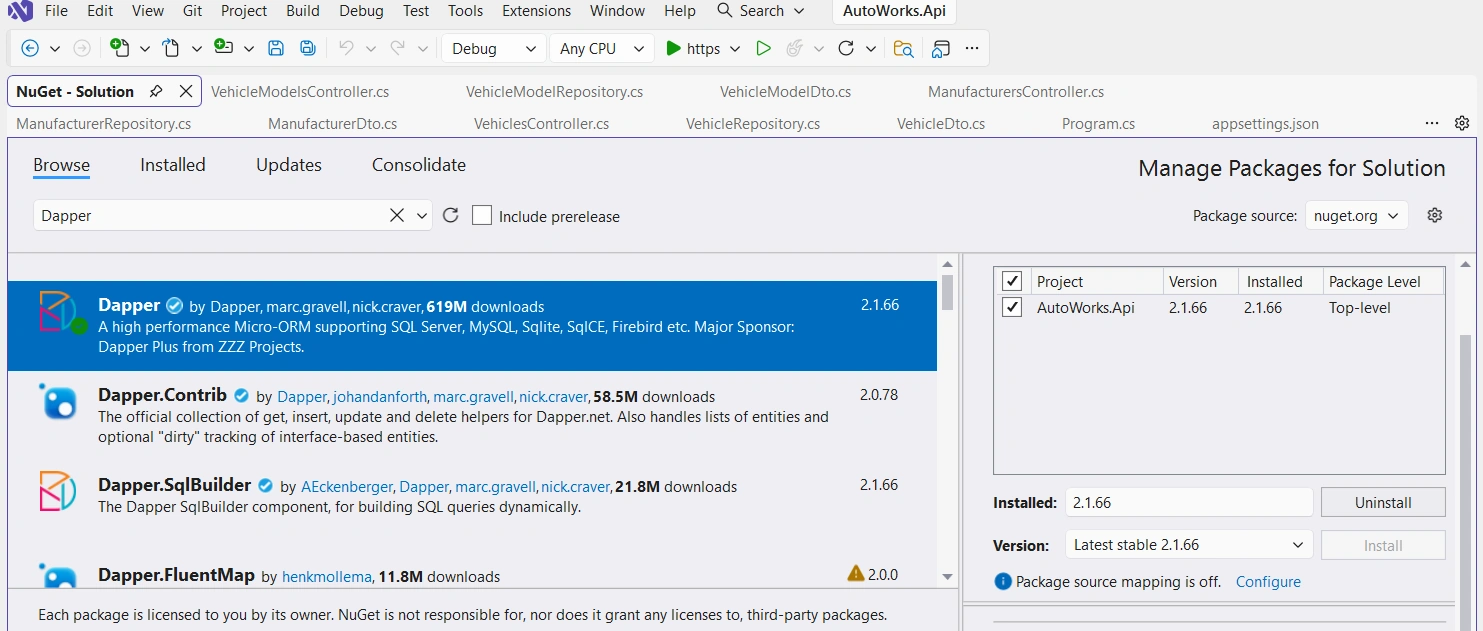
Install-Package DapperOption 2: Using NuGet GUI
Right-click your project
Select Manage NuGet Packages
Search for Dapper
Click Install
That’s it. Dapper is now part of your project.
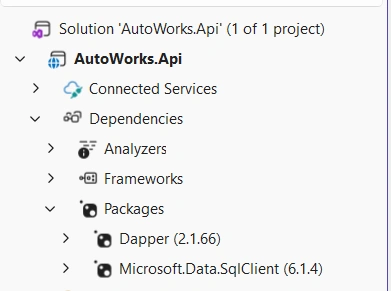
If it is installed you can see in the Dependencies → Packages section under Solution Explorer window in Vs2026
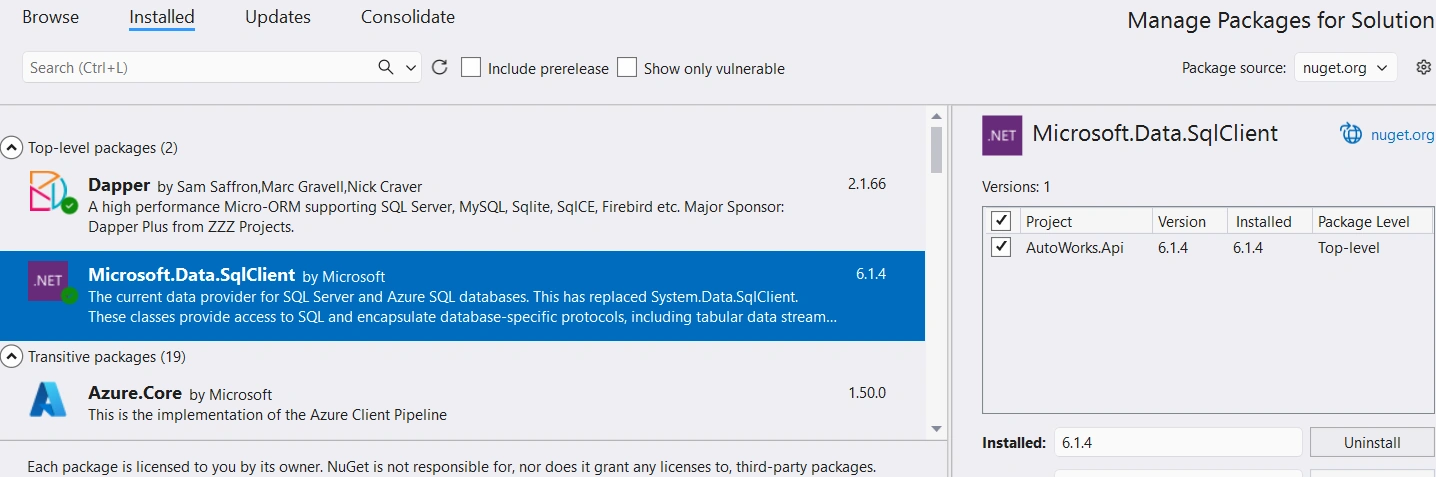
Another nuget package is needed to install that is Microsoft.Data.SqlClient:
Dapper is not a database driver, in the other hand SQL Server needs a specific ADO.NET provider for that.
For SQL Server, the ADO.NET provider is SqlConnection.
In modern .NET Core LTS (8, 10) or STS( 9),
SqlConnectioncomes from theMicrosoft.Data.SqlClientpackage.
Without this package, your code like:
using var connection = new SqlConnection(connectionString);will not compile, because SqlConnection won’t exist. Because SqlConnection built-in method comes under this nuget package.
Step 2: Configure SQL Server Connection String
Open appsettings.json.
{
  "ConnectionStrings": {
    "AutoWorksDb": "Server=YourServerName;Database=YourDb;Trusted_Connection=True;TrustServerCertificate=True;"
  }
}
Explanation
Server=localhost→ SQL Server instanceDatabase=AutoWorksDb→ Your database nameTrusted_Connection=True→ Windows authenticationTrustServerCertificate=True→ Avoid SSL validation issues locally
Step 3: Register IDbConnection in Program.cs
Dapper works with IDbConnection.
We must register it in the dependency injection container.
Program.cs:
using System.Data;
using AutoWorks.Api.Repositories;
using Microsoft.Data.SqlClient;

var builder = WebApplication.CreateBuilder(args);

builder.Services.AddControllers();
builder.Services.AddEndpointsApiExplorer();

builder.Services.AddScoped<IDbConnection>(sp =>
    new SqlConnection(builder.Configuration.GetConnectionString("AutoWorksDb")));       //  Give your own Db name

builder.Services.AddScoped<ManufacturerRepository>();
builder.Services.AddScoped<VehicleModelRepository>();
builder.Services.AddScoped<VehicleRepository>();

var app = builder.Build();

app.UseHttpsRedirection();
app.UseAuthorization();
app.MapControllers();

app.Run();
Why AddScoped?
Each HTTP request gets its own database connection.
Never use AddSingleton for IDbConnection
It causes concurrency issues and broken connections.
Step 4: Creating DTOs for Vehicles
DTOs (Data Transfer Objects) protect your domain and control what enters/leaves your API.
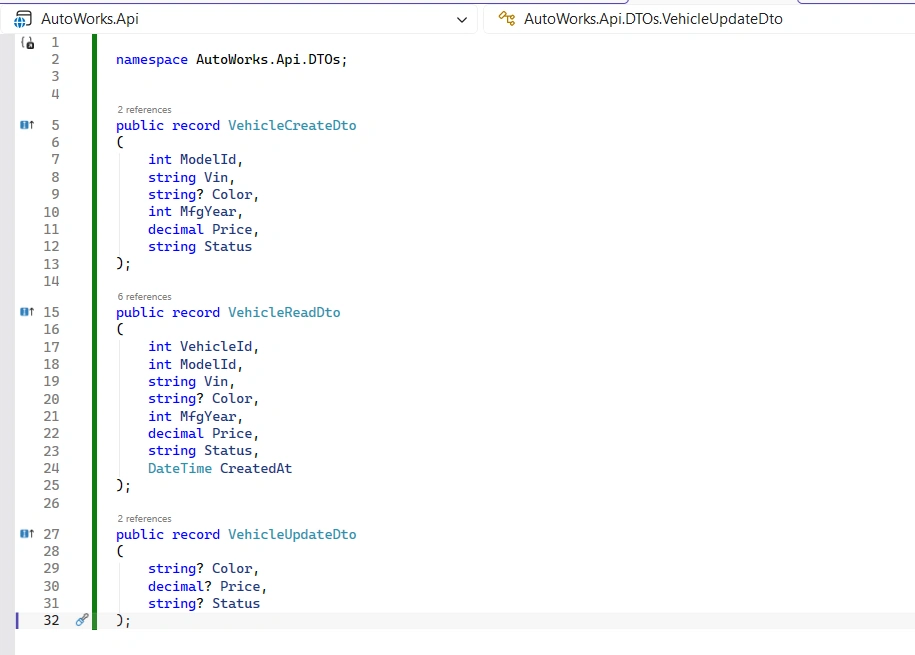
Using record keeps the code clean and immutable.
Step 5: Building VehicleRepository with Dapper
This is where Dapper shines.
VehicleRepository.cs
using Dapper;
using System.Data;
using AutoWorks.Api.DTOs;

namespace AutoWorks.Api.Repositories;

public class VehicleRepository
{
    private readonly IDbConnection _db;

    public VehicleRepository(IDbConnection db)
    {
        _db = db;
    }

    public async Task<IEnumerable<VehicleReadDto>> GetAllAsync()
    {
        var sql = """
            SELECT VehicleId, VehicleModelId, VIN, Year, Price, CreatedAt
            FROM Vehicles
            ORDER BY VehicleId DESC;
        """;

        return await _db.QueryAsync<VehicleReadDto>(sql);
    }

    public async Task<VehicleReadDto?> GetByIdAsync(int id)
    {
        var sql = """
            SELECT VehicleId, VehicleModelId, VIN, Year, Price, CreatedAt
            FROM Vehicles
            WHERE VehicleId = @id;
        """;

        return await _db.QueryFirstOrDefaultAsync<VehicleReadDto>(sql, new { id });
    }

    public async Task<int> CreateAsync(VehicleCreateDto dto)
    {
        var sql = """
            INSERT INTO Vehicles(VehicleModelId, VIN, Year, Price)
            OUTPUT INSERTED.VehicleId
            VALUES(@VehicleModelId, @VIN, @Year, @Price);
        """;

        return await _db.ExecuteScalarAsync<int>(sql, dto);
    }

    public async Task<bool> UpdateAsync(int id, VehicleUpdateDto dto)
    {
        var sql = """
            UPDATE Vehicles
            SET VehicleModelId = COALESCE(@VehicleModelId, VehicleModelId),
                VIN = COALESCE(@VIN, VIN),
                Year = COALESCE(@Year, Year),
                Price = COALESCE(@Price, Price)
            WHERE VehicleId = @id;
        """;

        var rows = await _db.ExecuteAsync(sql, new
        {
            id,
            dto.VehicleModelId,
            dto.VIN,
            dto.Year,
            dto.Price
        });

        return rows > 0;
    }

    public async Task<bool> DeleteAsync(int id)
    {
        var sql = "DELETE FROM Vehicles WHERE VehicleId = @id;";
        var rows = await _db.ExecuteAsync(sql, new { id });
        return rows > 0;
    }
}
Notice how:
SQL is explicit
Performance is predictable
No tracking overhead exists
Step 6: Creating VehiclesController
VehiclesController.cs
using Microsoft.AspNetCore.Mvc;
using AutoWorks.Api.Repositories;
using AutoWorks.Api.DTOs;

namespace AutoWorks.Api.Controllers;

[ApiController]
[Route("api/[controller]")]
public class VehiclesController : ControllerBase
{
    private readonly VehicleRepository _repo;

    public VehiclesController(VehicleRepository repo)
    {
        _repo = repo;
    }

    [HttpGet]
    public async Task<ActionResult<IEnumerable<VehicleReadDto>>> GetAll()
        => Ok(await _repo.GetAllAsync());

    [HttpGet("{id:int}")]
    public async Task<ActionResult<VehicleReadDto>> GetById(int id)
    {
        var vehicle = await _repo.GetByIdAsync(id);
        return vehicle is null ? NotFound() : Ok(vehicle);
    }

    [HttpPost]
    public async Task<ActionResult> Create([FromBody] VehicleCreateDto dto)
    {
        var newId = await _repo.CreateAsync(dto);
        return CreatedAtAction(nameof(GetById), new { id = newId }, new { VehicleId = newId });
    }

    [HttpPut("{id:int}")]
    public async Task<ActionResult> Update(int id, [FromBody] VehicleUpdateDto dto)
        => await _repo.UpdateAsync(id, dto) ? NoContent() : NotFound();

    [HttpDelete("{id:int}")]
    public async Task<ActionResult> Delete(int id)
        => await _repo.DeleteAsync(id) ? NoContent() : NotFound();
}
You now have a clean, scalable REST API powered by Dapper.
Step 7: Example Postman Requests
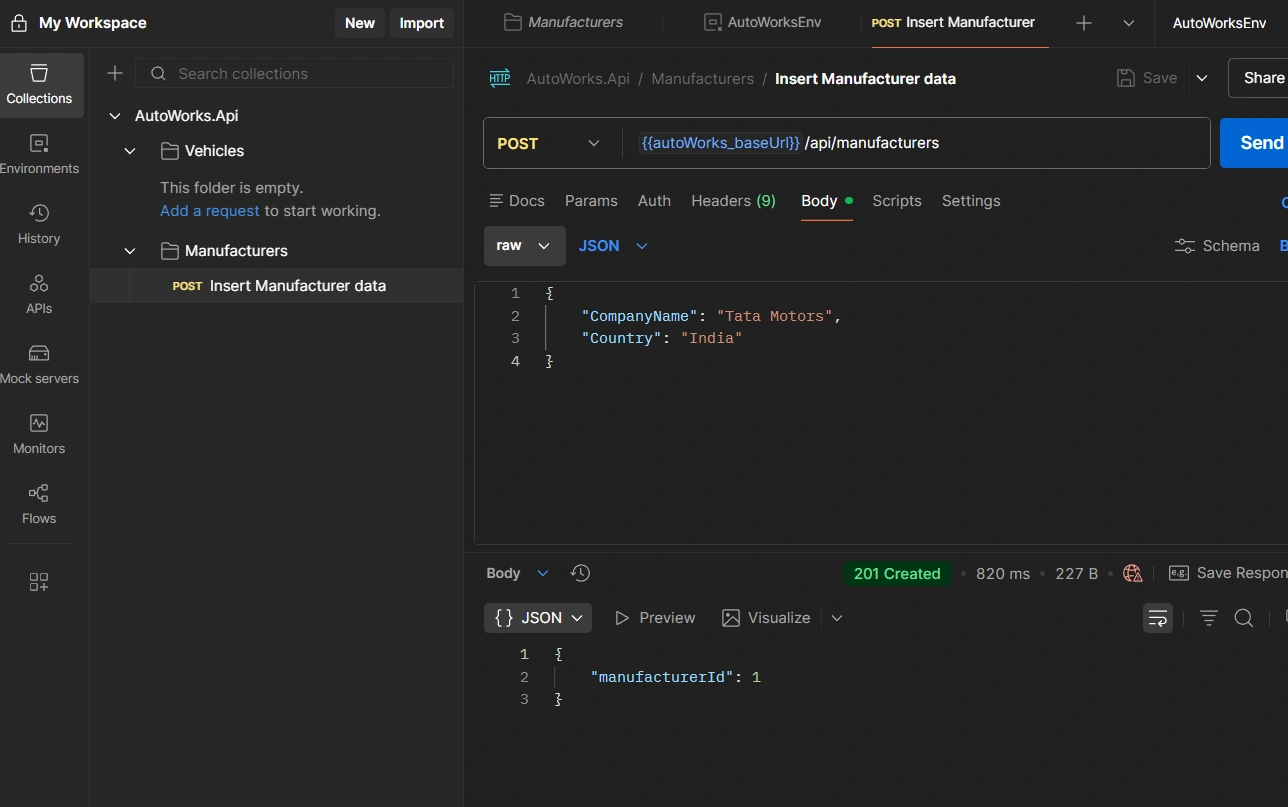
SQL Server Database:

Keep SQL in Repository Layer
Controllers should remain thin.
Repositories handle data access logic.
Final Thoughts
You now understand the foundation of Dapper with ASP.NET Core Web API (.NET Core 10):
Installing Dapper
Configuring SQL Server
Registering
IDbConnectionDesigning DTOs
Building repositories
Creating REST controllers
Testing with Postman
Applying best practices
This is the starting point for building:
High-performance enterprise APIs
Microservices
Scalable backend systems
Business-critical platforms
Master this foundation, and you gain precise control over performance, SQL execution, and architectural clarity.
In the world of modern backend development, Dapper isn’t just a tool — it’s a strategic choice.
Feel free to comment and ask if is there any questions.
Join the conversation! Your thoughts help the community grow.