

What is n8n?
n8n is a workflow automation platform with a drag-and-drop UI workflow builder and a click-and-publish feature. With UI builder, it becomes easier for anyone with a little bit of hands-on training to start building workflows. It also supports IT Ops, Sec Ops, and DevOps. It supports over 500 integrations, providing a rich ecosystem of components to support the technical team's Ops and other use cases.
n8n offers ultimate control
cost flexibility (self-hosting),
other tools provide easier setup, better governance, or specific ecosystem strengths, making the choice dependent on
user technical skill, budget,
required control.
n8n stands out as a powerful open-source automation tool.
Provides a rich interface for monitoring executions.
n8n for AI
n8n has a rich ecosystem of open-source integrations. It also offers AI-first workflow automation support. The configurations of LLM models in AI Agents are easy and predictable, so we can spin up AI Multi-Agent applications in less than 10 minutes. Given the broad community support, it also supports the Ollama provider, which allows us to run LLMs locally while meeting governance and data security requirements when combined with self-hosting. It has strong support for the Self-Hosted AI starter Kit.
The Self-Hosted AI Starter Kit provides a carefully curated and production-ready technology stack designed to simplify the development of private and scalable AI systems:
Self-hosted n8n – as we are discussing in this article.
Ollama – A cross-platform framework that allows you to easily download, run, and manage modern large language models locally. Ollama eliminates dependency on external APIs, making it ideal for privacy-focused, offline, or cost-sensitive AI applications.
Qdrant – An open-source, high-performance vector database optimized for similarity search and semantic retrieval. It provides a rich API for storing and querying embeddings, making it a strong choice for use cases such as RAG (Retrieval-Augmented Generation), recommendation systems, and semantic search.
PostgreSQL – A robust and widely trusted relational database that serves as the backbone for structured data storage. It ensures data consistency, reliability, and scalability, and integrates seamlessly with analytics, backend services, and AI pipelines.
Together, this stack offers everything needed to build secure, extensible, and enterprise-grade AI solutions while maintaining full ownership of data and infrastructure.
In this tutorial, we will quickly spin self-hosted n8n. This will help us to get familiar with n8n UI builder which can be a good starting point for us to expand on our learnings. We will also take a walkthrough of use case mentioned below.
Use case: Quickly build AI chatbot that takes input of current location, destination location, days of trip, trip start date and mode of travel. Output the travelling itinerary that is weather aware.
Outcome:
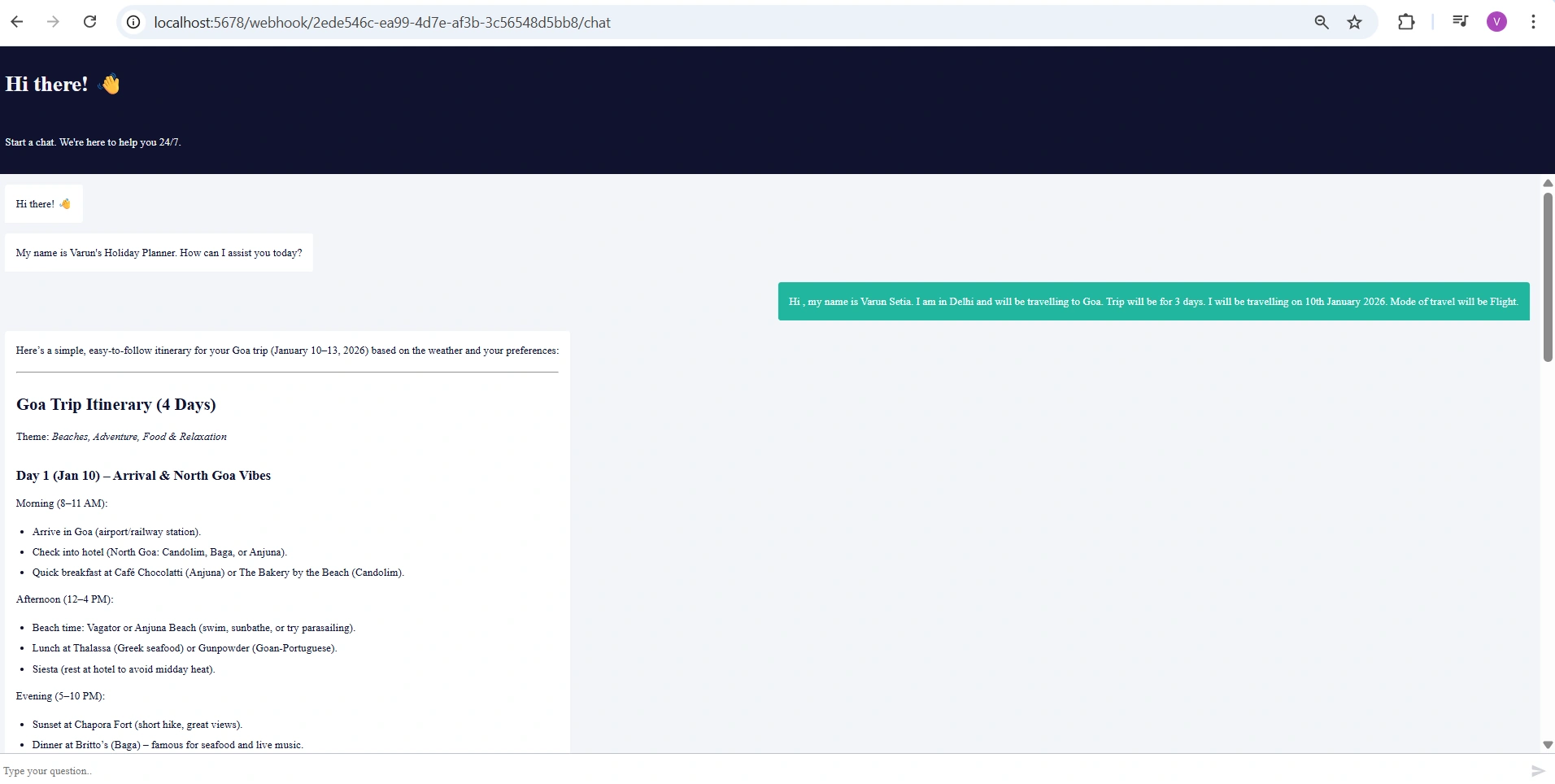
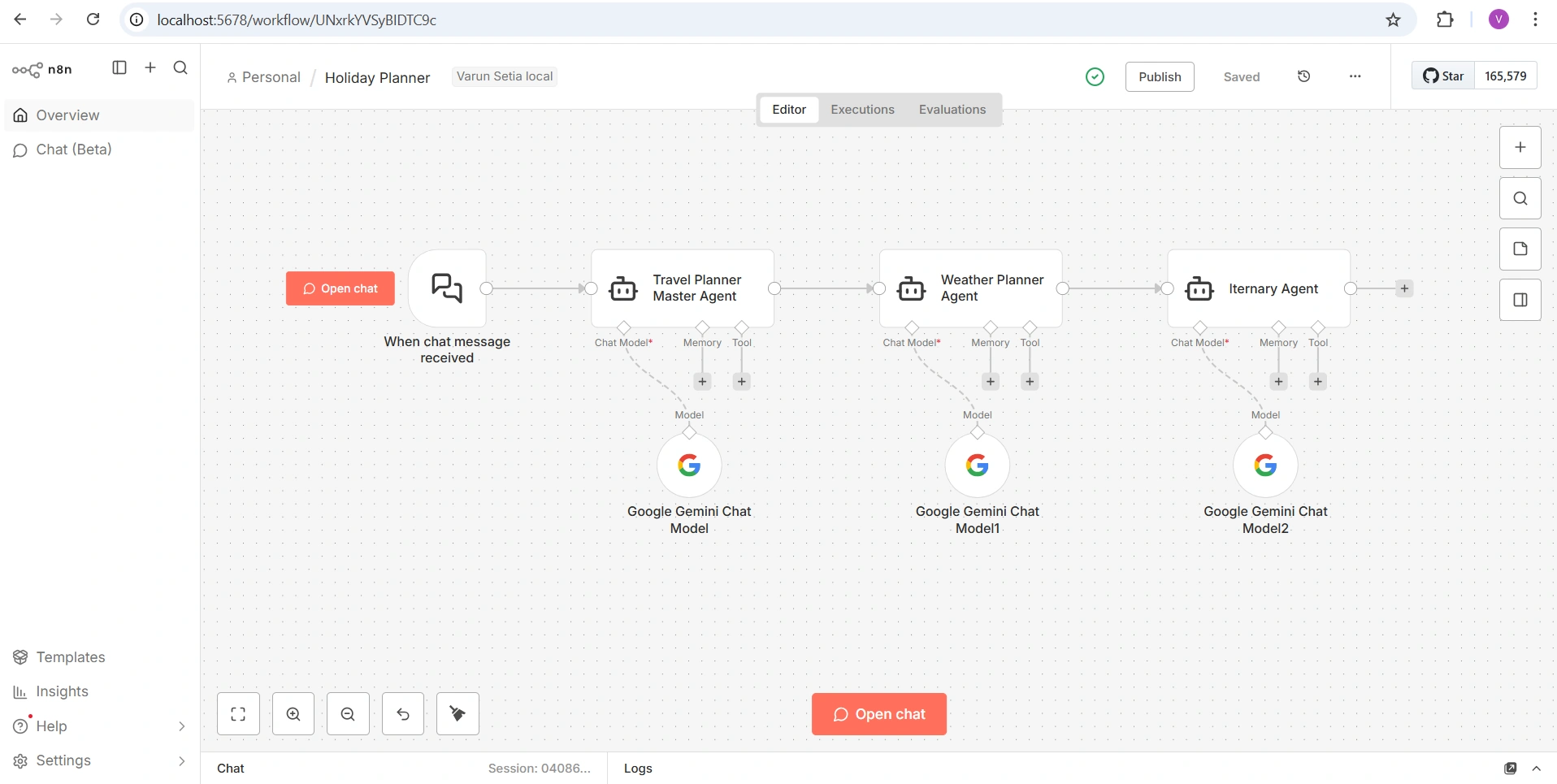
Approach: We will build holiday planner AI agent. This workflow demonstrates a clean multi-agent architecture where each agent has a single responsibility:
Trigger: Captures user input
Master Agent: Understands intent and orchestrates
Weather Agent: Adds environmental context
Itinerary Agent: Produces the final structured output
Workflow details:
This workflow represents a multi-agent AI workflow built using n8n, designed specifically as a Holiday Planner. The core idea behind this workflow is to break down a complex task—planning a holiday—into smaller, well-defined responsibilities handled by specialized AI agents. This modular approach improves clarity, accuracy, and scalability.
1. Entry Point: Chat Trigger
The workflow starts with the “When chat message received” node on the left. This is the trigger that activates the entire system whenever a user sends a message through the chat interface. Think of this as the front door of the application. Any user request such as “Hi , my name is Varun Setia. I am in Delhi and will be travelling to Goa. Trip will be for 3 days. I will be travelling on 10th January 2026. Mode of travel will be Flight.” enters the workflow from here.
This trigger ensures the system is event-driven, meaning it reacts instantly to user input rather than running on a schedule.
2. Travel Planner – Master Agent
The first processing node is the Travel Planner (Master Agent). This agent acts as the orchestrator of the workflow. Its responsibility is to understand the user’s intent at a high level. It analyzes inputs such as destination preferences, travel dates, budget constraints, number of travelers, and trip purpose (leisure, adventure, family, etc.).
This agent is connected to a Google Gemini Chat Model, which provides natural language understanding and reasoning capabilities. Based on the analysis, the Master Agent decides what information is required next and how to delegate tasks to downstream agents. In short, it answers the question: “What kind of trip does the user want, and what information do we need to build it?”
3. Weather Planner Agent
Once the core travel requirements are identified, the workflow moves to the Weather Planner Agent. This agent specializes in evaluating weather conditions for the chosen destination and time period. Weather plays a critical role in travel planning, as it impacts packing lists, activity choices, and even destination suitability.
The Weather Planner also uses a Google Gemini Chat Model to reason about seasonal patterns, climate suitability, and potential weather risks. For example, it can flag monsoon seasons, extreme heat, or cold periods and suggest alternatives or precautions. This ensures the travel plan is not just exciting but also practical.
4. Itinerary Agent
The final processing node is the Itinerary Agent, which is responsible for creating a day-by-day travel plan. Using the outputs from both the Travel Planner and Weather Planner, this agent structures the trip into activities, sightseeing schedules, rest days, and travel logistics.
Again, a Google Gemini Chat Model powers this agent, enabling it to generate coherent, human-like itineraries. The itinerary can include recommendations such as local attractions, optimal visit times, and balanced pacing—avoiding overpacked schedules.
Final Workflow:
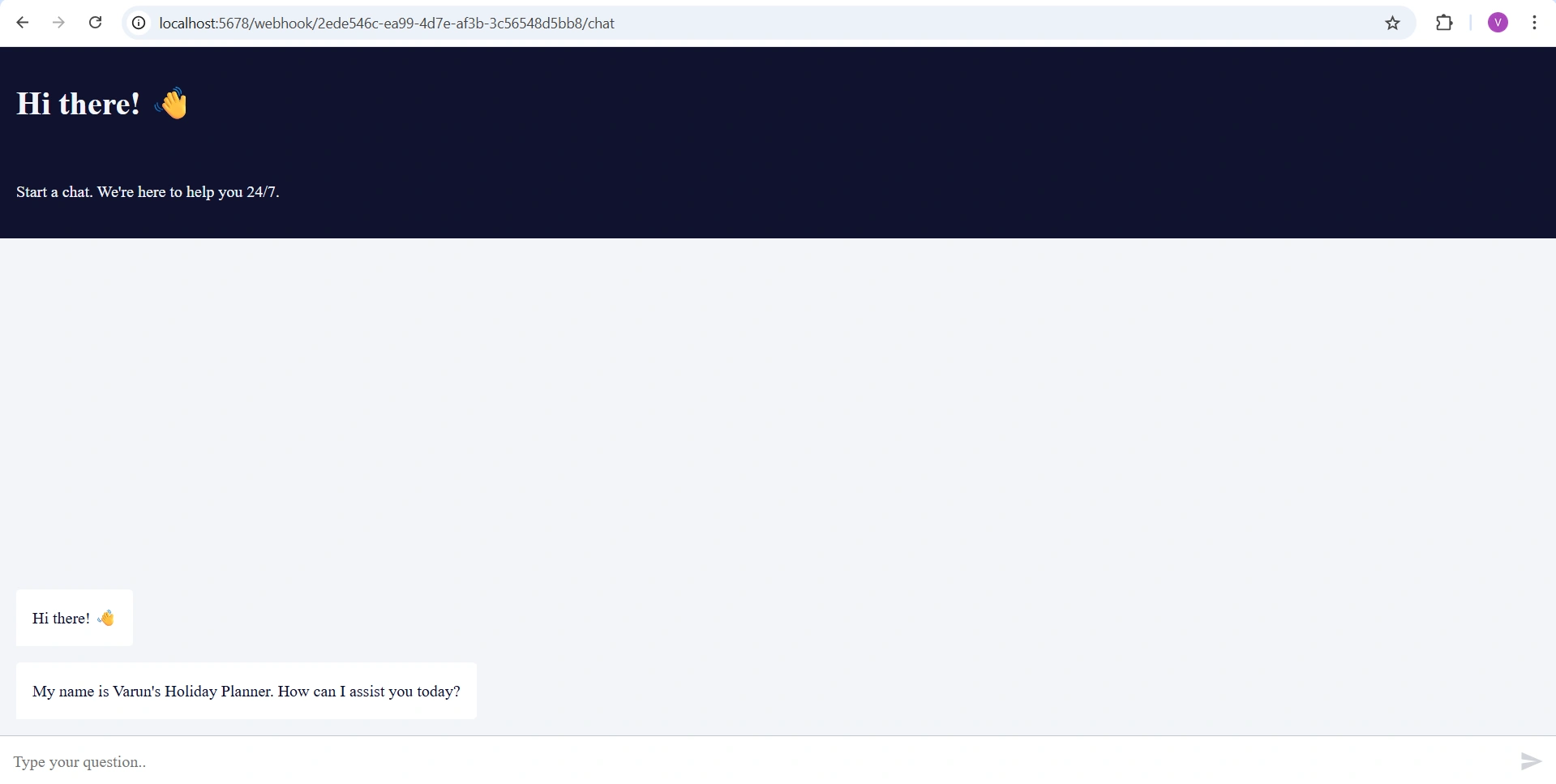
Published UI:
Walkthrough
Spin up n8n instance locally using node js. Run command
npx n8nNow run localhost url to access n8n dashboard – http://localhost:5678/
At first time access it will ask to setup owner account. You can fill in the details as per your preference.
Now we will build workflow. Follow along the video and if you get stuck feel free to mention comment and I will guide you along the way.
Key Takeaways
n8n delivers speed with comfort: The Holiday Planner multi-agent AI was built in under 10 minutes, highlighting how comfortable and intuitive the n8n UI is. The drag-and-drop workflow builder removes cognitive overhead, allowing you to focus on logic and outcomes rather than plumbing and boilerplate.
High value with minimal setup effort: With just a few nodes and clear agent responsibilities, you can create a fully functional, AI-driven application. This demonstrates the strong value n8n provides—complex AI orchestration without complex configuration.
AI-first workflows feel natural, not forced: n8n’s native AI agent support makes multi-agent design predictable and easy to reason about. Configuring LLMs and chaining agents feels like a natural extension of workflow automation rather than an added layer of complexity.
Self-hosting adds control without sacrificing ease: Even when running locally with a simple npx n8n command, you get an enterprise-grade experience—monitoring, execution history, and governance—without operational friction.
Clear productivity gains for teams and individuals: The ability to go from zero to a working AI solution in minutes proves that n8n significantly boosts productivity. It lowers the barrier to experimentation while still being robust enough for real-world, production use cases.
Thank you for reading till the end and watching the video. I hope this was helpful.
Join the conversation! Your thoughts help the community grow.