

Introduction
For generating a PDF file, you need to use a PDF generator library.
Note: I will use the "iTextSharp.dll" as a PDF generator library. You can download it from:
1. Links
2. You can find it on the attached file in the "bin\Debug" folder of this article.
To explain this article, I will use the following procedure:
- Add a reference of the downloaded "iTextSharp.dll" to the Windows Forms Application.
- Write some code in the ".cs" file to generate the PDF file with some text for the button's Click event.
The following are the details of the preceding procedure.
Step 1
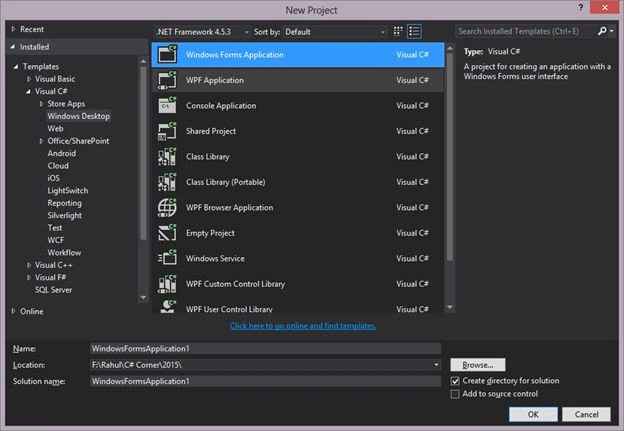
- Create a new Windows Forms Application named "WindowsFormsApplication1".
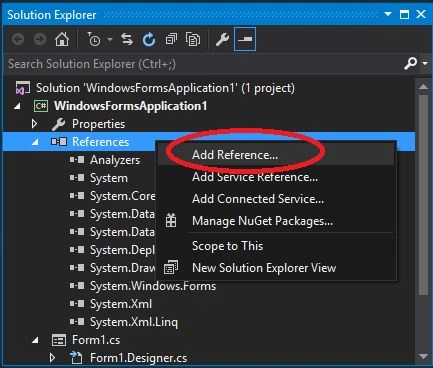
- Right-click on the "References" in the Solution Explorer and click on "Add Reference".
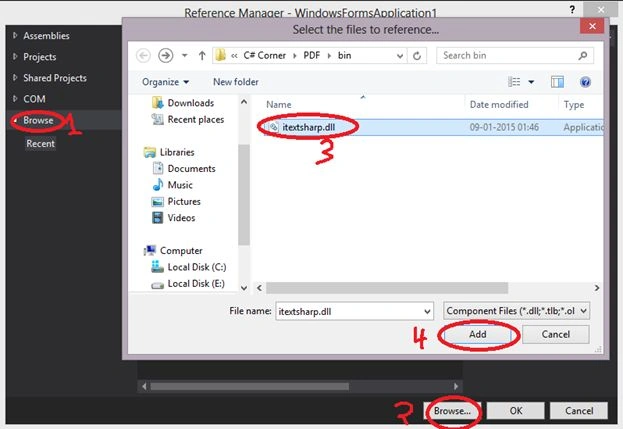
- Use the following sub-procedure in the "Reference Manager".
- Click on the the Browse tab on the left side.
- Click on the Browse button at the bottom.
- Select the "iTextSharp.dll" from the system.
- Click on the Add button.
Finally it will look like:
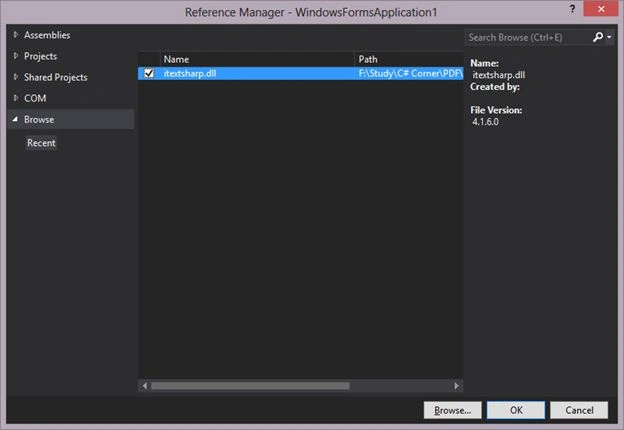
Now click on the "OK" button and in the "Solution Explorer" you will see that the "iTextSharp.dll" reference has been added.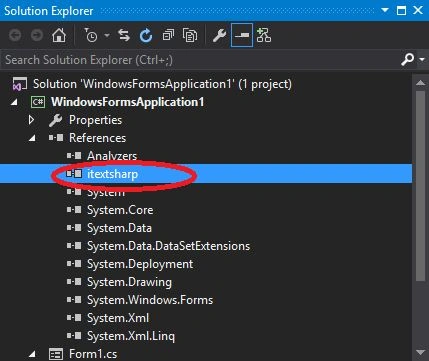
Step 2
- Add a button in the default form named "Form1" and make some changes like make text as "Generate PDF’ and increase the width and height of the button.

- Double-click on the button to generate an Onclick event (to generate the PDF) on the Form.
- Add the following 2 namespaces to the top of the ".cs" file:
- using iTextSharp.text;
- using iTextSharp.text.pdf;
- using System.IO;
- Write the code to generate the PDF file on the click event of the button:
- Document document = new Document();
- PdfWriter.GetInstance(document, new FileStream("E:/a.pdf", FileMode.Create));
- document.Open();
- Paragraph p = new Paragraph("Test");
- document.Add(p);
- document.Close();
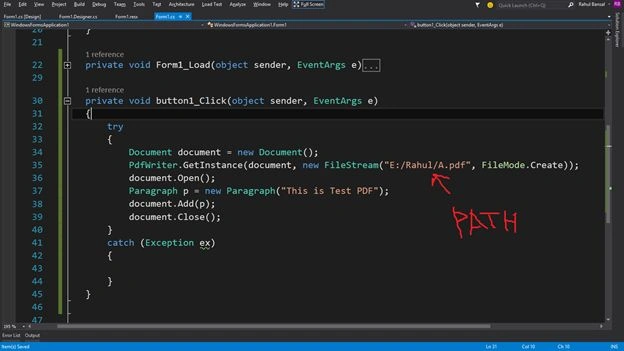
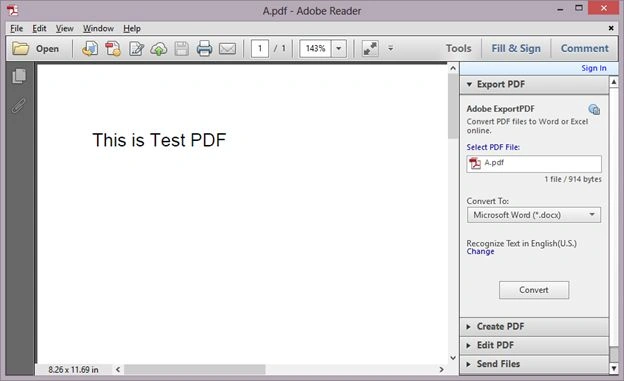
Note: You can provide any name for the generated file and any text that you want to print in the PDF file. For example here I provided "A.pdf" and the text as "This is test PDF" and the path also.
Step 3
- Run the page and it will be like:
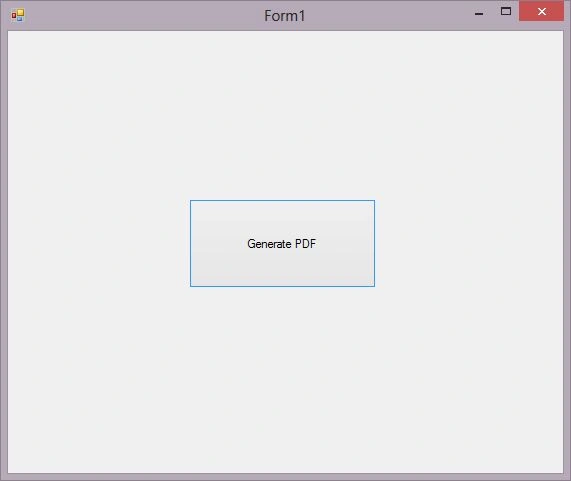
- Click on the "Generate PDF" button.
Result
- Follow the specified path and open the folder, you will see the PDF file.
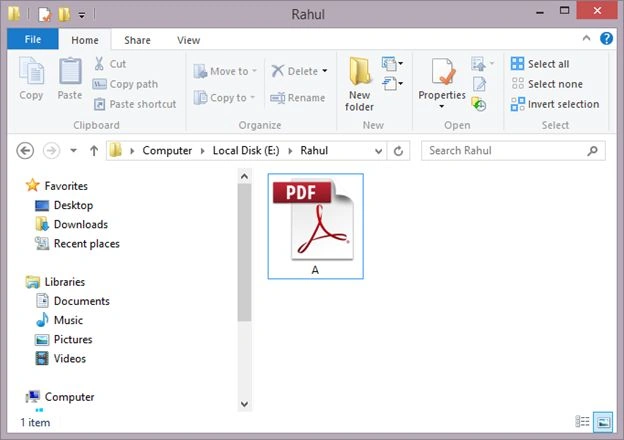
- Open the PDF file and see your text in the PDF file.
MANISH GUPTAPosted Apr 10, 2018, 7:16 AM
Rahul how can we use itextsharp in VB.net to save pdf in specific loacation, basically it shouls ask every time about folder locationg while saving?
MANISH GUPTAPosted Apr 10, 2018, 7:13 AM
H Rahul, Nice Article dear
sujit jhaPosted Mar 20, 2018, 11:21 PM
Document document = new Document(); PdfWriter.GetInstance(document, new FileStream("E:/a.pdf", FileMode.Create)); document.Open(); Paragraph p = new Paragraph(panel1); document.Add(p); document.Close(); can i use panel1 all value, LIKE=, lable, textbox, datagridview, button, etc
Adam ThilPosted Feb 14, 2018, 2:32 AM
ZetPDF.com can also be of help when converting
Peter HangPosted Feb 14, 2018, 2:29 AM
You can also try zetPDF.com for the fastest PDF SDK for .net applications
Bhavesh PatelPosted Apr 4, 2016, 6:37 AM
Thanks Bro. great article
Rahul BansalPosted Mar 9, 2015, 10:29 PM
Follow the article http://www.c-sharpcorner.com/UploadFile/a20beb/how-to-design-the-runtime-generated-pdf-via-html-code/
Joseph MarquezPosted Mar 9, 2015, 5:16 PM
Hi, How can I create a PDF file from the information of the form ?