

Introduction
In the ever-evolving landscape of software development, developers constantly seek innovative tools and technologies to boost their productivity and efficiency. One such groundbreaking advancement is Azure OpenAI Codex, a powerful language model that has revolutionized how developers generate code. With Codex, developers can now leverage the power of artificial intelligence to generate code based on prompts, significantly reducing development time and effort. In this article, we will explore the capabilities of Azure OpenAI Codex and delve into the approach for generating code with this remarkable tool.
Approach
-
Understanding the Power of Azure OpenAI Codex: Azure OpenAI Codex is built on OpenAI's GPT-3.5 architecture, which enables it to understand natural language prompts and generate human-like responses. It has been pre-trained on a vast corpus of text from the internet, including programming languages, documentation, and code repositories, making it a comprehensive source of knowledge for generating code. This immense training data empowers Codex to offer insightful suggestions, fix syntax errors, and even write complete code snippets based on the prompts it receives.
-
Providing Clear and Contextual Prompts: To generate code effectively with Codex, providing clear and context-rich prompts is crucial. Developers can frame their prompts as specific questions, explain the desired functionality, or describe the problem they are trying to solve. By including relevant details, such as programming language, framework, or specific requirements, developers can guide Codex to generate more accurate and tailored code solutions.
-
Iterative and Collaborative Development: Azure OpenAI Codex is designed to be a powerful assistant that collaborates with developers during the code-writing process. Instead of expecting a perfect output in a single attempt, developers can iteratively refine and improve the code generation by providing feedback to Codex. The model can learn from the feedback and adapt its responses accordingly, allowing developers to shape the code generation process to align with their requirements.
-
Enforcing Safety and Best Practices: While Azure OpenAI Codex is capable of generating high-quality code, it is essential to validate the output and enforce coding best practices. Developers should review and verify the generated code for security vulnerabilities, performance considerations, and maintainability. By combining the power of Codex with human expertise, developers can leverage its assistance to enhance code quality and adhere to industry standards.
-
Leveraging Integration and Customization: Azure OpenAI Codex provides seamless integration options that enable developers to incorporate it into their existing development workflows. It can be accessed through the OpenAI API, making it straightforward to integrate into various programming environments and tools. Moreover, developers can customize Codex's behavior by providing additional instructions or hints, further refining the generated code.
Development
Let's go over the steps to create an OpenAI account in Azure.
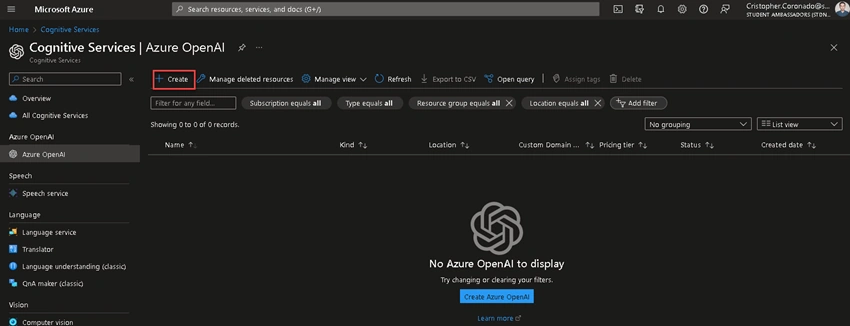
Search Azure OpenAI and create an account.
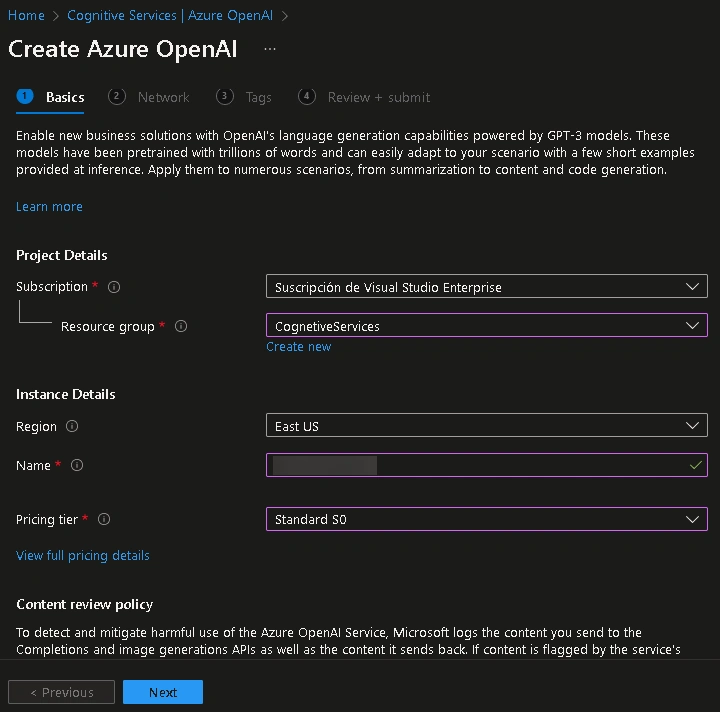
Choose the region and type the account name. Then click on Next until the final step and click on Create.
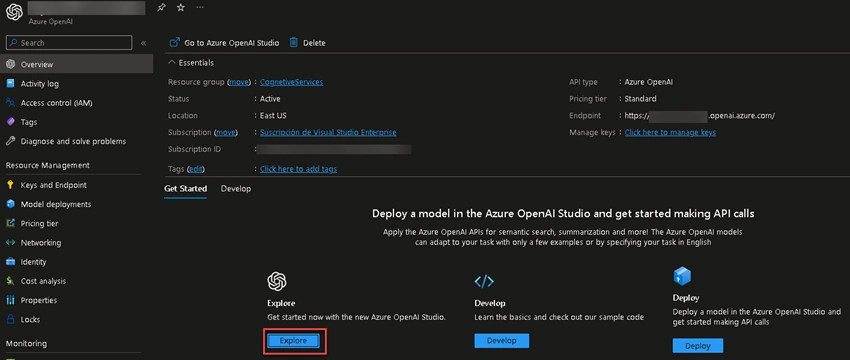
Once the account is created, you'll see the overview of your Azure OpenAI account. Click on Explore.
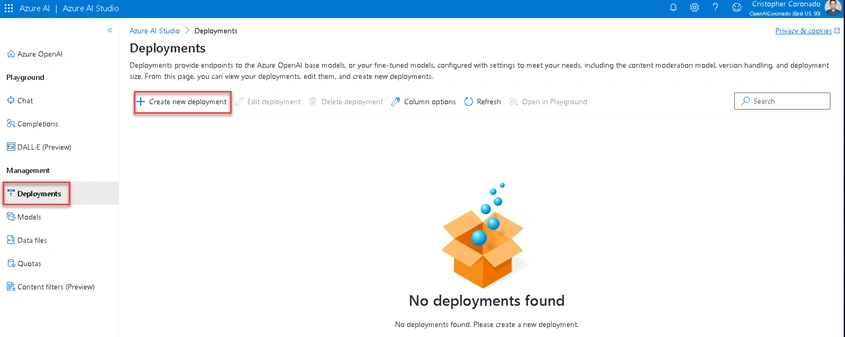
Another tab is opened; this is the Azure AI Studio. Click on Deployments from the left sidebar menu, then click on Create new deployment.
Since we will create a model to generate code, we can choose between code-davinci-002 and code-cushman-001 models. Both were the available Codex models at the time this article was written. After selecting the model, write a description and click on Create.
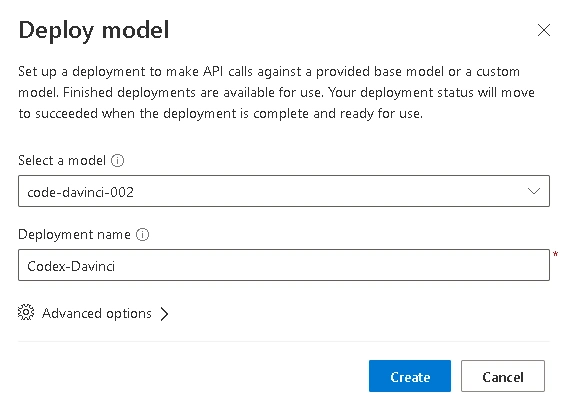
If you want to know more about the available models for deployment, check this documentation.
After you create the model, you'll see further details about it.

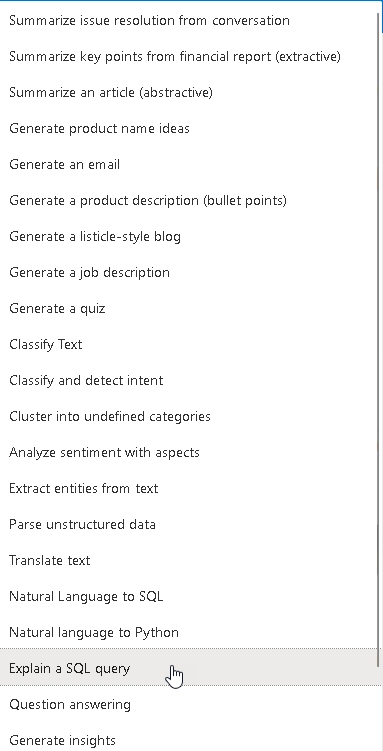
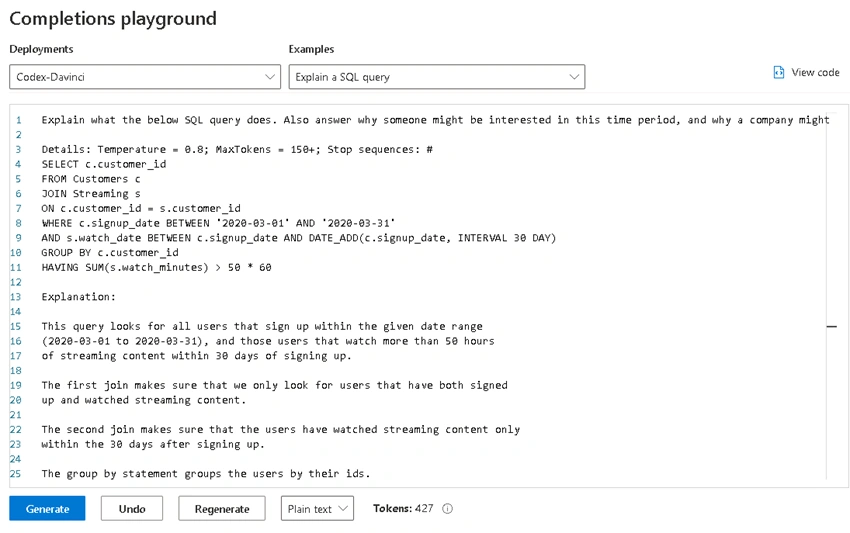
From the sidebar, go to Completions, then select the deployment you created earlier. On this page, you'll find a lot of examples to use here.
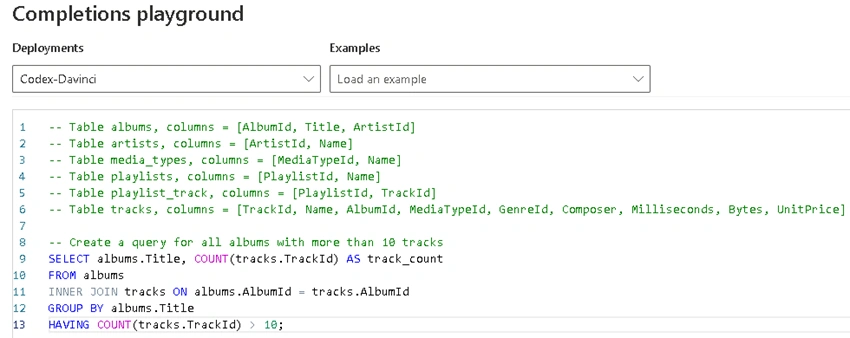
In this example, we're giving some tables names with their columns, and the task is to create a query to return all albums with more than 10 tracks. Notice that below the box prompt, you can apply a language format, for this example, SQL. The format isn't mandatory to apply.
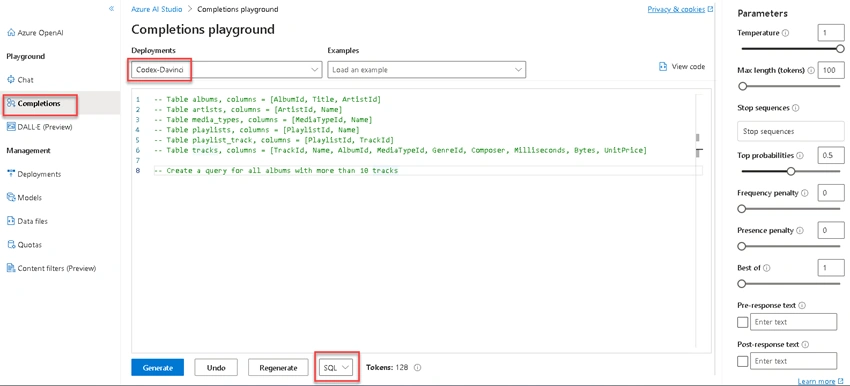
After you write the prompt, click on Generate. The result will be displayed below the prompt.
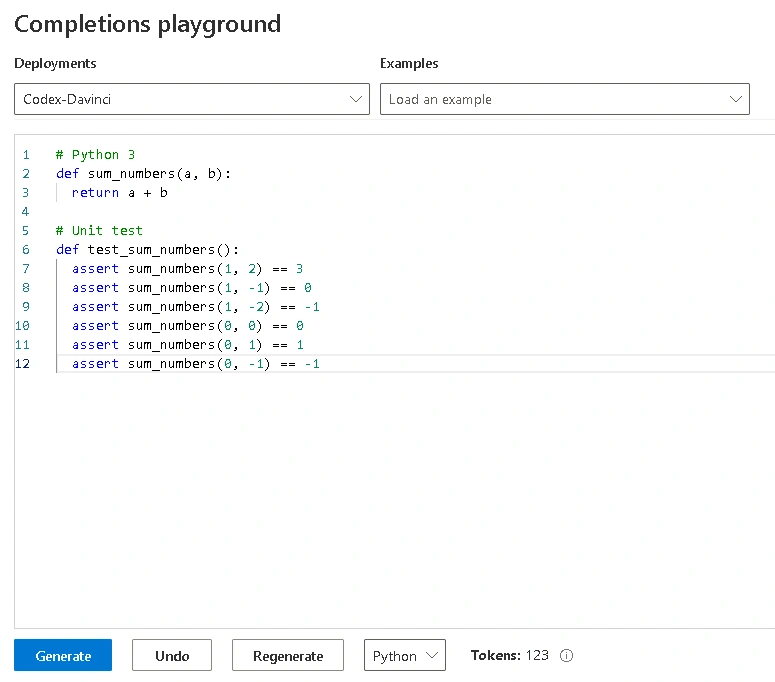
Let's go over more examples.
Join the conversation! Your thoughts help the community grow.