This article explains how to use or get started with the ASP.NET MVC Wrapper for Kendo UI.
In this article I will cover:
· How to use the ASP.NET MVC wrapper
· Adding the dropdown to a page
· Populating the dropdown with remote data
Requirements:
Visual Studio
At least MVC version 3
Getting into the core
Download and install the Kendo UI for ASP.NET MVC VsExtension
Create a Telerik ASP.NET MVC project as in the following:
- Open Visual Studio 2012 and create a new project.
- Select "File" -> "New" -> "Project...".
- Select Web in the installed templates and click Telerik ASP.NET MVC Application.
- Provide the name for the project and click OK as in Figure 1.
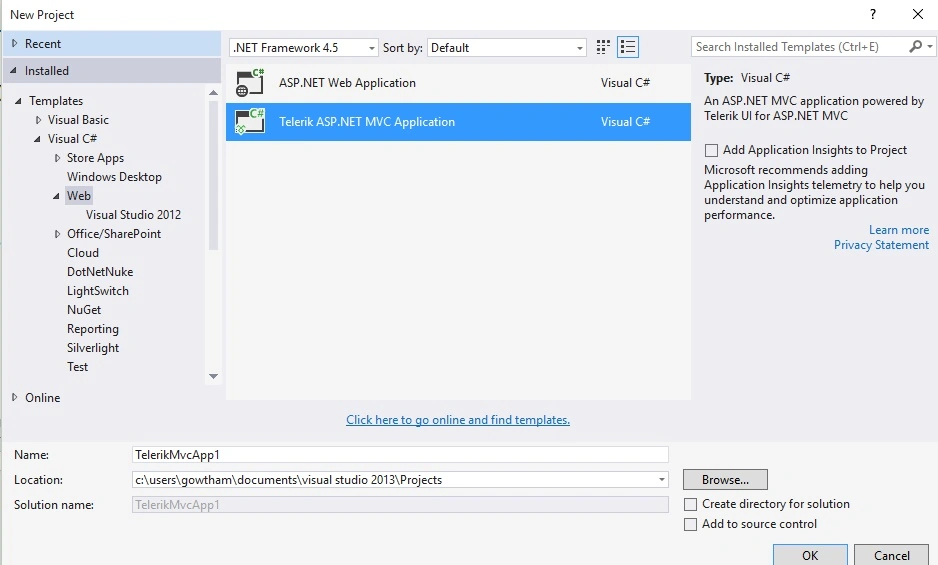
Figure 1
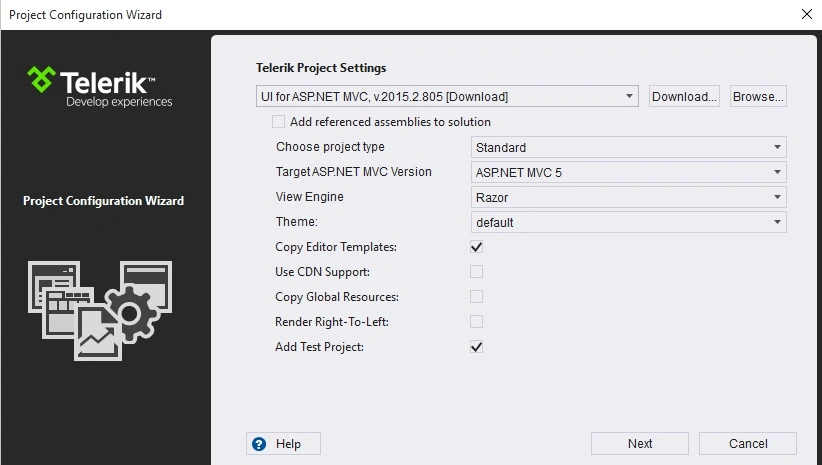
The Project Configuration wizard will open, from this wizard we can choose the ASP.NET MVC version, View Engine and the UI theme as shown in Figure 2
Figure 2
Now Visual Studio creates a project by copying the JavaScript libraries and CSS files with all the necessary configuration.
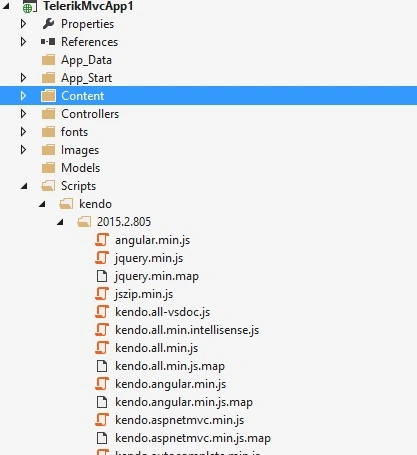
You can observe the Kendo UI related CSS and JavaScript files are added to the project as shown in Figures 3 & 4.
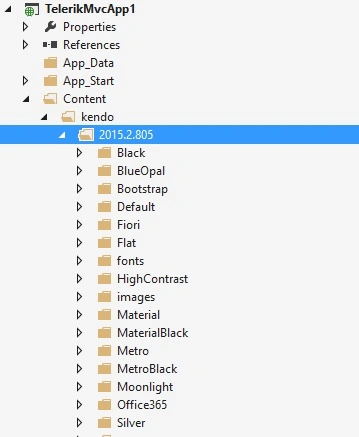
Figure 3
Figure 4
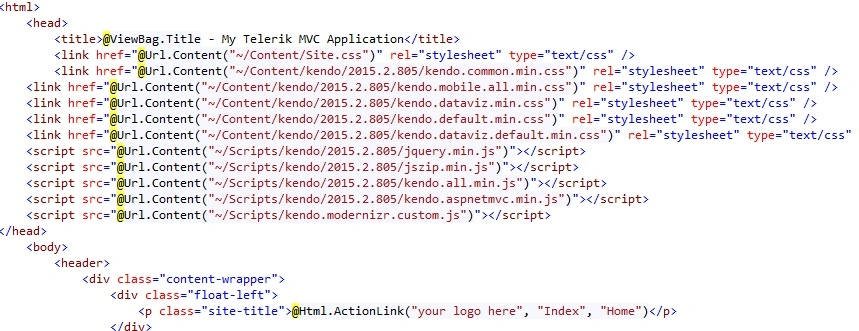
Just open the _Layout.cshtml page and have a look, you can observe all the necessary CSS and JavaScript file have been added to the page as shown in Figure 5.
Figure 5
By default you will have a Kendo UI panel bar in Home view as shown in Figure 6.
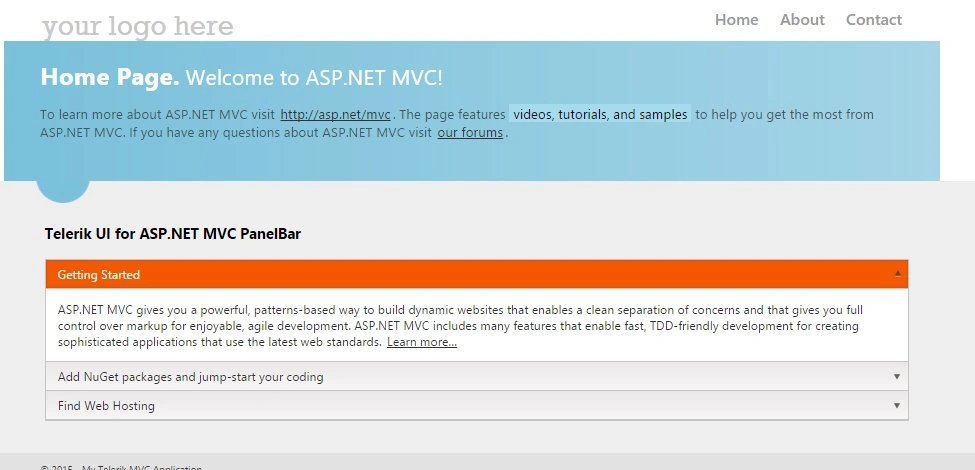
Figure 6
Adding dropdown to a page
The Kendo UI Wrappers are HTML helpers with a fluent API, in other words each method returns the instance of the widget.
Here is the code to implement the static dropdownlist in the Home view.
- @{
- var Item = new List<string>()
- {
- "item1","item2","item3"
- };
- }
- @Html.Kendo().DropDownList().Name("Items").BindTo(@Item)
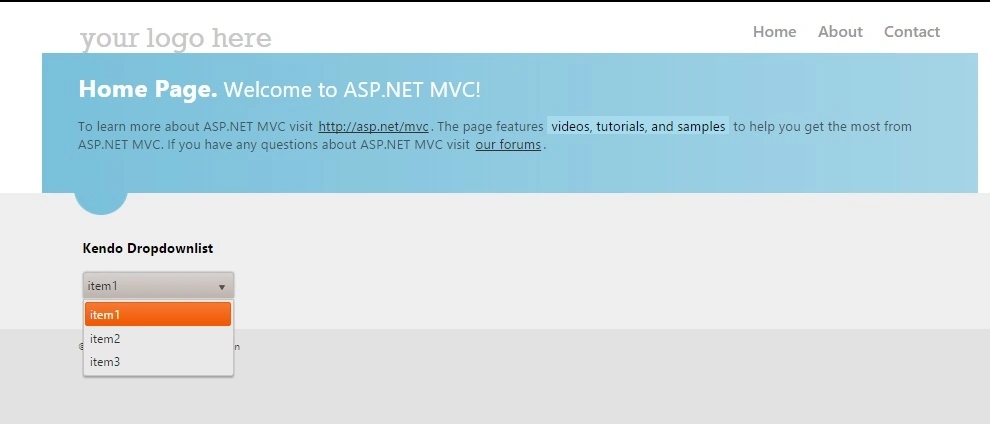
Run the application.
The results in a browser are as shown in Figure 7.
Figure 7
Populating the dropdown list using remote data source
Let’s start by adding the Entity Framework to the project.
I am using the Entity Framework with Database First approach, so the Entity Framework builds default model classes and context classes.
My database schema is as in Figure 8.
Figure 8
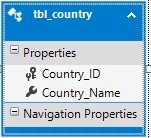
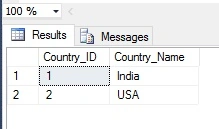
My table structure is as in Figure 9.
Figure 9
Right-click on the Controller folder then select Add, click Controller and create an Empty controller class and name it CountryController.cs.
Write the following code in CountryController.cs:
- public class CountryController : Controller
- {
- testEntities _context = new testEntities();
-
- public ActionResult Index()
- {
- return View(_context.tbl_country.ToList());
- }
- }
Create a view for the Country Controller.
Write the following code in the Country view:
- @{
- ViewBag.Title = "Index";
- Layout = "~/Views/Shared/_Layout.cshtml";
- }
-
- <h2>Kendo DropDownList with Remote binding</h2>
- @model IEnumerable<TelerikMvcApp1.tbl_country>
-
- @(
- Html.Kendo().DropDownList().Name("kdropdownlist")
- .DataTextField("Country_Name")
- .DataValueField("Country_ID")
- .BindTo(Model)
- .OptionLabel("Select a Country")
- )
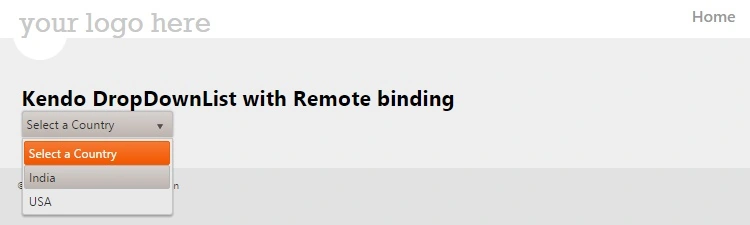
The following is the result in a browser:
Figure 10
Conculsion
From this article we learned how to use or get started with the ASP.NET MVC Wrapper for Kendo UI.
I hope you have enjoyed this article, Thank you.
Happy Coding.


Arul RPosted Oct 28, 2015, 5:55 AM
Nice share!!!
Gowtham KPosted Sep 1, 2015, 1:46 PM
Thanks a lot guys
sreenivasa kPosted Aug 31, 2015, 2:27 PM
nice one
Shridhar SharmaPosted Aug 31, 2015, 11:33 AM
nice share
Jaipal ReddyPosted Aug 31, 2015, 4:44 AM
nice
Ankit BansalPosted Aug 31, 2015, 4:25 AM
thanks for share..
Yashwanth MuthineniPosted Aug 31, 2015, 1:30 AM
Nice Share
Debasis SahaPosted Aug 31, 2015, 1:20 AM
Good One..
Karthikeyan KPosted Aug 30, 2015, 11:13 PM
Good one sir..Thanks for share
Mohammed IbrahimPosted Aug 30, 2015, 9:53 PM
nice
Hashim ShafiqPosted Aug 30, 2015, 9:46 PM
nice