


Introduction
Recently, Microsoft officially released MAUI. Using MAUI – Multi-Platform Application UI framework, we can develop native mobile and desktop applications with C# and XAML. MAUI is an open-source cross-platform framework used to develop native Android, iOS, and Windows applications from a single code base.
In this article, we will learn what MAUI is, when to choose MAUI, different categories of MAUI, and how to get started with MAUI application development.
Prerequisites:
- Visual Studio 2022 preview
The first requirement for MAUI development is you need to have the Visual Studio 2022 Preview version. At the time of writing, MAUI is only available in this version. You can download and install the Visual Studio 2022 Preview from here. For demo purposes, I have used Visual Studio Preview Version 17.3.0 Preview 5.0.
Moreover, you need to select and install .NET Multi-platform App UI development from the workload list, as illustrated below. Once installed, restart your Visual Studio or machine as well.

When to choose MAUI?
- MAUI is useful for developers who need to build cross-platform applications using C# and XAML from a single code base. It is additionally beneficial for .Net developers and Xamarin developers to build all types of apps from a single solution that can be run on cross-platform.
- MAUI can be utilized when you need to develop an application for cross-platform using the same business logic and code to fulfill the same requirements.
- MAUI saves time, as we can utilize the same design, layouts, and business logic across various platforms.
- You will not need mobile developers, desktop developers and so on for the same kind of application development for different devices and OS, as MAUI serves all purposes.
- Additionally, because of time and resources, your project cost will be reduced significantly.
Let’s move to the creation of the MAUI Application.
Create First MAUI App
In this section, we will create an MAUI application that can be run on cross-platform and get familiar with its development.
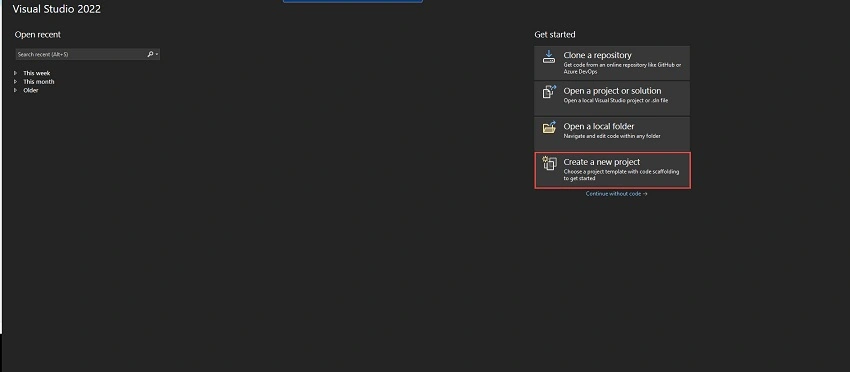
Open Visual Studio 2022 preview and click on Create a new project as shown below.
Then, search for MAUI in the project template search box.

In this step, you will see different categories of MAUI, such as . NET MAUI App, .NET MAUI Blazor App, .NET MAUI Class Library.
.NET MAUI App
Using this, we can develop applications for iOS, Android, Mac Catalyst, macOS, Tizen, and Windows from a single code base.
.NET MAUI Blazor App
This option is for MAUI app development using Blazor. These applications are able to run in iOS, Android, Mac Catalyst, macOS, Tizen, and Windows.
.NET MAUI Class Library
This is for building a class library using .NET MAUI. It is able to run in Android, iOS, Mac Catalyst, macOS, Tizen, and Windows.
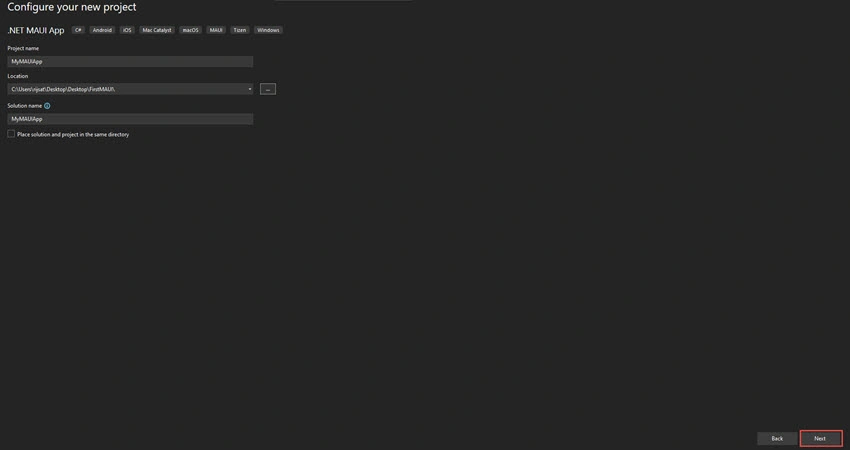
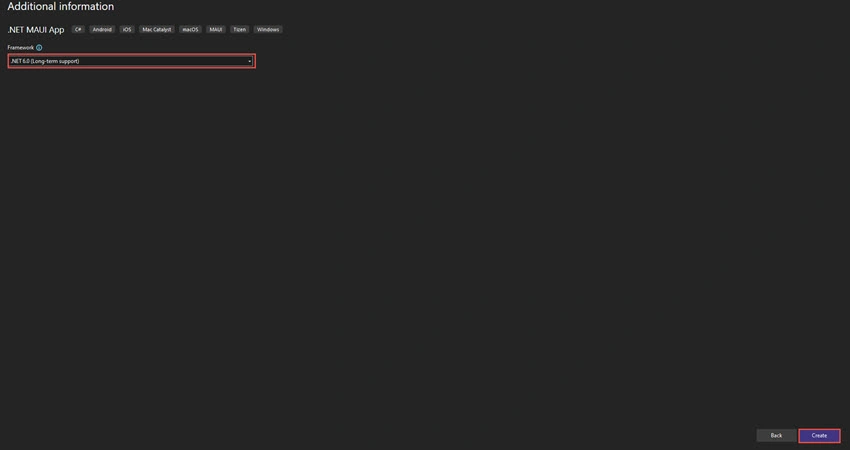
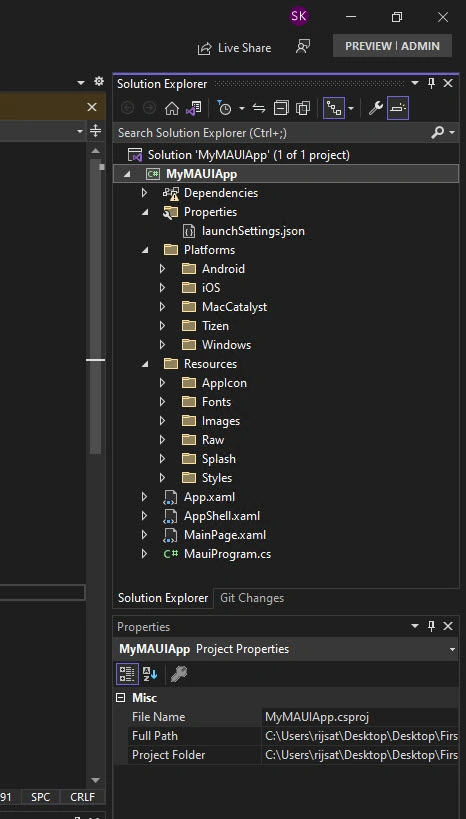
In this part of the article, we will create an application using .NET MAUI App template.






Join the conversation! Your thoughts help the community grow.