

Introduction
The Windows Installer XML (WiX) is a toolset that builds Windows installation packages from XML source code. The toolset supports a command line environment that developers may integrate into their build processes to build MSI and MSM setup packages.
Advantages
The WiX toolset provides the following advantages over other popular Windows Installer developer tools:
- WiX offers unrestricted access to Windows Installer functionality.
- It leverages XML-based source files, that can easily be edited in any text editor and are easily version controlled.
- The command-line interface allows WiX to be integrated into any automated application build process or continuous integration environment.
- There is no need to get expensive licenses for special tools. The WiX toolset is free.
Download
To download WIX visit the link http://wixtoolset.org/ .
After Installing (WIX) we have Wix Template In Vs2012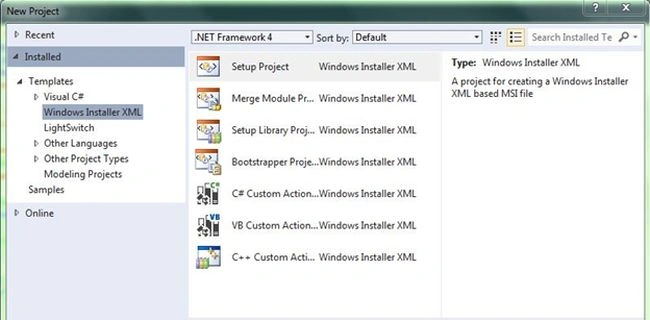
To create a setup of an application we need to do the following:
- Create a WPF application project in the solution.
- Create a new Wix project solution.
- Add a reference to the WPF Application into the WIX project.
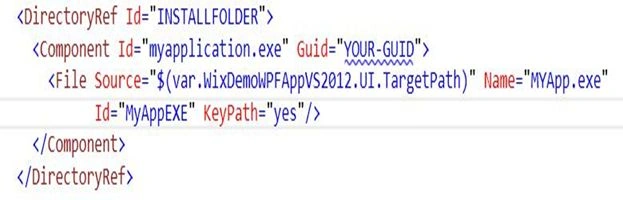
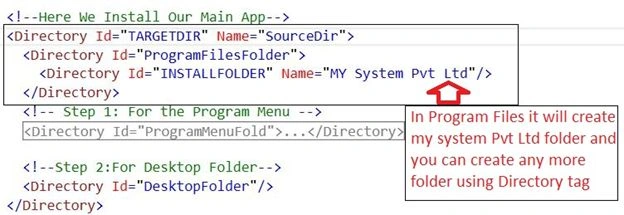
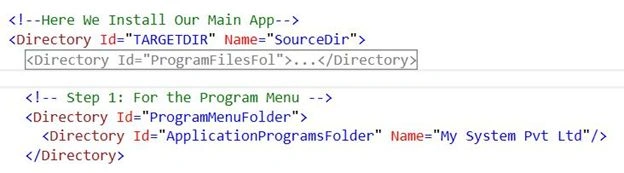
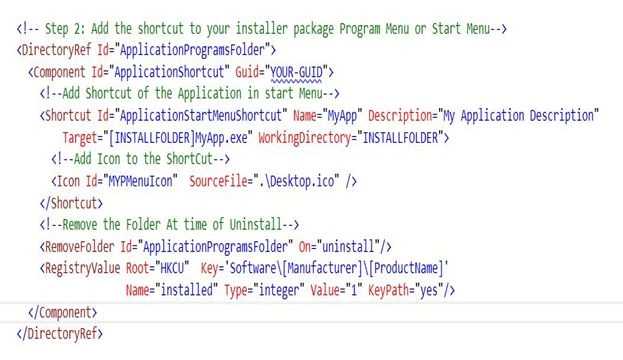
- Configure the installation XML (*.WXS) file using the following procedure:
o Add the WPF project to the *WXS File
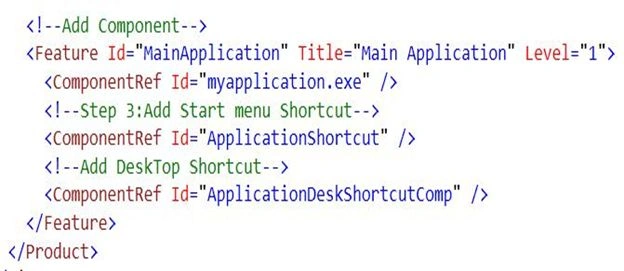
o Add the Cab1.cab File to the Package.
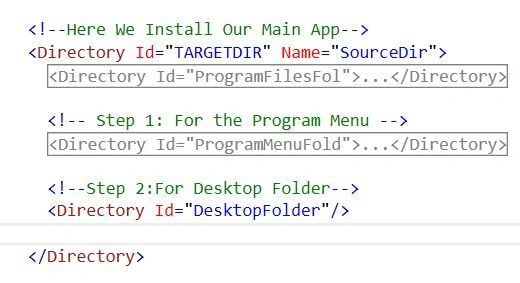
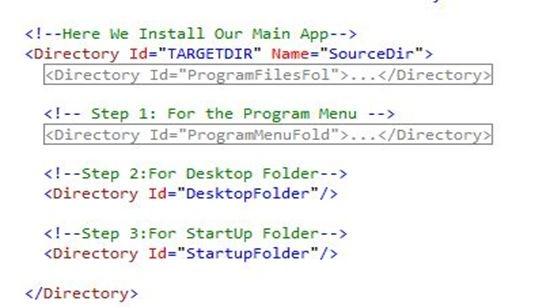
o Create a folder in Program Files and Folders
o Create a folder in the Program Menu for Program menu shortcut
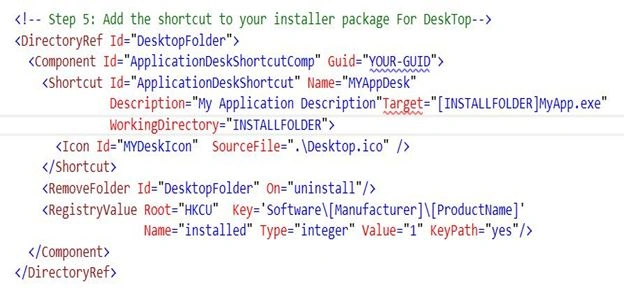
o Create a folder on the Desktop
Step 1: Add new WPF Application
Use "New" -> "Project..." ->"WPF Application project".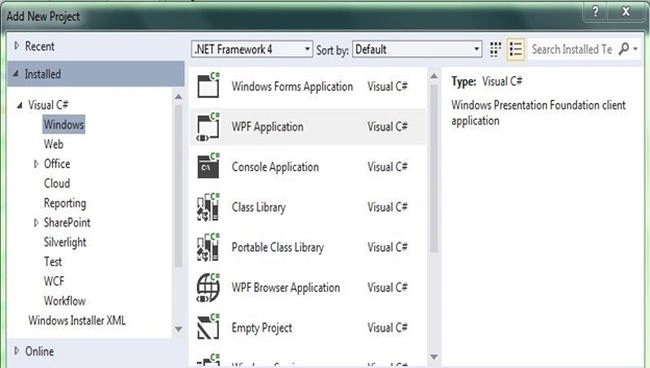
It will look like this: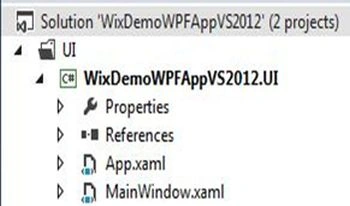
Step 2 : Add Windows Installer Project 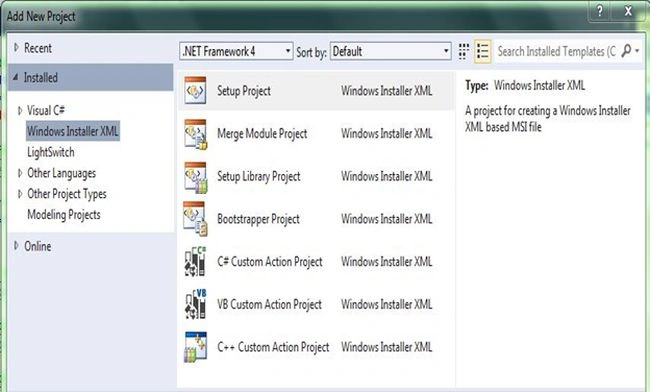
Now it will look like: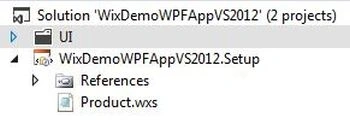
Step 3: Add a reference of the WPF Application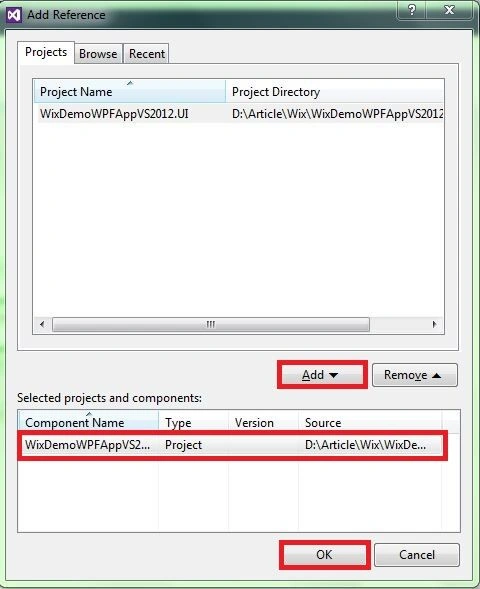
Right-click on the reference of the of the WIX project and add the WPF Project.
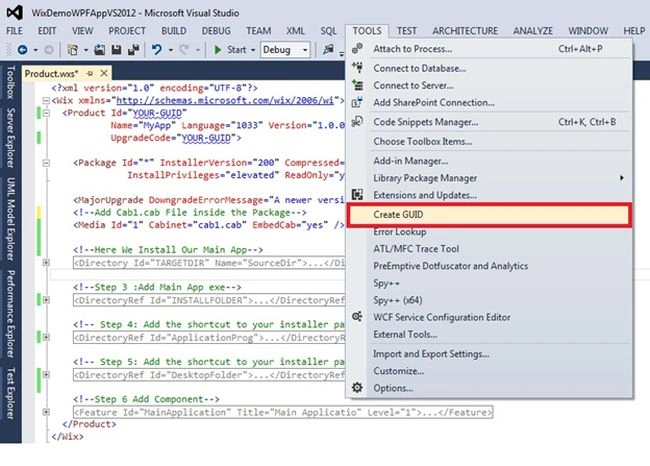
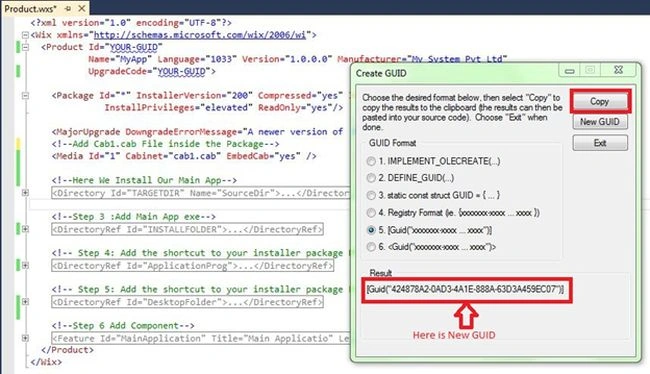
Step 4: Configure the installation of the XML file (*.WXS)
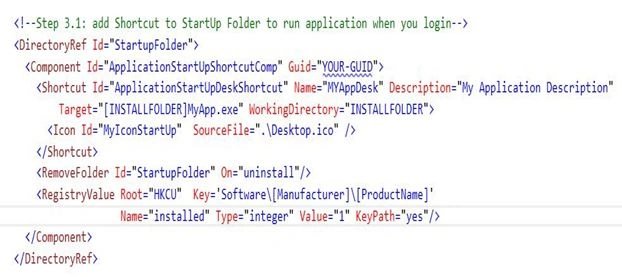
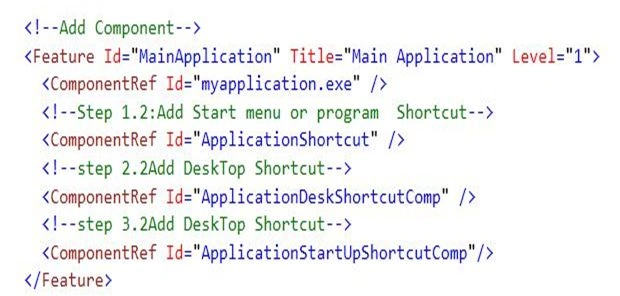
While you see the *.wxs file it has some predefined code written in XML. It has various properties and tags for these things, you need to the following:


Mohan ChandraPosted Oct 4, 2016, 5:35 AM
Can I debug Custom Action code? in our product its actually creating database and tables by custom action but i am not able to debug with break point because breakpoint is not going in custom action page
Ashutosh PandeyPosted Apr 28, 2016, 2:21 AM
Nice Article Jay
vijay sharmaPosted Oct 30, 2014, 7:25 AM
I like this, informative also
Hemant SrivastavaPosted Jul 28, 2014, 5:23 PM
Very informative!
Shivanand ArurPosted May 29, 2013, 3:36 PM
Hello Jay, I would like to add some more points here... Basically you should also describe why we need WiX? The reason is since Visual Studio 2012 does not support VDProj or CSProj files and does not provide the facility to create installers for a windows application. If you want to test this then create a windows application in VS 2010 and then deploy it. Try to open the project in VS 2012, you will notice that it shows an Incompatible notification when the project loads. This is where this amazing WiX tool comes into picture. If you want to create installers for a project which is developed in VS 2012, then u can make use of WiX. There is also one more tool called "Vdproj to Wix" by "Add In Express". It simply converts the VDProj to WiX format and you do not have to write a single line of code.... This is really amazing!!! About WiX I would like to add a note about the versions "v 3.7" is the latest one with lots of bug fixes. Your article is good and will help others to understand about WiX. Thank you!!!
Bharadwa HirenPosted May 28, 2013, 7:27 AM
Very userful article Jay...