

Introduction:
This article describes a quick and simple approach to creating a tabbed custom control with a gradient background. In this example, the standard Windows Forms tab control is extended to provide a persistent gradient background; this differs from using an approach where a gradient background is created directly against the graphics context of each of the control's tab pages. Even though the background is persistent, it is dynamically updated whenever it is resized or painted. Figure 1 illustrates the control in use:
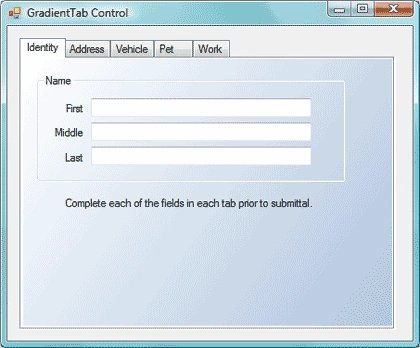
Figure 1. Gradient Tab Control in Use
In contrast, adding the gradient to the graphics context for each tab page dynamically may lead to less than desirable results. In figure 2, the gradient is added dynamically against the graphics context of each tab page in the tab control. The controls shown on the tab page actually have their background colors set to transparent but as you can see if the figure, the area behind the group panel and label control appears to be white. Naturally you may draw a gradient on the background of each of the controls but it would be difficult to match the gradient on the control with the gradient on the background and it still likely would not look that great due to any mismatches in the patterns. At any rate, there is a much simpler solution.
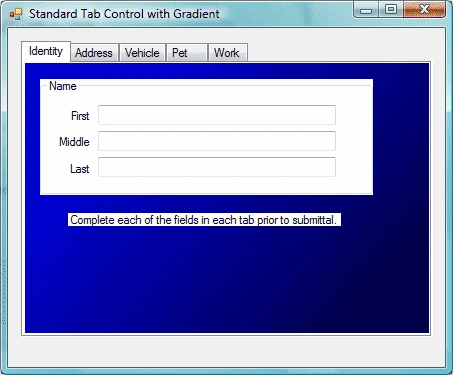
Figure 2. Standard Tab Control with Gradient Added
Getting Started:
In order to get started, start up the Visual Studio 2005 IDE and open the included project. The solution consists of a Win Forms project with a single form and a single custom control included. The form is used as a test bed for the custom control and the custom control is an extension of the standard windows forms tab control. Figure 3 shows the solution explorer for this project:
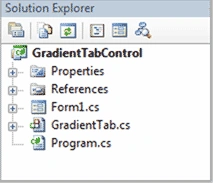
Figure 3. Solution Explorer
The Code: Main Form
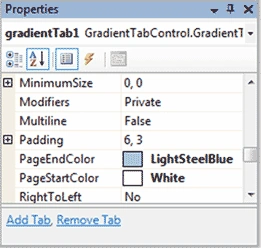
The main form of the application does not contain any meaningful code; the form itself contains a single instance of the Gradient Tab control and the Gradient Tab control is configured through the property editor for the purpose of the control test.
As the main form is trivial; I will not describe any further in this document.
The Code: Gradient Tab Control
The Gradient Tab control is a custom control built to extend the standard Windows Forms tab control; the only additions made to the standard control are those required to render the gradient background behind each of the tab pages at run time.
If you open the code up and examine the imports, you will note following imports prior to the namespace and class declaration.
using System;
using System.Collections.Generic;
using System.ComponentModel;
using System.Data;
using System.Drawing;
using System.Drawing.Drawing2D;
using System.Text;
using System.Windows.Forms;
namespace GradientTabControl
{
public partial class GradientTab : System.Windows.Forms.TabControl
{
After the class declaration; the code creates two member variables used to hold the beginning and ending colors of the gradient. After the declaration of these two variables, the initialization and paint event handlers for the custom control are managed:
// member variables
System.Drawing.Color StartColor;
System.Drawing.Color EndColor;
public GradientTab()
{
InitializeComponent();
RepaintControls();
}
protected override void OnPaint(PaintEventArgs pe)
{
// TODO: Add custom paint code here
// Calling the base class OnPaint
//base.OnPaint(pe);
RepaintControls();
}
Thawatchai JidsodsaiPosted Oct 13, 2010, 2:42 PM
Thank You very much