

Introduction
In this article you will learn how to work with HTML DOM Events. HTML DOM allows JavaScript to react to HTML events.
Examples
The following are examples of the use of HTML events:
- When a user clicks the mouse
- When the web page has loaded
- When the mouse moves over an element
- When an input field is changed
1. When a user clicks the mouse
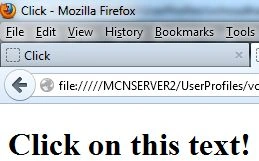
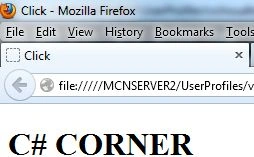
In this example, the content of the <h1> element is changed when a user clicks on it.
HTML Code
<!DOCTYPE html PUBLIC "-//W3C//DTD XHTML 1.0 Transitional//EN" "http://www.w3.org/TR/xhtml1/DTD/xhtml1-transitional.dtd">
<html xmlns="http://www.w3.org/1999/xhtml">
<head>
<meta content="text/html; charset=utf-8" http-equiv="Content-Type" />
<title>Click</title>
<script>
function changetext(id) {
id.innerHTML = "C# CORNER";
}
</script>
</head>
<body>
<h1 onclick="changetext(this)">Click on this text!</h1>
</body>
</html>
Result
2. When the web page has loaded
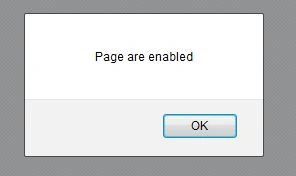
The onload and onunload events are triggered when the user enters or leaves the page.
HTML Code
<!DOCTYPE html PUBLIC "-//W3C//DTD XHTML 1.0 Transitional//EN" "http://www.w3.org/TR/xhtml1/DTD/xhtml1-transitional.dtd">
<html xmlns="http://www.w3.org/1999/xhtml">
<head>
<meta content="text/html; charset=utf-8" http-equiv="Content-Type" />
<title>Page loaded</title>
</head>
<body onload="checkCookies()">
<script>
function checkCookies() {
if (navigator.cookieEnabled == true) {
alert("Page are enabled")
}
else {
alert("Page are not enabled")
}
}
</script>
<p>An alert box should tell you if your browser has enabled page or not.</p>


Join the conversation! Your thoughts help the community grow.