Today every website has a registration page. So I created a registration page in which the user enters user information like name, username or email, password, address and so on. The registration page must validate that the username or email is unique. So it must check the username or email the user entered. When this validation is done for the submit button click it is not good for the user, he fully fills in the form then clicks. If something does not exist then the user again fills in the form. So I do the validation on the entering of data into the TextBox (OnTextChanged event). Here I am getting the problem that after entering a username into the TextBox I am getting the data from the database and showing the result on the page, like whether or not that username is available but at that time the page gets a post-back and sometimes loses the values entered into the textboxes and all this because I used an Ajax jQuery to check the username or email availability.
Now first create the user table in the database.
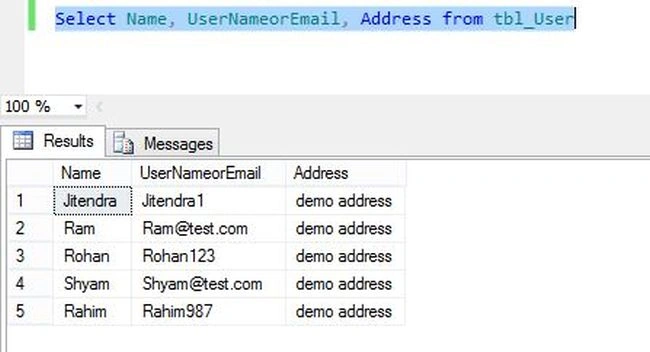
- Create table tbl_User(Name varchar(100), UserNameorEmail varchar(100), Address varchar(500))
And insert some records into the table:
- Insert into tbl_User(Name, UserNameorEmail, Address) values('Jitendra', 'Jitendra1', 'demo address')
- Insert into tbl_User(Name, UserNameorEmail, Address) values('Ram', '[email protected]', 'demo address')
- Insert into tbl_User(Name, UserNameorEmail, Address) values('Rohan', 'Rohan123', 'demo address')
- Insert into tbl_User(Name, UserNameorEmail, Address) values('Shyam', '[email protected]', 'demo address')
- Insert into tbl_User(Name, UserNameorEmail, Address) values('Rahim', 'Rahim987', 'demo address')
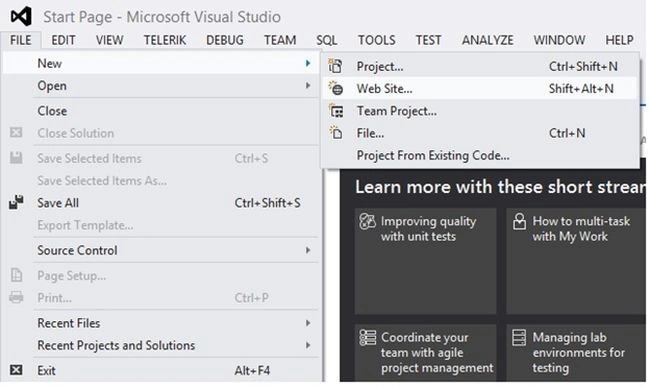
After creating the table, create the application: New --> website.
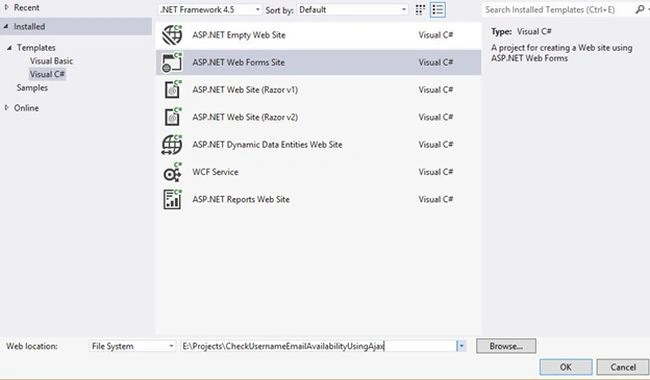
Give the name “CheckUsernameEmailAvailabilityUsingAjax”.
Then create a new item name “registration”.
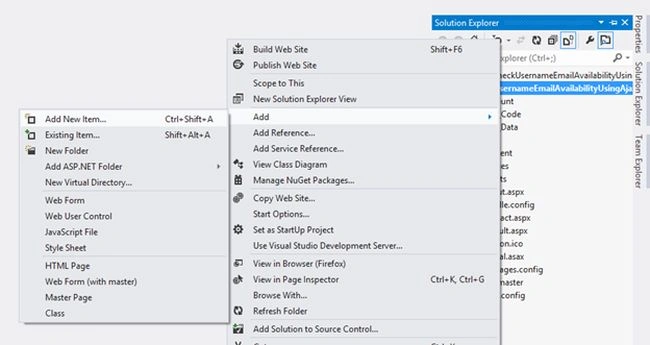
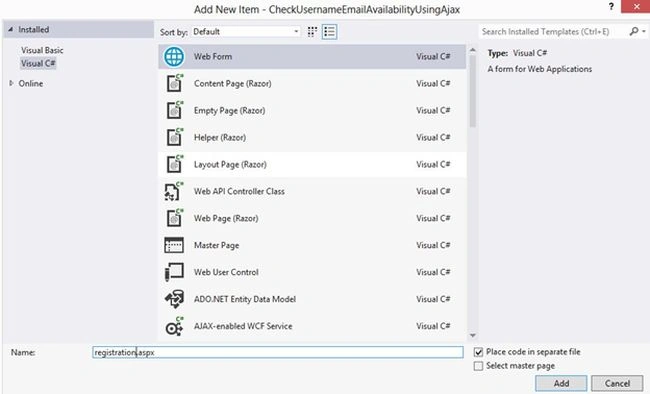
Your aspx page likes this.
- <html xmlns="http://www.w3.org/1999/xhtml">
- <head id="Head1" runat="server">
- <title>Check Username/Email availability Using Ajax and JQuery</title>
- </head>
- <body>
- <form id="form1" runat="server">
-
- <div>
-
- <table>
- <tr>
- <td>Name:
- </td>
- <td>
- <asp:TextBox ID="txtName" runat="server" />
- </td>
- <td>
- </td>
- </tr>
- <tr>
- <td>User Or Email Name:
- </td>
- <td>
- <asp:TextBox ID="txtUsernameOrEmail" runat="server" onchange="UserOrEmailAvailability()" />
- </td>
- <td>
- <div id="checkusernameoremail" runat="server">
- <asp:Label ID="lblStatus" runat="server"></asp:Label>
- </div>
- </td>
- </tr>
- <tr>
- <td>Address</td>
- <td> <asp:TextBox ID="txtAddress" TextMode="MultiLine" runat="server" /></td>
- </tr>
- </table>
-
- </div>
- </form>
-
- <script src="Scripts/jquery-1.7.1.min.js"></script>
-
- <script type="text/javascript">
-
- function UserOrEmailAvailability() {
- $.ajax({
- type: "POST",
- url: "registration.aspx/CheckEmail",
- data: '{useroremail: "' + $("#<%=txtUsernameOrEmail.ClientID%>")[0].value + '" }',
- contentType: "application/json; charset=utf-8",
- dataType: "json",
- success: OnSuccess,
- failure: function (response) {
- alert(response);
- }
- });
- }
-
-
- function OnSuccess(response) {
- var msg = $("#<%=lblStatus.ClientID%>")[0];
- switch (response.d) {
- case "true":
- msg.style.display = "block";
- msg.style.color = "red";
- msg.innerHTML = "User Name Or Email already exists.";
- break;
- case "false":
- msg.style.display = "block";
- msg.style.color = "green";
- msg.innerHTML = "User Name Or Email Available";
- break;
- }
- }
-
- </script>
-
- </body>
- </html>
Now add a “using System.Data.SqlClient;” reference in the code behind and write the following code to check whether or not the Username or Email exists in the database.
- [System.Web.Services.WebMethod]
- public static string CheckEmail(string useroremail)
- {
- string retval = "";
- SqlConnection con = new SqlConnection("data source=LENOVO;initial catalog=Test;UID=sa;PWD=connect");
- con.Open();
- SqlCommand cmd = new SqlCommand("select UserNameorEmail from tbl_User where UserNameorEmail=@UserNameorEmail", con);
- cmd.Parameters.AddWithValue("@UserNameorEmail", useroremail);
- SqlDataReader dr = cmd.ExecuteReader();
- if (dr.HasRows)
- {
- retval = "true";
- }
- else
- {
- retval = "false";
- }
-
- return retval;
- }
Add a jQuery library reference to the aspx page:
- <script src="Scripts/jquery-1.7.1.min.js"></script>
See the database table:
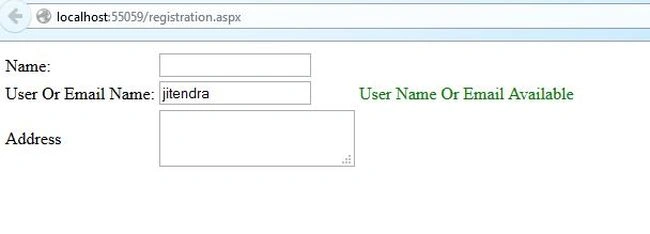
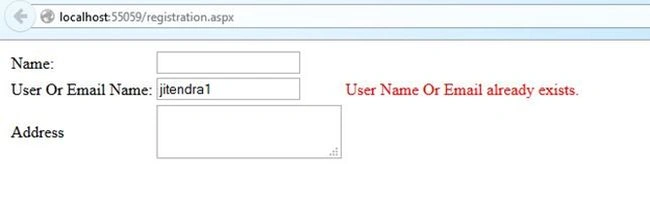
Test the page:


MohammadAbid UsmanPosted Aug 23, 2020, 12:28 AM
Hi sir, hope you fine and doing good. This code is not working for me! please could you help me?
jagadeesan vengudusamyPosted Jul 12, 2017, 8:00 AM
Could you please send the code convert to linq c#
Dharmendra Kumar PanditPosted Mar 1, 2017, 11:38 PM
Very good ............................................
Joginder BangerPosted Nov 14, 2014, 12:41 AM
Good job sir... i like it...