

Introduction
In this article you will learn how to copy or generate SQL database content to multiple one.
Step 1: I have two database "Test1" & "Test2". Test2 database is empty, so we want to copy Test1 database to Test2 based on your requirement like MS SQL Server 2008, 2012, etc.

Step 2: Generate the "Test1" database script based on the following steps:
- Right click "Test1" database.
- Click Tasks, then Generate Scripts.
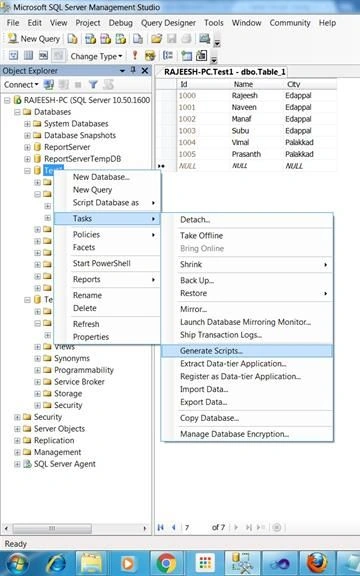
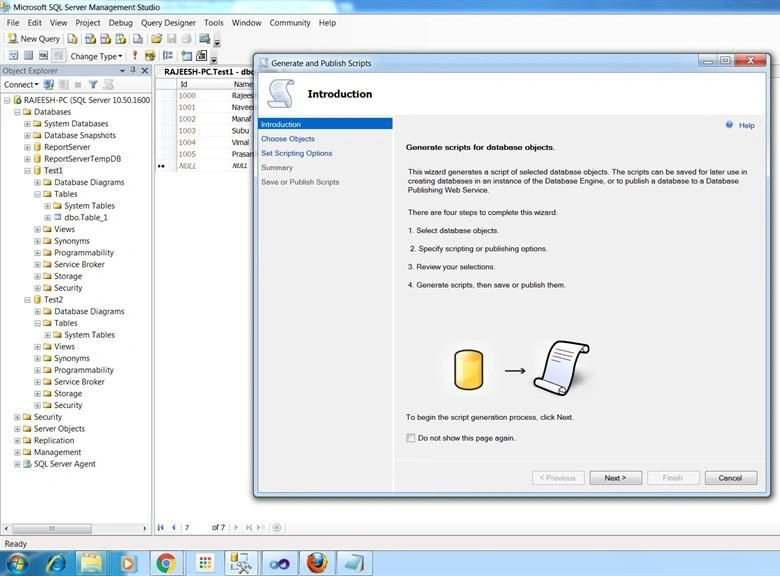
Step 3: Click Next..
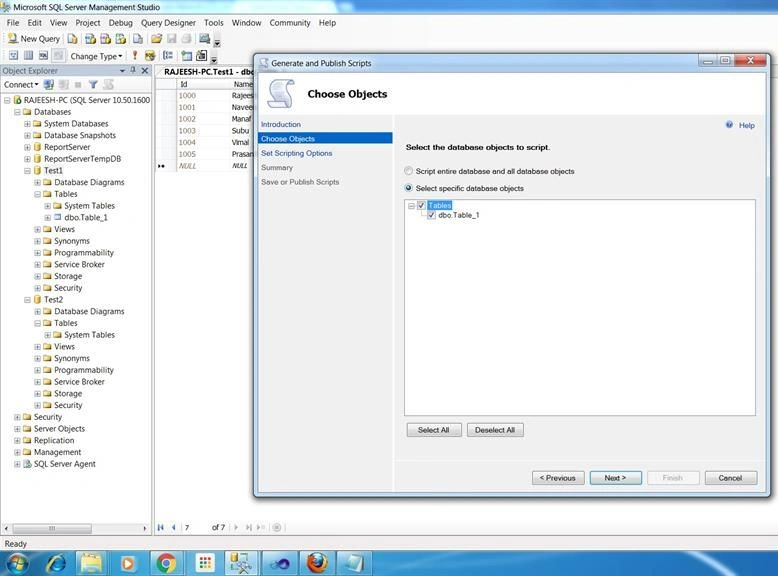
Step 4: Select "Select specific database objects" and check all the tables present in the database.
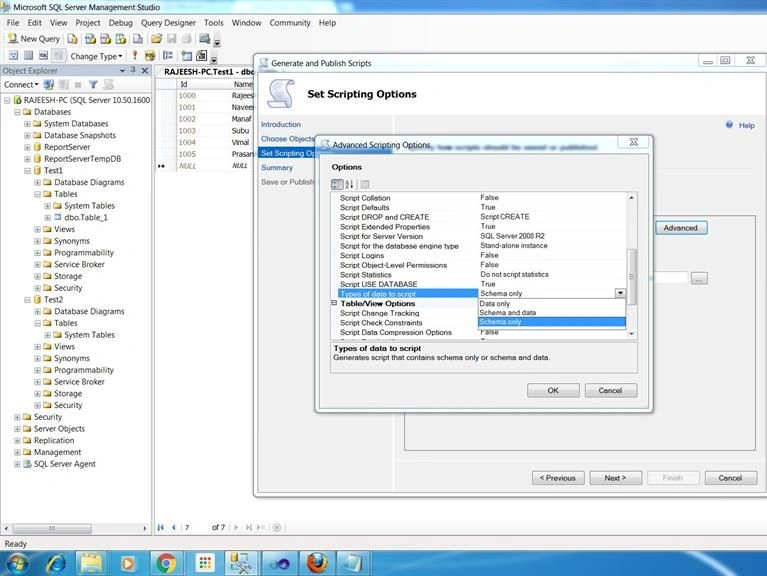
Step 5: Click "Advanced", Open New Pop Up Window, General, Script for Server Version, click SQL Server2008 R2 ( Select based on your requirement ).

Step 6: Click "Advanced", Open New Pop Up Window, General, Types of data to script, then select Schema and data ( Select based on your requirement ).
Step 7: Select the save location for generated script.
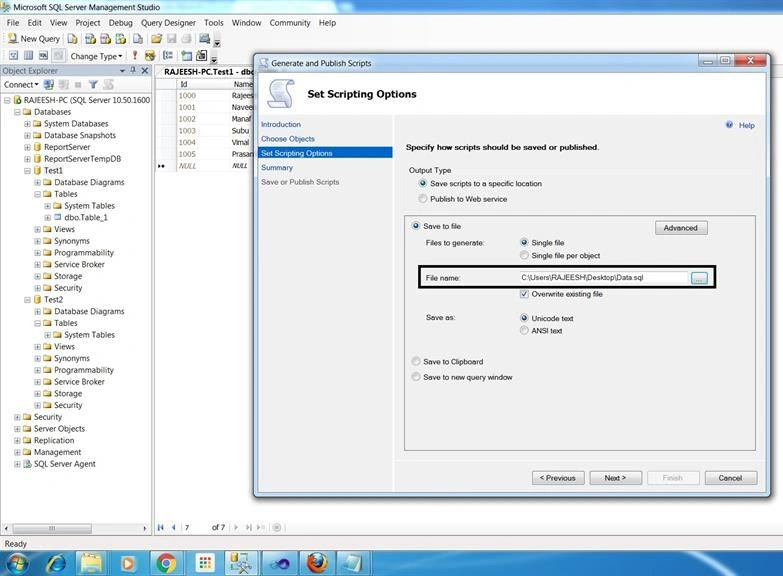
Step 8: Click Next
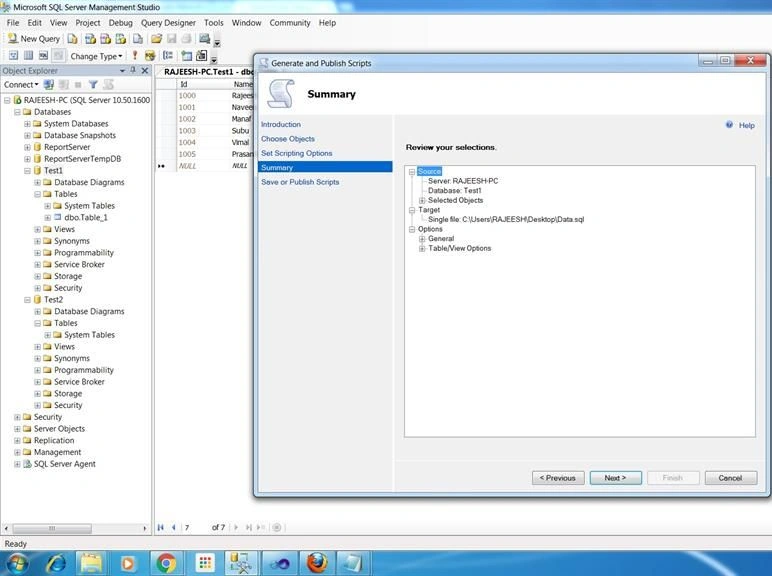
Step 9: Click Finish
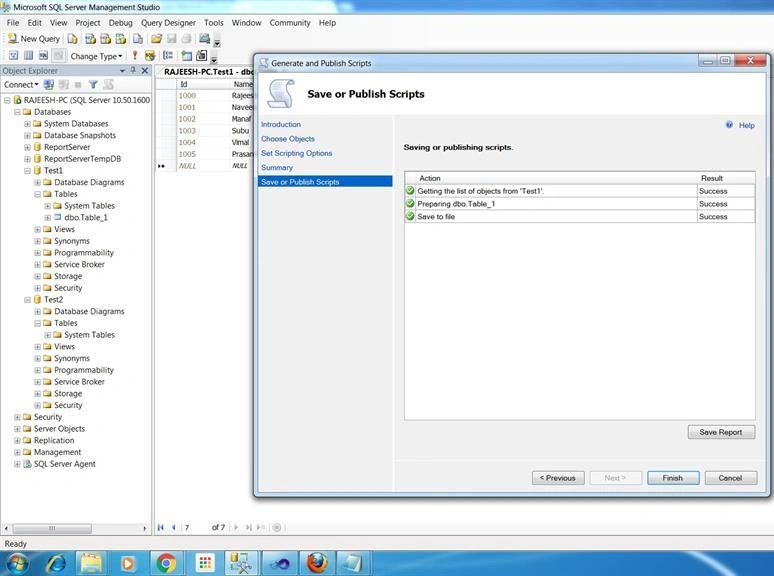
Step 10: Change database name and update the generated scripts.

Step 11: Now copy "Test1" into "Test2".

Tech Blog Reference.
Summary
We learned how to copy or generate SQL database content to multiple one. I hope this article will be useful for beginners.
Delpin Susai RajPosted Aug 28, 2016, 7:04 AM
Nice
Sandeep ChPosted Jul 27, 2016, 6:00 AM
Good Article and thanks for sharing Rajesh...
Santhakumar MunuswamyPosted Nov 28, 2015, 2:28 AM
Nice share
Yashwant VishwakarmaPosted Nov 26, 2015, 1:33 AM
Nice article, Thank You for sharing !!
Mukesh KumarPosted Nov 26, 2015, 12:22 AM
Great One Sir
Banketeshvar NarayanPosted Nov 25, 2015, 5:08 AM
Good One
Ajay GandhiPosted Nov 25, 2015, 3:52 AM
Nice
Raja TPosted Nov 25, 2015, 3:45 AM
Nice sharing