

Introduction
In this article, we will learn how to copy text to Clipboard and also copy the current date and time, using Angular 8.
How will it work?
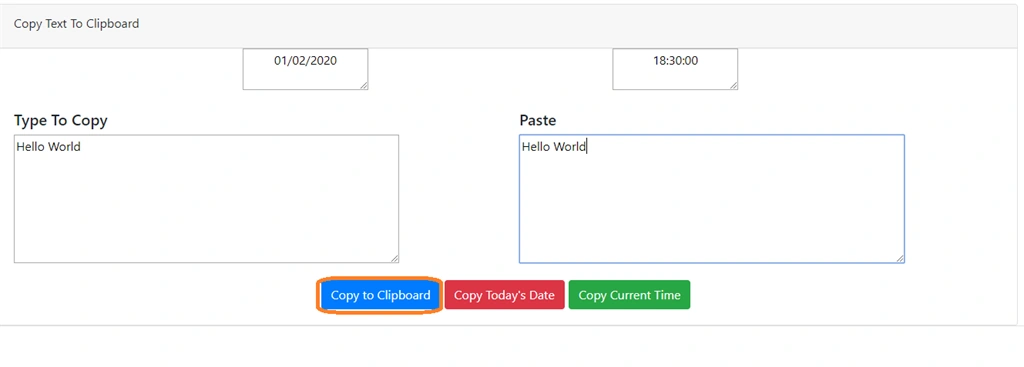
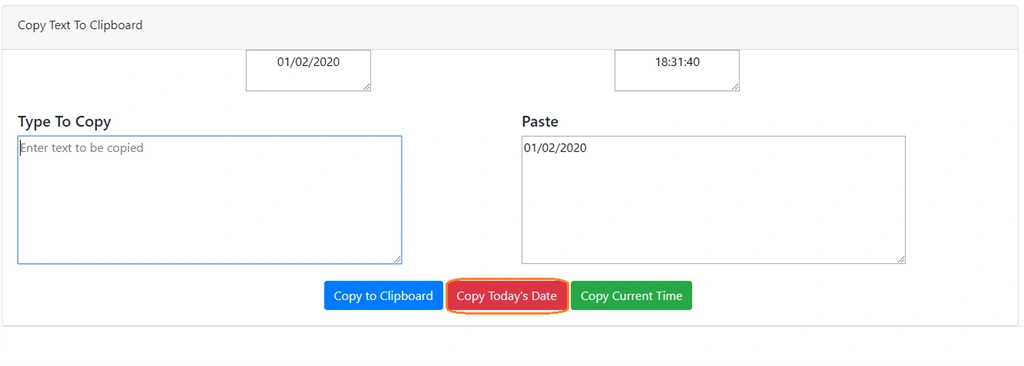
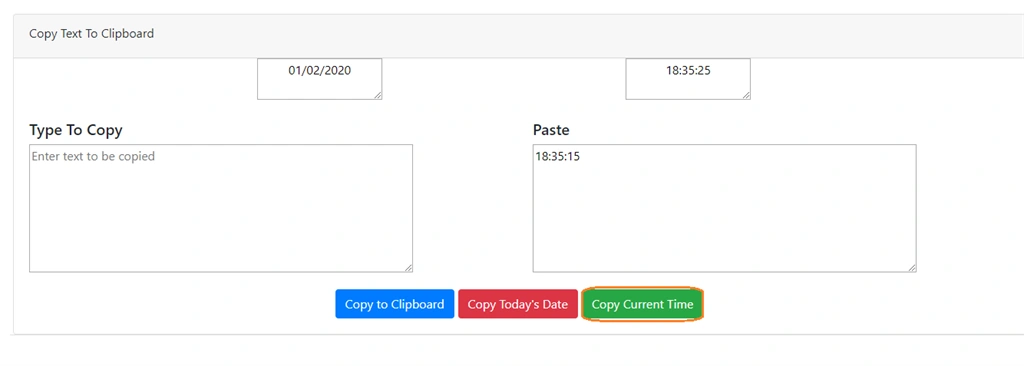
Javascript provides a very good feature to copy any text to the clipboard and can paste it anywhere. So in this article, we will copy some text to clipboard and paste it to textarea. Not only text; we will also copy the current date and time to clipboard.
Prerequisite
- Basic knowledge of Angular
- Visual Studio Code must be installed
- Angular CLI must be installed
- Node JS must be installed
Step 1
Let us create an Angular project, using the following npm command.
- ng new CopyToClipboard
Step 2
Open the newly-created project in Visual Studio code and install bootstrap in this project.
- npm install bootstrap --save
Now, open styles.css file and add Bootstrap file reference. To add reference in styles.css file add this line.
- @import '~bootstrap/dist/css/bootstrap.min.css';
Step 3
Now, let's create a new component, by using the following command.
- ng g c copy-clipboard
Step 4
Now, open copy-clipboard.component.html file and add the following code in this file.
- <div class="card">
- <div class="card-body pb-0">
- <div class="row">
- <div class="col-12 col-md-12">
- <div class="card">
- <div class="card-header">
- <label>Copy Text To Clipboard </label>
- </div>
- <div>
- <textarea readonly style="margin-left: 317px;text-align: center;" #date>{{todaysDate | date:'dd/MM/yyyy'}}</textarea>
- <textarea readonly style="margin-left: 317px; text-align: center;" #time>{{todaysDate | date:'HH:mm:ss'}}</textarea>
- </div>
- <div class="card-body">
- <div class="center-form">
- <div class="row">
- <div class="col-6 col-md-6">
- <div class="form-group">
- <h5>Type To Copy</h5>
- <textarea #userinput placeholder="Enter text to be copied"
- style="height: 167px!important;width: 500px;"></textarea>
- </div>
- </div>
- <div class="col-6 col-md-6">
- <div class="form-group">
- <h5>Paste</h5>
- <textarea placeholder="Paste copied text" style="height: 167px!important;width: 500px;"></textarea>
- </div>
- </div>
- <div class="col-12 col-md-12 text-center">
- <button type="button" style="margin-right:5px" (click)="copyInputMessage(userinput)"
- class="btn btn-primary">Copy to
- Clipboard</button>
- <button type="button" style="margin-right:5px" (click)="copyTodaysDate(date)"
- class="btn btn-danger">Copy
- Today's Date</button>
- <button type="button" style="margin-right:5px" (click)="copyCurrentTime(time)"
- class="btn btn-success">Copy
- Current Time</button>
- <label *ngIf="msgHideAndShow" style="float: right;">{{textMessage}}</label>
- </div>
- </div>
- </div>
- </div>
- </div>
- </div>
- </div>
- </div>
- </div>
Pranam BhatPosted Jul 30, 2021, 3:31 PM
Good one! Is there a way to copy text (.txt) files in a folder and paste it to a different folder in Angular?
Rathrola Prem KumarPosted Feb 4, 2020, 8:01 PM
Great, Thanks for sharing this article :)