

Introduction
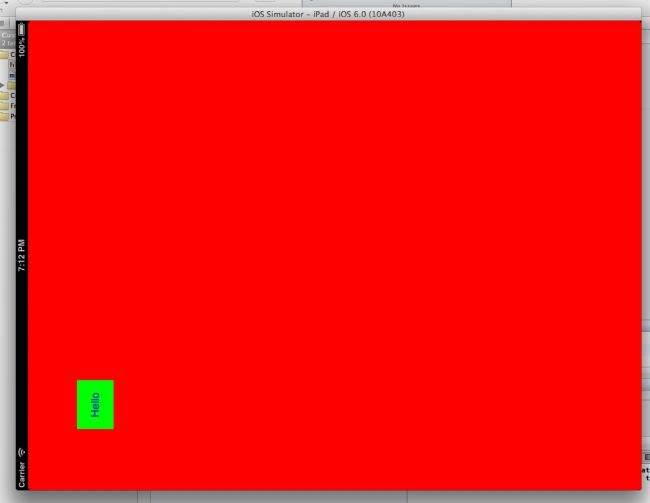
This is a simple program for beginners. In this article we create a custom button which is created in code, in other words we doesn't use Nib files. Using this button we perform the action of printing "Hello Word" on itself.
Step 1
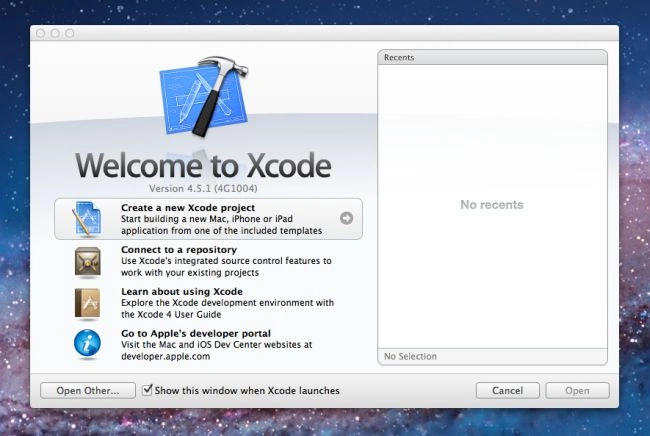
Open XCode by double-clicking on it.

Step 2
Create a New XCode Project by clicking on it.
Step 3
Now select Empty Application and click on Next.

Step 4
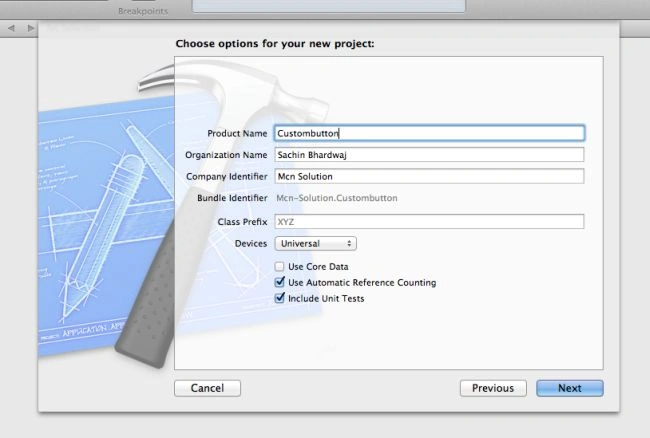
Now give your project a Name. Here I use Product Name Custombutton and Company Identifier Mcn Solutions and click on Next.
Step 5
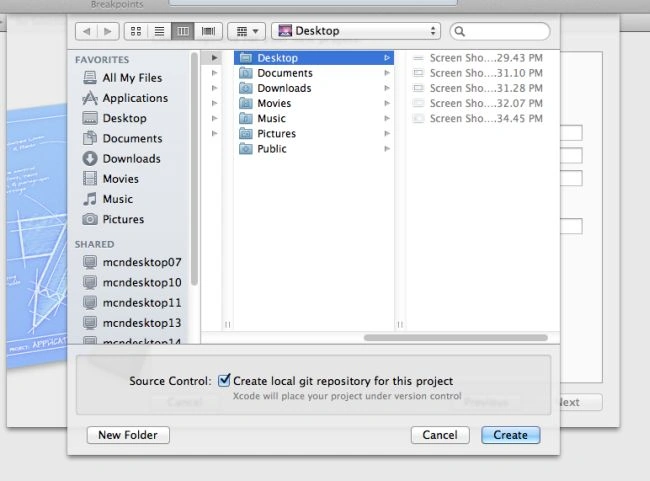
Select the location where you want to save your project to and click on Create.
Step 6
Now you will see only two Objective C Classes which are automatically generated by XCode.
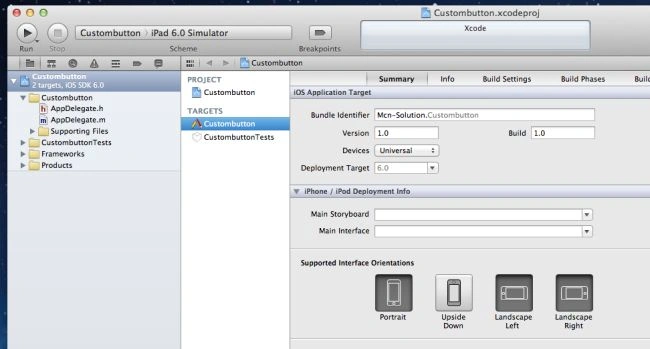
In an Empty Application, never generate a UIViewController class if you want to create it manually.
1.Appdelegate.h
2.AppDelegate.m
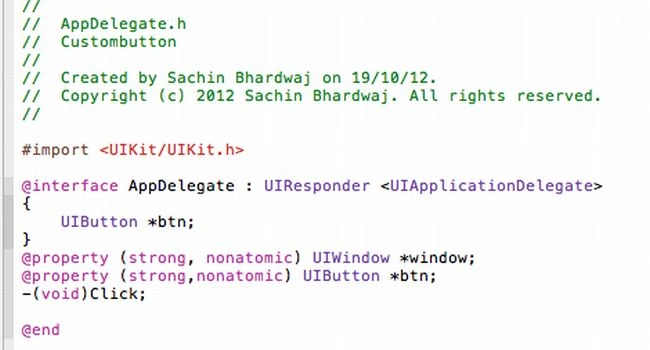
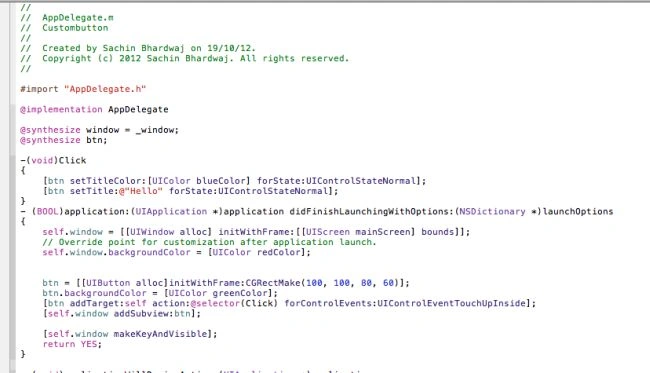
Here we write code....
Appdelegate.h
Appdelegate.m
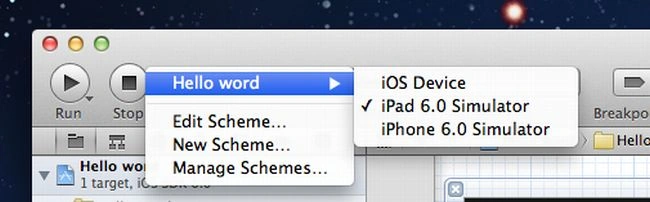
Step 7
Select which Platform you want to see the output in.
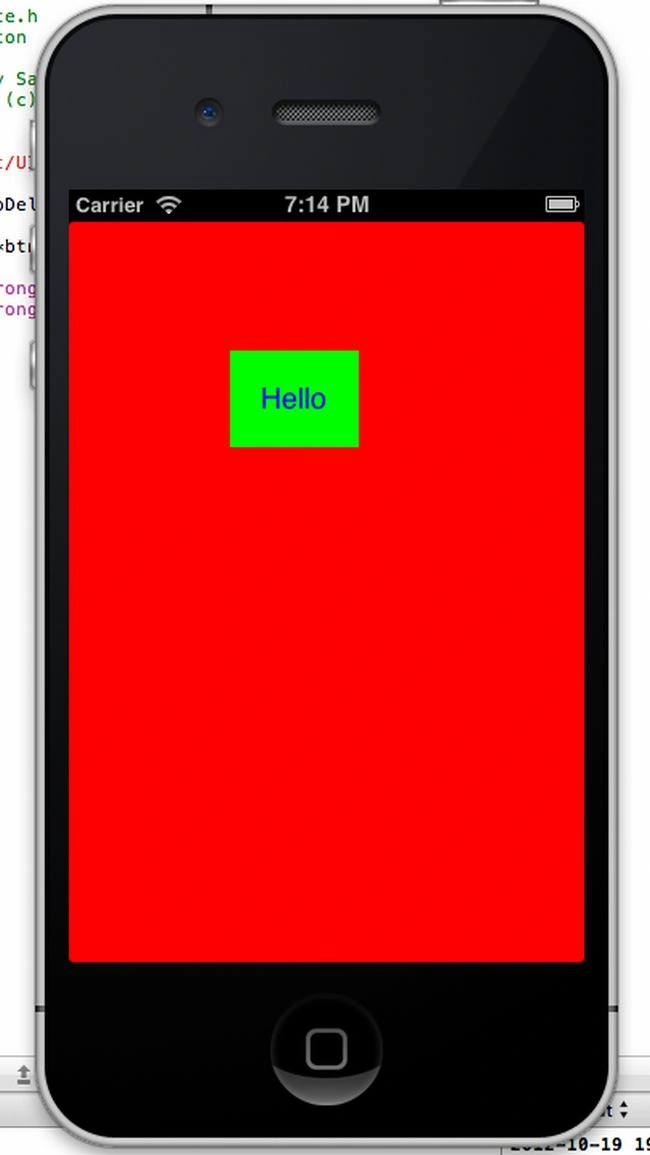
Output


Happy coding!!!
Join the conversation! Your thoughts help the community grow.