

Prerequisites
- Azure account.
Microsoft Cognitive Services provides us the ability to build apps with powerful algorithms, using just a few lines of code. These Services work across the devices and platforms such as iOS, Android and Windows, which keep improving and are easy to set up.
APIs are mentioned below, which are available under Microsoft Azure Cognitive Services.
- Face API
- Emotion API
- Computer Vision API
- Bing Speech API
- Speaker Recognition API
- Language Understanding Intelligent Service
- Text Analytics API
- Web Language Model API
- Bing Spell Check API
- Recommendations API
- Academic Knowledge API
- Bing Search APIs
- Bing Autosuggest API
Now, let's discuss about the Academic Knowledge API and how to create an Academic Knowledge API Service on Azure portal.
Academic Knowledge API
With an Academic Knowledge API, we will be able to interpret the user queries for the academic intent and retrieve the rich information from Microsoft Academic Graph (MAG). MAG knowledge base is a Web-scale heterogeneous entity graph, made of entities that model scholarly activities: field of study, author, institution, paper, venue and event.
Features
Academic Knowledge API consists of three related REST endpoints.
- Interpret
Interpret is a natural language user query string. It returns annotated interpretations to enable rich search-box auto-completion experiences, which anticipates what the user is typing.
- Evaluate
It evaluates a query expression and returns Academic Knowledge entity results.

- Calchistogram
It calculates a histogram of the distribution of the attribute values for the academic entities returned by a query expression, such as the distribution of citations by year for a given author.

Create a new Academic Knowledge API in Azure Portal
Now, let's get started with the steps, mentioned below.
Step 1
Sign in to the online Microsoft Azure Portal.
Step 2
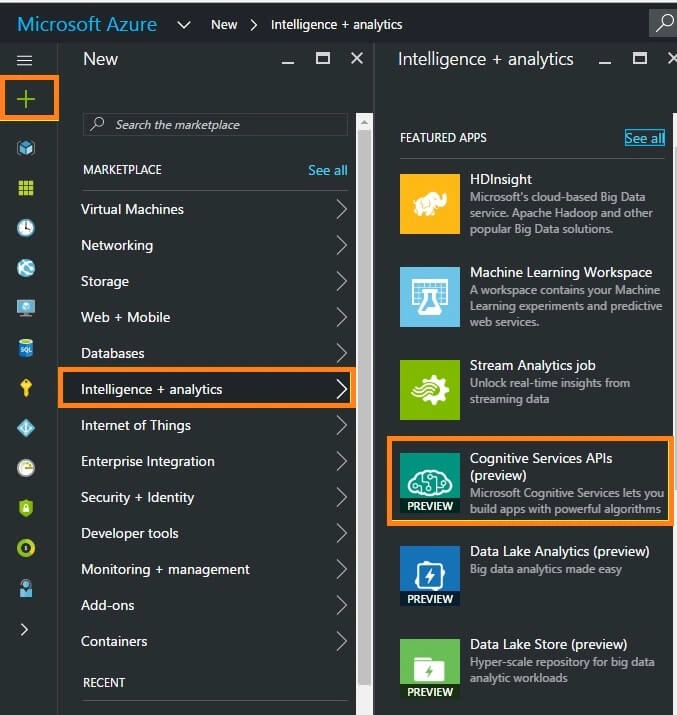
Click “+NEW” and choose “Intelligence + Analytics”. Select “Cognitive Service API”.
Step 3
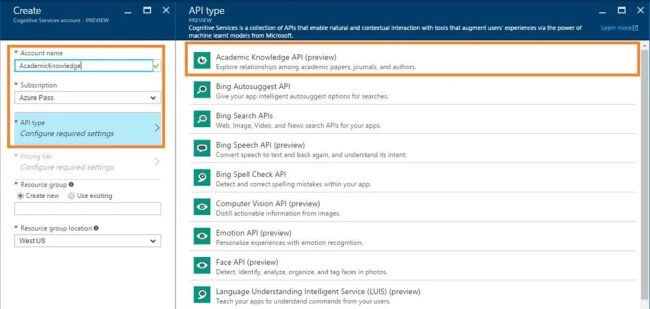
In the new account blade, enter the Account Name, select Subscription and select API type as Academic Knowledge API from the list of available API's.
Step 4
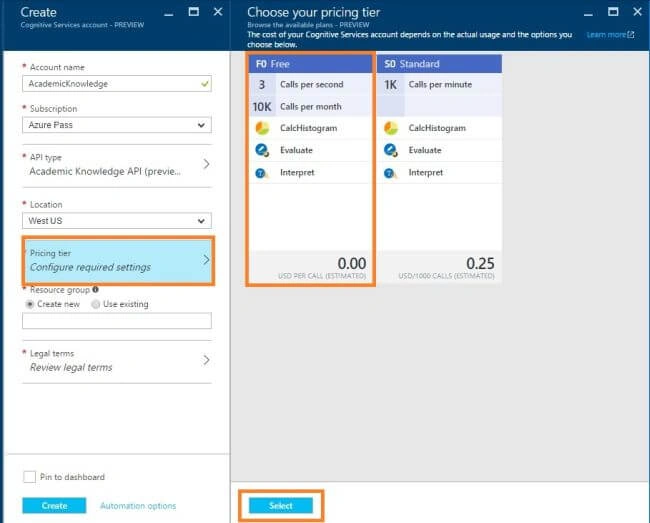
Now, we need to choose Location, Pricing tier and Resource group.
Step 5
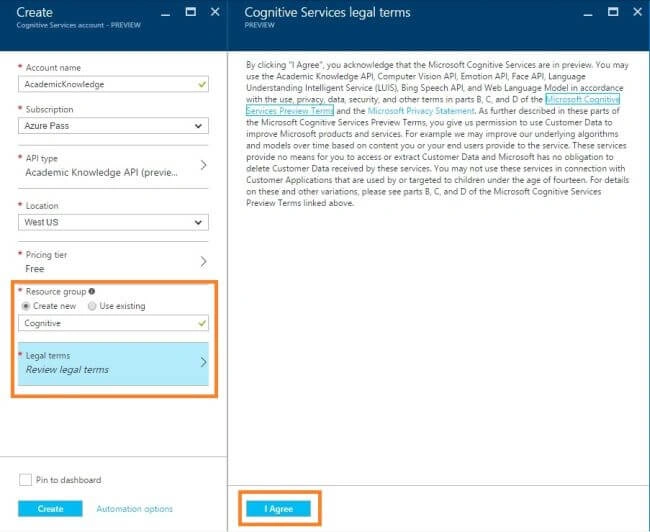
Now, we need to accept the license term.
Step 6
Finally, click create button to create a Cognitive Service.
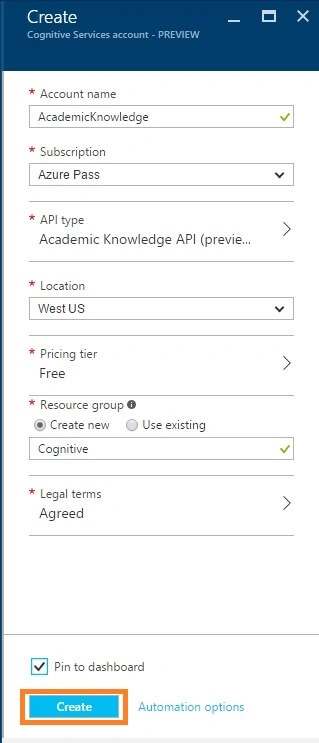
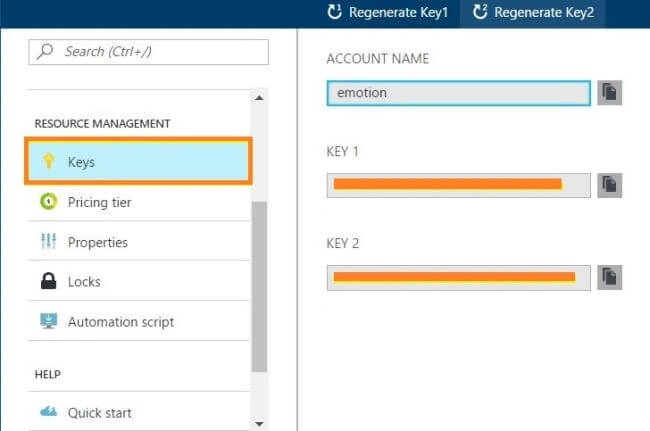
A few minutes later, we will get Academic Knowledge API dashboard. Subsequently, we can download Academic Knowledge API and use them in our project.
Summary
In this article, we discussed how to create Academic Knowledge API in Microsoft Azure Portal.
prasanna rajPosted Dec 20, 2017, 12:54 AM
Nice Article , please help me how to use this api in bot framework - Emulator in c#
Anu VPosted Oct 26, 2016, 8:59 PM
Nice