

In this article, we are going to discuss a few things about Firebase and the deployment of Angular applications.
Agenda
- Overview of Firebase
- Features of Firebase
- Register an Application on Firebase
- Create an Angular Demo Application
- Deployment of Angular Application on Firebase
Prerequisites
- Firebase Account
- Angular CLI
- Node JS
- Visual Studio
Overview of Firebase
Firebase is a mobile and web development platform that provides a wide range of tools and services to help developers build high-quality applications. It was originally developed by Firebase Inc., a startup founded in 2011, and was later acquired by Google in 2014.
Features of Firebase
- Real-time Database: Firebase provides a cloud-hosted NoSQL database that allows developers to store and sync data in real-time across multiple clients. It uses a JSON-based data model and provides powerful querying capabilities.
- Authentication: Firebase offers authentication services, enabling developers to easily add user authentication to their applications using email and password, social media logins (such as Google, Facebook, and Twitter), and other identity providers.
- Cloud Functions: Firebase allows developers to write and deploy serverless functions that run in response to events triggered by Firebase services or HTTP requests. This feature enables developers to extend the functionality of their applications without managing servers.
- Cloud Storage: Firebase provides secure and scalable cloud storage for developers to store and serve user-generated content like images, videos, and other files. It offers simple APIs for uploading, downloading, and managing files.
- Hosting: Firebase Hosting allows developers to deploy and host their web applications quickly and securely. It provides a global content delivery network (CDN) to deliver static assets and dynamic content to users with low latency.
- Analytics: Firebase Analytics provides detailed insights into user behavior and app usage. It helps developers track key metrics, understand user engagement, and make data-driven decisions to optimize their applications.
- Performance Monitoring: Firebase Performance Monitoring helps developers gain insights into the performance of their applications. It provides real-time monitoring, tracks network requests, and identifies performance bottlenecks.
Register an Application on Firebase
Step 1
Open the following Firebase URL:
https://console.firebase.google.com/u/0/
Step 2
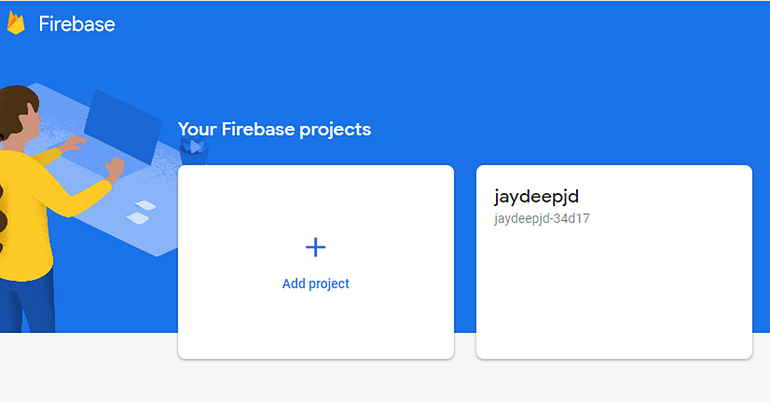
Add a new project.
Step 3
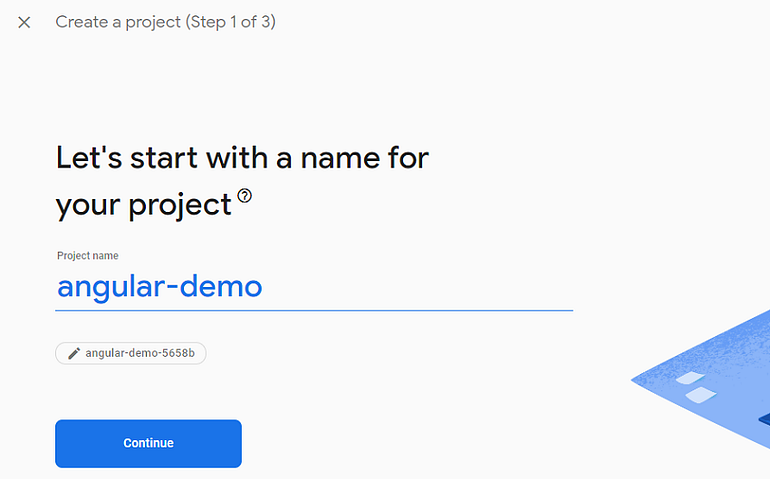
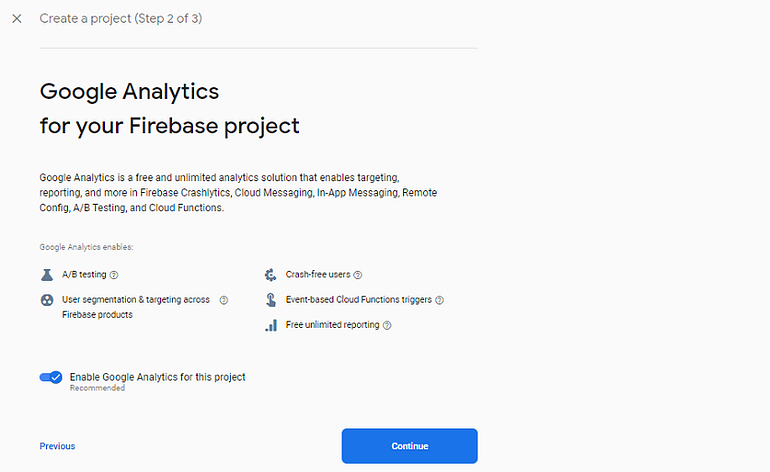
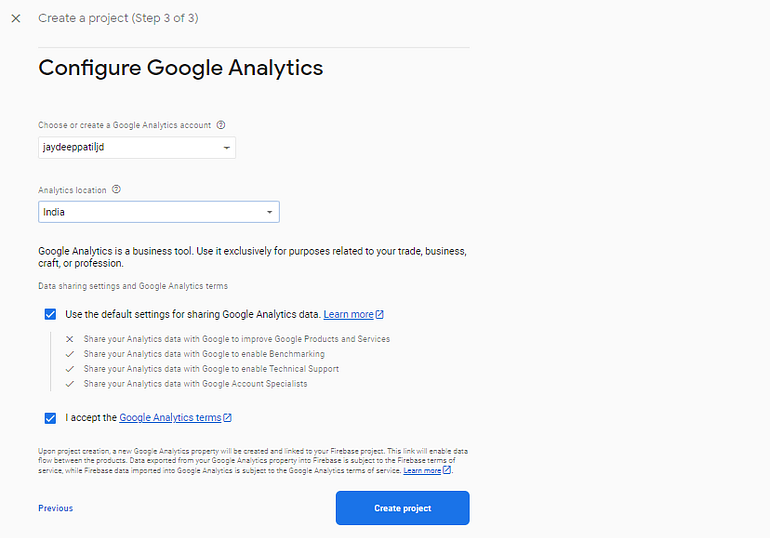
Configure the project name and Google Analytics with some default settings.




Join the conversation! Your thoughts help the community grow.