

Introduction
Hyper-V is Microsoft's virtualization. It lets you create and run software called a virtual machine. Each virtual machine acts like a complete computer, running an operating system and programs.
I will provide step by step with screenshots below.
Step 1
First check the virtualization support on your computer

Step 2
Go to desktop search bar to search the control Panel open

Step 3
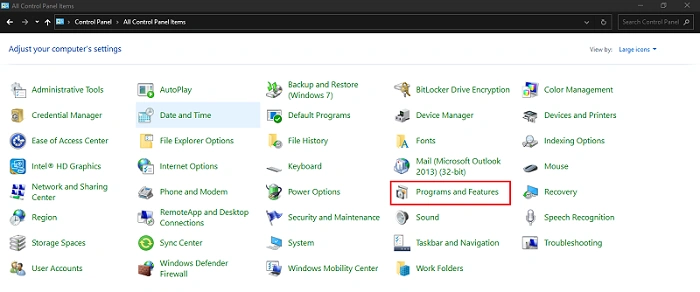
select the program and Features
Step 4
Click the Turn Windows features or off

Step 5
Click enable the Hyper-V check box
Next click the OK Button

Conclusion
This article taught us how to set up hyper-v Windows machines. If you have any questions, please contact me.
Join the conversation! Your thoughts help the community grow.