

Introduction of Material UI
Material-UI is a popular React UI framework that provides a set of React components that implement Google's Material Design guidelines. Material Design is a design language developed by Google that emphasizes using grid-based layouts, responsive animations, and a consistent design language across different platforms and devices.
Material-UI simplifies the process of building modern, responsive, and visually appealing user interfaces in React applications. It offers various pre-designed and customizable components, such as buttons, cards, dialogues, sliders, and more, that follow the Material Design principles.
Material-UI is a React UI framework
- React Components: It offers a set of easily integrable React components for building user interfaces.
- Customization: Components are highly customizable through various props and themes, allowing developers to match the overall design of their applications.
- Responsive Design: Material-UI components are inherently responsive, ensuring a consistent user experience across diverse screen sizes and devices.
- Consistent Design Language: The components adhere to Material Design guidelines, delivering a visually appealing and consistent design throughout the application.
- Community Support: As a widely used framework, Material-UI boasts a large and active community. This support extends to documentation, forums, and various resources aiding developers in utilizing and customizing the framework.
- Modularity: Components are modular, facilitating their combination for creating complex UIs.
- Accessibility: Material-UI prioritises accessibility, incorporating ARIA attributes and keyboard navigation support in its components to enhance inclusivity.
- Extensive Customization: While Material-UI provides default styles and themes based on Material Design principles, it allows developers to extensively customize styles, apply themes, and adapt components to meet specific design requirements.
Let’s start installing and setting up Material-UI step-by-step
Building Your React.js Application
Step 1. Setting Up The Node Environment
Ensure that Node.js is installed on your system, as npm requires it for managing packages.
To begin, install Node.js. I have provided a comprehensive guide on setting up Node.js in an article. You can reference this article, where I explain the process step by step:
"Setting Up the Node Environment and Running a Simple Node Server Project."
To verify the installation and confirm whether the correct version was installed,
Enter the following command to Check the node version.
Node --version or Node -v
Check the npm version, and run this command.
npm --version or npm -v
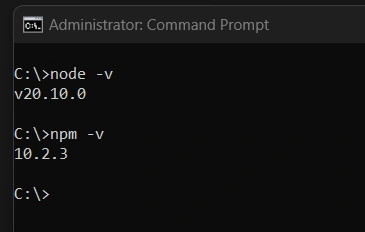
Picture 1. Check the version Node 20.10.0 and npm 10.2.3.
Step 2. Create a React Application
To create a new React app, you can use the create-react-app command-line tool, an officially supported way to create React applications. Here are the steps.
- Open your terminal or command prompt.
- Run the following command to install create-react-app globally (if you haven't done so before)
-g This is an option that stands for "global." When you install a package globally, it means that it is installed in a central location on your computer and can be accessed from any directory.npm install -g create-react-app - Once the installation is complete, create a new React app by running.
npx create-react-app material-ui-app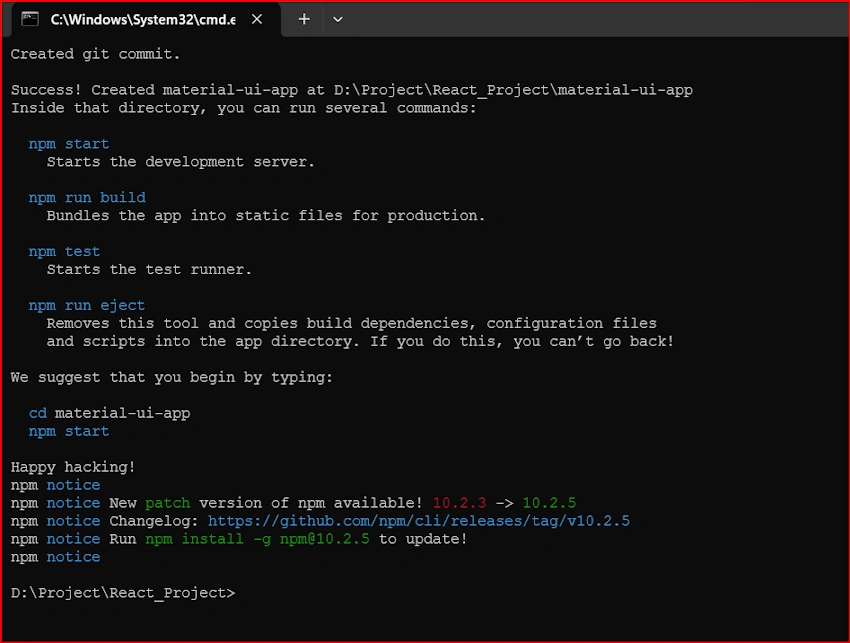
Picture 2. Successfully! Created react app. - Move to the project folder and open the source in vs-code.
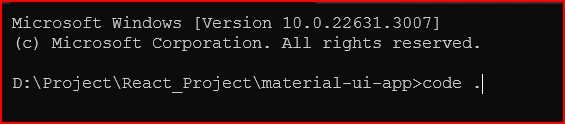
Picture 3. Enter the “code .” and press the enter key. Our project source code will open in vs-code. - Now we opened the code in vs-code you can see the file structure and package.json. I removed the unwanted file from the source code.
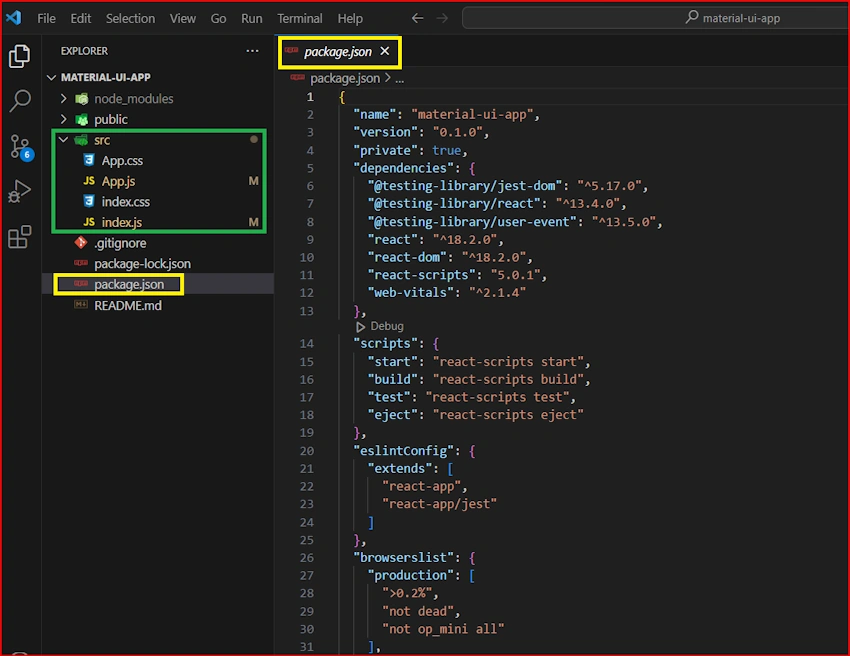
Picture 4. You can see the files and folder structure.
Step 3. Install the Material UI
Go to the Material-UI website and get some instructions.
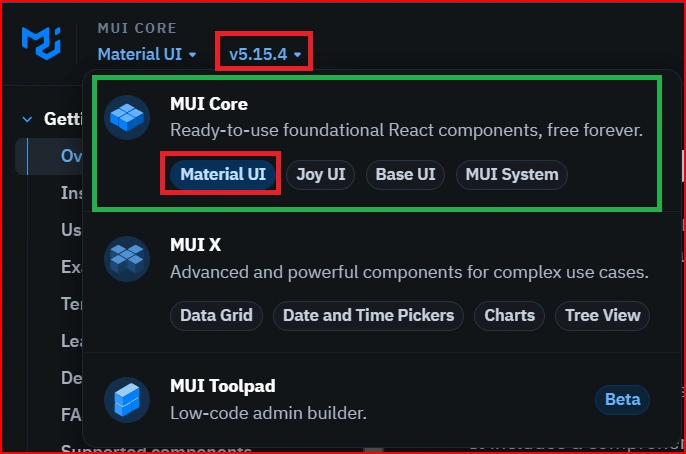
Picture 5. This is the latest version V5.15.4 MUI CORE.
There are two types of versions in the Material-UI.
- V5.15.4 is the latest version of MUI-CORE
- The older version is V4 Material-UI-core.
1. MUI Installation
npm install @mui/material @emotion/react @emotion/styled
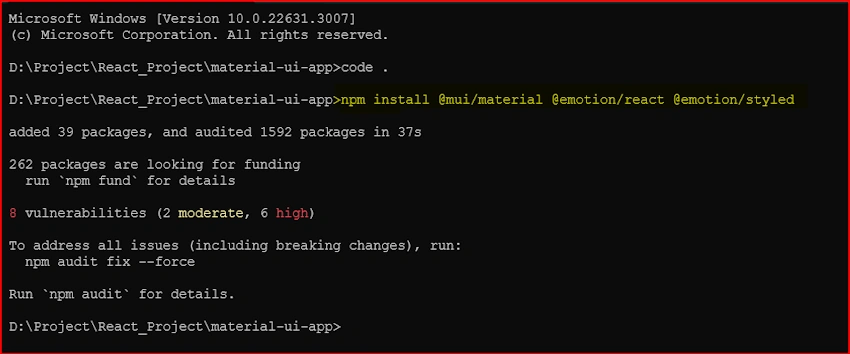
Picture 6. Successfully install. V5.15.4 MUI CORE.
2. Google Web Fonts
To install Roboto via the Google Web Fonts CDN, insert the following code inside the <head> tag of your project
<link rel="preconnect" href="https://fonts.googleapis.com" />
<link rel="preconnect" href="https://fonts.gstatic.com" crossorigin />
<link
  rel="stylesheet"
  href="https://fonts.googleapis.com/css2?family=Roboto:wght@300;400;500;600;700&display=swap"/>
-
Go to the public folder in your project and open the index.html file.
-
Copy the CDN code and paste it inside the <head> tag of the index.html.
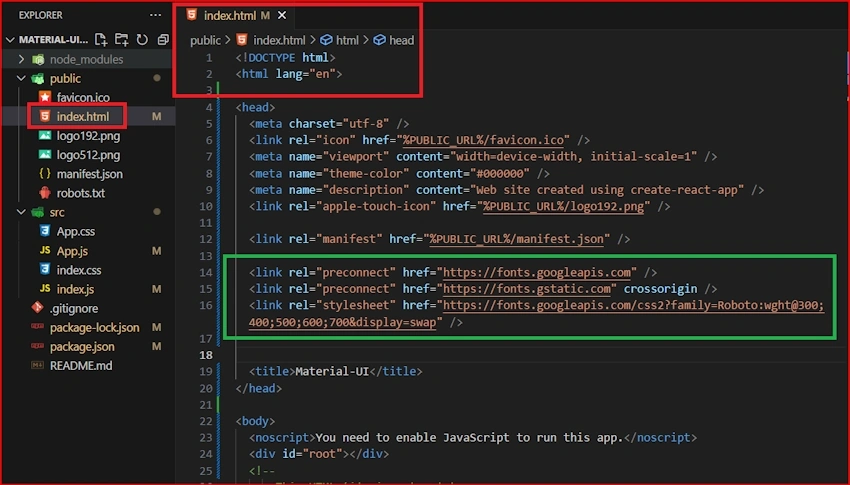
Picture 7. Successfully add Google Web Fonts CDN.
3. Font Icons
To utilize the Font Icon component or the prebuilt SVG Material Icons, you need to install the Material Icons font first. You can achieve this either with npm or through the Google Web Fonts CDN.
npm install @mui/icons-material
Open the index.html file and paste the CDN code inside the <head> tag of the index.html.
<link
  rel="stylesheet"
  href="https://fonts.googleapis.com/icon?family=Material+Icons"/>
Now we can see the package.json, installed packages added or not.
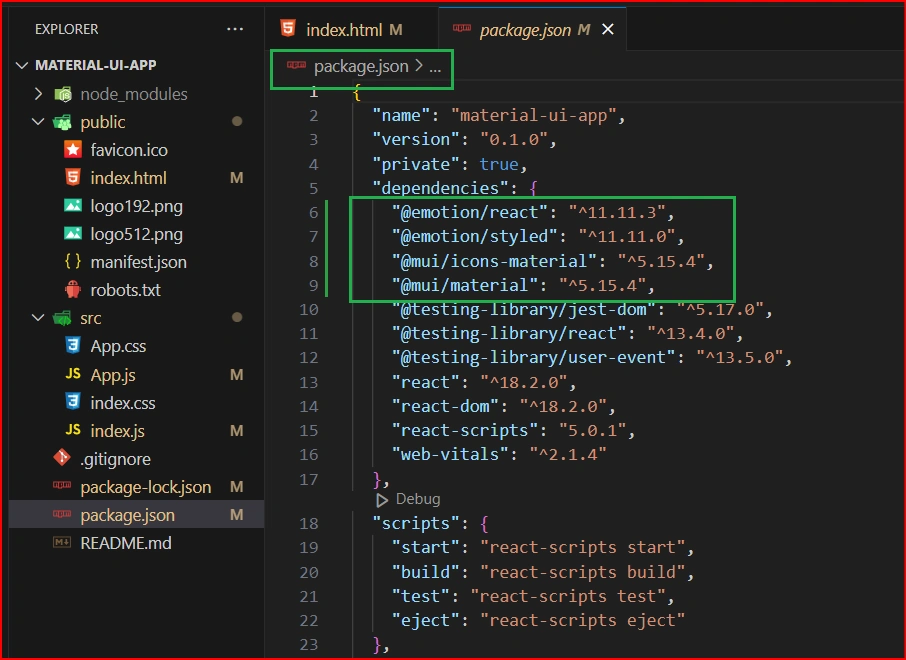
Picture 8. Installed packages were added in JSON.
Now run the application and check it.
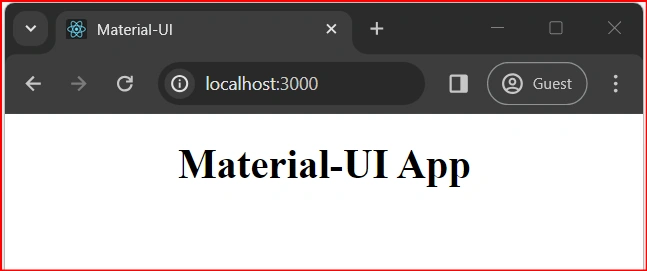
Picture 9. Successfully run the application.
Conclusion
Integrating Material-UI with React.js empowers developers to create modern, visually appealing, and responsive user interfaces with ease. This article has provided a step-by-step guide to setting up a React.js application with Material-UI. From configuring the Node environment to creating a new React app using create-react-app, and finally, installing Material-UI along with Google Web Fonts and Font Icons – each step has been meticulously explained and illustrated. By following these instructions.
Join the conversation! Your thoughts help the community grow.